
Total HTML Converter is a Windows-based software application designed to facilitate the conversion of HTML files into various other formats. This review will delve into its features, performance, user experience, and overall effectiveness as a tool for managing and transforming web content. While the software has been available for over a decade, its continued presence suggests ongoing value for specific user needs. We’ll examine both the strengths and weaknesses reported by users and critics to offer a balanced perspective.
Functionality and Features
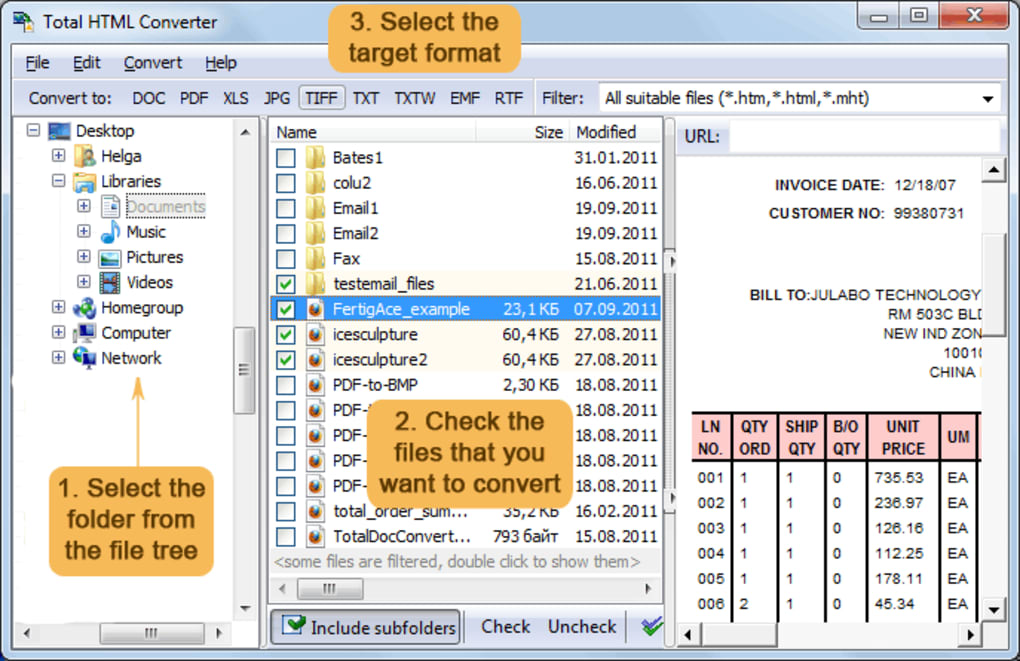
At its core, Total HTML Converter fulfills its primary function: converting HTML pages. However, its capabilities extend beyond a simple HTML-to-text conversion. The software boasts the ability to transform HTML files into a range of formats including DOC (Microsoft Word), XLS (Microsoft Excel), PDF (Portable Document Format), JPG (JPEG image), TIFF (Tagged Image File Format), and plain text. This versatility makes it a potentially useful tool for various purposes, from archiving web pages to preparing content for different applications.
The conversion process, according to user reports, offers several options to customize the output. Users can often adjust page size and orientation when converting to PDF or other image formats. This level of control is a significant advantage, allowing users to tailor the converted files to their specific requirements. The ability to handle batch conversions – converting multiple files simultaneously – is also a key feature, saving considerable time and effort when dealing with large numbers of HTML documents.
However, the reported speed of the conversion process varies greatly among user reviews. Some praise its efficiency, while others highlight its slow performance, particularly when processing numerous or large files. This inconsistency might indicate that performance is affected by factors such as the complexity of the HTML code, the system’s resources, and the specific output format selected. The presence of non-text characters in the output, reported by some users when converting to text files, suggests potential limitations in the software’s handling of certain HTML elements.
User Interface and Experience
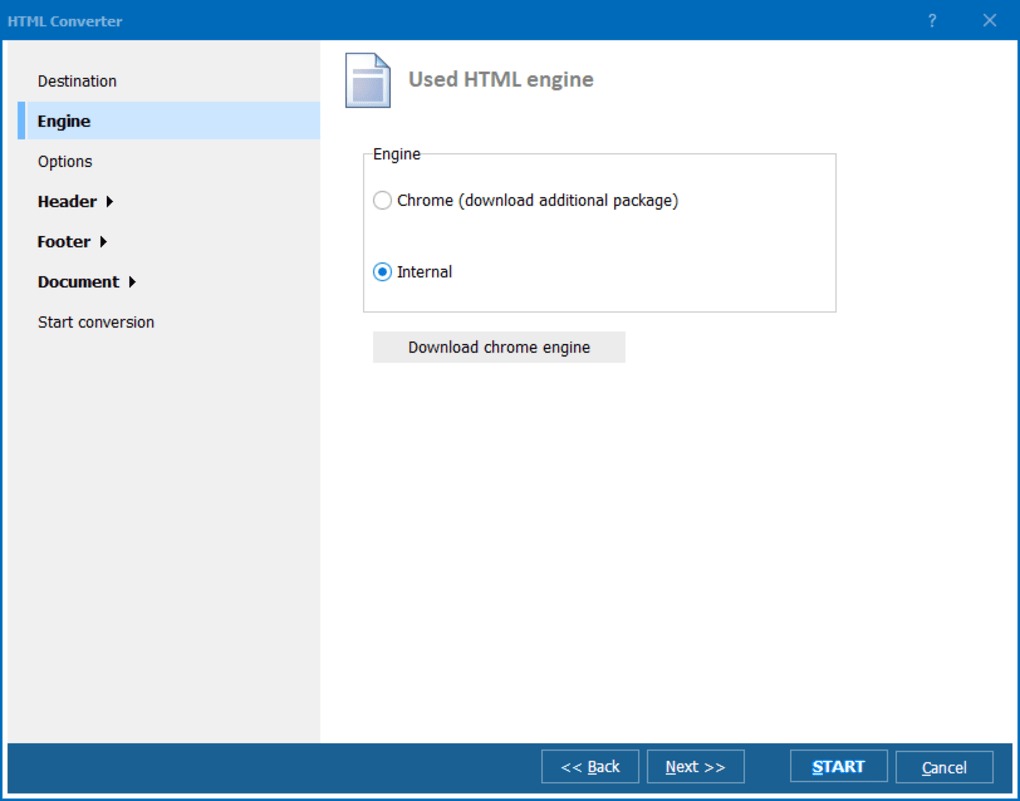
While detailed descriptions of the user interface are scarce in available information, user reviews suggest a relatively straightforward and user-friendly experience. The software’s ease of use is a frequently mentioned positive aspect, indicating that even users with limited technical expertise can effectively utilize its conversion features. The ability to quickly and easily select input files, choose the desired output format, and initiate the conversion process contributes to this positive perception.
The reported pop-up window prompting users to purchase a full license, however, represents a potential negative aspect of the user experience. While this is a common tactic for trialware, its frequency and intrusiveness may disrupt the workflow and become frustrating for users. This could particularly affect users who only require occasional use of the software.
Performance and System Requirements
Total HTML Converter’s system requirements are relatively modest. It supports Windows ME and earlier versions, indicating a compatibility with older operating systems. The software’s installation size is described as smaller than average for development software, potentially making it suitable for systems with limited storage capacity. However, as previously noted, the software’s processing speed varies considerably depending on factors such as file size and complexity. The software’s performance also depends heavily on the overall system resources.
Alternatives and Competition
The market offers various alternative HTML converters. Some are integrated into web browsers or office suites, while others are standalone applications with different features and capabilities. The choice of a specific converter often depends on the user’s needs and preferences, considering factors like the supported formats, conversion speed, user interface, and licensing model.
Several free and open-source alternatives provide similar functionalities, though potentially with reduced features or a steeper learning curve. Commercial alternatives often offer more advanced features and better support but come at a cost. Therefore, the decision to choose Total HTML Converter requires careful evaluation against available alternatives based on individual priorities.
Strengths and Weaknesses
Strengths:
- Versatility: Converts HTML to multiple formats (DOC, XLS, PDF, JPG, TIFF, text).
- User-Friendly Interface: Generally considered easy to use, even for non-technical users.
- Batch Conversion: Allows for the simultaneous conversion of multiple files.
- Customization Options: Provides options for adjusting page size and orientation in the output.
- Modest System Requirements: Compatible with older Windows versions and has a relatively small installation size.
Weaknesses:
- Inconsistent Performance: Conversion speed varies significantly; reported as slow in some cases.
- Licensing Prompts: Frequent prompts to purchase the full version can be disruptive.
- Output Quality Issues: Reports of non-text characters appearing in text file conversions.
- Limited Documentation: Detailed information on features and functionalities is not readily available.
- Lack of Recent Updates: The last major update was some years ago, potentially indicating a lack of ongoing development and support.
Conclusion
Total HTML Converter offers a simple and generally user-friendly way to convert HTML files into various formats. Its versatility in handling multiple output types is a valuable asset. However, inconsistent performance, intrusive licensing prompts, and occasional output quality issues raise concerns. Users should carefully consider their needs and the availability of alternative solutions before selecting this software. The absence of recent updates also raises questions about the longevity of the software and the level of future support. While it might still serve a purpose for certain users with specific requirements, a thorough assessment of alternatives is recommended to ensure the best fit for individual needs and workflow.
File Information
- License: “Trial version”
- Latest update: “July 11, 2023”
- Platform: “Windows”
- OS: “Windows 2000”
- Language: “English”
- Downloads: “14.3K”
- Size: “58.67 MB”


