
TouchVPN presents itself as a free VPN service for Windows, Android, and other platforms, promising users a simple and effective way to enhance their online privacy and security. This review delves into the features, performance, security aspects, and overall value proposition of TouchVPN, comparing it to paid alternatives like NordVPN to provide a balanced perspective. We will examine its strengths and weaknesses to determine whether this free VPN truly delivers on its promises.
Ease of Use and Interface
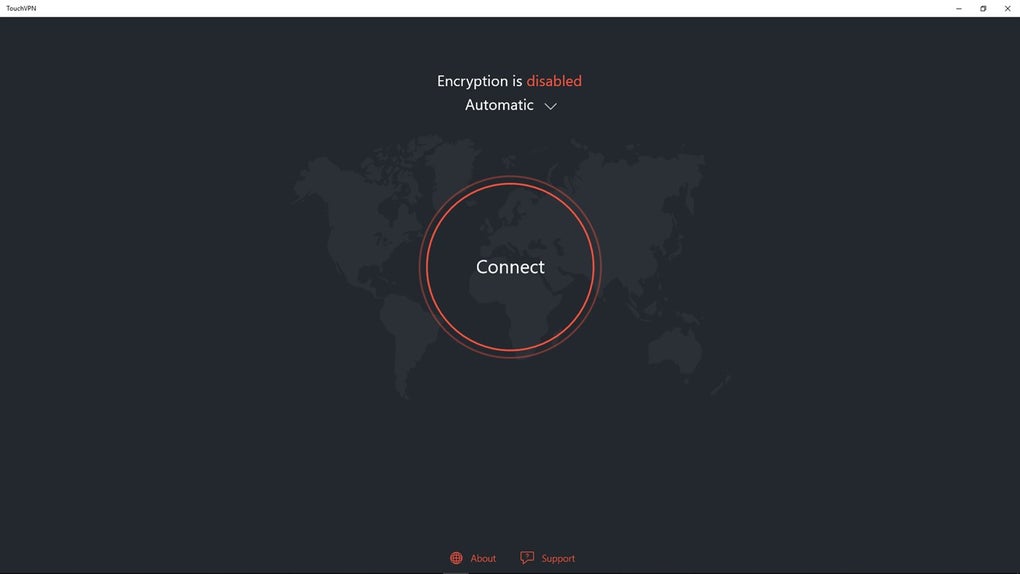
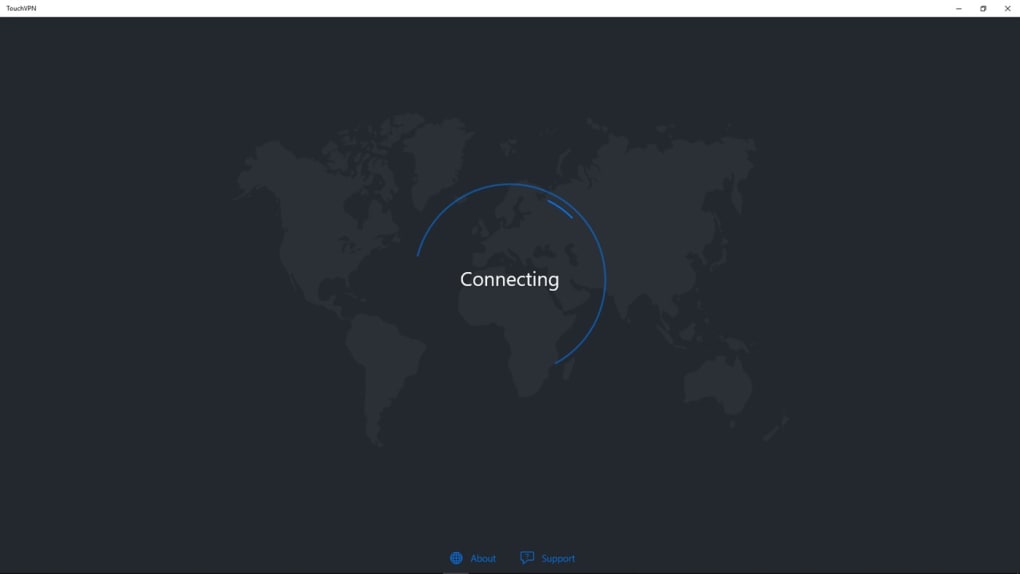
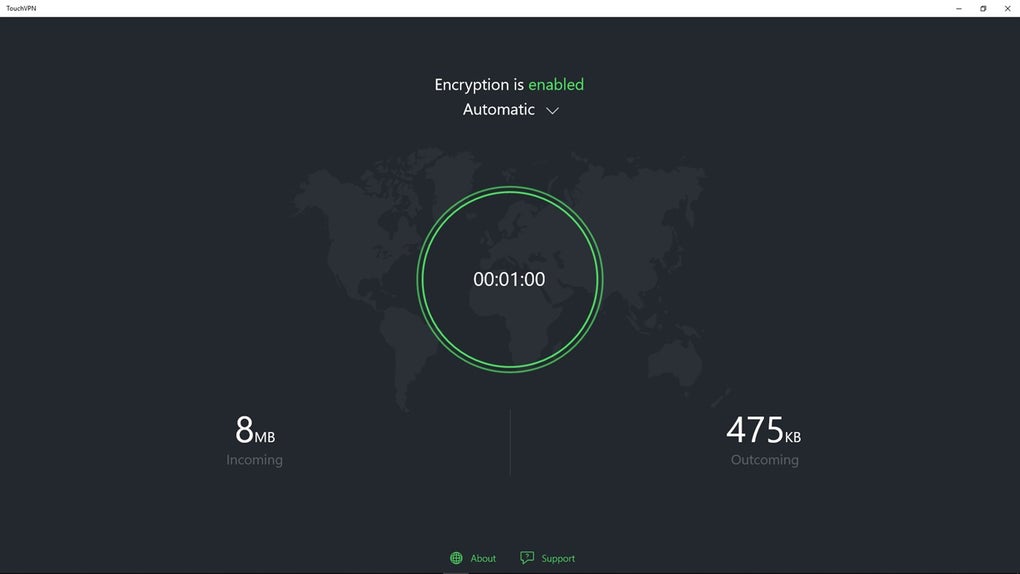
One of TouchVPN’s most significant strengths lies in its remarkably user-friendly interface. Designed with simplicity in mind, the app boasts a one-click connection feature. Users need only press a single button to establish a VPN connection, encrypting their internet traffic and masking their IP address. This ease of use makes TouchVPN ideal for users who are new to VPNs or those who prefer a straightforward, hassle-free experience, eliminating the complexities often associated with configuring and managing VPN settings. This simplicity extends beyond the initial connection; disconnecting is equally effortless, requiring only another click of the same button. This on/off functionality is particularly convenient for users who wish to conserve battery life on mobile devices, enabling them to quickly activate protection when needed and disable it when not required.
The intuitive design extends to the app’s overall aesthetic. While lacking the extensive customization options found in premium VPNs, the clean and uncluttered interface makes navigation simple and efficient. The lack of overwhelming menus and settings is a significant advantage for users who are intimidated by technical jargon or complicated interfaces. The straightforward approach ensures that even less tech-savvy individuals can easily utilize the app’s core functionality. The focus on simplicity, therefore, significantly broadens the app’s potential user base.
Security and Privacy Features
While TouchVPN prioritizes ease of use, it’s crucial to assess its security and privacy features. The app utilizes strong SSL encryption to safeguard user data during transmission, protecting sensitive information from potential eavesdroppers and malicious actors. This encryption ensures that online activity remains confidential, even when connected to public Wi-Fi networks, a common vulnerability for unprotected devices. TouchVPN also actively blocks ad trackers and filters out intrusive advertisements, further enhancing user privacy and enhancing the online browsing experience by reducing the intrusion of unwanted advertising material. The masking of the user’s IP address is another key security feature, preventing websites and other online services from tracking a user’s location and browsing habits.
However, compared to premium VPN services like NordVPN, TouchVPN’s security features are relatively more limited. NordVPN, for example, boasts advanced features such as a kill switch (which TouchVPN also offers), double VPN encryption, and a comprehensive no-logs policy that provides a higher level of security and anonymity. While TouchVPN does offer a kill switch, this feature’s effectiveness ultimately relies on the app’s overall stability and performance. A less robust underlying structure could compromise the integrity of the kill switch, negating its intended protective function. The absence of more advanced security protocols and features indicates that TouchVPN’s security, while adequate for basic protection, does not match the robustness of its paid counterparts.
Server Locations and Speed Performance
TouchVPN offers a selection of server locations around the globe, though the availability of these locations may vary depending on the platform being used. For example, Windows users may have a more restricted choice compared to Android users. This limitation contrasts sharply with premium services like NordVPN, which boast a significantly larger network of servers spread across numerous countries. The difference in server numbers directly impacts a user’s ability to access geo-restricted content and optimize their connection speed. While TouchVPN’s server network allows access to content blocked in certain regions, the limited number of server locations might lead to slower speeds and increased latency in comparison to services with more geographically diverse server infrastructures.
Despite the limited number of servers, TouchVPN generally delivers acceptable connection speeds. For casual browsing, streaming low-resolution videos, and other everyday internet activities, the speeds are typically sufficient. However, users engaging in activities that are more bandwidth-intensive, such as high-definition streaming or online gaming, might experience noticeable lag or buffering due to the smaller server network and potential congestion. The performance consistently observed underscores the importance of managing expectations. While TouchVPN is competent for casual use, those demanding consistently high speeds and low latency should consider a premium VPN with a more extensive server infrastructure.
Comparison with Paid VPNs: NordVPN as a Benchmark
To provide a more comprehensive assessment of TouchVPN, a comparison with a leading commercial VPN, NordVPN, is warranted. NordVPN, a widely respected and established service, offers numerous advantages not found in TouchVPN. NordVPN boasts a significantly larger server network, offering users more choices for optimizing connection speeds and accessing geo-restricted content. Its robust security features, including double VPN encryption, and a rigorous no-logs policy, provide a superior level of privacy and anonymity. Furthermore, NordVPN typically offers better speed performance, especially during peak usage times, due to its extensive server infrastructure and advanced technological capabilities. NordVPN also supports P2P file sharing, a feature absent in TouchVPN.
However, it’s important to acknowledge the inherent differences driven by the pricing model. NordVPN is a paid service, and its superior features and performance reflect the investment required. TouchVPN’s free nature allows for a more accessible entry point to VPN technology, ideal for users hesitant to commit to a paid subscription. The comparison underscores that while TouchVPN offers a functional and easy-to-use VPN experience, users seeking the highest levels of security, speed, and features should expect to pay for a premium service. The choice depends on individual needs and budget constraints.
TouchVPN’s Strengths and Weaknesses Summarized
Strengths:
- Exceptional Ease of Use: The one-click connection and simple interface make TouchVPN incredibly accessible to all users, regardless of their technical expertise.
- Free of Charge: TouchVPN’s most compelling feature is its price. It allows users to experience the benefits of a VPN without any financial commitment.
- Adequate Security: While not as robust as paid alternatives, the SSL encryption and ad-blocking capabilities provide reasonable protection for everyday online activities.
- Acceptable Speed for Basic Use: The connection speeds are generally suitable for casual browsing and streaming, though high-bandwidth activities may be negatively impacted.
Weaknesses:
- Limited Server Network: Compared to paid services, TouchVPN has significantly fewer servers, resulting in potential speed limitations and reduced access to geo-restricted content.
- Lack of Advanced Security Features: TouchVPN lacks features such as double VPN encryption and more sophisticated security protocols present in premium VPNs.
- Platform Compatibility Variations: The availability of server locations and features may vary depending on the device and operating system.
- Potential for Performance Issues: During peak hours, the limited server infrastructure might lead to congestion and reduced speeds.
Conclusion
TouchVPN provides a surprisingly effective and simple free VPN solution for users who require basic online privacy and security. Its ease of use and lack of cost make it an attractive option for newcomers to VPNs or those seeking a straightforward way to add a layer of protection to their online activities. However, users with more stringent security requirements, those needing high speeds for bandwidth-intensive applications, or those who require access to a larger range of server locations would likely benefit from investing in a premium VPN service like NordVPN. The choice ultimately hinges on the user’s individual needs and priorities. For casual users looking for a simple, free, and functional VPN, TouchVPN is a viable option. Those seeking advanced features and higher performance should consider a paid alternative.
File Information
- License: “Free”
- Latest update: “July 10, 2023”
- Platform: “Windows”
- OS: “Windows 10”
- Language: “English”
- Downloads: “233.1K”


