Transmission-Qt is an unofficial Windows port of the popular Transmission BitTorrent client, originally designed for macOS. It inherits the parent application’s strengths: simplicity, speed, and ease of use. This makes it an excellent choice for users seeking a straightforward and efficient way to manage BitTorrent downloads and uploads without the bloat of more feature-rich (and often resource-intensive) alternatives.
A Clean and Efficient Interface
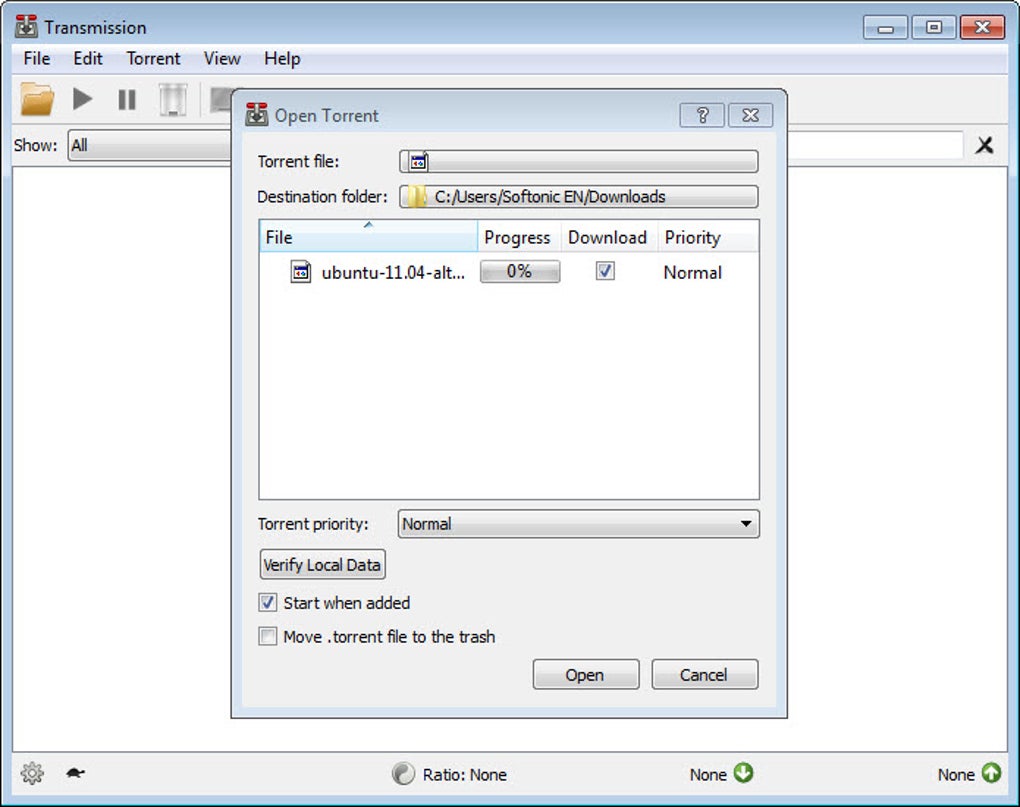
Transmission-Qt boasts a minimalist and intuitive interface, prioritizing clarity and ease of navigation. The core functions are readily accessible, eliminating the overwhelming complexity found in some competing BitTorrent clients. This clean design ensures that essential information is readily available without sacrificing visual appeal or creating a cluttered user experience.
The main window presents a clear list of active torrents, displaying crucial details such as download progress, upload speed, remaining time, and file size. Users can easily prioritize downloads, manage individual torrent settings, and monitor overall bandwidth usage with minimal effort. The intuitive layout allows for efficient torrent management, even for users unfamiliar with BitTorrent clients.
One particularly useful feature is the ability to set priority levels for individual torrents. This allows users to prioritize the download of specific files or to allocate bandwidth according to their needs. Furthermore, the integrated speed limiting functionality, easily accessible via a dedicated icon, provides granular control over both upload and download speeds. This is vital for users with bandwidth caps or those who wish to prevent their torrenting activity from interfering with other online tasks.
Advanced filtering options enable users to organize their torrents based on various criteria, such as download status (downloading, seeding, paused), date added, name, and process. This flexibility ensures that users can quickly locate and manage specific torrents within a large collection. The ability to label, filter, and sort torrents into groups based on total activity further enhances organizational capabilities, allowing users to streamline their torrent management process and maintain a clear overview of their downloads.
Data encryption is also supported, addressing privacy concerns for users who prefer to keep their torrenting activity confidential. This feature adds an extra layer of security, protecting the data transferred during download and upload processes.
Functionality and Features: A Balance of Simplicity and Power
While Transmission-Qt prioritizes simplicity, it doesn’t compromise on essential functionality. It offers a robust set of features that cater to the needs of most users without overwhelming them with advanced, often unnecessary options. This approach allows for a streamlined and efficient user experience.
The client effectively manages multiple simultaneous downloads, distributing bandwidth efficiently to optimize download speeds. Its lightweight nature ensures minimal system resource consumption, making it suitable for use on less powerful machines or systems where other applications demand significant processing power. The minimal impact on system performance is a significant advantage compared to more resource-intensive clients.
The ability to control and limit download and upload speeds offers users precise control over their bandwidth usage. This functionality is essential for users with limited bandwidth or those who wish to manage their network activity proactively. The intuitive controls ensure that speed adjustments are quick and straightforward, requiring minimal technical expertise.
The integration of a robust filtering system allows for efficient organization of large torrent collections. Users can easily filter torrents based on various parameters, such as download status, name, and date added, ensuring quick access to specific files or groups of files.
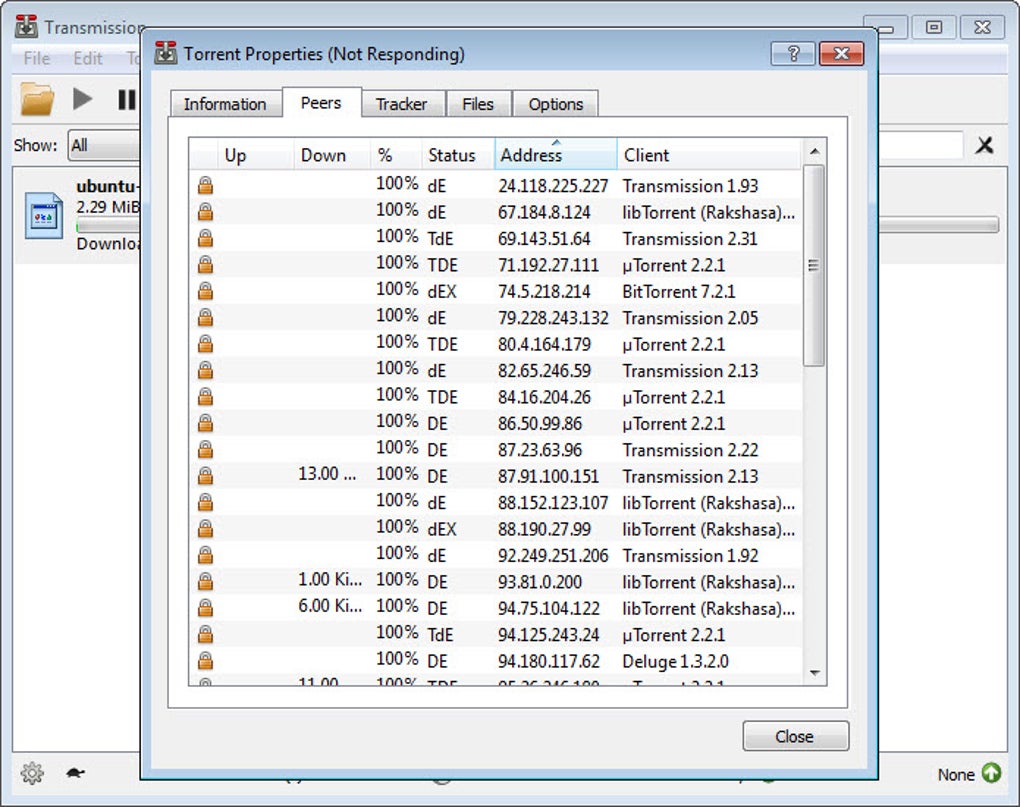
The support for data encryption provides a vital privacy enhancement, securing the data transferred during torrenting activities. This feature is crucial for users who value their online privacy and wish to protect their data from unauthorized access.
Comparison with Other BitTorrent Clients: A Focus on Simplicity
Compared to more feature-rich clients like uTorrent or qBittorrent, Transmission-Qt sacrifices some advanced features in favor of simplicity and ease of use. While uTorrent and qBittorrent offer extensive customization options and detailed statistics, this often comes at the cost of a more complex and potentially overwhelming user interface. Transmission-Qt prioritizes a streamlined experience, making it ideal for users who prioritize usability over extensive configurability.
The lack of advanced statistics, such as detailed bandwidth graphs or comprehensive transfer logs, may be a drawback for some users. However, for users who simply require a reliable and easy-to-use client, this simplification is a significant advantage. The focus on essential features ensures that the core functionality is polished and efficient, without being bogged down by unnecessary complexities. This makes Transmission-Qt an excellent option for novice users who may find more feature-rich clients daunting.
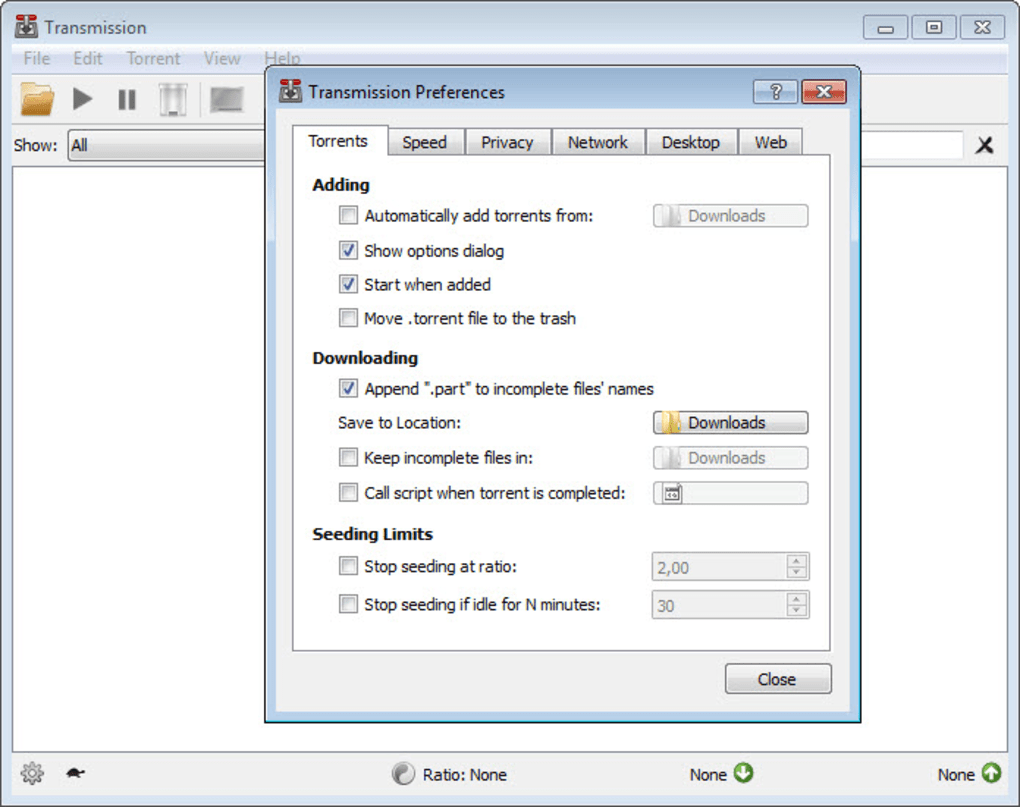
The minimalist design, while a strength for many, might be considered a limitation by power users who require granular control over every aspect of their torrenting activity. The simplicity of Transmission-Qt sacrifices some of the advanced configuration options found in other clients, such as fine-tuned bandwidth scheduling or advanced protocol settings. However, for the majority of users, the available options provide more than adequate control over their downloads.
Strengths and Weaknesses: A Balanced Perspective
Transmission-Qt’s strengths lie in its simplicity, speed, and clean interface. Its lightweight nature ensures efficient resource utilization, making it an excellent option for users with less powerful systems. The intuitive design makes it accessible to users of all levels of technical expertise. The inclusion of essential features like data encryption and speed limiting adds valuable functionality without sacrificing ease of use.
However, the absence of advanced configuration options and detailed statistics may be a drawback for power users seeking granular control over their torrenting process. The lack of extensive customization might limit the ability to fine-tune the client to specific network conditions or individual preferences. While the minimalist approach streamlines the user experience for many, it might be perceived as a limitation by users accustomed to more feature-rich clients.
Conclusion: An Ideal Choice for Many Users
Transmission-Qt offers a compelling alternative to more complex BitTorrent clients. Its focus on simplicity and ease of use makes it an ideal choice for users who prioritize a straightforward and efficient torrenting experience. The clean interface and lightweight design ensure minimal system resource consumption, while the inclusion of essential features like data encryption and speed limiting provides sufficient functionality for most users. While power users might find the lack of advanced configuration options limiting, the majority of users will appreciate the streamlined workflow and intuitive design of Transmission-Qt. Its strengths lie in its simplicity and efficient performance, making it a highly recommended option for those seeking a straightforward and user-friendly BitTorrent client.
File Information
- License: “Free”
- Latest update: “May 22, 2023”
- Platform: “Windows”
- OS: “Windows 8”
- Language: “English”
- Downloads: “111.7K”
- Size: “14.50 MB”