
Traverso DAW is a free, open-source digital audio workstation (DAW) designed for Windows operating systems. This comprehensive review delves into its features, interface, usability, and overall effectiveness as a tool for both amateur and professional audio editing and recording. We’ll explore its strengths and weaknesses, comparing it to other popular DAWs and ultimately determining whether it’s the right choice for your audio production needs.
Interface and Usability: A Blend of Power and Complexity
Traverso DAW boasts a clean and organized interface, a significant advantage in the often-cluttered world of DAW software. The layout is intuitive, with key functionalities clearly accessible. The top panels provide easy access to file management (adding, saving, and undo/redo functions), while the left panel displays a comprehensive list of shortcuts, invaluable for efficient workflow. The central panel offers a visual representation of audio tracks and their frequency, enabling precise editing. The right panel neatly displays the editing history, facilitating quick reversals of any unwanted changes. This organized approach ensures that users can focus on the creative process rather than navigating a confusing interface.
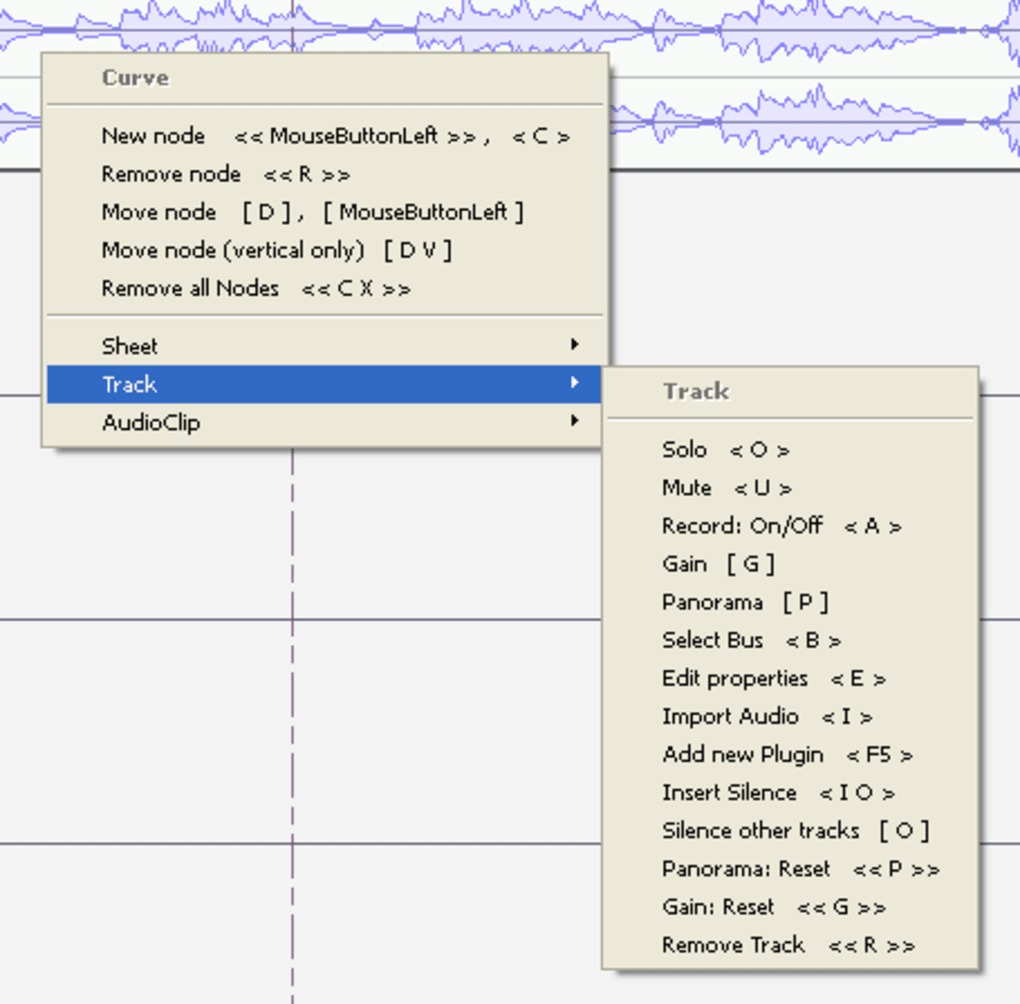
However, Traverso DAW’s reliance on a contextual menu system, requiring the combined use of mouse and keyboard, presents a learning curve. While this approach enhances efficiency and flexibility once mastered, beginners may find it initially daunting. The keyboard shortcuts, although numerous and powerful, require dedicated learning and memorization. The manual is essential for navigating this system effectively. This unique interaction method, while offering speed and precision for experienced users, presents a barrier to entry for those unfamiliar with such a workflow. While the program’s efficiency stems from this system, it’s a significant factor to consider when assessing its overall usability.
Feature Set: A Robust Collection of Audio Editing Tools
Traverso DAW offers a robust set of audio editing features, catering to both basic and advanced needs. Its multi-track recording capabilities allow for the simultaneous recording and editing of multiple audio sources, making it ideal for projects involving bands, orchestras, or layered vocal tracks. The software supports non-destructive editing, meaning that changes to audio files are applied without altering the original source. This allows for easy experimentation and the ability to revert changes without compromising the original recordings. This ensures that even after numerous edits and effects applications, the pristine quality of the original audio is maintained.
The software supports a wide array of file formats for both import and export, including MP3, WAV, FLAC, OGG, and WavPack, providing extensive compatibility with various audio sources and devices. The ability to handle a wide range of sample rates and bit depths (16, 24, and 32-bit) ensures that users can work with high-fidelity audio without limitations. Additionally, Traverso DAW supports various backend drivers, such as Jack, PortAudio, and ALSA, providing flexibility in integrating with different audio hardware setups. Its capability to burn CDs directly from the interface, complete with a table of contents, streamlines the final production process. This comprehensive feature set makes it a versatile and powerful tool for a range of audio projects.

Performance and Efficiency: Handling Large Projects with Ease
Traverso DAW demonstrates impressive performance even when dealing with complex projects. Its ability to handle a large number of audio tracks without experiencing significant lag or performance issues makes it suitable for intricate productions. The program’s efficient processing of compressed audio formats ensures smooth operation regardless of the processing power of the user’s computer. This efficiency is remarkable, given its open-source nature and free availability. The real-time audio editing capabilities contribute to a smooth and responsive workflow. The program’s responsiveness, even when applying numerous effects and filters, enhances the user experience and streamlines the creative process.
Plugin Integration and Extensibility: Expanding Functionality
While the core features of Traverso DAW are substantial, its plugin integration capabilities provide an avenue for enhancing its functionality even further. Although the extent of its plugin support may not match that of commercial DAWs, its openness to external plugins expands the available effects and processing options. This allows users to customize their workflow and tailor the software to their specific needs. The integration of external plugins allows for access to a broader range of tools, potentially enhancing the overall creative potential of the program. The ability to use external plugins is a significant advantage, as it allows users to integrate their favorite tools within Traverso DAW’s environment.
Alternatives and Comparison: Weighing the Options
Traverso DAW offers a compelling set of features and capabilities, but it’s essential to consider alternative options. Popular alternatives include Audacity, FL Studio, and MixPad Multitrack Recording Software. Each of these DAWs has its own strengths and weaknesses. Audacity is a well-established, user-friendly option known for its simplicity and accessibility, while FL Studio is a powerful, commercially licensed DAW favoured for its advanced features and extensive plugin support. MixPad provides a balance between user-friendliness and professional-grade capabilities. The choice of DAW ultimately depends on the user’s specific requirements, skill level, and budget. Traverso DAW stands out as a strong contender among free and open-source options, but commercial DAWs may provide more comprehensive features and polished interfaces for professionals.
Conclusion: Should You Download Traverso DAW?
The decision of whether to download Traverso DAW depends heavily on your individual needs and experience level. For users seeking a free, open-source DAW with a robust feature set and strong performance, Traverso DAW is a compelling choice. Its clean interface and efficient processing capabilities are significant assets. However, the learning curve associated with its contextual menu system and the requirement to learn keyboard shortcuts might deter beginners. For experienced users comfortable with a more complex interface and who value the open-source nature and the ability to potentially expand the software’s functionality with plugins, Traverso DAW offers a powerful and versatile platform for audio production. Ultimately, the best way to decide is to download it and experiment, weighing its strengths and challenges against your individual audio production workflow. The open-source nature and ongoing development mean it is constantly improving, so future updates may further enhance its usability and features.
File Information
- License: “Free”
- Latest update: “July 12, 2023”
- Platform: “Windows”
- OS: “Windows 2000”
- Language: “English”
- Downloads: “91.7K”
- Size: “7.50 MB”


