
TrayIt! is a lightweight, freeware utility for Windows operating systems, designed to enhance the management of minimized applications. It addresses a common frustration for users: the clutter of minimized windows accumulating along the taskbar, obscuring other icons and reducing screen real estate. TrayIt! provides a solution by minimizing applications directly to the system tray, improving both visual clarity and workflow efficiency. This review delves into the functionality, history, user experience, and alternatives to TrayIt!, providing a comprehensive assessment of its strengths and weaknesses.
Functionality and Features
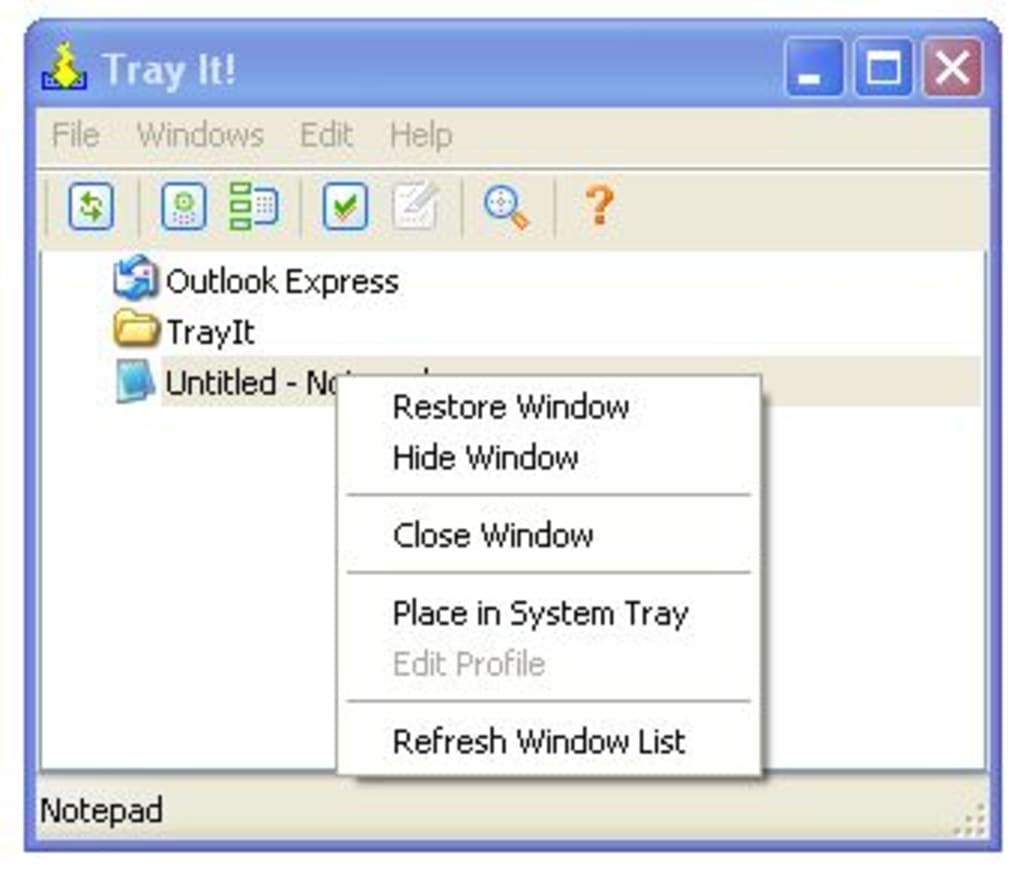
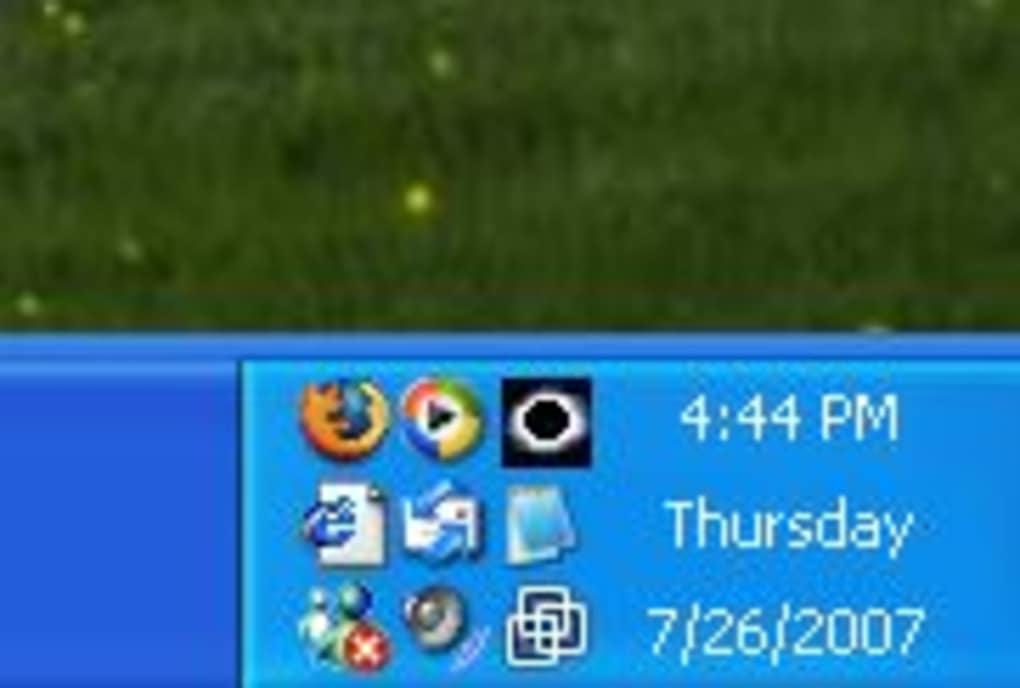
TrayIt!’s core function is straightforward yet impactful: it redirects minimized application windows to the system tray, that small area of the taskbar typically located near the clock. Instead of the usual minimized window icon taking up space on the taskbar, TrayIt! replaces it with a smaller, more compact icon representing the application. This simple change significantly declutters the taskbar, freeing up valuable space for other applications or system icons.
This functionality is particularly beneficial for users who frequently run multiple applications simultaneously. Programs like email clients, media players, instant messaging applications, and various productivity tools often remain open in the background throughout the workday. With TrayIt!, these applications can be minimized to the system tray, keeping them accessible but avoiding visual clutter. The system tray remains uncluttered, preserving precious screen real estate, thus improving user experience and overall productivity.
While its core feature is elegantly simple, the program’s effectiveness lies in its unobtrusive nature. TrayIt! operates largely in the background, requiring minimal system resources and user interaction. Once configured, it automatically handles the minimization of selected applications, requiring no further intervention from the user beyond the initial setup. This seamless integration makes TrayIt! an ideal choice for users seeking a low-impact solution for managing minimized applications.
The software’s interface is equally minimalistic. Its setup is straightforward, requiring minimal configuration. Furthermore, the absence of a noticeable system tray icon (apart from the icons of minimized applications) contributes to its clean and unobtrusive functionality.

History and Development
TrayIt! was developed by Teamcti and first appeared in Phanmemfree’s software library in 2004. Its initial release catered to the needs of users running Windows 2000 and earlier versions, addressing a prevalent issue in these older operating systems. The software quickly gained popularity due to its simplicity and effectiveness. While the last official update was in November 2008 (version 4.6.5.5), later reports indicate it functions effectively on Windows 7, 8, and 8.1 and even, anecdotally, on more recent iterations of the Windows operating system. This longevity speaks to the software’s robust design and enduring relevance in the face of operating system upgrades. The program’s consistent performance across various versions of Windows highlights its enduring quality.
Despite the lack of recent updates, the software’s functionality remains largely relevant, demonstrating its robust, time-tested approach to system tray management. The core function of minimizing to the system tray remains a persistent user need, illustrating the timeless appeal of this utility.
User Experience and Reviews
User reviews reveal a consistently positive experience with TrayIt!. Many users praise its simplicity, effectiveness, and small footprint. It’s often described as an “essential program” and a “handy utility.” The feedback highlights the software’s seamless integration and minimal resource consumption. Users appreciate the ability to keep frequently used applications readily accessible without sacrificing screen real estate on the taskbar.
However, some reviews point out limitations. One common critique relates to its single-functionality. While some users see this simplicity as a strength, others suggest that incorporating additional features, such as customizable options or more advanced minimization settings, would significantly enhance the program’s versatility. There have also been sporadic reports of compatibility issues, particularly with specific browsers like Firefox. These issues, however, appear to be isolated instances rather than widespread problems. There are also suggestions for enhanced compatibility with newer operating systems, particularly Windows 7 and beyond.
Alternatives to TrayIt!
While TrayIt! offers a streamlined solution for managing minimized applications, several alternative utilities offer similar functionality, along with expanded features. These alternatives may provide additional options for customization, offering a more comprehensive approach to system tray management. Some popular alternatives include:
-
Hide Window Plus: This software offers more advanced features than TrayIt!, allowing users to quickly hide multiple windows simultaneously. It provides a more extensive range of customization options.
-
Taskbar Hide: This utility, similar in functionality to TrayIt!, focuses specifically on hiding the taskbar, offering an alternative approach to maximizing screen space. It offers additional flexibility for different users’ needs.
-
Minime: This program provides a comparable level of functionality to TrayIt!, minimizing applications to the system tray. It presents a potentially viable replacement for users seeking a simple, effective utility.
- Process Manager for Windows (PMW): This is a more comprehensive application manager, providing broader functionality beyond simple minimization, including process management and prioritization capabilities. It represents a far more robust choice than TrayIt! for users who require advanced system process management tools.
These alternatives offer a comparative landscape for users seeking features beyond the core functionality of TrayIt!. The choice between these options depends largely on the user’s specific needs and preferences. While TrayIt! stands out for its simplicity, these alternatives offer more elaborate features and customization.
Conclusion
TrayIt! remains a valuable tool for Windows users seeking a simple and effective way to manage minimized applications. Its ease of use, minimal system requirements, and seamless integration make it a desirable option for those who prioritize visual clarity and efficiency. Although lacking recent updates and some advanced features found in its competitors, TrayIt!’s core functionality continues to satisfy the needs of many users. The choice between TrayIt! and its alternatives ultimately depends on individual priorities. For users seeking a barebones, effective solution, TrayIt! continues to be a reliable choice. Those seeking more advanced features and customization options should consider the alternatives mentioned above. Despite its age, TrayIt!’s simplicity and enduring functionality are a testament to its robust design and ongoing relevance for many Windows users.
File Information
- License: “Free”
- Latest update: “February 12, 2019”
- Platform: “Windows”
- OS: “Windows NT”
- Language: “English”
- Downloads: “132.6K”
- Size: “335.25 KB”


