
Trillian is a free, multi-platform instant messaging (IM) client that seamlessly integrates various chat services into a single, unified interface. More than just a simple aggregator, Trillian offers robust security features, a gamer-friendly overlay chat, and is designed for both personal and professional use, including HIPAA compliance for healthcare professionals. This detailed review explores Trillian’s functionality, strengths, and weaknesses, providing a comprehensive overview of its capabilities and suitability for different users.
Trillian’s Core Functionality: Unifying Your Messaging
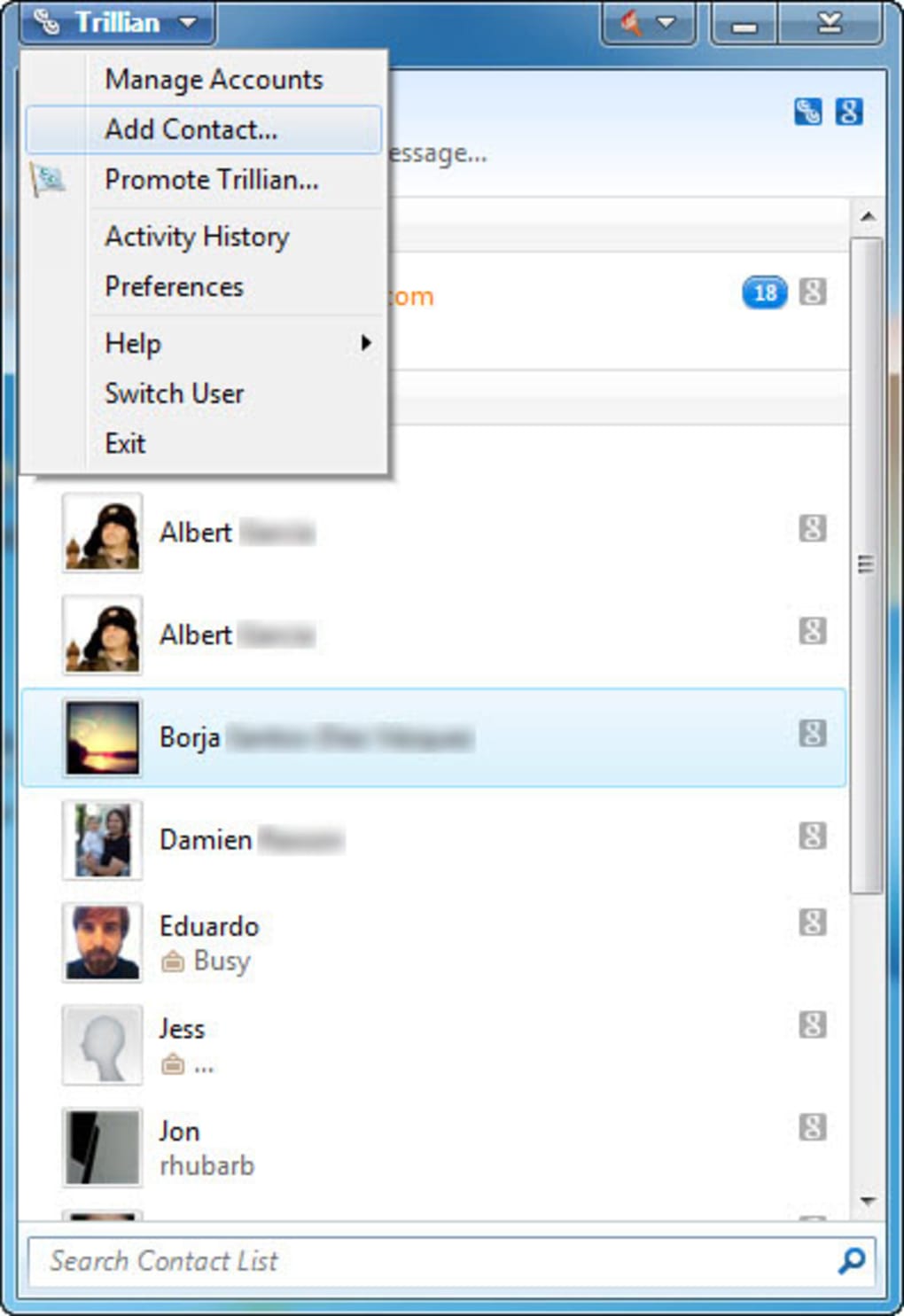
At its heart, Trillian’s purpose is to consolidate multiple IM services into one convenient application. Instead of juggling multiple clients for different platforms (e.g., Facebook Messenger, WhatsApp, Telegram), Trillian allows users to connect all their accounts within a single, streamlined environment. This significantly improves efficiency by eliminating the need to switch between various applications to manage conversations across different networks. The app allows for multiple connections within a single service, enabling users to manage personal and professional accounts under separate identities while maintaining a unified contact list. This unified contact list is a significant advantage, facilitating easy access to contacts regardless of the underlying messaging platform.
This unification, however, raises potential security concerns. The aggregation of numerous communication channels in one place could, theoretically, make a user a more appealing target for data collection. Trillian addresses this concern with its built-in encryption system, SecureIM. SecureIM provides end-to-end encryption for messages, ensuring that communications remain private and inaccessible to third-party observers, even those monitoring network traffic. This robust security feature is crucial for maintaining user privacy and protecting sensitive information.
While Trillian supports a wide range of popular chat applications, it notably omits the official logos of these services. Instead, it employs a color-coded system to represent each platform. For example, Facebook might be represented by blue and teal horizontal bars, while Twitter might be represented by a teal envelope. This design choice avoids potential copyright issues but may be less intuitive for users who rely on visual logo recognition to quickly identify messaging platforms within the application.
Enhanced Gaming Experience with Overlay Chat
Trillian caters specifically to gamers by offering an overlay chat feature. Similar to Steam’s overlay chat, this functionality allows users to receive and respond to messages from multiple platforms without minimizing their game. The overlay chat is customizable, enabling users to display the time and manage multiple chat windows with tabs for easy navigation between channels and individual conversations. This feature is especially beneficial for gamers collaborating with teammates or friends across different time zones, facilitating seamless communication during gameplay.
The overlay chat represents a significant advantage over simply switching between the game and separate messaging applications. It minimizes disruption to gameplay and enhances the overall gaming experience by providing real-time communication without compromising focus on the game itself. This is a key feature that differentiates Trillian from some competing IM clients.
Streamlining Communication for Professionals and Individuals
Trillian’s appeal extends beyond gaming, targeting professionals and individuals who routinely utilize various messaging applications throughout the day. The app simplifies communication management for users across diverse sectors, including corporate, healthcare, and entertainment, streamlining the response process by consolidating notifications into a single platform. This consolidated notification system helps to eliminate the constant switching between different applications to respond to messages, significantly increasing efficiency and minimizing distractions. The inclusion of end-to-end encryption, provided by SecureIM, further enhances the platform’s suitability for both personal and professional communication, guaranteeing message privacy and security.
The HIPAA compliance of Trillian is a significant advantage for healthcare professionals requiring secure messaging capabilities for sensitive patient information. This compliance ensures that the application adheres to strict data privacy regulations, making it a reliable option for those in the healthcare sector who require robust security measures for their communications.
Trillian: Pros and Cons
Pros:
- Compatibility with numerous IM services: Trillian’s ability to integrate various messaging platforms is a major strength, simplifying communication management for users across different networks.
- Built-in SecureIM: The end-to-end encryption provided by SecureIM ensures user privacy and protects sensitive information from unauthorized access.
- Overlay chat for gamers: The integrated overlay chat enhances the gaming experience by enabling seamless communication without interrupting gameplay.
- HIPAA compliance: The application’s compliance with HIPAA regulations makes it a suitable choice for healthcare professionals handling sensitive patient information.
- Unified contact list: Accessing contacts is streamlined regardless of the underlying messaging platform.
Cons:
- Absence of official platform logos: The color-coded system for identifying messaging platforms may be less intuitive than using official logos.
- Potential for complexity: While streamlining communications, the integration of multiple services might seem overwhelming for some users initially.
Trillian: System Requirements and Availability
Trillian is available for multiple operating systems, including Windows and macOS. The most recent version (at the time of this writing) is 6.5.0.24, updated on February 4, 2025. The application is offered as a free download and supports various languages, ensuring accessibility to a broad international audience. The application’s relatively small size (approximately 31.54 MB) ensures a quick and efficient download process.
User Reviews and Feedback
User reviews highlight Trillian’s strengths and weaknesses. While some users praise its stable performance, the ability to customize themes, and the convenient integration of multiple messaging services, others express frustration with the lack of full-color backgrounds, auto-updating functionality, and occasionally unresponsive customer support regarding bug fixes and feature requests. These mixed reviews reflect the complexities of balancing numerous features and catering to diverse user preferences.
Conclusion: Trillian’s Place in the Messaging Landscape
Trillian presents a compelling proposition for users seeking a consolidated messaging experience that integrates multiple platforms within a single, secure environment. Its strengths lie in its unification of various IM services, the robust security offered by SecureIM, and the gamer-friendly overlay chat. While the absence of official platform logos and some lingering user concerns regarding feature requests and customer support remain areas for potential improvement, Trillian’s efficient design and comprehensive security features make it a competitive option in the crowded instant messaging market. The choice of using Trillian will largely depend on individual priorities and preferences regarding the balance between functionality, security, and aesthetic preferences. Users prioritizing a unified and secure messaging experience with a focus on gaming integration will likely find Trillian a valuable tool.
File Information
- License: “Free”
- Latest update: “February 4, 2025”
- Platform: “Windows”
- OS: “Windows Vista”
- Language: “English”
- Downloads: “83.4K”
- Size: “31.54 MB”


