
Trojan Remover is a specialized software application designed to address the persistent challenge of eliminating Trojan horses and internet worms from computer systems. While many antivirus programs effectively detect these malicious threats, they often fall short in their ability to completely remove them, leaving remnants that can compromise system security and performance. Trojan Remover steps in to fill this gap, offering a dedicated solution for thorough and effective removal. This software targets those instances where standard antivirus software either fails to identify the threat or proves ineffective in its eradication.
Understanding the Need for Specialized Trojan Removal
The core functionality of Trojan Remover stems from a critical observation: the limitations of traditional antivirus software in dealing with stubborn malware. Many virus and Trojan scanners excel at detection, flagging malicious code with high accuracy. However, the removal process often proves more complex. Once a Trojan or worm is detected, the standard removal process may be incomplete, leaving behind files, registry entries, and system modifications that allow the malware to persist or resurface. This leaves the system vulnerable and requires manual intervention – a process that can be daunting for the average user and carries the risk of accidental system damage.
Trojan Remover is engineered to overcome these limitations. Its primary function is to meticulously remove the entire presence of the Trojan, including not just the primary malicious code but also the secondary effects that many Trojans leave behind: changes to system files, modifications to the registry, and alterations to scheduled tasks. These residual modifications are often overlooked by typical antivirus scanners, effectively rendering the system only partially cleaned and still at risk.
Trojan Remover’s Mechanism and Functionality
The application operates on the principle of comprehensive removal, employing several key techniques to ensure the complete eradication of the malicious code and its associated artifacts. Instead of simply quarantining or deleting the primary malicious file, Trojan Remover systematically investigates the entire system for traces of the Trojan’s activity. This includes:
-
Registry Cleanup: Many Trojans make modifications to the Windows Registry, adding entries that enable their persistence or alter system behavior. Trojan Remover meticulously scans the registry and removes any suspicious or unwanted entries related to the identified Trojan. This level of registry scrutiny is often beyond the capabilities of simpler antivirus tools.
-
File System Examination: The software scans the file system for infected or modified files associated with the Trojan. This goes beyond a simple scan for the main executable; it examines system directories and user data folders for hidden files, modified system files, and any other files that might be related to the infection. The algorithm identifies and removes these files, effectively disrupting the Trojan’s operations.
-
Scheduled Task Analysis: Trojans often embed themselves into the system’s scheduled tasks to ensure their automatic execution. Trojan Remover actively checks for and removes any suspicious entries from the scheduled tasks, preventing the Trojan from automatically restarting or reinfecting the system. This feature is especially critical in countering persistent threats that continuously re-establish themselves.
-
System Service Checks: Some malware targets and disables critical Windows services to evade detection or maintain control. Trojan Remover performs checks on crucial Windows services, identifying any instances where a service has been disabled or modified by malicious software. Restoring these services to their default state is an essential part of restoring system stability and security.
-
Heuristic Rootkit Detection: Trojan Remover incorporates advanced heuristic techniques to detect and eliminate rootkits. Rootkits are particularly insidious types of malware that hide their presence from the operating system and security applications. The software’s heuristic engine analyzes system behavior and file characteristics to identify potential rootkit activity, effectively uncovering and eliminating these hidden threats.
-
Alert System for Virally Infected System Files: A key improvement in newer versions of Trojan Remover is the enhanced alert system. The software not only identifies and removes infected files but also provides clear, concise alerts whenever a system file is found to be infected. This proactive notification is invaluable in providing users with a complete picture of the extent of the infection and the effectiveness of the removal process. This immediate feedback helps users understand the seriousness of the threat and take appropriate action.
The combination of these methods ensures a thorough and effective cleaning of the system. This multi-faceted approach provides a robust solution for situations where simpler antivirus tools often fail to achieve complete removal.
Advantages of Using Trojan Remover
Several key advantages distinguish Trojan Remover from standard antivirus programs. It is not meant to replace a comprehensive antivirus solution, but to serve as a vital supplementary tool for situations where traditional antivirus fails. These advantages include:
-
Targeted Removal: Unlike general-purpose antivirus software, Trojan Remover focuses specifically on the removal of Trojan horses and internet worms. This specialization allows for a more focused and effective approach, often achieving results where broader antivirus programs fall short.
-
Complete Removal: The software’s design emphasizes complete removal, eliminating not just the main malicious file but also any associated artifacts that may enable persistence or reinfection. This complete eradication reduces the likelihood of future infections and restores system integrity.
-
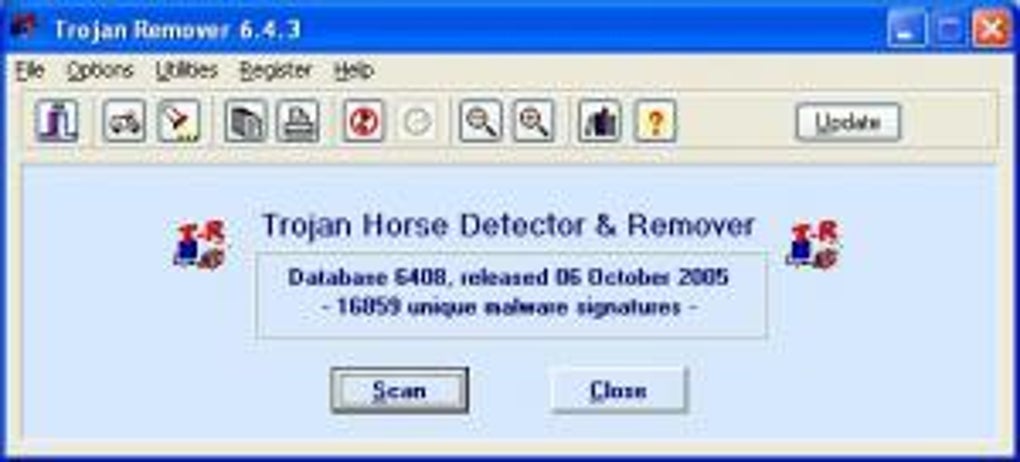
User-Friendly Interface: Despite its advanced functionality, Trojan Remover maintains a user-friendly interface that is accessible even to users with limited technical expertise. This allows users to run scans and remove malware without requiring advanced technical knowledge.
-
Regular Updates: The software receives regular updates to keep its virus definitions and detection algorithms current, ensuring that it remains effective against the latest threats. These updates are critical in addressing evolving malware techniques and ensuring consistent protection.
-
Effective Against Persistent Threats: Trojan Remover is particularly effective against persistent threats, those that evade detection and repeatedly reinfect the system. Its advanced features, such as its ability to remove scheduled tasks and system service modifications, prevent these threats from recurring.
-
Improved Heuristic Capabilities: The addition of heuristic rootkit detection significantly improves the software’s ability to identify and remove deeply embedded and hidden malware. This enhanced capability enhances system security and provides a comprehensive level of protection against advanced threats.
Comparing Trojan Remover to Other Antivirus Software
Trojan Remover shouldn’t be considered a replacement for comprehensive antivirus software. Instead, it serves as a valuable addition, offering a specialized solution for instances where other antivirus programs may fall short. While a full-featured antivirus solution provides continuous protection, real-time scanning, and a broader range of threat detection, Trojan Remover excels in post-infection cleanup and complete removal of stubborn malware.
Thinking of it as a specialized tool for post-infection remediation is more accurate. It’s a powerful tool for cases where a Trojan has already compromised the system, and standard antivirus fails to completely remove it.
User Reviews and Feedback
User reviews and feedback highlight both the strengths and potential limitations of Trojan Remover. While many users report its effectiveness in removing Trojans and worms that other software could not handle, some express concerns about the need to purchase a license for full functionality. Others report that while effective, it might not catch every Trojan, highlighting the importance of using it in conjunction with a robust antivirus program. Overall, the consensus points to its usefulness as a supplementary tool, rather than a primary antivirus solution. Its effectiveness against specific types of persistent malware is a significant strength, making it valuable for users facing persistent infection problems.
Conclusion
Trojan Remover offers a valuable contribution to the landscape of computer security tools. While it is not a replacement for comprehensive antivirus software, it fills a crucial niche: the thorough removal of Trojan horses and internet worms that frequently escape the clutches of other security solutions. Its specialized approach, comprehensive removal capabilities, and user-friendly interface make it a valuable asset for users seeking complete and effective malware eradication. Its regular updates and continuous improvement, particularly in heuristic detection capabilities, suggest a commitment to maintaining its effectiveness against evolving threats. For users encountering persistent malware infections that defy standard antivirus solutions, Trojan Remover represents a powerful and effective solution to regain complete system security.
File Information
- License: “Trial version”
- Latest update: “July 24, 2024”
- Platform: “Windows”
- OS: “Windows 2000”
- Language: “English”
- Downloads: “321.4K”
- Size: “21.96 MB”


