
Tron is a free utility created by indie developer Vocatus, designed as a system optimization script for Windows PCs. Unlike many commercial optimization suites, Tron offers a collection of tools that empower users to fine-tune their systems, remove unwanted programs and features, and generally improve performance. Its functionality overlaps with established tools like Ultimate Windows Tweaker and TweakNow PowerPack, but its scripting-based approach offers a degree of customization and control not always found in conventional applications. This in-depth analysis will explore Tron’s capabilities, its strengths and weaknesses, and provide guidance for prospective users.
What Tron Can Do: System Cleanup and Optimization
Every computer, regardless of operating system, requires periodic cleanup and optimization. Windows, while offering built-in tools for these tasks, can present a frustrating experience to users navigating multiple utilities individually. Tron streamlines this process by consolidating several essential functions into a single, user-friendly (albeit somewhat advanced) script.
Tron operates in two modes: Safe Mode and Regular Mode. New users are advised to begin with Safe Mode, which executes a limited set of optimizations and clean-up tasks. This cautious approach minimizes the risk of unintended consequences. Regular Mode, on the other hand, performs a more comprehensive sweep, encompassing a wider range of system tweaks and optimizations. The specific tasks performed depend on the selected mode and may include:
-
Cleanup & Repair: Addressing system errors, removing temporary files, and clearing the registry of outdated entries. These actions free up disk space and can improve overall system responsiveness.
-
Updating Programs: Checking for and applying updates to installed applications. Keeping software up-to-date ensures optimal functionality and patches any security vulnerabilities.
-
Performance Optimization: Tuning system settings to improve resource utilization. This might involve adjusting power settings, managing startup programs, or optimizing memory usage.
The customizability of Tron is a key feature. While the script executes a predefined set of tasks, users with advanced technical knowledge can modify the script to tailor it to their specific needs and preferences. However, this level of customization demands caution. Incorrect modifications can lead to system instability. It’s highly recommended to create a system backup or restore point before undertaking any script modifications.
Understanding Tron’s Operational Modes and Workflow
The dual-mode system (Safe and Regular) is crucial to Tron’s functionality, allowing users to choose between a cautious approach and a more aggressive optimization strategy. While Safe Mode minimizes risk, it offers a less thorough cleanup. Regular Mode provides a more comprehensive optimization, but also carries a greater risk of encountering issues if not used carefully.
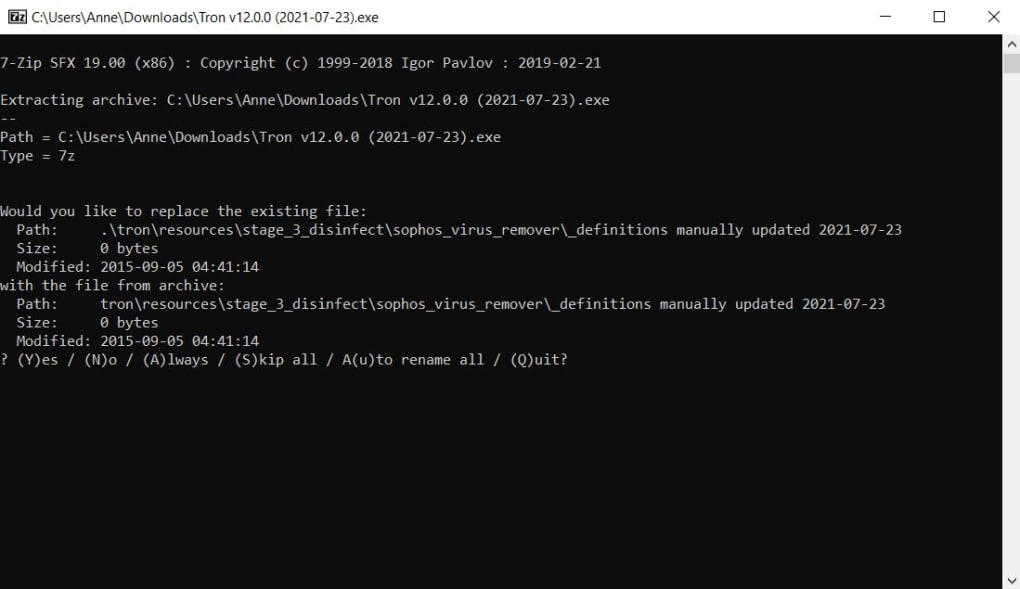
Both modes involve several stages, often requiring user input at various points. This interactive element, while providing control, can significantly extend the time required for completion. The absence of an unattended operation mode is a notable drawback for users who prefer automation. The process, especially in Regular Mode, can take hours to complete, demanding patience and vigilance from the user.
The script’s interaction with the user frequently involves confirmation prompts, allowing for oversight and the potential to selectively skip individual tasks. This user interaction helps avoid accidental modifications that might negatively impact the system’s stability. However, the extended processing time and the need for constant monitoring detract from the overall user experience.
Advantages and Disadvantages of Using Tron
Tron presents a compelling proposition for users seeking robust system optimization tools. Its strengths lie in its comprehensive capabilities, customization options, and ease of use (relative to manual optimization). However, several shortcomings should be considered.
Pros:
-
Powerful Optimization Suite: Tron encompasses a wide array of tools and functionalities typically found in multiple separate applications, consolidating them into a single script.
-
Customization: The script’s open nature allows advanced users to modify its behavior to meet their specific requirements, making it highly adaptable.
-
Dual Operational Modes: The Safe Mode and Regular Mode options cater to users with varying levels of technical expertise and risk tolerance, promoting a safe and controlled optimization process.
- Free and Open Source: Tron’s availability as a free, open-source script makes it an attractive alternative to commercially available optimization tools.
Cons:
-
Time-Consuming Process: The script’s execution time can be considerable, especially in Regular Mode. The lack of an unattended operation mode significantly increases the required user intervention.
-
Technical Expertise Required: While user-friendly in its basic usage, customizing Tron demands a solid understanding of Windows internals and scripting. Incorrect modifications can have detrimental effects.
-
Potential for Errors: Even with careful usage, there’s a risk of encountering unexpected issues, reinforcing the importance of creating a system backup before commencing.
-
Limited Documentation: Information on the script’s functionalities and advanced customization options might be limited, creating a learning curve for new users.
-
Download Source: Users are cautioned about downloading Tron only from trusted sources due to potential risks associated with downloading executables from untrusted websites.
Alternative Tools and Considerations
While Tron presents a compelling option, several alternatives offer similar functionalities with varying degrees of user-friendliness and automation. Users might consider these alternatives depending on their technical skills and comfort level. These include:
-
Ultimate Windows Tweaker: A well-established GUI-based system optimization tool offering many similar features to Tron but with a more intuitive interface.
-
TweakNow PowerPack: Similar to Ultimate Windows Tweaker, this application offers a broad range of system optimization and tweaking tools.
-
Contig: A powerful disk defragmentation utility that can improve system performance.
-
WSL Manager: A tool for managing the Windows Subsystem for Linux (WSL).
-
HashTab: A convenient tool for checking the hash values of files, useful for verifying file integrity.
Ultimately, the choice between Tron and other optimization tools depends heavily on the user’s technical proficiency and specific needs. While Tron’s comprehensive capabilities and customization options are advantageous, its lengthier processing time and requirement for user intervention may not suit all users. For those comfortable with scripting and system-level modifications, Tron offers an effective and customizable solution. However, users prioritizing a streamlined, automated process might find commercially available tools more convenient. Always prioritize downloading software from reliable and trusted sources to mitigate the risk of malware infection. Remember to create a system backup before running any system optimization tool to safeguard against unforeseen issues.
File Information
- License: “Free”
- Version: “12.0.0”
- Latest update: “July 15, 2022”
- Platform: “Windows”
- OS: “Windows 8”
- Language: “English”
- Downloads: “1.1K”
- Size: “466.96 MB”


