
TrueCafe is a robust and user-friendly software solution designed specifically for managing internet cafes, cyber centers, and similar businesses. Its comprehensive feature set streamlines operations, enhances security, and provides powerful tools for billing, reporting, and customer management. This detailed overview explores the key features and benefits of TrueCafe, highlighting its capabilities and demonstrating its value proposition for internet cafe owners and operators.
Core Functionality: Streamlining Internet Cafe Operations
TrueCafe provides a complete suite of tools designed to address the unique challenges of running a successful internet cafe. Its core functionality revolves around efficient billing, secure access control, and comprehensive reporting, all integrated into a single, intuitive interface.
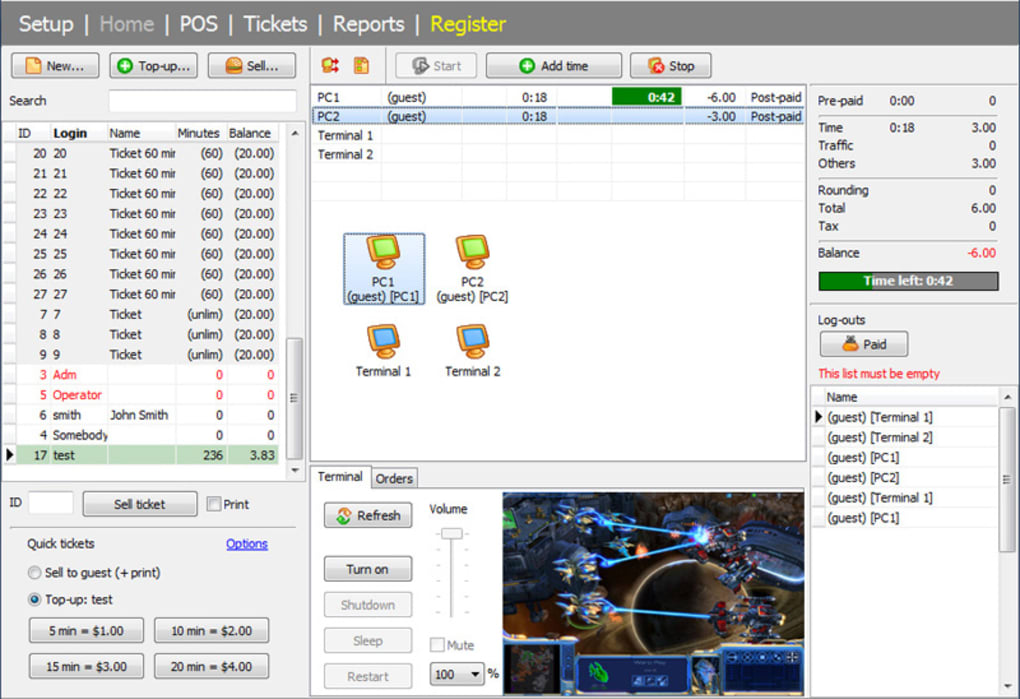
The software’s billing system supports both prepaid and postpaid session models, offering flexibility to cater to diverse customer preferences. Detailed accounting features track usage, payments, and outstanding balances, ensuring accurate financial record-keeping. TrueCafe also supports various payment methods, simplifying transactions and reducing administrative overhead. Integration with point-of-sale (POS) systems enables easy management of additional revenue streams, such as the sale of food, beverages, and other merchandise.
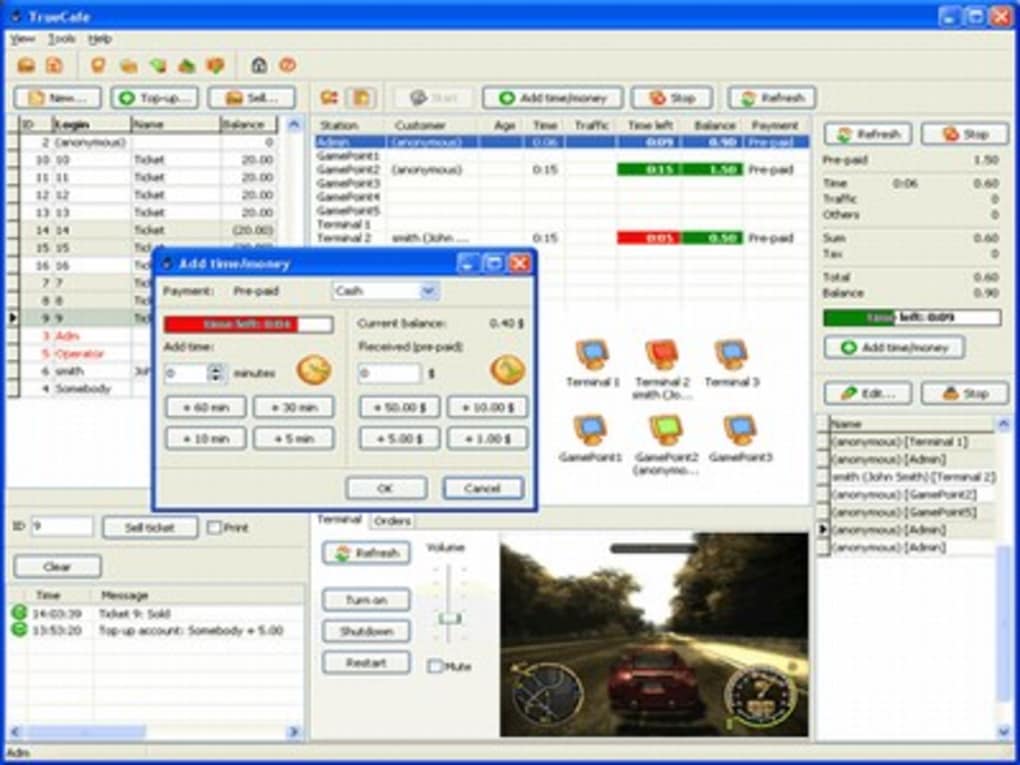
Beyond basic billing, TrueCafe excels in its advanced features for security and access control. The software allows operators to easily set up and manage user accounts, assigning distinct access privileges to different customer groups or staff members. This granular control prevents unauthorized access and ensures the security of the internet cafe’s network and resources. Built-in security mechanisms protect against unauthorized access, malware, and other cyber threats. A robust logging system tracks user activity, providing valuable data for security analysis and troubleshooting.
TrueCafe’s reporting capabilities offer unparalleled insight into business performance. Operators can generate customized reports on various metrics, such as customer usage patterns, revenue streams, peak hours, and popular applications. This data empowers informed decision-making, facilitating adjustments to pricing strategies, service offerings, and operational efficiency. Real-time dashboards provide at-a-glance visibility into key performance indicators (KPIs), enabling proactive monitoring and timely intervention as needed.
Advanced Features: Enhancing Efficiency and Security
TrueCafe goes beyond the fundamentals of internet cafe management by incorporating a range of advanced features designed to enhance efficiency and security. These capabilities differentiate TrueCafe from simpler solutions and establish its position as a comprehensive, all-in-one management system.
Thin Client Support and Wi-Fi Billing: TrueCafe seamlessly integrates with thin client technologies, such as NComputing and Windows Terminal Server, allowing for efficient management of numerous terminals from a centralized server. This simplifies infrastructure management and reduces maintenance costs. Moreover, the integrated Wi-Fi billing system enables accurate tracking and charging of customers accessing the internet via their own Wi-Fi-enabled devices. This extends the cafe’s reach and revenue potential beyond traditional desktop terminals.
License Key Management: For internet cafes offering access to games or software, TrueCafe provides a robust license key management system. This simplifies license tracking, reduces potential piracy, and eliminates the need for manual license tracking. The system ensures efficient management of software licenses, minimizing costs and maximizing revenue.
Print Charging and URL Logging: TrueCafe meticulously tracks print usage, automatically charging customers for monochrome and color printing. The system also logs URLs accessed by customers, providing valuable data for analyzing usage patterns and potentially blocking inappropriate content.
Remote Terminal Management: TrueCafe empowers operators with the ability to remotely manage individual terminals. This capability includes actions like remotely restarting or shutting down terminals, launching or terminating applications, and configuring user permissions. This central control enhances efficiency and streamlines troubleshooting processes.
Customizable Pricing Models: TrueCafe’s flexible pricing engine enables operators to implement a wide array of pricing models. Customizable pricing options are tailored to specific customer needs or promotional campaigns, ensuring that the internet cafe’s pricing strategy effectively maximizes profitability.
Data Backup and Security: Regular data backups are essential for business continuity. TrueCafe simplifies this process by offering both manual and automatic backup options, ensuring the safety of valuable business data. The software’s security features incorporate different security roles for customers and employees, further enhancing data security and preventing unauthorized access.
Comprehensive Reporting and Analytics: TrueCafe’s extensive reporting functionality goes beyond simple transaction tracking. Operators can generate detailed reports on a variety of metrics, including customer usage patterns, revenue generated from different sources, peak usage times, and popular applications. This data-driven approach supports informed decision-making for optimizing pricing, marketing, and overall business strategy.
TrueCafe’s User Interface and Ease of Use
TrueCafe’s intuitive interface is designed for ease of use, minimizing the learning curve for new users. The software’s clear and uncluttered layout allows operators to quickly access all essential functions. The menu system is well-organized, and the software features a comprehensive help section with detailed instructions and troubleshooting guides. This ease of use enhances operational efficiency and ensures that operators can focus on providing excellent customer service rather than struggling with complex software interfaces.
System Requirements and Compatibility
TrueCafe is designed to be compatible with a range of operating systems and hardware configurations. While primarily supporting Windows-based systems, the software’s compatibility ensures broad applicability across various internet cafe setups. The software’s minimal system requirements ensure compatibility with older hardware, making it an economical choice for businesses with limited budgets.
Customer Support and Updates
TrueCafe provides reliable customer support channels to assist users with any queries or technical issues. Regular updates ensure that the software remains current, incorporating bug fixes, performance enhancements, and new features. This commitment to ongoing support and updates ensures that TrueCafe continues to be a valuable tool for internet cafe management, constantly adapting to evolving technological landscapes and customer needs.
Conclusion: TrueCafe – The Ideal Solution for Internet Cafe Management
TrueCafe’s comprehensive feature set, user-friendly interface, and reliable support make it an ideal solution for managing internet cafes and similar businesses. From streamlined billing and secure access control to advanced reporting and remote terminal management, TrueCafe empowers operators to optimize operations, enhance customer satisfaction, and maximize profitability. Its flexibility and scalability make it suitable for internet cafes of all sizes, providing a powerful tool for growth and success in the competitive internet cafe market. The software’s dedication to security, ease of use, and continuous improvement positions it as a leading choice for those seeking a robust and reliable internet cafe management solution.
File Information
- License: “Trial version”
- Latest update: “March 26, 2013”
- Platform: “Windows”
- OS: “Windows NT”
- Language: “English”
- Downloads: “12.6K”
- Size: “11.15 MB”


