
Truecaller, developed by True Software Scandinavia AB, has become a ubiquitous mobile application for managing incoming calls and messages. Boasting a vast user base of over 250 million, it offers a robust suite of features designed to identify unknown callers, block spam and telemarketers, and streamline communication. This comprehensive guide delves into the functionalities, safety concerns, alternatives, and overall user experience of Truecaller for Android.
Understanding Truecaller’s Core Functionality
At its heart, Truecaller functions as an advanced caller ID and spam blocking application. Upon installation and verification via SMS or call, the app accesses your phonebook, uploading the contact information to its extensive crowdsourced database. This database, built through user contributions and integrations with social media platforms like Facebook and Twitter, allows Truecaller to identify virtually any incoming call, regardless of whether the number is saved in your contacts.
The primary function is the identification of unknown callers. When an unknown number calls, Truecaller instantly displays the potential identity of the caller, drawing from its massive database. This feature is exceptionally useful in avoiding unsolicited calls, robocalls, and potential scams. Beyond identification, Truecaller empowers users to actively block unwanted numbers, effectively silencing persistent spam calls and telemarketing attempts. Users can customize their notification settings to determine whether they receive alerts for blocked calls. This granular control allows users to fine-tune the app’s functionality to their specific preferences. The blocking feature extends beyond calls; Truecaller also effectively intercepts and blocks unwanted SMS messages, providing a comprehensive solution for managing unwanted communications.
Moreover, Truecaller’s functionality extends beyond spam blocking. The app provides a comprehensive communication hub, integrating calls, messages, and contacts into a single platform. Users can initiate calls directly from the app and even send text messages to contacts who have also enabled Truecaller, facilitating a seamless communication experience. The application’s intuitive interface ensures that the caller ID information remains unobtrusive during incoming calls, ensuring that the user is not prevented from answering the phone.
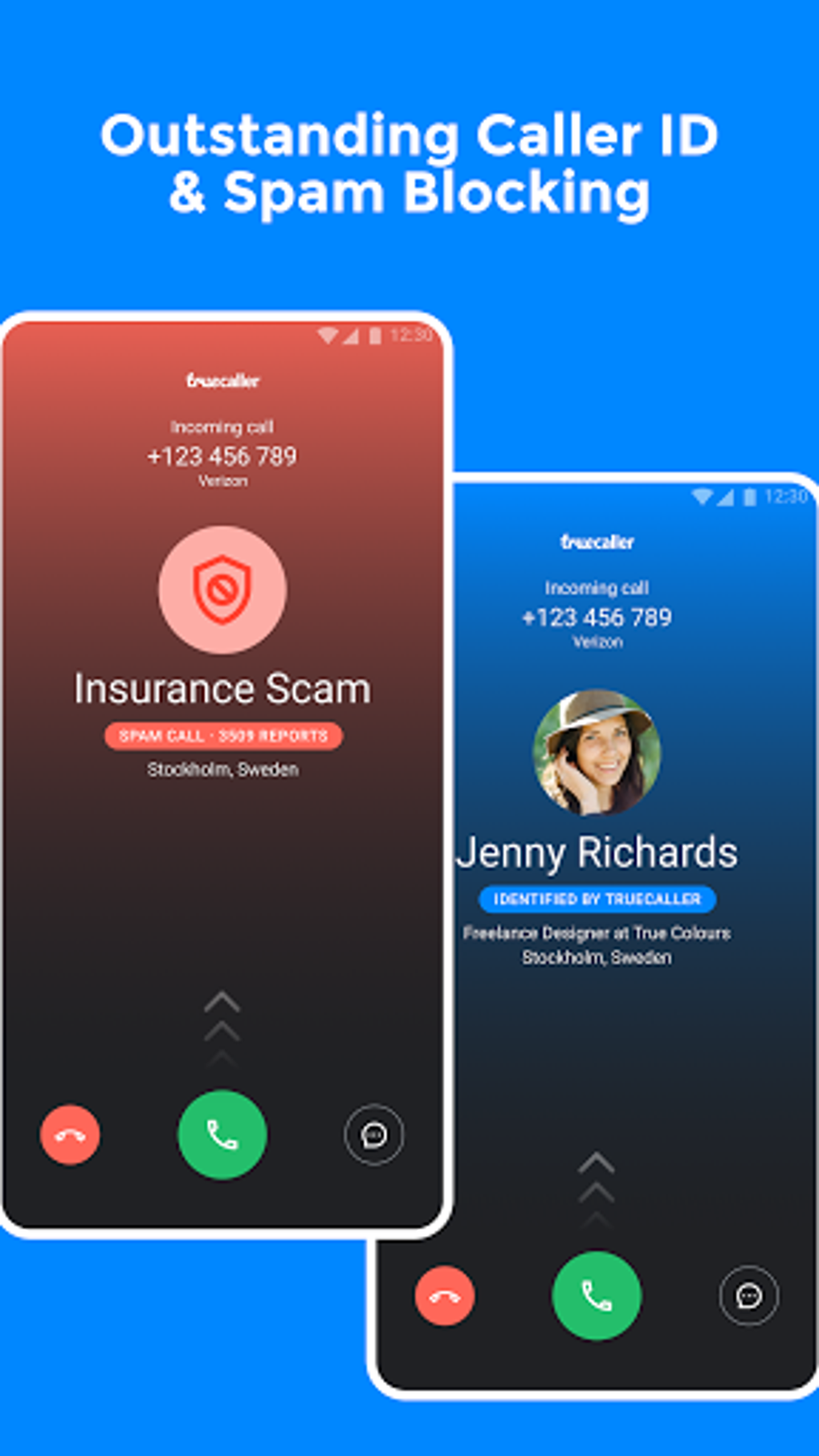
The app’s directory functionality allows users to search for phone numbers and identify the corresponding individuals, further enhancing the application’s utility. This feature is particularly helpful when receiving calls from unfamiliar numbers or verifying the identity of contacts. This comprehensive approach to contact management consolidates various communication aspects into a single, user-friendly application.
Truecaller’s Safety and Privacy Considerations
While Truecaller provides invaluable services in identifying and blocking unwanted calls and messages, it’s essential to acknowledge the privacy concerns inherent in its operation. The application’s extensive database, built upon the aggregation of user contact information, raises questions regarding data security and user privacy. The ability to search for any phone number and reveal its associated identity highlights the volume of personal information that Truecaller manages.
The app’s data collection practices include uploading your phonebook, which allows it to build its comprehensive database. While Truecaller emphasizes its commitment to user safety and data security, the vast amount of information it handles necessitates a critical evaluation of its privacy policies. Users should thoroughly review the terms and conditions and privacy policies before granting access to their contact information. Moreover, the potential for inaccuracies in the displayed information adds another layer of concern. In some instances, Truecaller might display contact information that is incorrect or outdated, potentially leading to misunderstandings or even misuse of personal data. The app’s policy on user-generated nicknames and images associated with contacts is also a significant consideration. The platform might inadvertently expose details unintended for public view.
To mitigate privacy concerns, Truecaller provides the option to “unlist” your phone number from its directory. This feature, accessible on the Truecaller website, removes your number from search results, reducing the visibility of your personal information. However, this step does not guarantee complete removal, as the app may still retain data for its internal processes, emphasizing the importance of being informed about the app’s data handling policies.

Alternatives to Truecaller
While Truecaller dominates the caller ID and spam-blocking market, several alternative applications offer similar functionalities. However, it’s crucial to compare the advantages and disadvantages to make an informed decision regarding the best option for your specific needs.
Hiya: Hiya stands out as a free alternative that operates without intrusive advertisements. While generally regarded as efficient, it’s noted for potentially slower caller ID loading speeds than Truecaller and a smaller database. The absence of advertisements is a considerable advantage for users seeking a clutter-free experience.
Nomorobo: Nomorobo, while offering an IOS version, has received mixed reviews due to the occurrence of bugs and a less intuitive user interface compared to its competitors. While it might function well initially, long-term reliability may be an issue, making it a less reliable option.
TextNow, DU Caller, and Others: Other alternatives, such as TextNow and DU Caller, present varying functionalities. While they might offer additional features like call recording, the choice depends on prioritizing the core functions of caller ID and spam blocking alongside supplementary features. The existence of numerous alternatives underlines the importance of carefully evaluating the specific strengths and limitations of each to find the best fit for your requirements.
Premium Features and Paid Versions
Truecaller offers paid subscriptions, such as Truecaller Gold and Premium, which provide enhanced features beyond the free version. These paid plans offer call recording capabilities, a prominent Caller ID badge, and access to analytics showing who has viewed your profile. The value proposition of paid subscriptions, however, depends on the user’s individual requirements and the perceived usefulness of the additional features. The free version already provides substantial functionality, suggesting that a paid subscription is primarily beneficial for users who highly value the supplementary features offered.
Truecaller’s Strengths and Weaknesses
Truecaller undeniably excels in spam protection and efficient identification of unknown callers. Its intuitive user interface, combined with its vast database and reliable blocking functionality, positions it as a leading application for safeguarding users against unwanted calls and messages. The speed and consistency of its blocking function are significant advantages. The incorporation of social connectivity allows for enhanced identification and interaction within the app’s ecosystem.
However, the significant privacy concerns surrounding the app’s vast data collection practices should not be overlooked. Users need to carefully assess the trade-off between the convenience and security features of Truecaller and the potential privacy implications. This calls for a cautious approach to managing the permissions granted to the application and a thorough review of its privacy policies. While the ability to unlist one’s number helps mitigate privacy risks, it doesn’t fully eliminate them.
Ultimately, Truecaller presents a powerful tool for enhancing mobile communication management, but informed users should weigh the benefits against the privacy considerations inherent in its operation. The choice ultimately depends on the individual user’s priorities regarding privacy versus the convenience and security provided by the app’s features.
File Information
- License: “Free”
- Latest update: “August 10, 2025”
- Platform: “Android”
- OS: “Android 15.0”
- Language: “English”
- Downloads: “3.7M”
- Download Options: “Google Play”


