
TrueCrypt, once a leading open-source disk encryption software, offered a robust solution for securing data on various operating systems. While the project has been officially discontinued, understanding its capabilities and legacy remains relevant in the context of data security. This article explores TrueCrypt’s functionalities, usage, advantages, and limitations, offering a comprehensive overview for those interested in its historical significance and the broader landscape of disk encryption.
TrueCrypt’s Core Functionalities: Securing Your Data
TrueCrypt’s primary function was to encrypt data stored on hard drives, partitions, and external storage devices. It achieved this by creating an encrypted virtual disk or encrypting existing partitions directly. This encrypted volume functioned like a regular drive, seamlessly integrating with the operating system. The encryption and decryption processes occurred in real-time, ensuring that data was always protected, regardless of whether it was being accessed or stored.
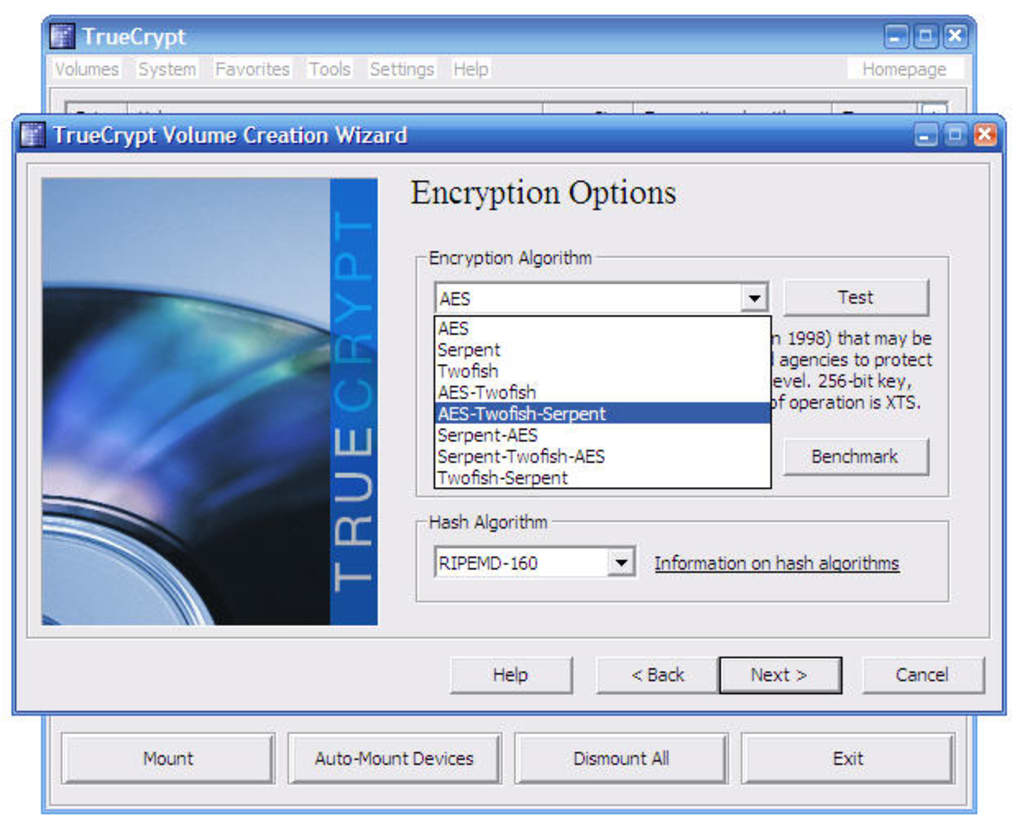
The software supported a variety of strong encryption algorithms, including AES-256, Serpent, and Twofish, offering users a choice based on their security preferences and performance requirements. The use of multiple algorithms simultaneously (cascading) further enhanced the security level. This multi-layered approach significantly increased the difficulty for unauthorized individuals to decrypt the stored data.
TrueCrypt distinguished itself through its ability to create hidden volumes within encrypted containers. This feature allowed users to create a seemingly normal encrypted volume, concealing a second, hidden volume containing sensitive data. This provided an extra layer of security, protecting even the existence of the more sensitive information. Even if an attacker gained access to the main encrypted volume, they might remain unaware of the hidden volume’s existence. This “plausible deniability” was a significant advantage in scenarios where disclosure of certain information could have severe consequences.
Installation and Usage: A User-Friendly Approach
TrueCrypt boasted a relatively straightforward installation process, comparable to most Windows utility programs. The software provided clear documentation and intuitive interface, making it accessible to users with varying levels of technical expertise. Numerous online forums and communities offered additional support and resources, facilitating troubleshooting and knowledge sharing. Crucially, TrueCrypt did not bundle or require the installation of any third-party applications, ensuring a clean and secure installation process.
The encryption process itself was also designed with user-friendliness in mind. Users could choose to encrypt an entire system drive or partition, including the operating system, or select specific files and folders for encryption. The software guided users through a step-by-step process, prompting them to select encryption algorithms, create strong passwords, and generate a rescue disk.
The creation of a rescue disk was a crucial aspect of TrueCrypt’s security features. This bootable disk contained the necessary tools to recover access to the encrypted data in the event of system failure, password loss, or damage to the TrueCrypt installation. Users were encouraged to store this rescue disk in a secure location separate from their main computer.
The password strength was paramount. TrueCrypt recommended passwords of at least 20 characters, and during the setup, a random key generation process was employed where moving the mouse cursor generated random data for the encryption key. This ensured that even if the password was cracked, access was further protected by the complex key generated by the mouse movements.
TrueCrypt’s Strengths and Weaknesses: A Balanced Perspective
TrueCrypt’s strengths included its open-source nature, free availability, and support for a range of operating systems (Windows, macOS, and Linux). The software was lightweight, minimally impacting system resources, and offered a powerful combination of encryption algorithms and features like hidden volumes and a rescue disk. The fact that it resided entirely in RAM after initialization helped reduce vulnerability. The software’s intuitive interface and step-by-step approach made encryption accessible to a wider range of users, thus promoting better data protection habits.
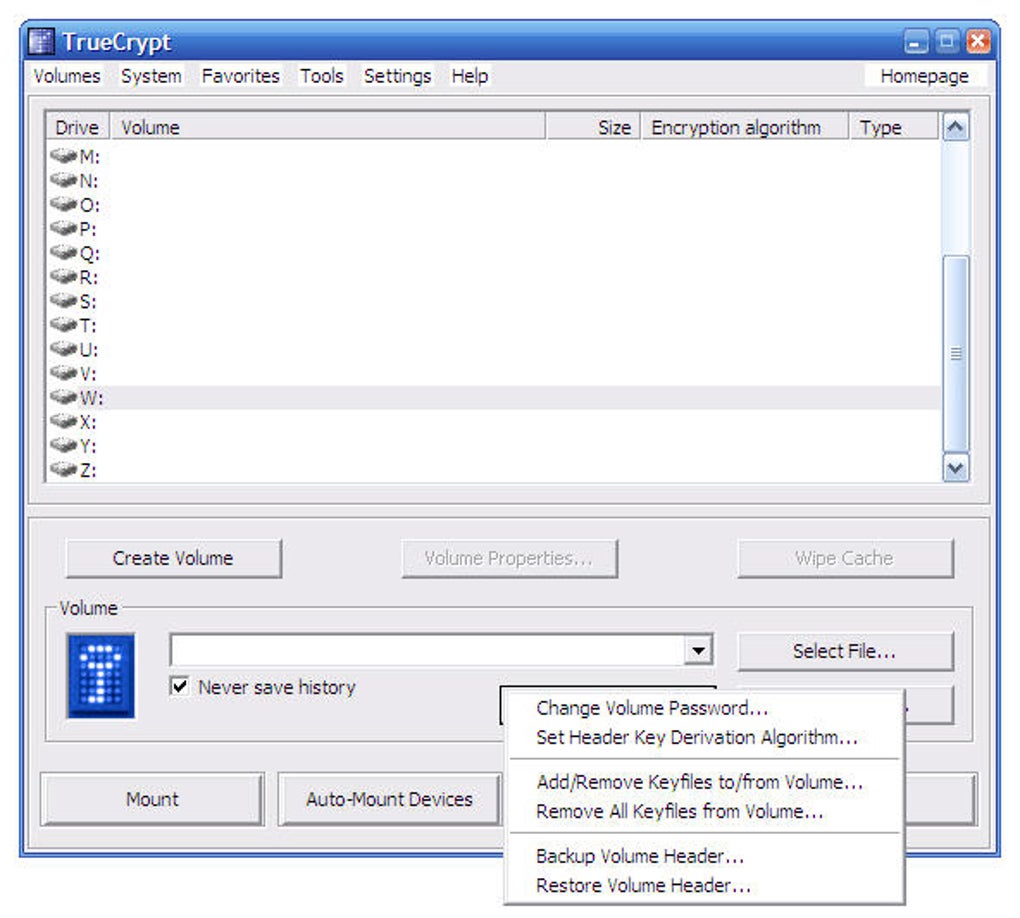
However, TrueCrypt also had its limitations. One notable concern was its dependence on user discretion and awareness. Creating and securely storing the rescue disk was critical, and failure to do so could render the encrypted data irretrievable. Also, any weakness in the user-created password would undermine the entire system’s security, highlighting the importance of strong password management.
Moreover, the project’s official abandonment in 2014 raised concerns about the software’s long-term security and maintainability. While the source code remained available, the lack of ongoing development meant that any newly discovered vulnerabilities were unlikely to be addressed. This contributed to the community’s migration to alternative solutions.
Alternatives and the Current Landscape of Disk Encryption
TrueCrypt’s discontinuation prompted the development and adoption of alternative disk encryption tools. VeraCrypt, in particular, emerged as a popular successor, addressing some of TrueCrypt’s perceived vulnerabilities and incorporating improvements to the encryption algorithms and security protocols. Other robust disk encryption options include PGP Desktop and BitLocker (integrated into Windows). The choice of the best solution depends on individual needs, considering factors like operating system compatibility, required features, and desired security level.
It’s essential to note that the selection and implementation of any disk encryption tool requires careful consideration and adherence to best practices. This includes the creation and secure storage of recovery keys, the use of strong and unique passwords, and regular software updates. Data security is an ongoing process, and vigilance is essential.
Conclusion: TrueCrypt’s Legacy in Data Security
TrueCrypt, despite its discontinuation, left a significant mark on the landscape of disk encryption software. Its open-source nature, strong encryption capabilities, and user-friendly interface brought data security within the reach of many individuals and organizations. Its hidden volume feature offered a unique level of protection for sensitive data, a feature that influenced subsequent development in the field. While it’s no longer actively maintained, understanding TrueCrypt’s functionalities and its historical context provides valuable insight into the evolution and current state of data encryption technologies. Users seeking similar functionality are encouraged to explore and adopt the more actively supported and updated alternatives available today. The core principles of robust passwords, secure key management, and awareness of potential vulnerabilities remain paramount in ensuring data privacy and security, irrespective of the specific software used.
File Information
- License: “Free”
- Latest update: “January 31, 2023”
- Platform: “Windows”
- OS: “Windows 8.1”
- Language: “English”
- Downloads: “72.6K”
- Size: “2.57 MB”


