
TumblRipper is a download manager specifically designed for archiving images from Tumblr blogs. Its primary function is to efficiently download and save all images found on a specified Tumblr blog to a user-designated location on their computer. While straightforward in its core functionality, TumblRipper has garnered mixed reviews, highlighting both its strengths and significant limitations. This review delves into the software’s capabilities, user experience, shortcomings, and available alternatives, providing a comprehensive assessment of its value and suitability for various users.
Ease of Use and Interface
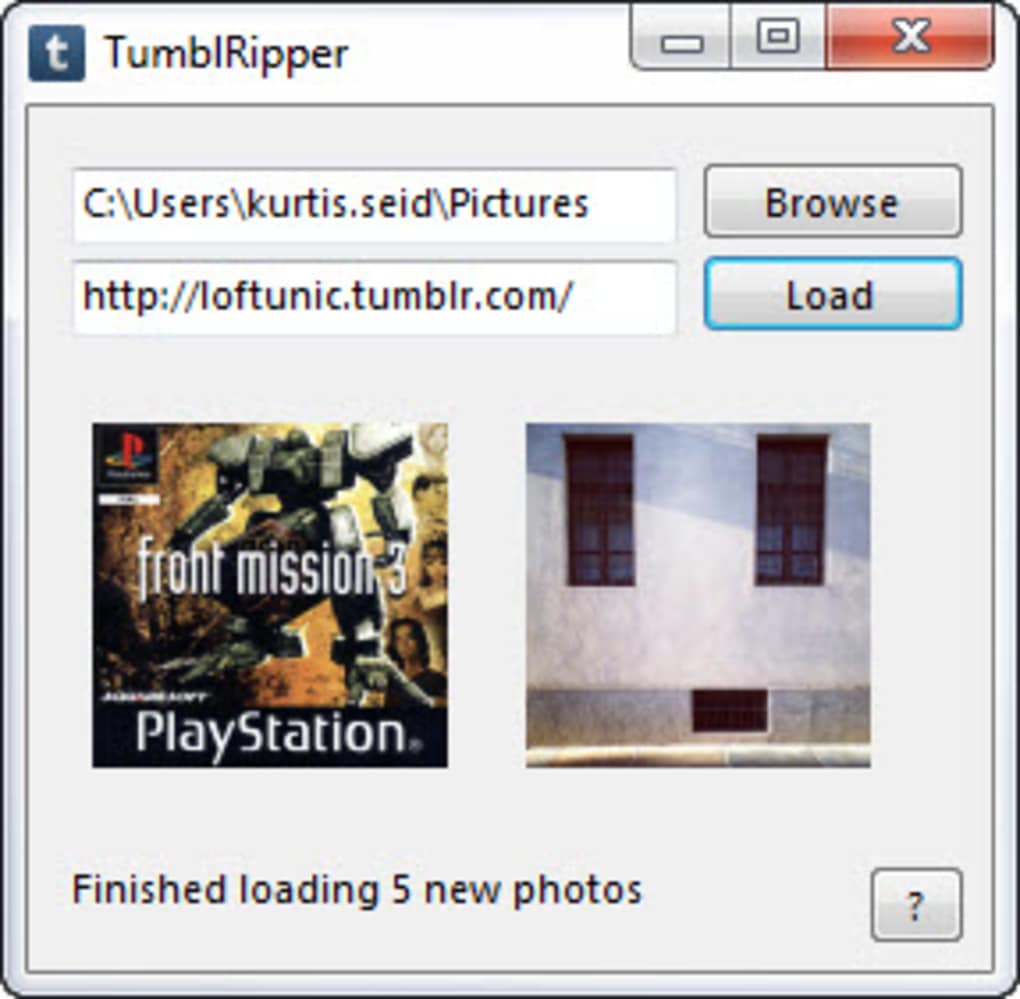
TumblRipper’s strength lies in its simplicity. The interface is remarkably uncluttered, presenting a user-friendly experience, even for those unfamiliar with download managers. The process is essentially three steps: input the Tumblr blog URL, specify the destination folder for downloaded images, and initiate the download. This ease of use makes it accessible to a broad range of users, regardless of their technical proficiency. The intuitive design minimizes the learning curve, enabling users to quickly begin downloading images with minimal effort. However, this simplicity also contributes to some of its functional limitations, as discussed later.
Functionality and Performance
TumblRipper’s core function, downloading images from Tumblr blogs, is generally reliable and efficient. The software boasts a feature that logs previously downloaded images, ensuring that only new images are downloaded upon subsequent scans of the same blog. This prevents redundant downloads and saves both time and storage space. The download speed is generally fast, though it depends on factors such as the number and size of the images, as well as the user’s internet connection speed. The software’s efficiency in identifying and downloading images from even large and complex Tumblr blogs is a significant advantage.
However, TumblRipper’s functionality is limited to image downloads. It does not download videos, text posts, or other file types commonly found on Tumblr. This significantly restricts its usability for users who wish to archive a blog’s complete content, rather than just its image collection. This limitation is a major drawback for many users who want a more comprehensive backup of their favorite Tumblr blogs.
Limitations and Shortcomings
Despite its ease of use and efficient image download capabilities, TumblRipper suffers from several significant limitations that detract from its overall value. Many user reviews highlight recurring issues and frustrating aspects of the software.
One consistent complaint revolves around the software’s inability to download all image types. While it effectively handles standard image posts, it struggles with various image formats, including inline images within text posts and those embedded within photosets. This incomplete download capability renders it ineffective for archiving a complete visual record of a Tumblr blog. Users have reported that alternative software such as TumblThree often downloads a significantly higher number of images from the same blog.
Another recurring concern is the program’s instability and occasional crashes. Users have reported instances of the software unexpectedly stopping mid-download or failing to initiate a download altogether, leading to incomplete archives and wasted time. The lack of developer responsiveness to user complaints regarding these crashes and bugs is a significant concern, undermining confidence in the software’s reliability and long-term viability. The limited developer support further exacerbates these issues.
Furthermore, TumblRipper’s functionality is constrained by its inability to handle certain types of Tumblr blogs. It cannot download images from password-protected blogs, hidden blogs, or those operating in safe mode. This severely limits its applicability, excluding a considerable portion of Tumblr content from its reach. The absence of options to customize download parameters, such as choosing specific image sizes or file formats, further restricts its versatility.
Finally, the software’s licensing model and occasional intrusive pop-up advertisements add to the negative user experience. Some versions have been criticized for their overly frequent prompts to visit the developer’s website or social media page, interrupting the download process and creating an unwelcome distraction.
Alternative Software and Solutions
Given TumblRipper’s limitations, several alternative software programs offer comparable or superior functionality for downloading images and other content from Tumblr. These alternatives often provide a broader range of features, improved stability, and better developer support. Examples include TumblThree, Web Gallery Downloader, and other dedicated download managers with Tumblr support.
Many of these alternatives offer features absent in TumblRipper, such as the ability to download videos, text posts, and other file types. They may also provide better handling of various image formats and more advanced download options, including the ability to filter downloads based on file type, size, or date. The superior stability and responsiveness from developers of these alternative programs also ensure a more reliable and less frustrating user experience.
Choosing the right alternative depends on individual needs and priorities. Users primarily interested in archiving images may find TumblRipper sufficient, despite its limitations. However, those requiring more comprehensive archiving capabilities, better stability, or broader support should explore the available alternatives, carefully comparing features, user reviews, and developer support before making a choice.
Conclusion
TumblRipper provides a simple and intuitive interface for downloading images from Tumblr blogs. Its ease of use and relatively fast download speeds are attractive features for users with basic needs. However, its significant limitations regarding image type compatibility, software stability, lack of developer responsiveness, and inability to handle various blog types significantly detract from its overall value. The absence of features found in alternative software, such as the ability to download videos and other content types, further diminishes its functionality. While TumblRipper may be suitable for users with very basic requirements and a tolerance for its limitations, exploring alternative download managers is strongly recommended for a more robust and reliable archiving solution. The numerous available alternatives offer a broader range of features, better stability, and enhanced support, ultimately providing a more satisfying user experience.
File Information
- License: “Free”
- Latest update: “April 30, 2024”
- Platform: “Windows”
- OS: “Windows XP”
- Language: “English”
- Downloads: “52.4K”
- Size: “66.74 MB”


