
Tun2Socks is a free utility tool designed to reroute internet traffic through a SOCKS5 proxy server. This allows users to bypass network restrictions, enhance their online privacy, and achieve a degree of anonymity while browsing the internet. Unlike Virtual Private Networks (VPNs), Tun2Socks doesn’t require root access on Android devices, making it accessible to a broader range of users. This guide will delve into its functionality, features, pros and cons, and provide a comprehensive overview of this powerful yet straightforward tool.
Understanding Tun2Socks: How it Works
At its core, Tun2Socks functions as a SOCKS5 client. The SOCKS (Socket Secure) protocol acts as an intermediary, routing network requests through a proxy server before reaching their final destination. This intermediary server masks the user’s actual IP address, providing a layer of anonymity and the potential to circumvent geographical restrictions imposed by websites or network administrators.
Tun2Socks specifically utilizes the SOCKS5 protocol, the latest iteration of the SOCKS standard. This offers several advantages over older versions. SOCKS5 supports various authentication methods, including username/password authentication and anonymous authentication, providing flexibility in configuring secure connections. Crucially, Tun2Socks utilizes a TUN virtual network interface. This allows it to intercept and forward all incoming and outgoing TCP (Transmission Control Protocol) connections – both IPv4 and IPv6 – through the designated SOCKS5 proxy server, regardless of the destination IP address.
This differs significantly from simpler proxy solutions like HTTP or HTTPS proxies which only forward traffic for specific applications or protocols. The use of a TUN interface allows for a more comprehensive system-wide routing of network traffic. The result is a more effective method of masking your IP address and redirecting network communications.
Key Features and Functionality
Tun2Socks boasts several key features that enhance its functionality and user experience:
-
Global Proxy Setting: This crucial feature routes all network traffic from your device through the specified SOCKS5 proxy server. This ensures comprehensive protection and anonymization, unlike some proxy solutions that only cover specific applications.
-
LAN Port Forwarding: Tun2Socks facilitates LAN port forwarding on port 10808. This allows other devices on the same local network to connect to the internet through the user’s device and its established SOCKS5 connection. This effectively extends the proxy’s protection to other devices.
-
Real-time Network Traffic Monitoring: The application provides a notification display that shows the real-time status of your network connection and traffic levels. This allows users to monitor the effectiveness and stability of their connection.
-
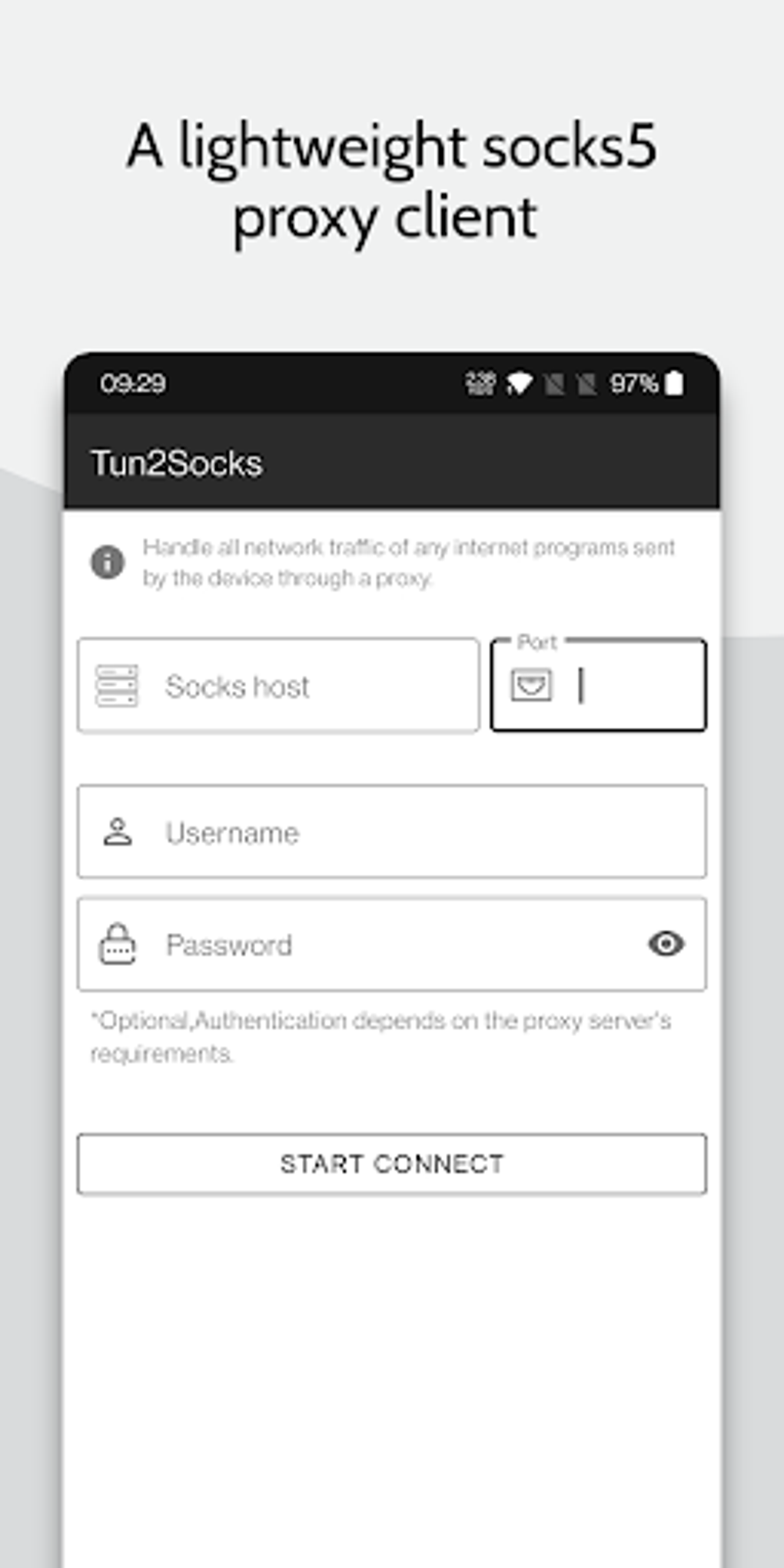
Simple and Intuitive Interface: Despite its powerful capabilities, Tun2Socks features an exceptionally user-friendly interface. The setup process involves simply inputting the IP address of your SOCKS5 host, the port number, and optionally, your username and password. This simplicity makes it accessible even to users without extensive technical expertise.
-
Power Saving Option: The application includes a power-saving option designed to minimize battery consumption and prevent device overheating. This is particularly beneficial for users who rely on Tun2Socks for extended periods.
Advantages and Disadvantages of Tun2Socks
Tun2Socks offers several compelling advantages:
-
Lightweight and Efficient: Its compact size and efficient design ensure minimal impact on system resources, making it ideal for devices with limited processing power or memory.
-
No Root Access Required: Unlike some VPN applications or proxy tools, Tun2Socks does not require root access on Android devices. This significantly broadens its accessibility, allowing users to utilize its features without compromising their device’s security.
-
Supports SOCKS5 Protocol: The use of SOCKS5 ensures greater functionality and security compared to older SOCKS versions or other proxy protocols. This is crucial for users who prioritize enhanced privacy and bypassing network restrictions.
-
Ease of Use: Its straightforward interface makes setup and configuration a breeze. Even users with limited technical knowledge can easily establish a secure connection.
However, it’s crucial to acknowledge the limitations:
-
Requires Technical Familiarity (Ideally): While the interface is user-friendly, a basic understanding of the SOCKS protocol and proxy servers is beneficial for optimal utilization.
-
Semi-Anonymity: While Tun2Socks masks your IP address, it doesn’t provide the same level of anonymity as a robust VPN. Sophisticated network monitoring techniques could still potentially identify your activity. It’s important to understand that your online activities are not completely untraceable when using Tun2Socks.
-
Limited Features Compared to VPNs: Tun2Socks lacks some advanced features found in comprehensive VPN solutions, such as automatic server selection, kill switches (which automatically disconnect your internet connection if the VPN connection drops), and split tunneling (allowing you to route only specific apps through the proxy).
Tun2Socks Compared to VPNs
While both Tun2Socks and VPNs offer privacy and the ability to bypass geographical restrictions, there are key distinctions:
-
Protocol: Tun2Socks uses the SOCKS5 protocol, whereas VPNs typically employ protocols like OpenVPN, WireGuard, or IKEv2. These VPN protocols generally offer stronger encryption and security features.
-
Encryption: VPNs offer robust encryption of your internet traffic, providing a much higher level of security and privacy compared to Tun2Socks. Tun2Socks offers only the anonymity provided by the proxy server itself; the traffic is not encrypted end-to-end.
-
Functionality: VPNs usually include more features, such as kill switches, split tunneling, and a wider array of server locations to choose from. Tun2Socks provides a more focused, simpler approach.
- System Requirements: Tun2Socks generally requires less system resources and often does not require root access, making it a more lightweight alternative.
Ultimately, the choice between Tun2Socks and a VPN depends on individual needs and priorities. Users requiring the highest level of security and privacy should opt for a reputable VPN service. However, if the primary need is simple proxy functionality without the overhead of a full VPN and without requiring root access, Tun2Socks presents a viable and user-friendly solution.
Security and Privacy Considerations
It is crucial to understand that Tun2Socks does not provide the same level of security and privacy as a fully featured VPN. While it masks your IP address, it does not encrypt your internet traffic. This means your data is still vulnerable to interception and monitoring by your internet service provider (ISP) or other network intermediaries. Furthermore, your SOCKS5 proxy server itself could be compromised, potentially exposing your data.
Therefore, it is highly recommended to only use Tun2Socks with trusted SOCKS5 proxy providers. Research and select a reputable provider with a strong security track record. Also, be mindful of the activities you engage in while using Tun2Socks, and avoid accessing sensitive information or conducting transactions that require a high level of security.
Conclusion
Tun2Socks is a valuable tool for users seeking a lightweight and accessible method for routing internet traffic through a SOCKS5 proxy server. Its ease of use, lack of root access requirement, and system efficiency make it an attractive option for users who understand its limitations. However, users should be aware of its limitations regarding security and privacy compared to VPNs, and should use it responsibly and with caution. The choice between Tun2Socks and a VPN ultimately depends on individual requirements and risk tolerance. Remember to always choose a trustworthy proxy provider to minimize potential risks.
File Information
- License: “Free”
- Version: “1.0.23”
- Latest update: “April 1, 2025”
- Platform: “Android”
- OS: “Android 7.0”
- Language: “English”
- Downloads: “16.2K”
- Size: “41.66 MB”
- Download Options: “APK, Google Play”
- Filename: “com.elseplus.tun2socks.apk”


