
TurboWarp is a popular and powerful tool that significantly enhances the Scratch programming experience. More than just a simple modification, TurboWarp acts as a compiler, dramatically increasing the speed and performance of Scratch projects. It also offers a range of user-friendly features designed to improve the overall development workflow, making it an invaluable asset for both novice and experienced Scratch programmers. This article provides a detailed exploration of TurboWarp’s capabilities, installation process, and key features.
TurboWarp’s Core Functionality: Speed and Efficiency
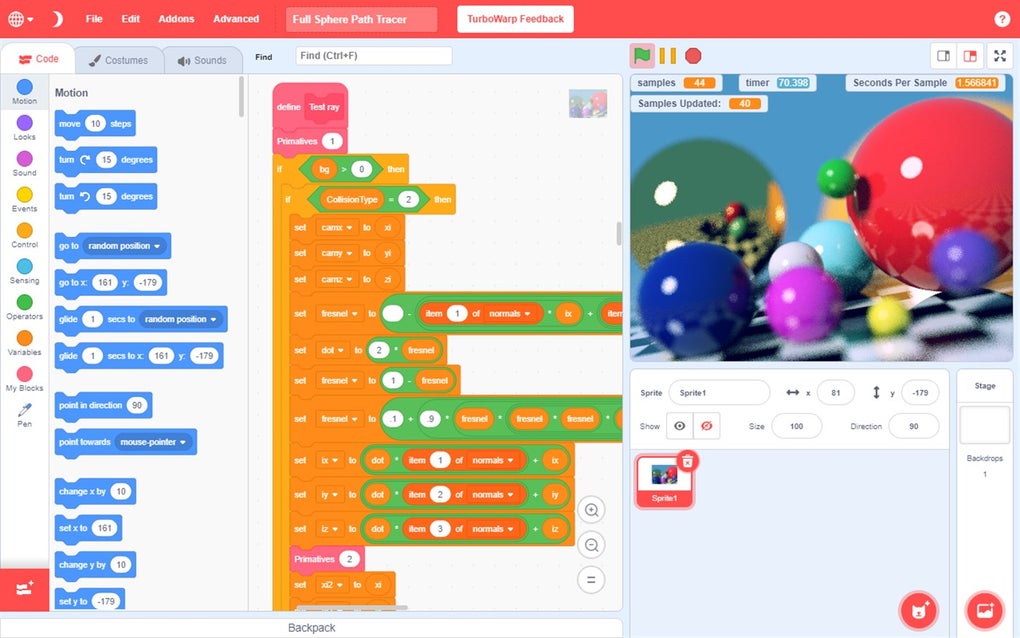
At its heart, TurboWarp functions as a compiler for Scratch projects. This means it translates the Scratch code into a more efficient format, allowing projects to run much faster than they would in the standard Scratch environment. This speed improvement is particularly noticeable in complex projects with numerous sprites, extensive scripts, and demanding animations. The performance gains translate into smoother gameplay, more responsive interactions, and a generally improved user experience. This makes TurboWarp an ideal solution for developing projects that push the boundaries of Scratch’s capabilities. No longer are users limited by the inherent performance constraints of the standard Scratch player; TurboWarp empowers them to create more ambitious and visually stunning projects. The difference in execution speed can be profound, particularly when dealing with computationally intensive tasks or large quantities of data.
Beyond speed enhancements, TurboWarp offers a range of additional features that contribute to a more efficient and enjoyable development process. These features, detailed in subsequent sections, work in synergy with the compiler to provide a complete and powerful Scratch enhancement package. The result is a more streamlined workflow, allowing developers to focus on creativity and innovation rather than battling performance limitations.
User-Friendly Features: Dark Mode and Add-ons
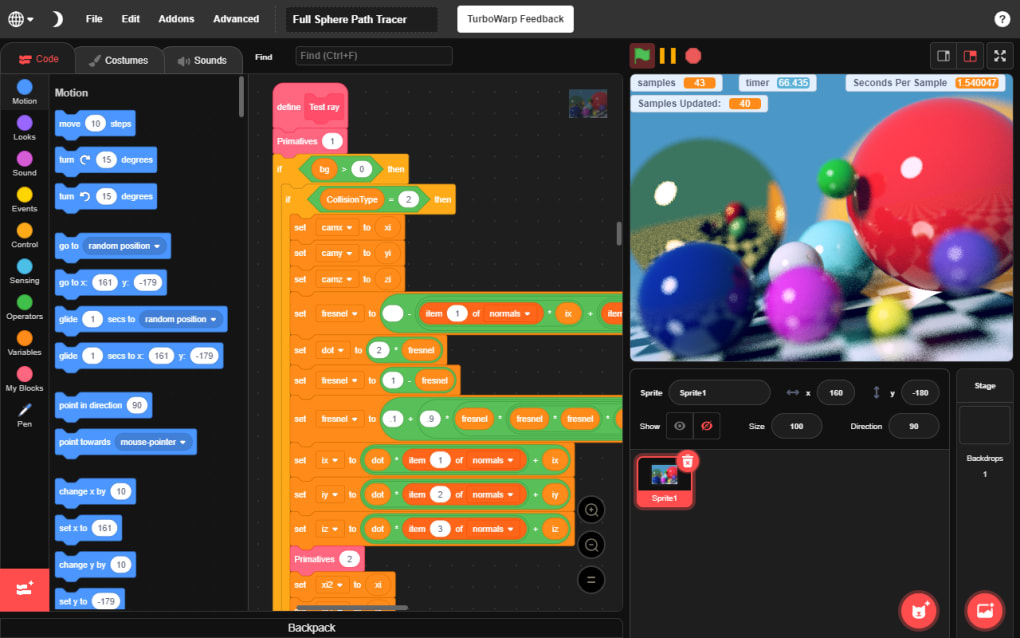
TurboWarp prioritizes user experience, offering features designed to enhance comfort and productivity. One of the most appreciated features is the built-in dark mode. This dark theme inverts the color scheme of the interface, reducing eye strain during extended coding sessions. This is especially beneficial for users who spend considerable time working in low-light conditions or who are sensitive to bright screens. The dark mode is not merely an aesthetic choice; it’s a practical feature that directly contributes to a more comfortable and sustainable development environment.
Furthermore, TurboWarp’s extensibility through add-ons provides a significant advantage. These add-ons extend the functionality of the program, offering a customizable experience tailored to individual needs and preferences. This allows users to personalize their development environment to optimize their workflow and enhance productivity. The possibility of adding new features and tools based on community contributions ensures that TurboWarp remains a dynamic and evolving platform. This open and adaptable nature makes TurboWarp a long-term valuable asset for the Scratch programming community.
Installation and Platform Support: A Cross-Platform Solution
TurboWarp’s ease of installation is a significant factor in its widespread appeal. While the specific installation process may vary depending on the operating system, the overall process is generally straightforward and user-friendly. For users familiar with package managers like Snap, installation is particularly streamlined. For other platforms, detailed instructions are typically available on the official TurboWarp website or through community support channels. The program’s commitment to user accessibility extends to its multi-platform support. This ensures that a wider audience can benefit from its performance enhancements and user-friendly features, fostering inclusivity and broadening the reach of Scratch programming.
TurboWarp’s commitment to cross-platform compatibility makes it accessible to a wider range of users regardless of their operating system preferences. This broad availability contributes to the growing community of TurboWarp users and allows for greater collaboration and knowledge sharing. The effort to maintain consistent functionality across different platforms highlights TurboWarp’s dedication to providing a seamless user experience.
Advanced Features: Compiling and Optimizations
TurboWarp’s compilation process is a key differentiator. Unlike standard Scratch, which interprets code line by line, TurboWarp compiles the code into a more efficient representation before execution. This compilation process allows for significant performance optimizations, leading to the noticeable speed improvements discussed earlier. The compiler is not merely a simple translation; it incorporates sophisticated techniques to optimize code execution, minimizing redundant operations and maximizing efficiency.
The optimization techniques employed by TurboWarp are crucial to its performance gains. These techniques involve analyzing the Scratch code to identify areas for improvement, removing unnecessary computations, and streamlining data flow. These optimizations are performed automatically during the compilation process, making it a seamless and transparent improvement for the user. This behind-the-scenes optimization is a testament to the sophisticated engineering that underpins TurboWarp’s effectiveness. The focus on optimization ensures that users can experience noticeable performance enhancements without requiring any specialized knowledge or manual configuration.
The TurboWarp Community and Support
The TurboWarp community is a vibrant and active part of the project’s success. This community provides valuable support to users, assisting with troubleshooting, answering questions, and sharing tips and tricks for maximizing TurboWarp’s capabilities. The collaborative nature of the community fosters a supportive environment where users can learn from each other and contribute to the ongoing development of the project. This collaborative atmosphere benefits both experienced and new users, creating a welcoming environment for all levels of expertise.
The accessibility and responsiveness of the TurboWarp support channels are also significant factors in its popularity. Users can easily find assistance through various channels, including online forums, documentation, and dedicated support channels. This ensures that users can quickly resolve any issues they encounter, maximizing their ability to utilize TurboWarp effectively. The combination of a strong community and readily available support reinforces the user-friendly nature of the tool, making it a valuable resource for both casual and serious Scratch developers.
TurboWarp: A Powerful Tool for Scratch Development
In conclusion, TurboWarp transcends the limitations of a simple Scratch mod. It’s a sophisticated tool that significantly enhances the Scratch programming experience, offering substantial performance improvements and a range of user-friendly features. Its ease of installation, cross-platform support, dark mode, and the potential for extension through add-ons all contribute to its widespread appeal. The active and supportive community further solidifies TurboWarp’s position as a leading tool for Scratch development, empowering both novice and experienced programmers to create more ambitious and visually engaging projects. From the underlying compilation and optimization processes to the user-focused design choices, TurboWarp stands out as a remarkable enhancement for the Scratch platform. It’s a tool that not only improves performance but also enhances the overall development workflow, resulting in a more enjoyable and efficient experience for all.
File Information
- License: “Free”
- Latest update: “July 15, 2025”
- Platform: “Windows”
- OS: “Windows 10”
- Language: “English”
- Downloads: “6.2K”


