
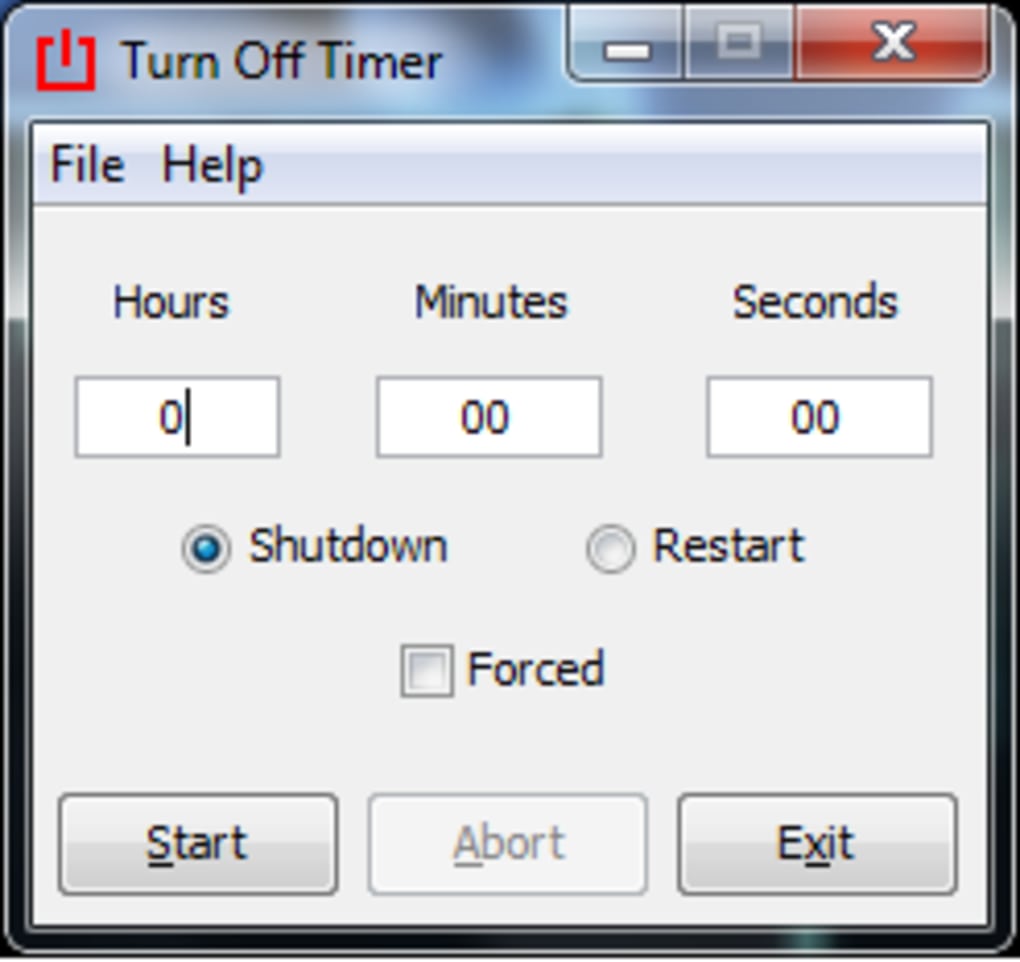
Turn Off Timer is a straightforward and user-friendly application designed for Windows operating systems. Its primary function is to allow users to schedule automatic shutdowns or restarts of their computers after a pre-determined time interval. This simple yet effective tool offers a convenient solution for various scenarios, ranging from conserving battery life and energy to enhancing privacy in public settings. Its ease of use and lack of installation requirements make it an accessible option for users of all technical skill levels.
Core Functionality and Interface
At its heart, Turn Off Timer provides two core functions: scheduling a system shutdown and scheduling a system restart. Users select their preferred action (shutdown or restart) and specify the desired delay time before the action is executed. The application’s interface is intentionally minimalistic, prioritizing simplicity and ease of navigation. This design choice ensures a quick and intuitive user experience, even for those unfamiliar with similar software. A help function, accessible via a dropdown menu, is included for users requiring additional guidance. The program’s compatibility extends across a wide range of Windows operating systems, ensuring broad accessibility.
Cloud-Based Operation and System Requirements
A unique aspect of Turn Off Timer is its cloud-based operation. This eliminates the need for a traditional download and installation process. Users access the application directly through a web browser, streamlining the setup and eliminating potential compatibility issues associated with local installations. This approach also simplifies updates, as the application is always running the latest version. While initially rated for Windows XP compatibility, it has proven functional with newer versions of Windows as well, demonstrating its adaptability. This feature makes Turn Off Timer incredibly lightweight and readily accessible, requiring minimal system resources.
Advantages and Disadvantages
Turn Off Timer offers several key advantages:
- No Download Required: The cloud-based operation eliminates the need for downloads and installations, saving users time and storage space. This also removes the risk of downloading potentially malicious files.
-
Simple Shutdown and Restart Options: The clear and concise interface simplifies the process of scheduling both shutdowns and restarts. Users can easily choose their preferred action and set a timer.
-
Cross-Platform Compatibility: While initially designed for Windows XP, the application demonstrates broad compatibility with newer versions of Windows, making it a versatile tool for many users.
-
Easy to Use: The straightforward interface and lack of complex settings make Turn Off Timer accessible to users of all technical proficiency levels. This ease of use is a key differentiator in a market often saturated with complex software.
However, Turn Off Timer also has some limitations:
-
Limited Advanced Settings: The current version lacks advanced settings commonly found in more feature-rich shutdown scheduling utilities. Users seeking granular control over shutdown behavior or additional features may find it restrictive.
-
Single Language Support: Currently, the application only supports English, potentially excluding users who prefer other languages. This limitation could restrict the application’s global reach.
-
Reliance on Internet Connectivity: The cloud-based nature means a stable internet connection is necessary to access and utilize the application. Users without a reliable internet connection will find the application unusable.
Use Cases and Target Audience
Turn Off Timer caters to a broad range of users who require a simple yet effective method for scheduling automated shutdowns or restarts. Several key use cases illustrate its practicality:
-
Energy Conservation: For users concerned about energy consumption, especially when leaving their computers unattended, scheduling an automatic shutdown can significantly reduce power usage and extend the life of the device.
-
Battery Life Extension: Laptops users will find this particularly beneficial, as automatic shutdowns help conserve battery power, prolonging battery life.
-
Privacy Enhancement: In public spaces, scheduling a shutdown after a short period of inactivity adds a layer of security and privacy by preventing unauthorized access to sensitive information.
-
Background Task Management: Many computer tasks, such as large downloads, file conversions or software updates, take a considerable time. This software allows for setting a shut down timer, ensuring the computer turns off after the task is complete, even if the user is away from the machine.
-
Scheduled Maintenance: Turn Off Timer can be used in conjunction with other software or scheduled tasks, ensuring the computer shuts down after a cleaning or maintenance routine. This avoids interference with subsequent use.
The target audience for Turn Off Timer includes individuals who:
- Value Simplicity: Users who prioritize ease of use over extensive features will find the application’s streamlined interface particularly appealing.
-
Need Basic Functionality: Users requiring a basic shutdown/restart scheduler without the need for advanced features will appreciate its straightforward approach.
-
Prioritize Convenience: Those seeking a quick and efficient solution for automated system shutdowns will find the application’s cloud-based operation convenient.
Comparison with Alternative Applications
The market offers several alternative applications providing similar functionality. While many offer comparable basic features, Turn Off Timer stands out due to its unique cloud-based delivery model and unparalleled simplicity. Competitors often include more advanced features, adding complexity which might not be needed by all users. For instance, some applications provide options to schedule shutdowns based on CPU usage or other system events, or include remote shutdown capabilities. However, these extra features might come at the cost of a more complicated interface and higher system resource demands. Turn Off Timer prioritizes ease of use and minimal resource consumption, making it an ideal choice for those who value simplicity above advanced functionalities.
Conclusion
Turn Off Timer is a valuable addition to the suite of Windows utilities. Its cloud-based design, coupled with its incredibly simple interface and straightforward functionality, makes it a convenient choice for a diverse range of users. While it lacks the advanced features of some competitors, its focus on simplicity and ease of use makes it an effective tool for those who need a straightforward way to schedule automatic shutdowns or restarts. The absence of a download process and its cross-platform compatibility adds to its convenience and appeal, making it a practical solution for many common computing needs. The program effectively fills a niche for users who seek a no-frills, uncomplicated approach to automated computer shutdowns and restarts.
File Information
- License: “Free”
- Version: “1.0.0.0”
- Latest update: “January 31, 2023”
- Platform: “Windows”
- OS: “Windows Vista”
- Language: “English”
- Downloads: “68.3K”
- Size: “488.26 KB”


