
TV Bro is a free Android TV browser developed by Phlox Development, designed to simplify internet browsing on larger screens. With a focus on ease of use and integration with standard TV remotes, it aims to provide a streamlined alternative to traditional desktop browsers adapted for television use. This review will delve into its features, performance, strengths, weaknesses, and overall user experience.
Apps: A Browser Designed for the Big Screen
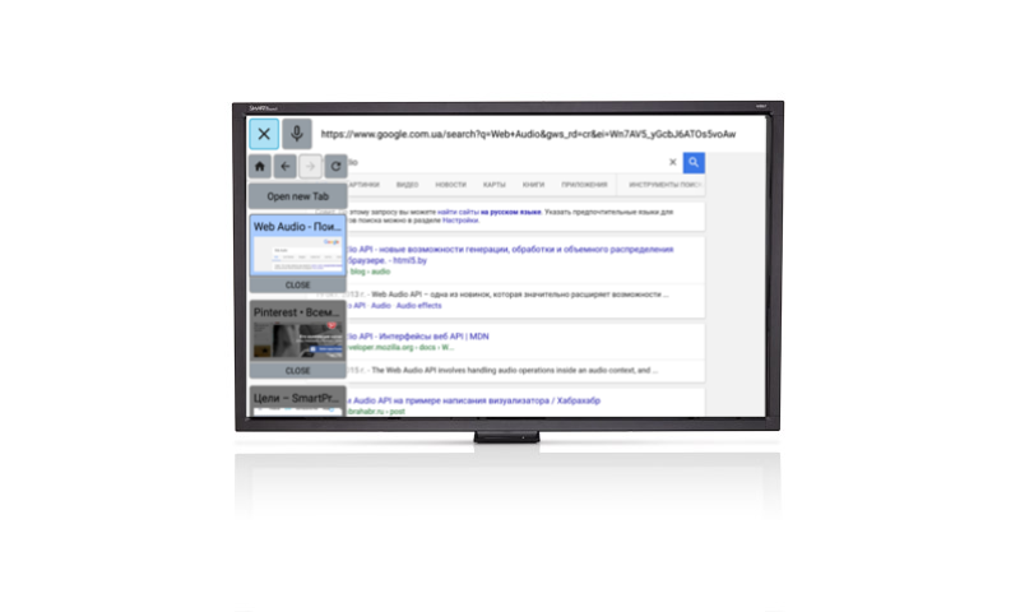
TV Bro positions itself as an entertainment app, recognizing the unique demands of browsing on a television screen. Unlike many browser adaptations, it’s built from the ground up for Android TVs, avoiding the clunky experience often associated with repurposed desktop browsers. Its core functionality revolves around providing a simple, intuitive interface optimized for navigation using a remote control, foregoing the precision often required with a mouse or trackpad. The application boasts standard features such as multiple tabs, which allow users to seamlessly switch between different websites, and bookmark support for easy access to frequently visited sites.
This straightforward approach makes TV Bro accessible to users of all technical skill levels. The familiar layout mimics popular desktop browsers like Google Chrome and Mozilla Firefox, minimizing the learning curve. The app’s intuitive design facilitates quick navigation, allowing users to focus on content consumption rather than wrestling with complex controls. This design philosophy is crucial for the target audience, which might not be comfortable with navigating intricate menus or performing complex actions on a TV remote.
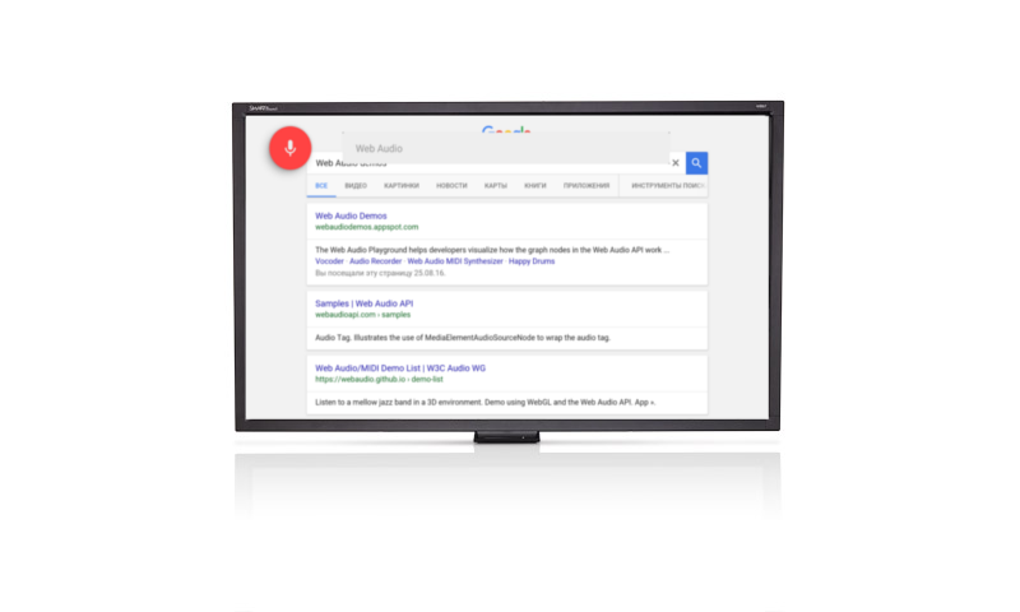
One of TV Bro’s most significant advantages is its voice command support. This feature transforms the browsing experience, significantly reducing the time and effort spent typing URL addresses or searching for specific content. With voice commands, users can quickly and efficiently access desired websites, simplifying the overall process and making it more enjoyable. The integration of voice commands reflects the modern user’s growing preference for hands-free interaction with technology.
.webp)
Games and Multimedia: Beyond Basic Browsing
While not explicitly a games or multimedia app, TV Bro’s primary function facilitates access to a vast array of online gaming and multimedia content. The browser’s ability to seamlessly navigate various websites allows users to access online games, stream movies and TV shows from supported websites, and listen to online radio or music services. While it doesn’t offer direct integration with streaming platforms, it acts as a gateway, providing access to their web interfaces. This indirect approach offers flexibility but might lack the streamlined experience of dedicated apps. Users should be aware that the performance of games or multimedia streamed through the browser might depend on the website’s optimization and the user’s internet connection.
News and Information: A Gateway to Online Content
TV Bro serves as a versatile tool for accessing news and information directly on the television screen. Users can access their favorite news websites, blogs, and other sources of online information directly through the app. The multiple tab function allows users to monitor multiple news sources simultaneously, offering a convenient approach to staying updated. However, the app’s reliance on a stable internet connection is crucial for consistent and uninterrupted access to news updates. Any interruptions in the network could negatively impact the user’s ability to stay informed in real-time. The browser’s capabilities, therefore, are directly tied to the reliability and speed of the internet connection.
For Business: Limited Professional Applicability
While not specifically tailored for business use, TV Bro might find limited applications in professional contexts. For instance, small businesses or entrepreneurs could use it for simple presentations, accessing online documents, or communicating through web-based applications. However, its lack of advanced features like enterprise-level security or integrated productivity tools limits its suitability for complex business operations. Compared to dedicated business solutions, TV Bro lacks the robustness and security measures necessary for sensitive data handling and secure communication. It’s more suited for casual, non-critical business tasks rather than mission-critical operations.
.webp)
Android: A Platform-Specific Advantage
TV Bro’s primary strength lies in its focus on the Android TV platform. This targeted approach allows the developers to optimize the browser specifically for the hardware and software characteristics of Android TVs. This specialization results in improved performance and compatibility, crucial aspects often overlooked in more generic browser implementations. By tailoring the application to this specific platform, developers are able to effectively address the unique demands and limitations of the Android TV environment, such as limited input methods and reliance on remote controls.
The application’s integration with the Android TV operating system offers a seamless user experience. This integration minimizes any potential conflicts or compatibility issues that often arise when using browsers not designed for the specific platform. Moreover, the developers’ commitment to regular updates and improvements helps maintain compatibility with newer Android TV versions and ensures the continued smooth functioning of the application. This specialized approach results in a more stable, efficient, and user-friendly experience compared to generic browsers.
Multimedia: Accessing Online Content on the Big Screen
TV Bro provides a convenient gateway to various online multimedia resources. Its primary function facilitates the access and consumption of online videos, audio, and other multimedia content directly on the TV screen. This functionality opens up opportunities for users to explore various online streaming platforms, listen to online radio stations, and watch videos from a multitude of sources. While it doesn’t possess any unique multimedia playback capabilities, its strength lies in the ease with which it can access and navigate these resources.
The user’s experience, however, might be limited by the quality and stability of the internet connection and the quality of the content streamed. The app’s capacity for handling high-resolution videos and complex multimedia files may depend on both the network bandwidth and the processing power of the Android TV device. This underscores the importance of a robust internet connection and adequate hardware for seamless multimedia consumption.
Movies & TV: A Convenient but Not Exclusive Streaming Solution
While TV Bro doesn’t offer a built-in streaming service like dedicated movie and TV apps, it facilitates access to numerous online streaming platforms. This makes it a potentially useful tool for users already subscribed to various streaming services that offer web-based access. The browser’s intuitive interface allows users to navigate these platforms with ease, leveraging the advantages of browsing on a larger screen. The app’s simplicity can be a considerable advantage, especially for individuals who find navigating multiple dedicated apps cumbersome.
However, it’s essential to recognize that TV Bro’s role here is purely facilitative. It doesn’t enhance the quality or features of the streaming services themselves. It simply provides a convenient method of access, similar to using a web browser on a desktop computer. Users should expect the same limitations and quality as when accessing these services directly through their dedicated applications.
Strengths and Weaknesses: A Balanced Perspective
TV Bro offers several compelling strengths, primarily its intuitive design, optimized for remote control use, and its voice command support. This combination makes it remarkably user-friendly for navigating the web on a television screen. The browser’s straightforward interface minimizes complexity, allowing users to focus on content consumption rather than struggling with intricate controls. The integration of voice commands further enhances user convenience, streamlining the process of web navigation.
However, some limitations hinder TV Bro’s overall appeal. The most significant drawbacks are the inability to scale down the browser display and its failure to fully render some dynamic HTML elements. This limitation might affect the user experience on certain websites and restricts customization options. These shortcomings highlight the need for further development and improvements to enhance the app’s overall functionality and user experience.
Conclusion: A Worthy Addition to the Android TV Ecosystem
TV Bro, despite its limitations, presents a valuable addition to the Android TV ecosystem. Its focus on ease of use, remote control integration, and voice command support creates a significantly improved browsing experience compared to using adapted desktop browsers. The app’s strengths make it well-suited for casual web browsing, accessing news, and consuming online multimedia content.
While the absence of certain features and its limitations regarding dynamic HTML rendering might deter users with advanced needs, its simplicity and intuitive design make it a worthwhile option for many Android TV users who prioritize ease of use and convenient access to web content. Future updates addressing the current shortcomings would further cement its position as a leading Android TV browser.
File Information
- License: “Free”
- Latest update: “May 28, 2024”
- Platform: “Android”
- OS: “Android 13.0”
- Language: “English”
- Downloads: “20.2K”
- Size: “125.82 MB”
- Download Options: “APK, Google Play”
- Filename: “com-phlox-tvwebbrowser-61-67679170-f70e383de99d024d238152eec7dc44e1.apk”


