
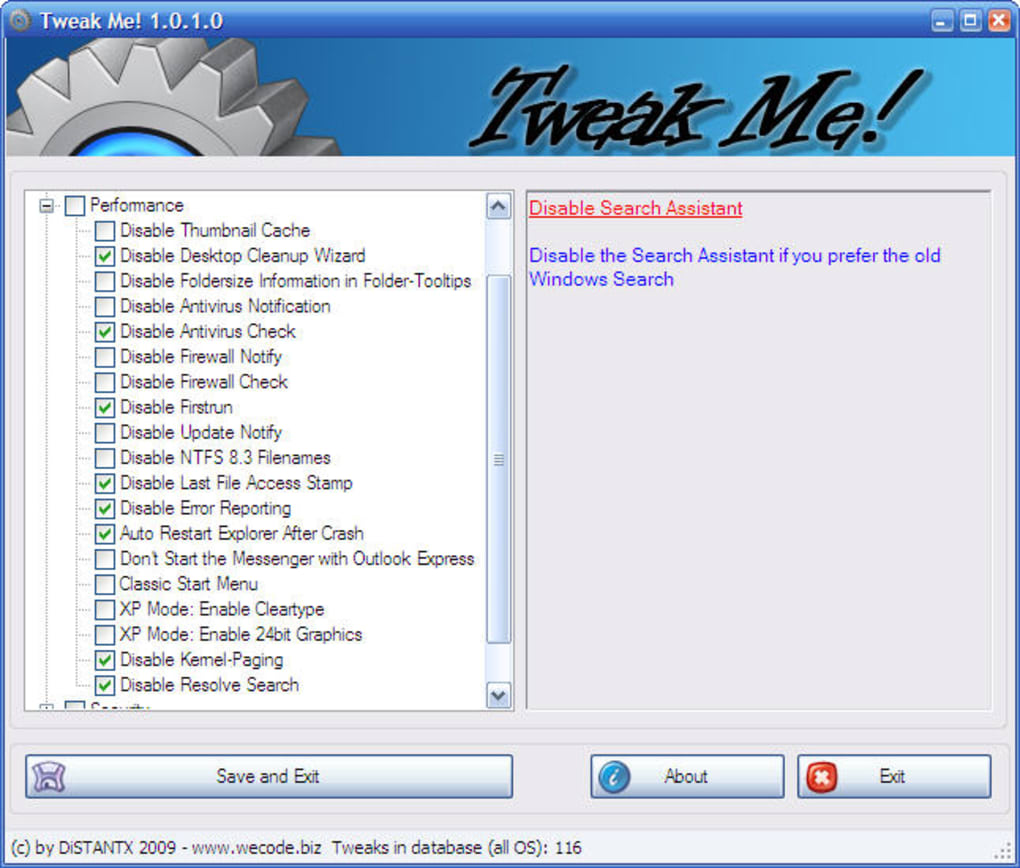
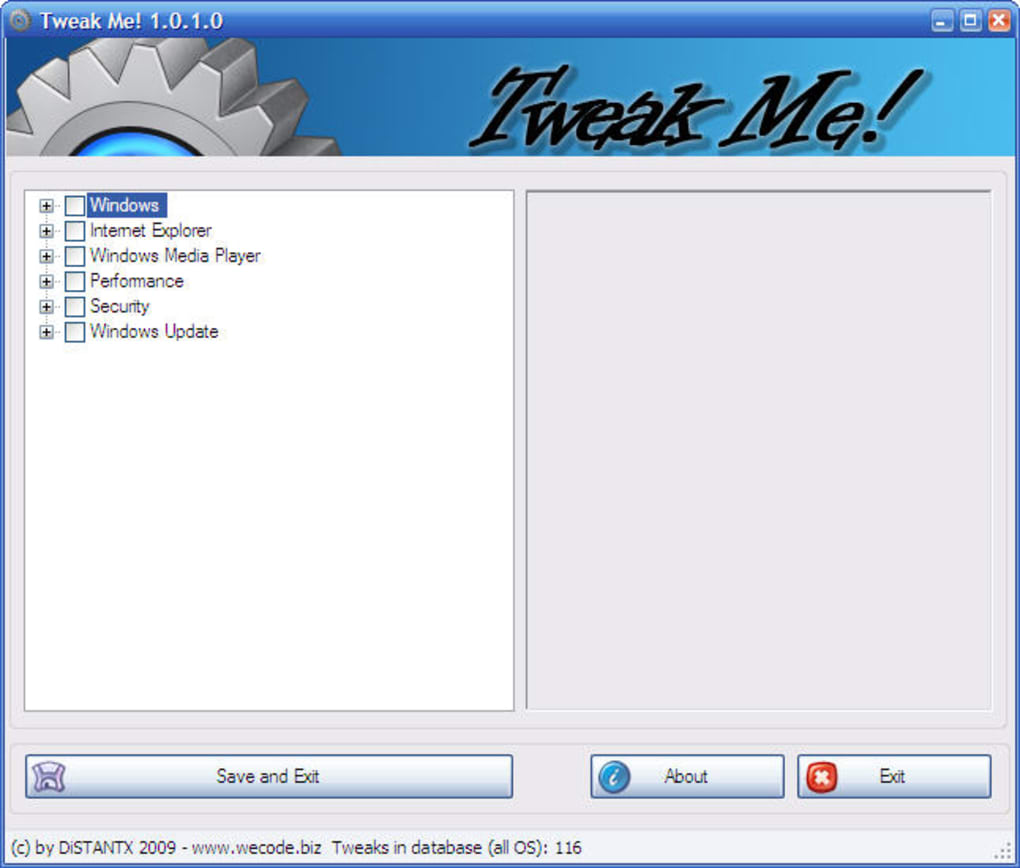
Tweak Me! is a free, user-friendly Windows utility designed to simplify the process of adjusting numerous system settings. Unlike navigating complex system menus, Tweak Me! presents a centralized interface, organizing tweaks from various areas – Windows core settings, Internet Explorer, Windows Media Player, performance parameters, security options, and Windows Update – into a clear, tree-like structure. This intuitive organization makes it significantly easier to locate and modify otherwise scattered and hard-to-find settings.
Ease of Use and Functionality
Tweak Me! boasts a streamlined design, prioritizing user convenience. The program launches quickly, presenting a clean and straightforward interface. Users simply select their preferred language, browse the organized list of tweaks, and check the boxes corresponding to the desired modifications. Upon completion, a simple “Save and Exit” button applies the chosen tweaks. While this simplicity is commendable, it’s important to note that some changes may necessitate a system restart to fully take effect.
The program’s strength lies in its ability to consolidate numerous, dispersed system tweaks into a single, accessible location. This is particularly beneficial for users who want to customize their Windows experience without delving into the complexities of the Registry Editor or navigating multiple control panels. The organized, hierarchical structure allows for efficient browsing and selection of relevant settings, making even extensive modifications relatively straightforward.
Detailed Breakdown of Tweak Categories
Tweak Me! categorizes its adjustments across several key areas:
1. Windows Core Settings: This section encompasses fundamental system-level configurations. These tweaks often impact core functionalities and visual aspects of the operating system. They could include adjustments to the Start menu, taskbar behavior, file explorer options, visual effects, and other aspects of the user interface.
2. Internet Explorer Settings: This section targets customizations specific to Internet Explorer (now largely obsolete but still present on many systems). Tweaks may relate to security configurations, privacy options, browsing behavior, add-on management, and other aspects impacting the Internet Explorer experience. The availability and relevance of these settings depend heavily on the version of Windows and whether Internet Explorer is still installed and used.
3. Windows Media Player Settings: Focusing on the built-in media player, this section allows adjustments related to playback, library management, visualization, and other features within Windows Media Player. Again, the relevance depends on whether Windows Media Player remains the user’s primary media player.
4. Performance Tweaks: This is a crucial section for users seeking to optimize their system’s performance. Tweaks in this category can impact resource allocation, startup processes, visual effects, and various aspects that affect system speed and responsiveness. These settings are often interrelated, and users should exercise caution, understanding the potential impact of each change on overall system stability.
5. Security Settings: This is a critical area requiring careful consideration. Tweaks in this section address security features, firewall settings, user account controls, and other aspects related to system protection. Users should possess a strong understanding of the security implications before making changes in this category. Modifying security settings incorrectly can leave the system vulnerable to malware or unauthorized access.
6. Windows Update Settings: This section controls how the system interacts with the Windows Update service. Tweaks could manage automatic update checks, installation schedules, and other update-related parameters. Modifying these settings could delay or prevent critical security patches from being applied, posing significant security risks. Caution and a clear understanding of the potential impact are crucial before making any adjustments in this section.
Limitations and Potential Drawbacks
Despite its user-friendly interface and helpful organization, Tweak Me! has some limitations:
- Insufficient Detail: While the program displays information about each tweak, some users may find the descriptions insufficient for informed decision-making. More detailed explanations of each setting’s impact and potential consequences would enhance the user experience.
-
Lack of Backup/Restore Functionality: The absence of a built-in restore point or backup solution is a notable drawback. Modifying system settings incorrectly can lead to instability or system malfunctions. A robust backup and restore mechanism would significantly mitigate the risks associated with making potentially disruptive changes. Users should manually create system restore points before utilizing Tweak Me! to ensure they can revert changes if necessary.
-
System Restart Required: The requirement for system restarts after certain modifications can be disruptive to workflow. While understandable, it underlines the potential impact of these tweaks and reinforces the need for caution and preparedness.
-
Limited Scope (Compared to Professional Tools): While Tweak Me! offers a convenient interface for several common tweaks, its scope is less extensive than some professional-grade system tweaking and optimization utilities. Advanced users who require more granular control over their system might find its capabilities limited.
-
Potential for Conflicts: Incompatibilities can arise when applying multiple tweaks simultaneously, especially across different system areas. Users should approach each modification cautiously and carefully consider the potential interactions between different settings.
Comparison to Alternative Software
Several alternative applications provide similar, and in some cases, more comprehensive, system tweaking capabilities. These alternatives may offer a broader range of options, more detailed explanations, built-in backup features, or more sophisticated performance optimization tools. Some examples include:
-
Bytessence Registry Cleaner: This software focuses primarily on registry cleaning and optimization, which can indirectly improve system performance. However, it does not directly offer the broad range of system-level tweaks provided by Tweak Me!.
-
WINner Tweak Pro: This more advanced tool offers a broader range of tweaking options and advanced customization features. However, it comes with a price tag and a steeper learning curve.
-
Indo Cleaner: Primarily focused on cleaning temporary files and unnecessary data, this software complements system tweaks by freeing up disk space and improving performance.
-
Puran Utilities: A suite of utilities for system maintenance and optimization, Puran Utilities provides a more comprehensive approach than Tweak Me! alone.
The choice of which software to use depends on the user’s technical expertise, desired level of control, and willingness to pay for premium features. Tweak Me!’s strengths lie in its ease of use and simple, organized interface. For users who value simplicity and clarity above extensive customization options, Tweak Me! is a viable option. However, advanced users might find more powerful, if more complex, alternatives more suitable for their needs.
Conclusion
Tweak Me! is a valuable tool for users seeking a simplified method to adjust various Windows system settings. Its well-organized interface and ease of use make it accessible to a broad spectrum of users. However, the absence of detailed explanations for each tweak and the lack of backup/restore functionality necessitate caution and a degree of technical understanding. Users should always exercise care when modifying system settings and consider creating manual system restore points before using Tweak Me! to ensure they can undo any unwanted changes. While it may not be the most powerful or feature-rich option on the market, Tweak Me! successfully fills a niche for those seeking a user-friendly gateway to basic Windows system customization. The program’s simplicity makes it an excellent starting point for those new to system tweaking, though advanced users may prefer more sophisticated alternatives.
File Information
- License: “Free”
- Latest update: “May 24, 2023”
- Platform: “Windows”
- OS: “Windows Vista”
- Language: “English”
- Downloads: “3.6K”


