
TweetDeck, Twitter’s official desktop application, has evolved from its beta phase into a fully-fledged, powerful tool for managing multiple Twitter accounts and streams. No longer reliant on Adobe AIR for installation, TweetDeck offers a streamlined, efficient experience for both casual and power users. Its clean interface and intuitive design make it a top choice for individuals and businesses alike looking to optimize their Twitter presence. This in-depth review explores TweetDeck’s features, benefits, drawbacks, and alternatives.
Streamlining Your Twitter Workflow: Key Features and Functionality
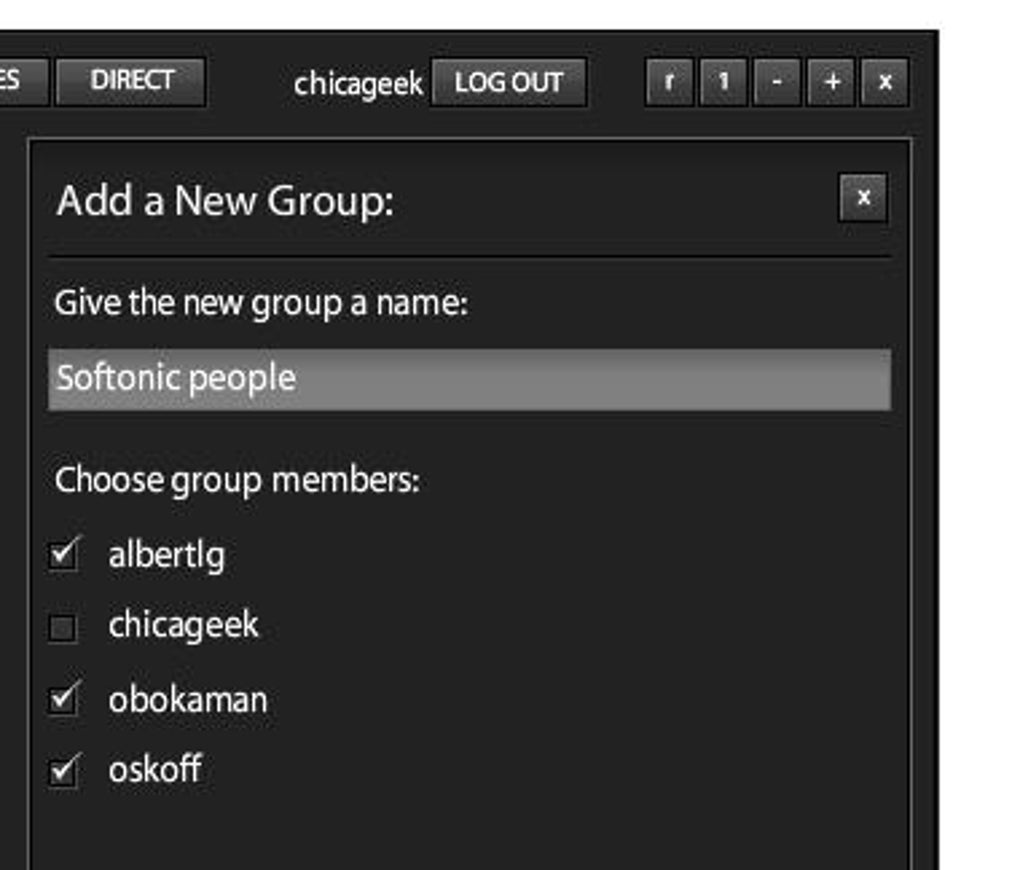
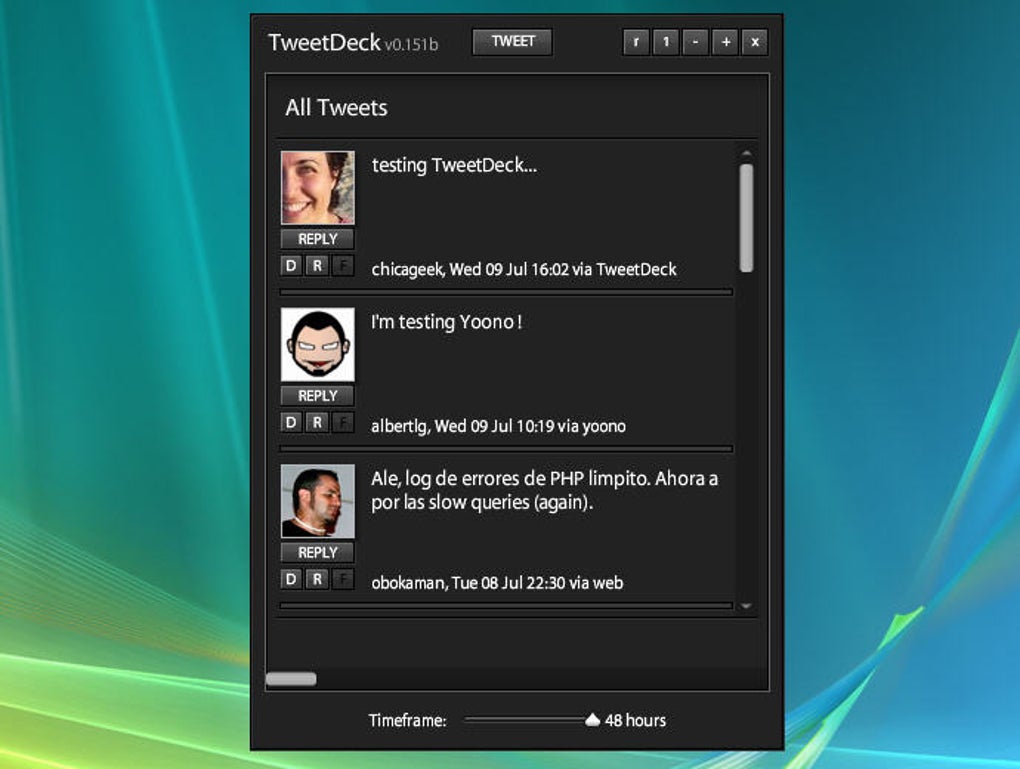
TweetDeck’s core strength lies in its column-based layout. This allows users to organize various aspects of their Twitter activity into separate, easily manageable columns. The default configuration typically includes a Home column, consolidating updates from all followed accounts; a Mentions column, showcasing tweets mentioning the user; and a Messages column, displaying direct messages received. This customizable structure empowers users to tailor their TweetDeck experience precisely to their needs.
The app’s versatility shines in its ability to accommodate a diverse array of column types beyond the standard three. Users can add columns for lists (allowing focused attention on specific groups of accounts), searches (monitoring keywords or hashtags), and even individual accounts, providing an unparalleled level of granular control. This feature is invaluable for managing multiple accounts, monitoring brand mentions, tracking industry trends, and engaging with specific audiences. The ability to rearrange and remove columns on the fly ensures a dynamic and adaptable workflow. This column management has been significantly improved in recent versions, offering a more intuitive drag-and-drop interface accessed through a dedicated “Columns” button. This button now provides a comprehensive list of all active columns, allowing for easy navigation and reorganization.
Beyond column organization, TweetDeck’s functionality extends to individual tweet management. A dedicated menu icon on each tweet provides quick access to a comprehensive range of actions. This includes the ability to create links, block users, report spam, add accounts to lists, and delete tweets – all without navigating away from the main column view. This streamlined interaction saves significant time and effort, particularly for users managing numerous tweets and interactions throughout the day.
The ease of navigating multiple columns has also received significant improvements. Columns are now presented in a continuous horizontal row, allowing smooth left-to-right scrolling. The addition of scroll arrows flanking the “Columns” button allows for multi-column scrolling, enabling efficient navigation through extensive timelines and conversations.
Enhanced User Experience: Design and Interface

TweetDeck’s interface is characterized by its clean and uncluttered aesthetic. Information is presented clearly and concisely, minimizing visual distractions and maximizing efficiency. The column-based layout prevents information overload, allowing users to focus on specific streams of information without feeling overwhelmed. This intuitive design is a testament to its user-centric approach, prioritizing functionality and usability above unnecessary visual embellishments. The overall feel is professional and efficient, suitable for both personal and professional use.
Beyond the Basics: Advanced Features and Customization
TweetDeck offers several features that cater to power users and those seeking more granular control. These include advanced search capabilities, allowing for precise keyword filtering and the ability to track specific conversations. The ability to schedule tweets ahead of time is a valuable feature for businesses and individuals needing to plan their content strategically. Moreover, TweetDeck seamlessly integrates with Twitter’s broader ecosystem, allowing access to features like Twitter polls, GIF sharing, and photo uploads directly from within the application. This integration ensures a cohesive user experience, avoiding the need to switch between different platforms.
Customization options are extensive, allowing users to fine-tune their experience to suit individual preferences. This includes adjustable column widths, customizable notification settings, and the ability to select light or dark mode themes. These options cater to a wide range of user needs and preferences, enhancing both functionality and aesthetic appeal. The ability to save multiple configurations for switching between different workflows is also a particularly handy feature for users with varying needs.
Addressing Limitations: Potential Drawbacks and Areas for Improvement
While TweetDeck offers a plethora of benefits, some limitations should be acknowledged. The Home column, while convenient, can quickly become cluttered with an abundance of information, especially for users following numerous accounts. This potential for information overload can be mitigated through effective use of lists and filters, but it remains a potential drawback for users with a very large network.
Another potential point of concern for some users is the lack of direct support for platforms beyond Twitter. Although initially incorporating Facebook, this functionality has since been removed. For users requiring integrated management of multiple social media platforms, TweetDeck may not be the most comprehensive solution.
Additionally, while the recent updates have significantly improved navigation and usability, some users may still find the interface somewhat austere, lacking the visual polish of more modern social media applications. This is a matter of personal preference, however, and the prioritization of functionality over visual flair is a conscious design choice.
Alternatives to TweetDeck: Exploring Other Options
While TweetDeck remains a strong contender in the realm of Twitter management tools, several alternative applications offer similar functionalities and unique features. Some popular options include:
-
Echofon: This long-standing Twitter client boasts a reputation for speed and reliability, providing a clean and efficient user interface. It offers advanced features like scheduled tweets and robust customization options.
-
SocialBro: This application is geared towards advanced analytics and social media marketing. While not solely a Twitter client, it offers powerful tools for analyzing followers, identifying influencers, and optimizing social media campaigns.
- TweetCaster: A mobile-centric Twitter client offering similar column-based management but with a strong focus on mobile optimization.
The choice of alternative depends on the user’s specific needs and preferences. If speed and simplicity are paramount, Echofon may be a good choice. For businesses requiring in-depth analytics, SocialBro may prove more beneficial. Ultimately, the best alternative will depend on the user’s individual priorities.
Conclusion: A Powerful Tool for Managing Your Twitter Presence
TweetDeck remains a powerful and efficient tool for managing multiple Twitter accounts and streams. Its column-based interface, customizable layout, and streamlined functionality make it an ideal choice for users who need to stay organized and engaged on Twitter. While some limitations exist, the benefits of improved navigation, enhanced tweet management, and a robust feature set outweigh these drawbacks for most users. It is an indispensable tool for power users, businesses, and anyone looking to optimize their Twitter workflow. However, users with very large follower counts or those requiring integrated support for multiple social media platforms should consider evaluating alternative options to ensure alignment with their specific needs.
File Information
- License: “Free”
- Latest update: “April 9, 2019”
- Platform: “Windows”
- OS: “Windows 8”
- Language: “English”
- Downloads: “819.8K”
- Size: “14.70 MB”


