
Twinkle Tray: Brightness Slider is a free, user-friendly Windows utility designed to simplify and enhance monitor brightness control. This comprehensive guide explores its features, benefits, and how it compares to alternative solutions. Whether you’re a casual user frustrated with fiddling with your monitor’s buttons or a power user seeking precise brightness adjustments across multiple displays, Twinkle Tray offers a streamlined solution.
Streamlined Brightness Control for Multiple Monitors
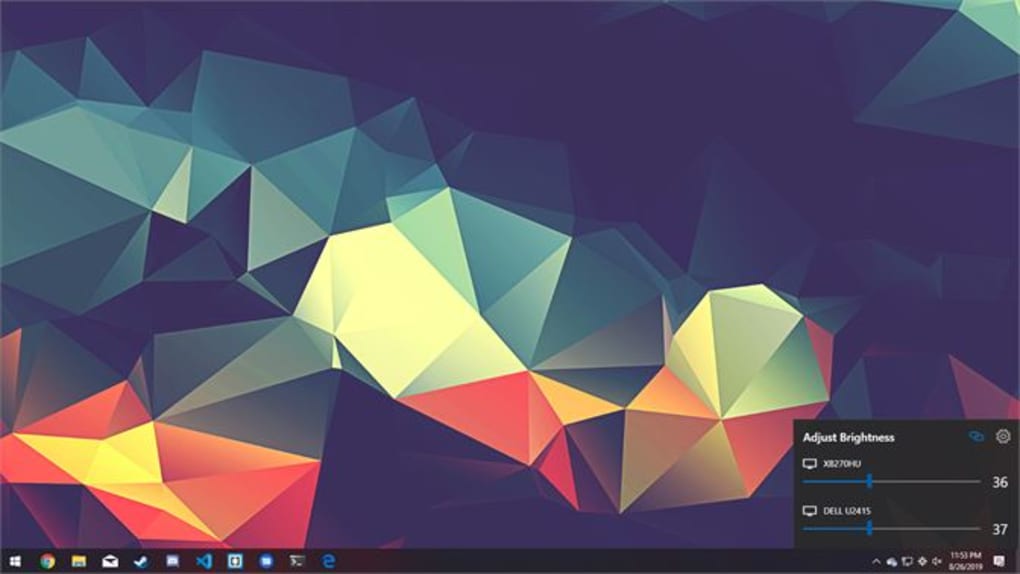
One of Twinkle Tray’s key strengths lies in its ability to manage brightness across multiple monitors simultaneously. Unlike cumbersome operating system settings or individual monitor adjustments, Twinkle Tray provides a centralized control point. This is particularly beneficial for users with multi-monitor setups, enabling them to adjust the brightness of all screens or individual displays with ease. The software intelligently works with each display individually, allowing for customized brightness levels per screen. This means you can optimize the brightness for each monitor according to its individual needs and ambient lighting conditions. The consistent brightness levels across multiple screens enhance visual comfort and consistency in your workspace.
The program simplifies the process by adding a discreet icon to your system tray, providing quick access to the brightness controls without cluttering your desktop. Hovering over the icon reveals the brightness slider, allowing for instant adjustments. This ease of access makes it incredibly convenient for users who frequently adjust their screen brightness throughout the day. The intuitive interface eliminates the need for extensive technical knowledge, making it accessible to users of all skill levels.
Beyond Brightness: Enhanced Functionality
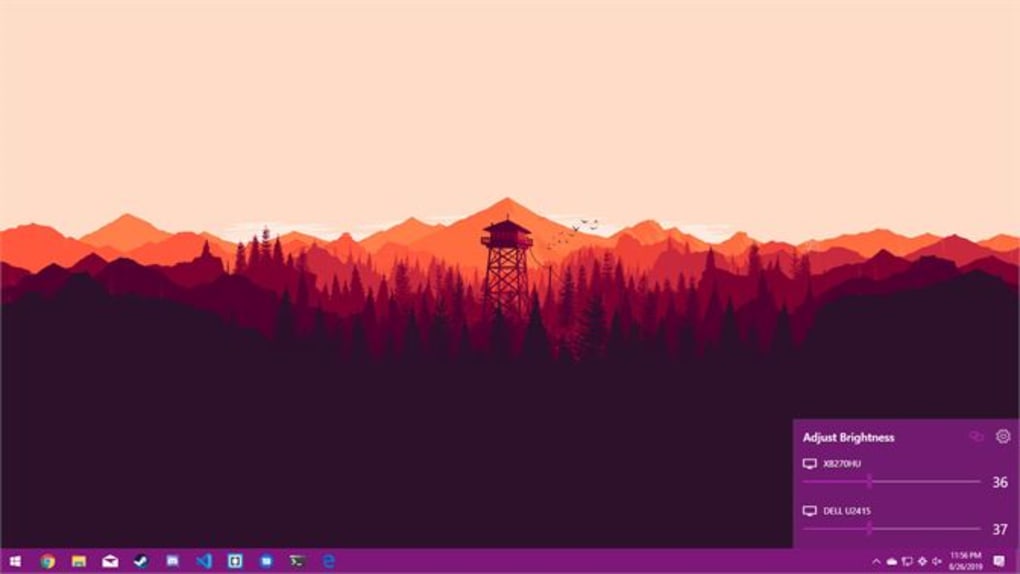
Twinkle Tray extends beyond basic brightness control, offering a range of additional features that enhance its overall usability. It incorporates a color temperature indicator, providing valuable information about the current color temperature of your display. This feature is particularly useful for users who work on color-critical tasks or want to optimize their screen for different times of day. The integration of a clock adds further convenience, providing a quick and easy way to check the time without switching to another application.
Moreover, the software includes customizable sound feedback, providing audible confirmation of brightness adjustments. This auditory cue helps users track their brightness changes without having to visually check the on-screen slider. The option to auto-start with Windows ensures that Twinkle Tray is always readily available for use. This automatic launch feature is especially beneficial for users who consistently require brightness adjustments throughout their computing sessions.
The software employs both the DDC/CI (Display Data Channel/Command Interface) and WMI (Windows Management Instrumentation) protocols for communication with connected monitors. This ensures broad compatibility with a wide range of monitor models and manufacturers. Although DDC/CI support isn’t universal across all monitors, the incorporation of WMI provides a robust fallback mechanism to maintain functionality with a greater array of display devices. The software automatically normalizes the backlight settings of different monitor models, ensuring consistent brightness adjustments across diverse hardware.
Technical Specifications and System Requirements
Twinkle Tray: Brightness Slider is a lightweight application with minimal system resource demands. It’s designed for compatibility with various versions of the Windows operating system, including Windows 11. The application boasts a clean and straightforward interface, ensuring ease of use for users of all technical skill levels.
Key Specifications:
- License: Freeware
- Version: 1.16.6 (as of July 16, 2025 – this may be outdated; check the official website for the latest version)
- Platform: Windows (compatible with various versions, including Windows 11)
- Languages: Supports a wide range of languages, including English, Arabic, Chinese, Dutch, French, German, Italian, Japanese, Korean, Polish, Portuguese, Russian, Spanish, Swedish, and Turkish.
Comparing Twinkle Tray to Alternative Solutions
While several other brightness adjustment tools exist for Windows, Twinkle Tray distinguishes itself through its intuitive interface, multi-monitor support, and additional features. Many built-in Windows features offer limited brightness control, often lacking the precision and multi-monitor compatibility of dedicated utilities. Other third-party applications may offer similar functionality, but they may lack the simplicity and additional features (like the clock and color temperature indicator) that Twinkle Tray provides. The streamlined design and ease of use make Twinkle Tray a compelling option compared to more complex or resource-intensive software.
The combination of ease of use, multi-monitor support, and additional features makes Twinkle Tray a powerful and versatile brightness control solution. Its freeware status enhances its appeal to a broad spectrum of users.
User Experience and Feedback
Twinkle Tray’s user-friendly design eliminates the need for a steep learning curve. The intuitive interface requires minimal interaction, allowing users to adjust the brightness efficiently. The compact system tray icon minimizes screen clutter while maintaining easy access to the brightness controls. The additional features, such as the clock and color temperature indicator, provide extra convenience without compromising the core functionality.
While user reviews for Twinkle Tray may be limited at the time of this writing, the ease of use and functionality suggest a positive user experience. The positive aspects of the software generally outweigh any potential drawbacks. The software’s small footprint and minimal resource usage ensure a seamless integration into existing workflows without performance degradation.
Conclusion: A Valuable Addition to Your Windows Toolkit
Twinkle Tray: Brightness Slider offers a valuable and efficient solution for managing monitor brightness, especially for users with multi-monitor setups. Its user-friendly design, combined with its extensive features and broad compatibility, makes it a strong contender among brightness adjustment utilities for Windows. The inclusion of a color temperature indicator, clock, and sound feedback enhances the user experience, solidifying its position as a practical and efficient tool for managing monitor brightness with minimal effort. If you’re searching for a simple yet effective way to control your screen’s brightness, Twinkle Tray is a worthy addition to your Windows toolkit. The combination of ease of use, advanced features, and its completely free nature makes it a highly recommended tool.
File Information
- License: “Free”
- Version: “1.16.6”
- Latest update: “July 16, 2025”
- Platform: “Windows”
- OS: “Windows 11”
- Language: “English”
- Downloads: “2.2K”


