
Typing Invaders is a classic typing tutor program that cleverly combines the addictive gameplay of the iconic Space Invaders arcade game with the practical need to improve typing skills. Released in 2005 and still available today, this free software offers a unique and engaging approach to learning touch typing, making it a fun and effective tool for users of all skill levels. This review delves into the features, functionality, and overall experience of this enduring program.
Gameplay and Educational Approach
Typing Invaders presents a familiar yet innovative learning environment. Instead of the traditional, often monotonous typing lessons, the program challenges users to defend their base from waves of descending aliens, all while honing their typing skills. Each correctly typed word acts as a shot fired at the invaders. Miss a key, and the aliens advance, potentially resulting in a game over. This engaging mechanic transforms a potentially tedious exercise into an exciting and rewarding experience. The increasing difficulty levels ensure that users are continuously challenged and progress at a steady pace. The program cleverly adjusts the speed and complexity of the words presented to match the user’s current proficiency, offering a personalized learning curve. This dynamic approach keeps players motivated and prevents frustration, making it ideal for learners of all ages and typing backgrounds.
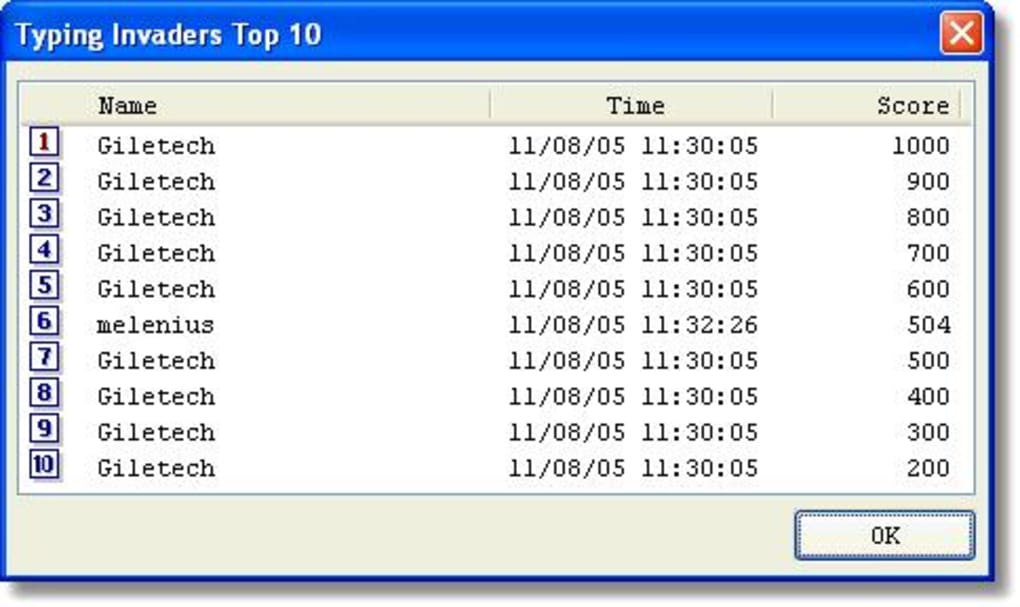
The game also includes a variety of features designed to enhance the learning experience. For example, users can choose from different difficulty levels, allowing them to customize the challenge to their skill level. The game also provides feedback on typing accuracy and speed, helping users track their progress and identify areas for improvement. This real-time feedback is crucial for identifying and correcting typing errors, allowing for immediate adaptation and skill enhancement. Unlike some typing tutors that solely focus on speed, Typing Invaders encourages accuracy first. A fast but inaccurate typist will find their progress hampered by the game mechanics, reinforcing the importance of precision.
Furthermore, the integration of classic arcade elements—the familiar sounds, visuals, and the sense of urgency—makes the learning process less daunting and more enjoyable. The nostalgic feel of the game appeals to a broader audience, attracting those who remember the original Space Invaders and those discovering this genre for the first time. This clever blend of familiar entertainment with focused education successfully makes the learning experience far more palatable than traditional methods. The program’s simplicity also contributes to its accessibility. The straightforward interface and intuitive controls make it easy for anyone to pick up and play, regardless of their prior experience with typing software.
System Requirements and Availability
Typing Invaders boasts remarkable accessibility. The software is compatible with older Windows operating systems, including Windows 98 and subsequent versions. This broad compatibility ensures a wider range of users can benefit from its unique teaching method. This backward compatibility is a testament to the program’s design philosophy, prioritizing accessibility over relying on cutting-edge technology. While the last update occurred in 2005, the core functionality remains effective, proving that a simple, well-designed program can stand the test of time. The program’s small file size also ensures easy download and installation, making it a convenient option for users with limited storage space. Its unassuming size contributes to its usability, even on older or less powerful computers. The fact that the program remains functional on such a wide range of legacy systems underscores its robust programming and effective design.
The program is available in English, catering to a large global user base. While multilingual support might expand its reach further, its single-language offering does not significantly detract from its effectiveness for English-speaking users. The focus on a single language allows for a streamlined development and maintenance process, ensuring that resources are concentrated on maintaining the core functionality and game experience.
User Interface and Experience
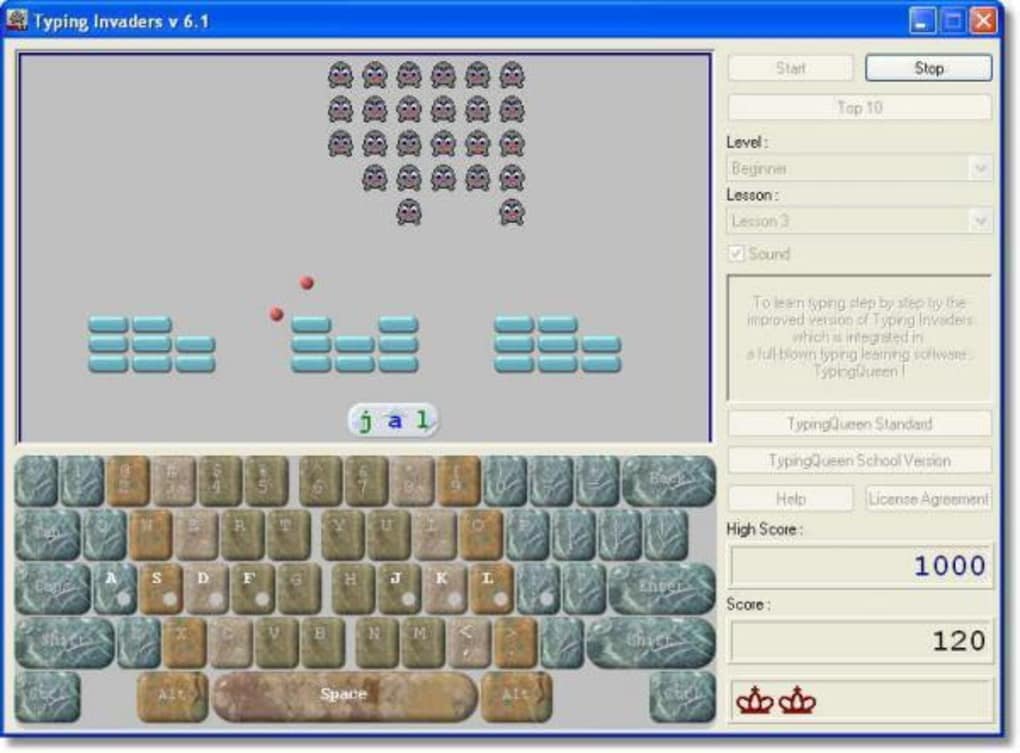
Typing Invaders presents a clean, user-friendly interface that prioritizes ease of use. The layout is intuitive and uncluttered, allowing users to focus on the typing task without being overwhelmed by complex menus or options. This minimalist approach is key to the program’s success. The simplicity of the interface ensures that even novice computer users can quickly grasp its functionality and start improving their typing skills. The game’s visual elements are equally straightforward, focusing on the essential elements needed for gameplay: the aliens, the player’s ship, and the score display. There’s no unnecessary embellishment, allowing players to immerse themselves in the task at hand without distraction.
The audio components of the game are equally effective. The sound effects are simple yet effective, providing satisfying feedback for correct typing and providing a sense of urgency when facing incoming aliens. This audio reinforcement enhances the game’s overall appeal and makes the learning experience more dynamic. The absence of any jarring or distracting sounds underscores the attention to detail in creating a smooth and focused learning environment.
The program’s ease of use extends to its learning curve. The gradual increase in difficulty allows users to progress at their own pace, fostering confidence and preventing frustration. This adaptive learning approach is a major factor in the program’s continued relevance and effectiveness. The feedback system within the game is also seamless, providing immediate notification of typing errors without disrupting the flow of gameplay. This real-time feedback allows users to correct mistakes instantly, fostering effective learning.
Comparison with Other Typing Tutors
While Typing Invaders stands out with its unique gameplay, it’s useful to consider how it compares to other typing tutors available today. Many modern typing tutors offer more comprehensive features, such as extensive vocabulary lists, customizable lessons, and detailed progress tracking. Some even incorporate gamification elements beyond a single game, such as points, badges, and leaderboards. However, Typing Invaders’ strength lies in its simplicity and the effectiveness of its core mechanic. It prioritizes a focused and enjoyable learning experience over an abundance of features, making it an excellent choice for those who want a straightforward and effective way to improve their typing skills without the complexities of more feature-rich programs. The retro aesthetic also provides a unique selling point, setting it apart from the more modern, often sterile designs of some competitors.
The lack of advanced features, such as personalized lesson plans or detailed statistical analysis, might be a drawback for some users who require a more structured learning approach. However, for users seeking a simple, fun, and effective way to improve their typing skills, the simplicity of Typing Invaders is a significant advantage. Its lean design makes it accessible to a broader audience and ensures a less overwhelming experience. In essence, it’s a powerful tool that prioritizes effective learning through engaging gameplay, making it a valuable alternative to more complex typing tutors.
In conclusion, Typing Invaders offers a refreshing and effective approach to learning touch typing. By seamlessly blending the addictive gameplay of Space Invaders with the practical need to improve typing skills, it provides a fun and engaging way to improve accuracy and speed. While its limited features compared to modern typing tutors might not suit all users, its unique blend of nostalgia, simple design, and effective learning mechanics makes it a worthwhile option for those seeking a different approach to mastering the keyboard. Its continued availability and enduring popularity are a testament to its effectiveness and appeal.
File Information
- License: “Free”
- Version: “6.1”
- Latest update: “March 9, 2017”
- Platform: “Windows”
- OS: “Windows 98”
- Language: “English”
- Downloads: “3K”
- Size: “1.07 MB”


