
Typora is a markdown editor designed to simplify the writing and reading experience for users of all levels. Unlike traditional markdown editors with their cluttered interfaces, Typora streamlines the process by eliminating unnecessary features and focusing on a clean, intuitive design. Its core innovation lies in its live preview functionality, which dynamically updates the rendered output as you type, eliminating the need for separate preview windows and mode switching. This seamless integration significantly improves the writing workflow, making markdown editing more accessible and efficient for a wider audience.
The Simplicity of Typora’s Interface
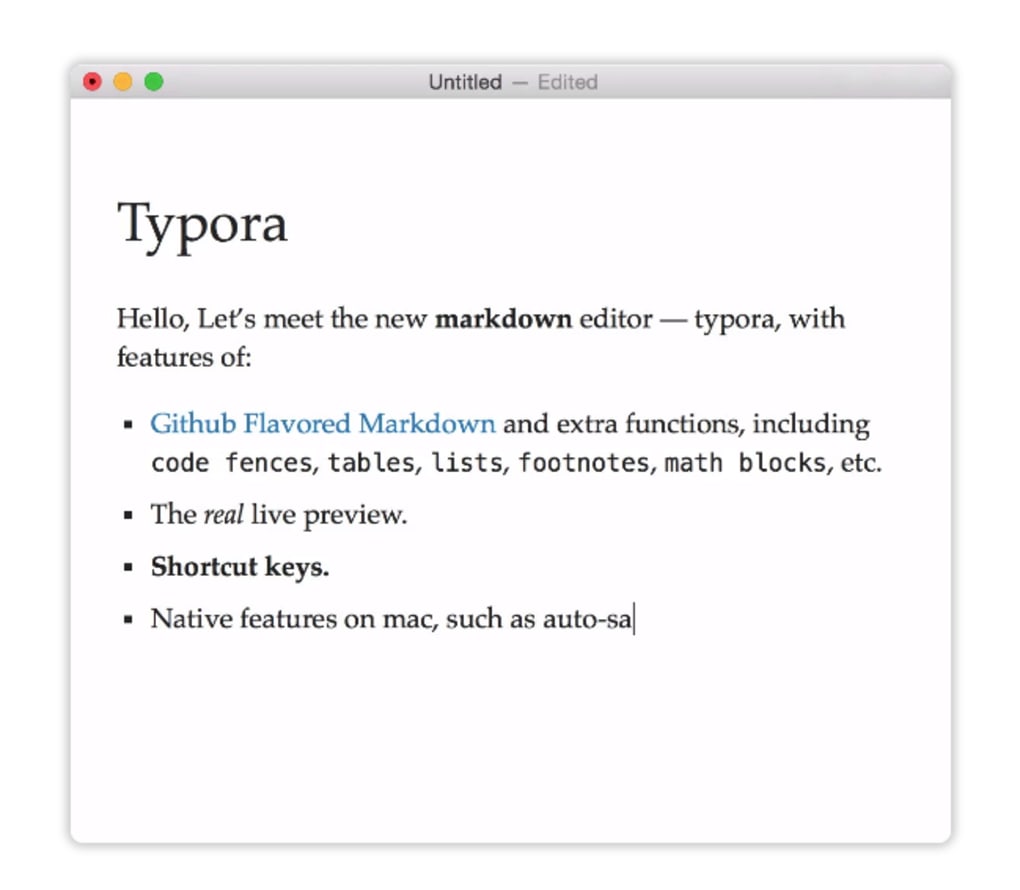
Typora’s greatest strength lies in its minimalist approach to interface design. Traditional markdown editors often present users with a split-screen view, separating the raw markdown code from its rendered visual representation. This division can disrupt the writing flow, forcing writers to constantly switch between the code and the preview, hindering creativity and focus. Typora elegantly resolves this issue by integrating the preview directly into the editing area. As you type markdown, the formatted text appears immediately beside the source code, offering an uninterrupted, real-time view of your document’s final form.
This live preview functionality is not just aesthetically pleasing; it significantly enhances the writing process. Writers can immediately see the impact of their formatting choices, eliminating the need for constant toggling between different views. This immediate feedback loop allows for rapid iteration and experimentation with different styles and structures, boosting both speed and efficiency. The absence of distracting elements, such as separate preview windows and mode switches, contributes to a cleaner, more focused writing environment, minimizing distractions and promoting a smoother workflow.
Enhanced Efficiency and Productivity
The streamlined interface of Typora directly translates to improved efficiency and productivity. The absence of unnecessary features and the real-time preview significantly reduce the cognitive load on the writer, allowing them to focus entirely on the content itself. This focused approach minimizes interruptions and accelerates the writing process. The immediate visual feedback provided by the live preview enables quicker identification and correction of formatting errors, preventing the need for extensive post-editing.
Furthermore, Typora’s intuitive design makes it remarkably easy to learn and use. Even users unfamiliar with markdown can quickly grasp the basics and start writing effectively. The straightforward interface requires minimal learning curve, allowing writers to focus on their content rather than grappling with complex software features. This ease of use makes Typora an excellent choice for both seasoned markdown users and newcomers alike. The intuitive design allows for a more fluid transition between ideas and faster implementation of edits, leading to a significantly improved overall writing experience.
Typora’s Support for Markdown Features
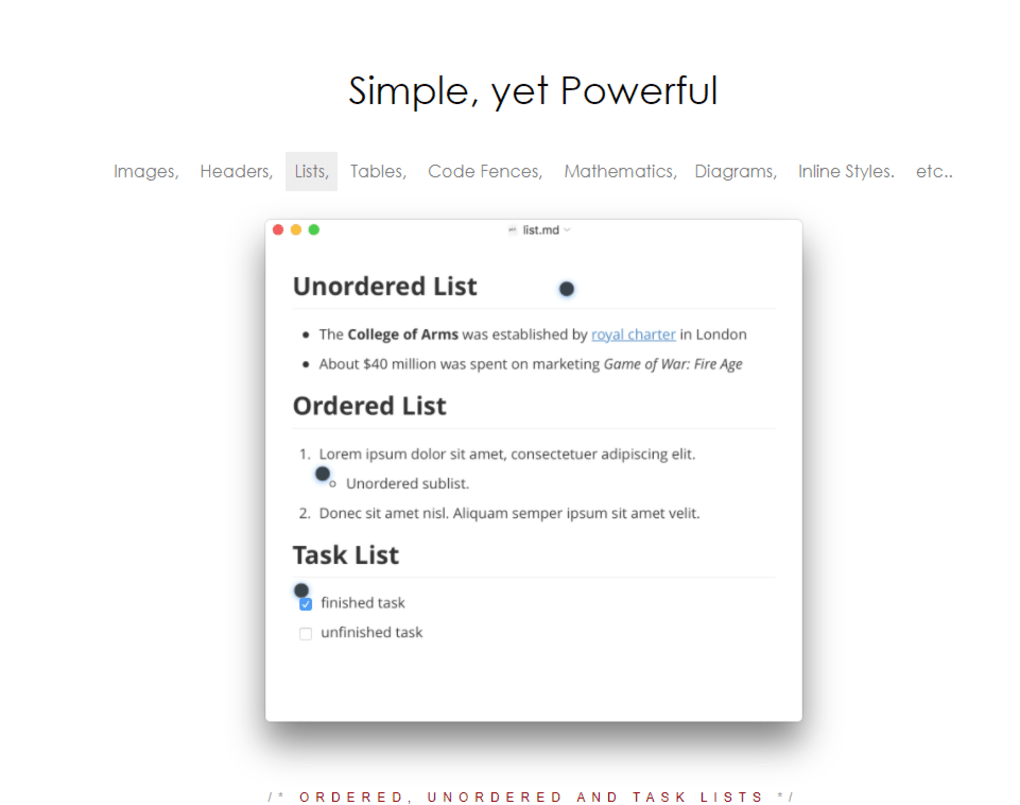
Typora offers robust support for a wide array of markdown features, catering to the needs of diverse writers. From basic formatting elements like headings, bold text, and italics to more advanced features such as tables, code blocks, and mathematical formulas, Typora provides a comprehensive suite of tools to create rich and visually appealing documents.
The editor excels in its handling of mathematical formulas, allowing users to seamlessly integrate complex equations using LaTeX syntax. This functionality proves invaluable for users working in scientific, engineering, or mathematical fields where precise mathematical notation is essential. The support for various code highlighting languages extends Typora’s utility to programmers and developers, allowing for clean and well-formatted code snippets within the document. The inclusion of features such as footnotes, images, and hyperlinks enhances the versatility of Typora, making it suitable for various writing tasks ranging from technical documentation to creative writing projects.
Beyond the Basics: Advanced Features and Extensions
While Typora’s core strength lies in its simplified interface and live preview, it also offers several advanced features that cater to power users. These include support for custom themes, enabling users to personalize the appearance of the editor to match their preferences. The ability to export documents in various formats, such as HTML, PDF, and DOCX, expands the application’s utility, ensuring compatibility with a wide range of platforms and applications.
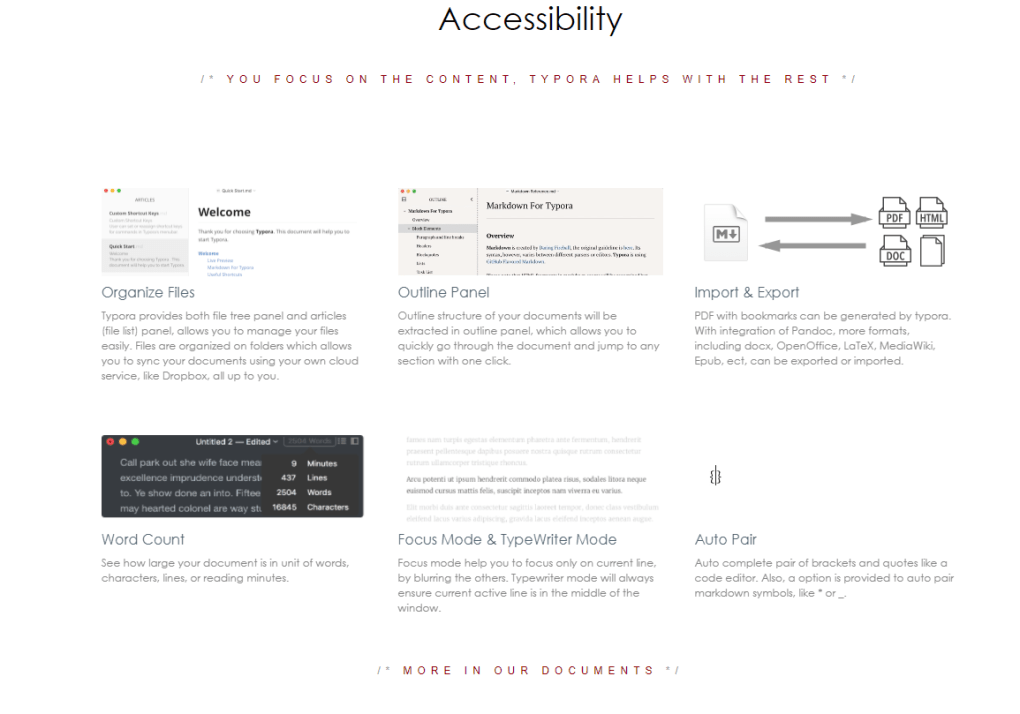
Furthermore, Typora’s extensibility through plugins and themes allows users to tailor the editor to their specific needs. This customizability allows for the addition of new features and functionalities, extending Typora’s capabilities beyond its default settings. This open architecture provides flexibility and adaptability, ensuring that the editor can meet the evolving demands of different users and use cases.
Comparison with Other Markdown Editors
Compared to other markdown editors, Typora distinguishes itself through its unique live preview feature and its minimalist, distraction-free interface. While other editors may offer comparable features, they often present them within a more cluttered and complex interface. This contrast emphasizes Typora’s focus on simplicity and ease of use, making it a compelling alternative for users seeking a clean and efficient writing environment. The combination of a streamlined interface and powerful features makes Typora a competitive choice in the markdown editor market. Its ease of use attracts both novice and experienced users, making it a versatile tool for a wide range of writing needs.
Typora’s Strengths and Weaknesses
Typora’s strengths are undeniably its intuitive interface, live preview functionality, and broad support for markdown features. Its minimalist design and ease of use make it an excellent choice for users seeking a straightforward and efficient writing experience. The real-time preview allows for immediate feedback, enhancing the writing process and minimizing the need for constant switching between editing and preview modes.
However, Typora’s simplicity might also be considered a weakness for some users. While the minimalist design enhances focus for many, others may find the lack of advanced features or customization options limiting. The absence of a traditional split-screen view, although a core design choice, might be a deterrent for users accustomed to this arrangement. Therefore, the suitability of Typora depends heavily on individual preferences and writing styles. Those who prioritize simplicity and efficiency will likely find Typora exceptionally beneficial. On the other hand, users requiring a wide array of advanced features or specific customization options may need to explore alternative solutions.
Conclusion: Is Typora Right for You?
Typora represents a significant step forward in the evolution of markdown editors. Its focus on simplicity, efficiency, and a seamless writing experience sets it apart from many competitors. The live preview functionality, in particular, revolutionizes the way users interact with markdown, offering an intuitive and engaging writing environment. Whether Typora is the right choice for you ultimately depends on your individual needs and preferences.
If you value a clean, distraction-free interface and prioritize ease of use and efficiency, Typora is an excellent option. Its minimalist design and live preview create a focused writing environment, significantly improving workflow and productivity. However, if you require a wide range of advanced features or prefer a highly customizable editor, you might find alternative solutions better suited to your needs. Nevertheless, Typora’s innovative approach to markdown editing makes it a compelling choice for writers of all levels seeking a more streamlined and enjoyable writing experience.
File Information
- License: “Free”
- Latest update: “November 24, 2023”
- Platform: “Windows”
- OS: “Windows 10”
- Language: “English”
- Downloads: “54.4K”
- Size: “83.45 MB”


