
Ubisoft Connect, formerly known as UPlay, is a free video game utility that serves as a central platform for all things Ubisoft. It provides a unified experience for accessing and managing Ubisoft games, connecting with communities, utilizing services, and receiving support. Beyond simply launching games, Ubisoft Connect offers a robust rewards system, allowing players to earn in-game currency and unlock additional content based on their gaming achievements. This comprehensive platform is available on Windows and various other platforms, providing a consistent experience across different devices. This article delves into the features, functionalities, and benefits of utilizing Ubisoft Connect.
A Seamless Gaming Experience Across Platforms
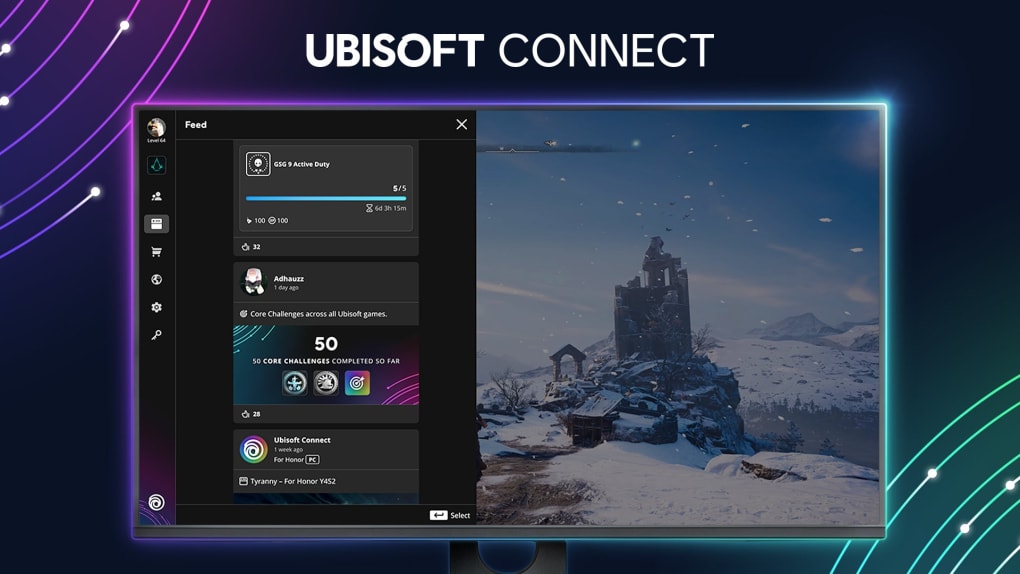
Ubisoft Connect’s history dates back to 2009, coinciding with the release of Assassin’s Creed II. Initially launched as UPlay, its primary function was to facilitate online connectivity for players and offer rewards for in-game accomplishments. In 2020, Ubisoft merged UPlay with its Ubisoft Club rewards program, resulting in the refined and comprehensive platform we know today as Ubisoft Connect. This integration streamlined the rewards system, allowing players to accumulate Ubisoft Units through a variety of in-game activities, both online and offline. These units can then be redeemed for additional game content, cosmetics, and other exclusive items.
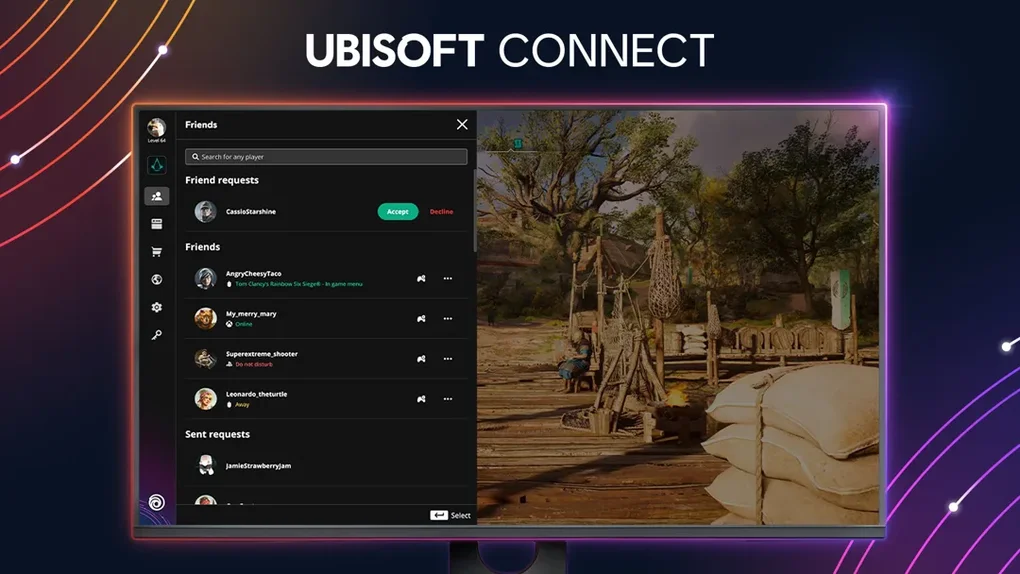
The user interface of Ubisoft Connect is designed for intuitive navigation. Its visually appealing theme and well-organized structure make it easy to browse through hundreds of Ubisoft titles. Whether you’re searching for a specific game or simply exploring the extensive library, finding what you need is straightforward. The platform’s functionality is comparable to other popular game clients like Steam, Epic Games Store, and EA’s Origin, offering a central location for managing all aspects of your Ubisoft gaming experience.
Beyond game management, Ubisoft Connect provides direct access to the Ubisoft Store, a convenient marketplace for purchasing new games and additional content. Here, you can find deals and discounts on popular titles such as Watch Dogs: Legion, Assassin’s Creed Valhalla, and many more. Furthermore, the store allows users to easily browse and purchase the latest DLCs, expansions, season passes, and annual passes, ensuring players have access to the most up-to-date content for their favorite games.
Installation and Account Setup: A Straightforward Process
Installing Ubisoft Connect on your Windows PC involves downloading a relatively small installation file (approximately 114 MB). Once downloaded, simply run the installer and follow the on-screen instructions. The installation wizard guides you through the process, allowing you to choose the desired installation directory. This offers flexibility, especially for users with multiple storage drives, allowing them to install the client and their game library on a separate drive to optimize performance and storage space.
Upon launching the client for the first time, you’ll be prompted to either create a new Ubisoft account or log in with an existing one. Creating an account is quick and easy, requiring only basic information. Linking an existing account grants immediate access to your previously purchased games and opens up communication channels with your online friends, facilitating interaction and multiplayer gaming sessions.
Exploring Ubisoft Connect’s Free Game Offerings
Ubisoft Connect offers a diverse selection of free games, categorized into three main sections: Free to Play, Demos, and Free Weekends.
The “Free to Play” section features fully playable games available at no cost. Popular titles within this category include Might & Magic Chess Royale, Rabbids Coding, and Trackmania, offering a range of genres and gameplay experiences. These games provide a great way to explore different aspects of Ubisoft’s catalog without any financial commitment.
The “Demo” section allows players to sample select Ubisoft titles. These demos offer a limited but representative experience of the full game, allowing potential buyers to test the gameplay, mechanics, and overall feel before making a purchase decision. Notable examples include demos of Tom Clancy’s Ghost Recon: Wildlands, Uno, and The Crew 2.
Finally, the “Free Weekends” category offers players the opportunity to access select titles for free during designated periods. This provides a chance to experience a full game, albeit temporarily, offering a more comprehensive look at the game’s content and features compared to a demo. A popular example is Tom Clancy’s The Division 2, which has been frequently featured during these Free Weekends.
Beyond these free offerings, Ubisoft+ provides an additional avenue for accessing Ubisoft’s extensive game library. This subscription service, previously known as UPlay+, allows access to hundreds of titles for a monthly fee. While offering the freedom to explore a vast collection of games without individual purchases, it’s important to note that access is contingent on maintaining an active subscription. Should the subscription lapse, access to the games will be suspended until the payment is renewed.
Linking Your Ubisoft Connect Account for Enhanced Functionality
To fully utilize Ubisoft Connect’s features and earn rewards across various platforms, linking your account to other gaming devices and external profiles is crucial. The linking process varies depending on the platform.
Linking to consoles such as PlayStation 4, Xbox One, or Nintendo Switch typically involves starting a Ubisoft game on the console that utilizes the UPlay or Connect feature. The account linking process can usually be initiated either directly within the game itself or through the Ubisoft Connect website while your console is running.
Linking to other digital distribution platforms such as Steam and Epic Games requires a slightly different approach. You’ll need to log out of Ubisoft Connect before initiating the linking process in Steam or Epic Games. Then, launch a UPlay game within the chosen platform, and a pop-up screen will allow you to connect your Ubisoft Connect account. Once linked, the game and its associated rewards will become visible within your Ubisoft Connect profile.
Redeeming Your Ubisoft Connect Rewards
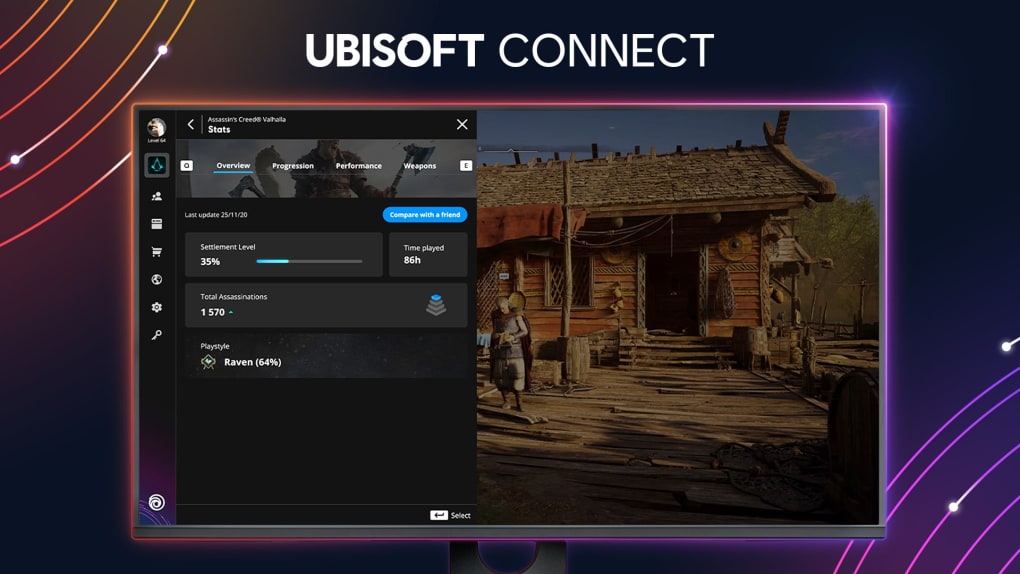
As you play Ubisoft games and achieve in-game milestones, you earn experience points (XP) and unlock achievements. These accomplishments reward you with Ubisoft Units and other exclusive content. This system operates seamlessly across all linked platforms, ensuring rewards are accumulated regardless of where you play.
Redeeming rewards is a simple process. For items purchased with Ubisoft Units, it’s as straightforward as making the purchase through the client. For other rewards, simply clicking on the reward itself will typically unlock the item.
Conclusion: Ubisoft Connect – One Platform, Endless Possibilities
Ubisoft Connect offers a compelling solution for any player who enjoys Ubisoft games. Its comprehensive features, streamlined interface, and integrated rewards system make it a convenient and enjoyable platform for managing your Ubisoft game library, unlocking additional content, and connecting with the Ubisoft community. Whether you’re playing free-to-play titles, participating in free weekends, or enjoying the comprehensive catalog of Ubisoft+, Ubisoft Connect delivers a unified and enriching gaming experience.
Pros and Cons of Ubisoft Connect
Pros:
- Cross-play capabilities: Enjoy cross-platform play between compatible devices.
- Platform integration: Seamlessly link your Ubisoft Connect account with various gaming platforms (consoles, Steam, Epic Games Store, etc.).
- Extensive game library: Access hundreds of Ubisoft games, including free-to-play titles, demos, and games available through Ubisoft+.
- Rewarding system: Earn Ubisoft Units and unlock in-game rewards for your achievements.
- Centralized management: Manage your games, purchases, and profile information from a single platform.
- Regular updates and new features: Ubisoft consistently updates and improves the platform to enhance user experience.
Cons:
- Cross-saving limitations: Cross-saving might not be available for older titles.
- Subscription dependence for Ubisoft+: Access to Ubisoft+ games relies on maintaining an active subscription.
In summary, while some minor limitations exist, the advantages of using Ubisoft Connect significantly outweigh the drawbacks, making it a valuable tool for any dedicated Ubisoft gamer.
File Information
- License: “Free”
- Latest update: “June 9, 2025”
- Platform: “Windows”
- OS: “Windows 8.1”
- Language: “English”
- Downloads: “442.4K”
- Size: “240.06 MB”


