
UC Browser, a once-popular web browser boasting millions of downloads, primarily in China, India, and Indonesia, has seen a decline in usage due to growing security concerns. Developed by UCWeb, a subsidiary of the Alibaba Group, UC Browser offers a range of features but falls short in crucial areas of user privacy and security, prompting users to seek safer alternatives. This review delves into the browser’s functionalities, security implications, and available alternatives.
UC Browser Features and Functionality
UC Browser’s cross-platform compatibility extends to Apple macOS, Linux, and Microsoft Windows operating systems, but its popularity is most pronounced on Android devices. Installation is straightforward: download the APK file, tap “Install,” and grant any necessary permissions. The browser interface is familiar, featuring a search bar for keyword-based searches, a “Top Sites” category for quick access to frequently visited websites, and a “Most Visited” section that dynamically updates based on user browsing habits. Users can also bookmark websites for easy retrieval later. An incognito mode is included, although it’s crucial to understand its limitations regarding privacy. While it might mask your identity from certain websites, UC Browser itself still logs your browsing data.
The browser integrates a built-in downloader for multimedia content, allowing users to download videos and other files directly from websites such as YouTube. Downloaded items are accessible through the “Downloads” section of the main menu, and browsing history is readily available in the “History” tab. A “Watch Later” feature enables users to save videos for viewing at a more convenient time.
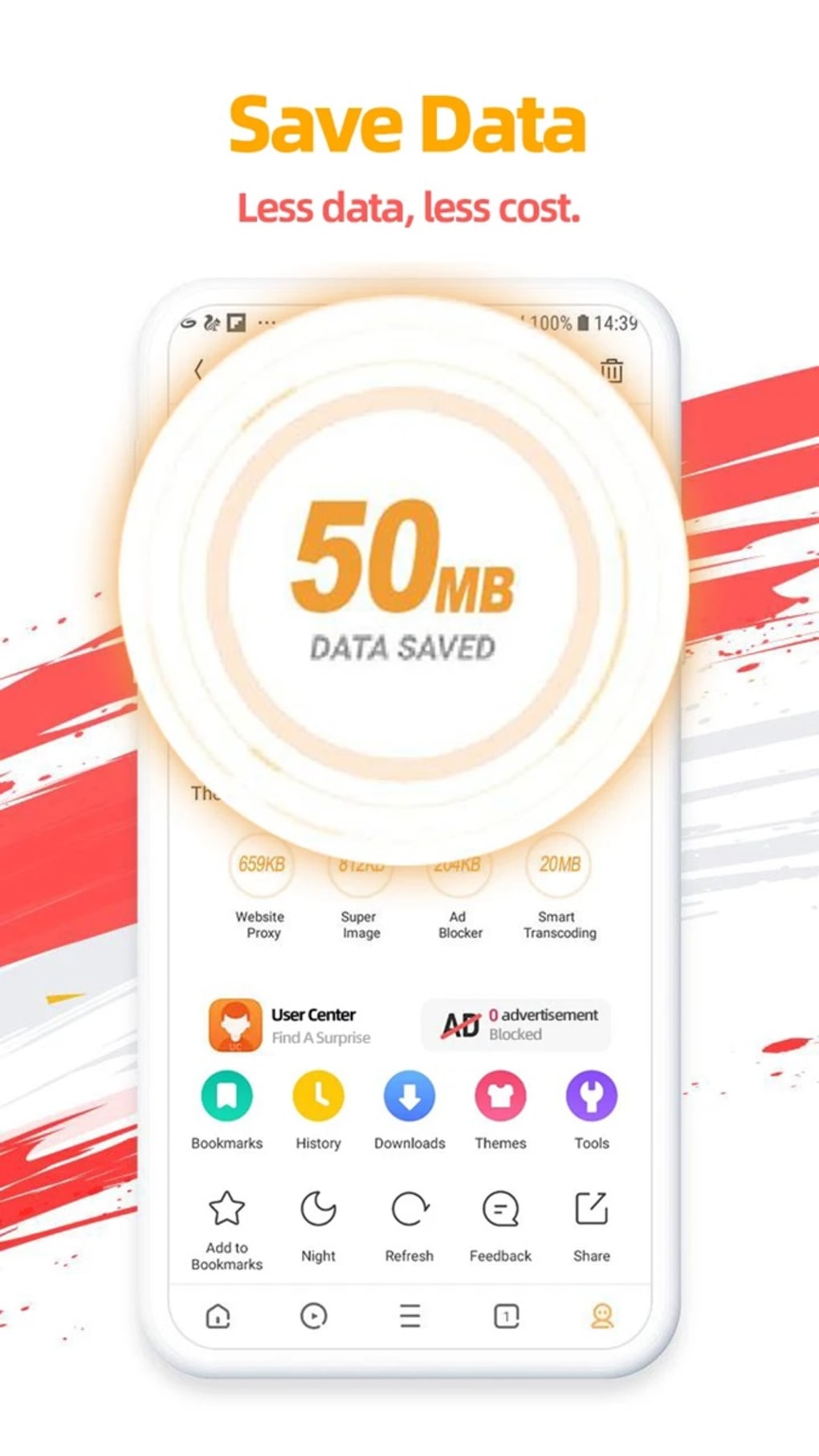
The main menu offers expandable and collapsible categories, including bookmarks, history, themes, and tools. A night mode allows users to customize their viewing experience, reducing eye strain in low-light conditions. An integrated ad-blocker aims to provide an uninterrupted browsing experience, although its effectiveness may vary.

The browser’s home screen incorporates additional features such as a daily horoscope and weather forecast, adding a layer of convenience beyond core browsing functionality. A game center provides access to downloadable online games. Language support is extensive, encompassing Chinese, English, Urdu, and many more.
Security and Privacy Concerns: UC Browser’s Major Drawback
Despite incorporating some security features, UC Browser lags behind competitors in terms of user protection. A significant concern is the browser’s automatic collection and storage of software and hardware information. This compromises end-to-end encryption in favor of speed, leaving user online activity vulnerable. Furthermore, UC Browser logs your IP address and network operator, effectively tracking your location after obtaining the necessary permissions.
The browser’s privacy policy, while stating that user data will not be sold, is a source of considerable concern. UC Browser shares personal data with third-party advertisers, including information such as device model, network provider, language, operating system version, IP address, time zone, and GPS location. Critically, Apple IDFA and Google AAID identifiers, which can be used to track users across various platforms and apps, are also shared. This data sharing raises significant privacy risks, particularly as this information could be disclosed during investigations or utilized for targeted advertising purposes.
The lack of a readily available option to disable tracking further compounds the security concerns. Users who prioritize online privacy should be aware of these risks and consider alternatives that offer greater control over data collection and sharing.
UC Browser Alternatives: Prioritizing Security and Privacy
Given the security and privacy shortcomings of UC Browser, exploring alternative browsers is highly recommended. Several reputable options offer a comparable user experience while prioritizing user safety:
-
DuckDuckGo: This privacy-focused search engine also offers a browser that emphasizes user anonymity and data protection. It blocks trackers by default and does not collect or share personal browsing data.
-
Mozilla Firefox: A long-standing and respected browser known for its strong emphasis on privacy and security. Firefox offers robust customization options and extensions for enhanced user control.
-
Google Chrome: While Google Chrome is known for its features and performance, it should be noted that it is still collecting data. Users can consider installing privacy extensions.
-
Microsoft Edge: Another popular option with a focus on performance. Similar to Google Chrome, it does collect data.
-
Opera: Opera is a versatile browser with built-in features like a VPN for enhanced security.
These browsers offer comparable, or even superior, functionality while providing robust mechanisms for protecting user privacy and security. Choosing a browser that prioritizes these aspects is essential for mitigating the risks associated with data collection and tracking.
UC Browser: Convenience Compromised by Security Risks
UC Browser offers a range of convenient features – a straightforward interface, a built-in downloader, and support for multiple languages. However, the significant drawbacks related to data collection, tracking, and a questionable privacy policy significantly diminish its appeal. The convenience it offers comes at a considerable cost to user privacy and security, making it an unsuitable choice for users who value their online safety.
Pros:
- Familiar browser features (search bar, bookmarks, history).
- Built-in downloader for multimedia content.
- Availability in multiple languages.
Cons:
- Logs extensive user information, compromising privacy.
- Untrustworthy privacy policy.
- Shares user data with third-party advertisers.
- Lacks the ability to disable tracking.
Ultimately, while UC Browser might seem appealing due to its convenient features, its serious security and privacy deficiencies outweigh these benefits. Users are strongly advised to explore alternative browsers that prioritize user safety and offer greater control over personal data. The choice of a web browser should not come at the expense of personal security and privacy.
File Information
- License: “Free”
- Latest update: “August 8, 2025”
- Platform: “Android”
- OS: “Android 15.0”
- Language: “English”
- Downloads: “31.2M”
- Download Options: “Google Play”


