
UC Browser Mini is a lightweight, free Chromium-based web browser designed primarily for Android smartphones. While offering a simplified browsing experience, it boasts a surprising number of features, making it a compelling alternative to more resource-intensive browsers. This review will delve into its strengths, weaknesses, and overall suitability for various users.
Performance and Features
UC Browser Mini distinguishes itself through its efficient use of system resources. Its Chromium foundation ensures compatibility with a wide range of websites and web technologies, providing a generally smooth browsing experience, even on lower-end Android devices. This lightweight nature translates to faster loading times, reduced battery drain, and improved performance on devices with limited RAM. The browser excels at handling even complex websites, displaying them quickly and reliably, a significant advantage for users with slower internet connections.
One of UC Browser Mini’s key selling points is its built-in features. The integrated ad blocker effectively reduces intrusive advertisements, improving the browsing experience and enhancing security by preventing exposure to potentially malicious ads. The inclusion of a download manager simplifies the process of saving files, allowing background downloads to continue even while using other applications. This feature is particularly useful for larger files, preventing interruptions and saving time.
.webp)
Furthermore, UC Browser Mini includes a night mode, ideal for comfortable nighttime browsing. This feature reduces eye strain by adjusting screen brightness and color temperature. The option to customize the browser’s appearance and functionality adds a layer of personalization. This level of customization allows users to tailor the browser to their individual needs and preferences. The browser also offers a “pop-out video” feature, enabling users to watch videos in a floating window while continuing to browse other websites. This multitasking capability is beneficial for users who frequently consume online video content.
Cloud sync functionality allows users to synchronize their bookmarks, history, and other settings across multiple devices. This ensures a seamless transition between different smartphones or tablets. The ability to import data from other browsers streamlines the migration process, making the switch from other platforms effortless. The browser also supports tabbed browsing, allowing users to open multiple websites simultaneously and switch between them easily. A speed dial feature provides quick access to frequently visited websites.
Interface and User Experience
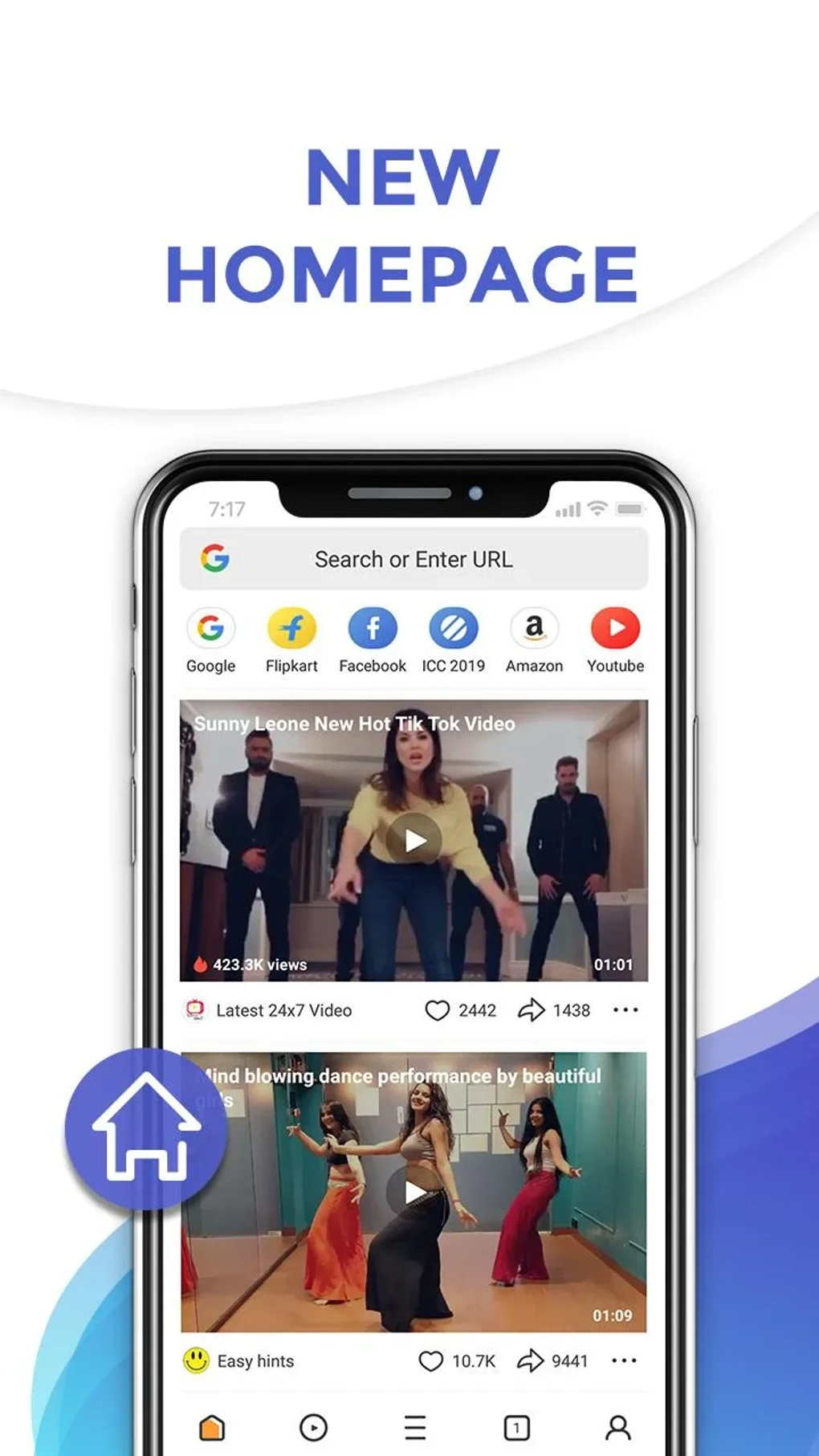
UC Browser Mini boasts a clean and intuitive interface. The straightforward layout is easy to navigate, even for users unfamiliar with the browser. Toolbars are well-organized, ensuring easy access to essential features. The simplicity of the interface is both a strength and a potential weakness. While it caters to users who prefer a minimalist browsing experience, some users may find it less visually appealing or feature-rich than other modern browsers.
The browser’s design prioritizes simplicity and ease of use, potentially sacrificing some level of customization and advanced features found in more sophisticated browsers. This trade-off is a deliberate design choice, reflecting the browser’s focus on speed and efficiency, particularly beneficial for users with less powerful devices.
Advanced Features and Limitations
While UC Browser Mini focuses on a streamlined experience, it still offers a number of advanced features. The video grabber allows users to download videos directly from websites using URLs, making content easily accessible offline. The automatic adjustment of webpage versions based on connection speed is a clever addition, optimizing the browsing experience, especially in areas with unreliable internet connectivity.
.webp)
However, the browser’s lightweight design does result in some compromises. The simplification of the rendering engine can lead to occasional display errors or the omission of certain website features. This can be frustrating when encountering websites that don’t render correctly. The limited extension support restricts the browser’s extensibility compared to alternatives like Chrome or Firefox. This limited functionality may not satisfy users requiring extensive browser add-ons.
Security and Privacy Concerns
UC Browser Mini, like many other browsers, has faced scrutiny regarding its data collection practices. Reports of aggressive data collection raise concerns about user privacy. While the browser’s ad blocker safeguards against some online threats, its overall security posture remains a point of contention among security experts. Users concerned about their online privacy should carefully review the browser’s privacy policy and consider alternative options with stronger privacy protections.
The aggressive data compression employed by the browser, while conserving bandwidth, may impact the quality of images and videos. This compression can reduce the visual fidelity of online content, resulting in a less optimal viewing experience. The trade-off between data savings and image quality needs to be considered.
Performance and Stability
While generally stable, UC Browser Mini can experience occasional performance issues, particularly on older or less powerful devices. These performance inconsistencies can manifest as lag or occasional instability. The frequency of these issues varies depending on the device’s specifications and the complexity of the websites being accessed. Users with older devices should manage their expectations accordingly.
The simple interface, while user-friendly, may feel outdated compared to more modern browsers. The design aesthetics are relatively straightforward and may not appeal to users who prefer a more visually engaging browsing experience. The frequency of in-app advertisements can be disruptive, although the built-in ad blocker mitigates this issue to a degree.
Comparison with Other Browsers
UC Browser Mini competes in a crowded market of mobile browsers. Compared to Chrome, it prioritizes speed and efficiency over extensive feature sets and customization options. Compared to Firefox, it lacks the robust extension ecosystem. However, it holds advantages over some competitors in its ability to perform efficiently on low-resource devices. Its features are a compelling compromise for users primarily concerned with speed and a simplified browsing experience. It is an excellent alternative to other browsers that are more memory intensive.
Conclusion
UC Browser Mini provides a compelling solution for users who prioritize speed and efficiency on low-end Android smartphones. Its lightweight nature and built-in features make it a competitive choice. However, users should weigh the trade-offs between simplicity, potentially limited functionality, and possible privacy concerns. If performance and a streamlined experience are paramount, and security concerns are a secondary consideration, UC Browser Mini is a strong contender. However, users with demanding needs or heightened privacy concerns should consider alternatives offering greater customization, extension support, and stronger privacy protections. The browser’s overall effectiveness depends entirely on the user’s priorities and expectations.
File Information
- License: “Free”
- Latest update: “March 25, 2025”
- Platform: “Android”
- OS: “Android 7.0”
- Language: “English”
- Downloads: “1.4M”
- Size: “91.15 MB”
- Download Options: “APK, Google Play”
- Filename: “uc-browser-14-1-2-1342.apk”


