
In the increasingly security-conscious world of mobile technology, Apple’s iCloud Activation Lock stands as a formidable barrier, designed to protect your iPhone, iPad, or iPod from unauthorized access in the event of loss or theft. While this security feature is invaluable for safeguarding personal data, it can quickly turn into a significant headache for legitimate owners who find themselves locked out due to forgotten Apple ID credentials, a purchased second-hand device with an active lock, or a device inherited without the necessary login information. This is where tools like UltFone Activation Unlocker come into play, offering a specialized solution to bypass this intricate security measure and restore usability to your iOS device.
.png)
UltFone Activation Unlocker is a dedicated software application for Windows users (with a version also available for Mac) that aims to simplify the process of removing iCloud Activation Lock without requiring the original Apple ID or password. Developed by UltFone, a company known for its suite of iOS and Android utility tools, this unlocker positions itself as an essential utility for anyone facing the frustrating predicament of an activation-locked Apple device. This comprehensive guide delves into the functionality, benefits, usage, and considerations surrounding UltFone Activation Unlocker, providing a detailed overview for potential users.
What is UltFone Activation Unlocker and Why Do You Need It?
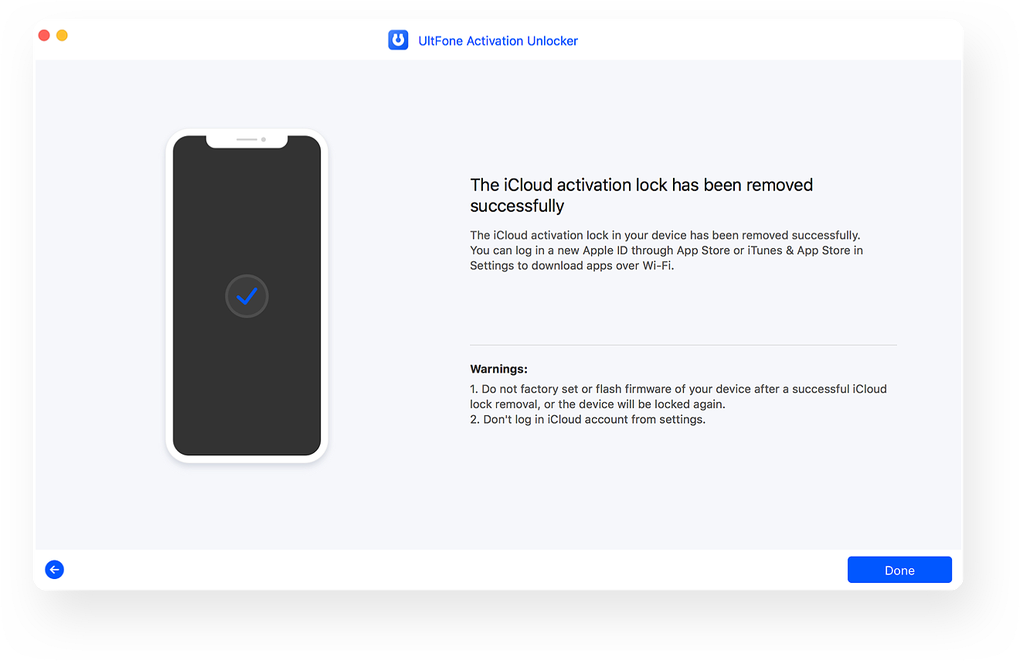
At its core, UltFone Activation Unlocker is a Windows-based utility designed to circumvent the iCloud Activation Lock on various iOS devices. This lock is intrinsically linked to an Apple ID and password, acting as an anti-theft mechanism. When “Find My” is enabled on an iPhone, iPad, or iPod Touch, the device becomes locked to that specific Apple ID. If the device is erased or restored without first disabling “Find My,” it will require the Apple ID and password associated with it before it can be activated and used again. UltFone Activation Unlocker bypasses this requirement, allowing you to reactivate the device.
.png)
The Problem of iCloud Activation Lock
The iCloud Activation Lock is a double-edged sword. On one hand, it’s a powerful deterrent against theft, rendering a stolen device virtually useless to anyone but its rightful owner. On the other hand, it can inadvertently lock out legitimate users. Imagine a scenario where you’ve factory reset your device, but have since forgotten the Apple ID and password tied to it, perhaps because it was an old account or one set up by someone else. Or, more commonly, you might have purchased a used iPhone or iPad online, only to discover upon receiving it that the previous owner failed to remove their iCloud account, leaving you with an expensive paperweight.
This lock is persistent across factory resets and firmware updates, meaning a simple device wipe won’t solve the problem if the lock is active. Apple’s stringent security protocols make it incredibly difficult to bypass this lock through conventional means, requiring proof of purchase or original ownership documentation, which can be hard to come by for second-hand devices. This creates a significant demand for third-party solutions that can offer a pathway to regain access.
How UltFone Activation Unlocker Provides a Solution
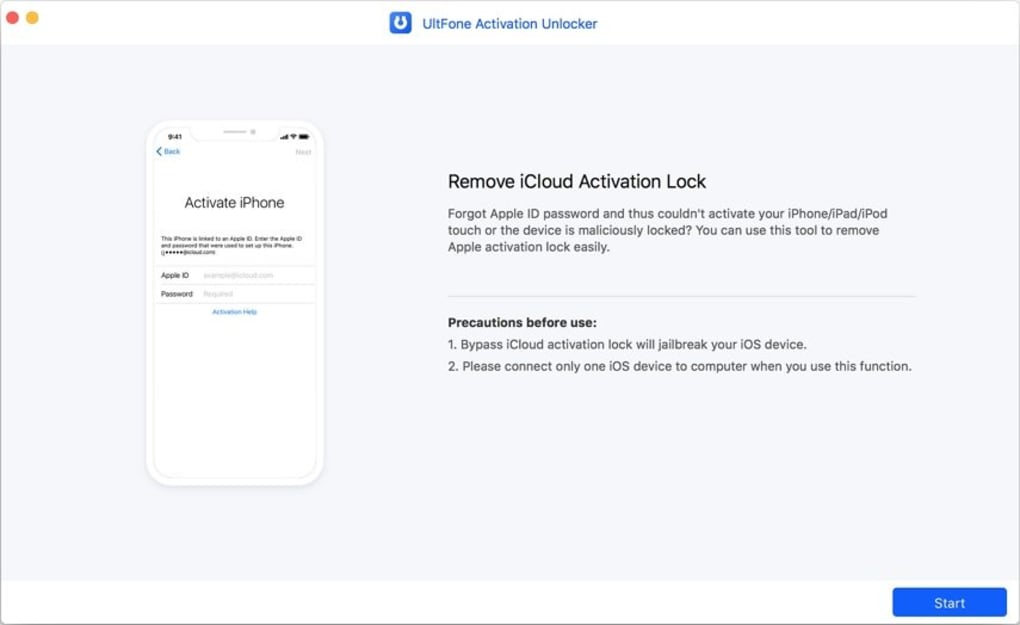
UltFone Activation Unlocker steps in as a practical solution to these dilemmas. It provides a structured process to remove the iCloud Activation Lock, allowing users to then set up the device with a new Apple ID or use it without one. The software works by leveraging specific exploits or methods to bypass the authentication required by Apple’s servers during the activation process. It essentially detaches the device from the previously associated Apple ID, granting you control over its setup and usage.
The key promise of UltFone Activation Unlocker is its ability to perform this bypass without needing the original Apple ID, password, or even the device’s passcode. This makes it particularly valuable in situations where such information is irrevocably lost or simply unavailable. The software is installed on a Windows computer, and the iOS device is then connected via a USB cable. The unlocker guides the user through the necessary steps, often involving specific actions on the device itself (like putting it into DFU mode) and potentially requiring the use of external USB storage for certain operations, as noted in its user experience details.
Common Scenarios for Using the Unlocker
UltFone Activation Unlocker proves invaluable in several common situations:
- Forgotten Apple ID/Password: This is perhaps the most straightforward use case. If you own the device but can no longer recall the login details for the Apple ID it’s linked to, the unlocker offers a way out.
- Second-Hand Device Purchases: A frequent issue for buyers of used iPhones or iPads is receiving a device that’s still locked to the previous owner’s iCloud account. If the seller is unresponsive or unable to help, UltFone Activation Unlocker can rescue the device.
- Inherited Devices: When a device is inherited from a deceased family member or friend, and their Apple ID information is unavailable, the unlocker can help bring the device back to life.
- Company/Enterprise Devices: In some business environments, devices might be provisioned and then later need to be repurposed. If the original IT administrator’s Apple ID is no longer accessible, this tool can facilitate the re-provisioning.
- Clearing Old Data for Resale: While the primary purpose is to bypass the lock, some users might find themselves in a loop where they’ve erased a device but can’t proceed to the setup screen without the old ID, preventing them from properly preparing it for a new owner.
It’s crucial to emphasize that this tool is intended for legitimate use cases where the user has a rightful claim to the device. Using such software on a stolen device is illegal and unethical, and users should always ensure they have legal ownership before attempting to bypass any security features. PhanMemFree.org, like other responsible platforms, does not encourage or condone the use of this program in violation of local or international laws.
Key Features and Capabilities
UltFone Activation Unlocker is designed with a singular, powerful objective: to bypass the iCloud Activation Lock. However, its effectiveness stems from several key features and design considerations that make it a compelling option for users in need.
Bypassing Activation Lock Without Credentials
The most significant feature of UltFone Activation Unlocker is its ability to remove the iCloud Activation Lock without requiring the associated Apple ID or password. This capability differentiates it from Apple’s official support channels, which invariably demand proof of purchase or original ownership for such requests. For users who have legitimately lost access to this information, whether through forgetfulness, the passing of a previous owner, or an uncooperative seller of a second-hand device, this feature is a lifesaver.
The process typically involves the software guiding the user through a series of steps to prepare the device for the bypass. This might include putting the device into recovery mode or DFU (Device Firmware Update) mode, and then running the unlocker to modify the device’s firmware or system files in a way that circumvents the activation check. While specific technical details of how the bypass works are proprietary to UltFone, the end result is a device that is no longer tied to the previous Apple ID, allowing for a fresh setup.
It’s important to understand the implications of this bypass. Once the activation lock is removed, the device essentially becomes “unlinked” from its prior iCloud account. This means that features directly dependent on that iCloud account (like “Find My” for the previous owner) will no longer function, and the device can be set up as new. Users should be aware that after bypassing, the device may not be able to utilize certain cellular functions or receive calls/messages if it was previously linked to a network and then bypassed. This can vary by iOS version and the specific method employed by the software. Typically, the device can be used for Wi-Fi functions and apps.
Broad iOS Device Compatibility
One of the strengths of UltFone Activation Unlocker, as highlighted by user feedback and product specifications, is its compatibility with a wide range of iOS devices and versions. The reference content specifically mentions compatibility from iPhone 5S through to iPhone X. This broad support means that many older, yet still functional, devices can be unlocked and repurposed. Beyond iPhones, the software typically supports various models of iPad and iPod Touch that are subject to the same activation lock mechanism.
This wide-ranging compatibility ensures that a significant portion of the iOS device market can benefit from this solution, making it a versatile tool in the utility arsenal. While newer iOS versions and iPhone models (beyond the iPhone X) are constantly being released by Apple, developers like UltFone continuously update their software to maintain compatibility. Users are always advised to check the official UltFone website or the product page on PhanMemFree.org for the most up-to-date list of supported devices and iOS versions before purchasing or using the software. The version 1.04.8, updated on January 24, 2023, indicates ongoing development and updates to keep pace with Apple’s ecosystem changes.
Security and Privacy Considerations
When dealing with tools that bypass security features, questions about security and privacy are paramount. UltFone Activation Unlocker, like other reputable tools, aims to perform its function without compromising the device’s integrity or the user’s data beyond what is necessary for the unlock.
- Data Erase: It’s important to understand that bypassing the activation lock typically involves erasing all data on the device. This is a necessary step to remove the link to the previous Apple ID and ensure a clean slate for the new user. Therefore, any data previously stored on the device will be lost. Users should not expect data recovery as part of the activation unlock process.
- Software Integrity: The software itself, available for download on platforms like PhanMemFree.org, undergoes security checks to ensure it is free from malware or viruses. The provided information notes a “Security Status: Free Download for Windows,” implying it has been vetted.
- Ethical Use: As previously stated, the ethical and legal implications of using such software cannot be overstated. Users must ensure they are the legitimate owners of the device. This tool is designed to help owners regain access, not to facilitate theft or unauthorized access. Responsible use is a key aspect of any powerful utility.
- No Personal Data Exposure: The process does not require you to provide personal Apple ID credentials, ensuring that your new account information (if you choose to set one up) remains private and secure.
By understanding these aspects, users can approach UltFone Activation Unlocker with confidence, knowing its capabilities and the boundaries of its operation.
User Experience and Technical Requirements
While UltFone Activation Unlocker performs a complex task, its usability for the average person is a critical factor. The reference content notes that the interface “can be fiddly,” implying that while effective, it might not be the most intuitive experience for all users. Understanding the installation process, interface navigation, and essential hardware requirements is crucial for a successful bypass.
Installation and Setup Process
The journey with UltFone Activation Unlocker begins with downloading and installing the software on a Windows PC. The file size is relatively small at 1.88 MB, suggesting a lightweight application that won’t consume excessive system resources. As of January 24, 2023, version 1.04.8 is available for Windows 10, indicating compatibility with modern operating systems. The download count of 13.4K last month, with 403 downloads just recently, reflects its popularity and continued use.
Once downloaded from PhanMemFree.org or the official UltFone website, the installation process is typical for Windows applications, involving an executable file that guides you through a few setup screens. After installation, the user launches the application, which then prepares to interact with the iOS device.
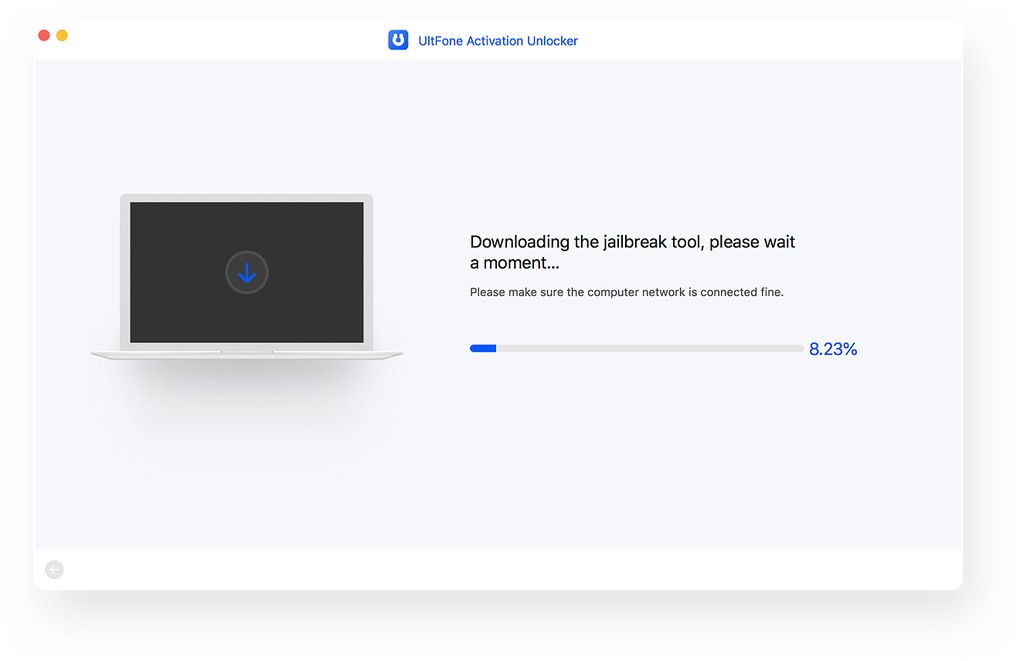
The software typically presents a series of on-screen instructions that guide the user through each step of the unlocking process. This includes connecting the iOS device to the computer using a USB cable. Users might be prompted to put their device into a specific mode, such as DFU (Device Firmware Update) mode or Recovery Mode, which are crucial for the software to interact with the device at a low level. These modes often require a specific sequence of button presses, which the UltFone software usually illustrates with visual guides or detailed instructions.
Navigating the Interface: Tips for a Smooth Experience
The comment about the interface being “fiddly” is an important one. This often implies that while the functionality is robust, the user interface might require careful attention to detail, multiple steps, or could be less intuitive for first-time users. Here’s what “fiddly” might entail and how to navigate it:
- Multi-Step Process: Bypassing an activation lock is not a one-click solution. It involves several stages, from connecting the device, putting it into a specific mode, confirming device details, initiating the bypass, and waiting for the process to complete. Each step needs to be followed precisely.
- Specific Timing for Button Presses: Entering DFU or Recovery mode often requires holding down specific buttons (e.g., power and volume down) for an exact duration. Missing the timing can mean repeating the step. A “fiddly” interface might not provide highly adaptive feedback or robust error correction for these actions.
- Reliance on External Resources: The reference mentions that “online tutorials are available if you happen to need help.” This is a strong indicator that users might need to consult supplementary guides, videos, or the developer’s FAQ to successfully navigate the process, especially if they encounter issues. PhanMemFree.org’s product page often links to such resources.
- Clear Instructions, but Demanding: The software likely provides clear textual instructions, but the execution of these instructions (e.g., getting the device into DFU mode correctly) can be demanding. Users should read all prompts carefully and ensure they understand each step before proceeding.
- Patience is Key: Bypassing security features can take time. The process involves firmware interaction and potentially downloading necessary files. Users should be prepared for the process to take a while and avoid interrupting it.
To ensure a smoother experience, users are advised to:
- Watch a tutorial video: Many developers and tech reviewers create step-by-step video guides.
- Read the official guide: UltFone’s website will typically have detailed, illustrated instructions.
- Close other applications: Ensure your computer isn’t bogged down by other tasks, which could affect the software’s performance or communication with the device.
- Use reliable hardware: A stable USB connection and a functioning USB storage device are paramount.
Essential Hardware: USB Cable and Storage
The reference explicitly states that you will need both a USB cable and a USB storage device to use UltFone Activation Unlocker. These are critical components for the process:
- USB Cable: A high-quality, authentic USB cable is non-negotiable. It’s used to connect your iOS device (iPhone, iPad, iPod) to your Windows computer. A faulty or non-original cable can lead to connection issues, data transfer errors, or incomplete processes, potentially bricking your device or forcing you to restart. Always use the original cable that came with your device or a certified MFi (Made for iPhone/iPad) cable.
- USB Storage Device (e.g., USB Flash Drive): The requirement for a USB storage device suggests that the unlocking process might involve flashing custom firmware, loading specific boot files, or temporarily storing jailbreak-related data that cannot be directly handled by the computer’s internal storage or is better executed from an external, bootable medium. This is a common practice in device unlocking or jailbreaking procedures. The USB storage device effectively acts as a temporary “boot drive” or data transfer medium for the critical unlocking components. Users should ensure they have a USB drive with sufficient space (typically a few GBs are more than enough) and that it is formatted correctly as per the software’s instructions.
These hardware requirements, while potentially adding an extra step for some users, are standard for advanced device utility tools and should be seen as part of the necessary preparation for a successful bypass.
Pros, Cons, and Overall Verdict
UltFone Activation Unlocker, like any specialized software, comes with its own set of advantages and disadvantages. A balanced understanding of these points is crucial for users to determine if it’s the right solution for their specific needs.
Advantages of Choosing UltFone Activation Unlocker
- Bypasses iCloud Activation Lock Effectively: This is the primary and most significant advantage. The software does what it claims – it provides a method to bypass the lock even without the Apple ID or password, which is a major hurdle for many legitimate owners.
- Wide iOS Device Compatibility: As mentioned, its support for a range of iPhones (5S to X) and likely corresponding iPads/iPods means a broad user base can benefit. This reduces the need for different tools for different device generations.
- User-Friendly Guidance (Despite being “Fiddly”): While the interface might require careful attention, the software does provide step-by-step instructions. With the availability of online tutorials, users can generally navigate the process successfully.
- Timely Updates: The last update date of January 24, 2023, and version 1.04.8 suggest that UltFone actively maintains and updates the software to ensure compatibility with newer iOS versions and to improve its unlocking capabilities.
- Developed by a Reputable Company: UltFone is a recognized developer in the mobile utility space, which lends credibility to the software compared to lesser-known alternatives.
Potential Drawbacks and Considerations
- “Fiddly” Interface and Usage: This is the most frequently cited drawback. Users who are not tech-savvy might find the process intimidating or frustrating, especially when it comes to specific actions like putting the device into DFU mode or following precise timings. Patience and a willingness to follow instructions carefully are essential.
- Hardware Requirements: The necessity of a USB cable and a USB storage device adds to the list of prerequisites. Not all users will readily have a spare USB flash drive available, which could be an inconvenience.
- Cost: While the reference mentions “Free Download for Windows,” the “Pros and Cons” section on PhanMemFree.org implies it “comes at a price.” This typically means the initial download might be a free trial, but unlocking the device’s full potential or completing the bypass operation requires purchasing a license. Users should be prepared for this potential cost. (As of the data provided, the “License” says “Free,” but the “comes at a price” implies a premium feature or trial limitation.) It’s essential to check the current licensing model directly on the UltFone website.
- Potential for Limited Functionality Post-Bypass: Depending on the specific bypass method and iOS version, the device might have certain limitations after the unlock, such as issues with cellular connectivity, updates, or certain iCloud services. While often functional for Wi-Fi and app usage, it might not replicate a factory-unlocked device perfectly.
- Ethical and Legal Responsibility: The tool, by its nature, can be misused. Users bear the sole responsibility for ensuring they are using it legally and ethically on devices they legitimately own.
Is UltFone Activation Unlocker the Right Tool for You?
Considering its strengths and weaknesses, UltFone Activation Unlocker is a highly effective tool for individuals who genuinely own an iOS device but are locked out due to the iCloud Activation Lock. If you have forgotten your credentials, bought a legitimate second-hand device that’s still locked, or inherited a device, and you’re comfortable following detailed instructions (potentially with the aid of online tutorials), then this software offers a viable path to regain control.
However, if you are looking for a completely “one-click” solution with zero technical involvement, or if you are unwilling to invest time in understanding the process, you might find the “fiddly” aspects challenging. Furthermore, be prepared for the possibility of a premium cost for full functionality.
Ultimately, for those facing the specific problem of an iCloud Activation Locked iOS device and who have exhausted official Apple support channels due to lack of proof of ownership, UltFone Activation Unlocker presents a powerful and often successful alternative.
Beyond the Unlocker: Understanding Alternatives and Related Tools
The ecosystem of mobile device utilities is vast and constantly evolving. While UltFone Activation Unlocker excels at its specific task, it’s helpful to understand its place within a broader range of tools, including alternatives from other developers and complementary utilities from UltFone itself. This perspective helps users make informed decisions and find the best solution for their particular needs.
Comparing with Other iOS Unlockers
The market features several competitors to UltFone Activation Unlocker, each with its own nuances and strengths. PhanMemFree.org lists several alternatives, including:
- AnyMP4 iPhone Unlocker: Described as able to “Access locked screen passcode,” this tool likely focuses on bypassing screen passcodes (PIN, Face ID, Touch ID) rather than exclusively the iCloud Activation Lock. While related, these are distinct locks. Many tools offer both functionalities.
- PassFab iPhone Unlocker: This tool, with a 1.5-star rating and “ByPass screen locks” description, is another direct competitor. PassFab is also a well-known developer in this space, offering similar features to UltFone. The choice between UltFone and PassFab often comes down to personal preference, specific device compatibility for a given iOS version, and user interface comfort.
- iMyFone LockWiper Android: While the name suggests Android focus, iMyFone is a major player in iOS utilities as well, offering “LockWiper” for iPhone, which directly competes with UltFone Activation Unlocker for iCloud lock removal and screen passcode bypass.
- iPhone Backup Password Recovery: This tool, with a 2.6-star rating, serves a different purpose entirely: recovering forgotten passwords for iTunes backups, not bypassing device activation locks.
When comparing, users should look at:
- Specific lock type: Does it address iCloud Activation Lock, screen passcode, Apple ID removal (different from activation lock), or all?
- Device/iOS version compatibility: Always check if your specific device and current iOS version are supported.
- Success rate: While hard to quantify objectively, user reviews and developer claims can provide some insight.
- Price and licensing: Compare costs for full functionality.
- User interface and support: How easy is it to use, and what kind of support (tutorials, customer service) is available?
Exploring Android-Specific Solutions
The provided reference also lists several Android-specific unlockers, indicating a parallel need for such tools in the Android ecosystem. These include:
- PassFab Android Unlocker: A direct counterpart to PassFab’s iOS offering, designed to “Unlock Android Devices Quickly and Securely.” Android devices have their own form of activation lock, typically Google’s Factory Reset Protection (FRP).
- Bypass FRP Lock APK and Bypass Android FRP Lock Tricks APK: These are common terms for methods or applications specifically targeting Google’s FRP.
These Android tools address similar problems but within the distinct Android operating system. While the principles are similar (bypassing a security lock), the methods and software required are different due to the underlying OS architecture. UltFone Activation Unlocker, as its name suggests, is solely focused on the iOS environment.
The UltFone Ecosystem and Other Utilities
UltFone itself offers a suite of related tools, expanding beyond just activation unlocking. The reference mentions:
- UltFone iOS Location Changer: This is a utility that allows users to change their iPhone’s GPS location, useful for gaming, privacy, or accessing geo-restricted content. This demonstrates UltFone’s broader expertise in iOS system manipulation.
- UltFone Android Data Recovery: This tool focuses on recovering lost data from Android devices, highlighting their cross-platform development capabilities and commitment to data management solutions.
Understanding UltFone’s broader product range helps to contextualize Activation Unlocker as part of a larger, specialized ecosystem of mobile utilities. A company that develops multiple, well-regarded tools often signifies a deeper understanding of mobile operating systems and robust development practices.
In conclusion, while UltFone Activation Unlocker is a potent tool for its specific purpose, users benefit from exploring the wider landscape of mobile utilities. Comparing it with alternatives and understanding related products can help ensure that the chosen solution perfectly matches the problem at hand, whether it’s an activation lock, a forgotten screen passcode, or a need for location spoofing.
Conclusion: A Solution for Activation Lock Dilemmas
UltFone Activation Unlocker stands out as a crucial utility for anyone grappling with the frustrating challenge of an iCloud Activation Locked iOS device. In an era where mobile device security is paramount, Apple’s Activation Lock, while protective, can inadvertently render a legitimate owner’s device unusable due to forgotten credentials or uncooperative previous owners. UltFone Activation Unlocker steps into this void, offering a specialized and effective pathway to regain access.
Its core strength lies in its ability to bypass the activation lock without the need for an Apple ID or password, making it an indispensable tool for scenarios involving second-hand purchases, inherited devices, or simple memory lapses. The software boasts wide compatibility across various iPhone, iPad, and iPod Touch models, from the iPhone 5S up to the iPhone X, ensuring a broad reach for users with older devices.
While the user interface might be described as “fiddly,” requiring careful adherence to instructions and potentially consulting online tutorials, the underlying functionality is robust. The necessity of a USB cable and a USB storage device are minor prerequisites for a process that offers significant liberation for locked devices. Developed by UltFone, a recognized name in mobile utilities, the software benefits from ongoing updates, as evidenced by its version 1.04.8 updated in early 2023.
It’s vital for users to approach UltFone Activation Unlocker with a clear understanding of its ethical implications, using it strictly for devices they legitimately own. While the initial download may be free, a premium cost for full functionality is often implied, which is a common model for such specialized tools.
In essence, for those who find themselves locked out of their own iOS device due to the activation lock, UltFone Activation Unlocker provides a powerful and practical solution, transforming an otherwise expensive brick into a functional device once more. It successfully bridges the gap between stringent security measures and the legitimate needs of device owners, making it a valuable addition to any tech toolkit.
File Information
- License: “Free”
- Version: “1.0”
- Latest update: “January 24, 2023”
- Platform: “Windows”
- OS: “Windows 10”
- Language: “English”
- Downloads: “13.7K”
- Size: “1.88 MB”


