
Ultimate Downloader is a software application designed to simplify the process of downloading and converting videos, movies, and music from a wide range of online sources. Its multi-threaded download accelerator claims to boost download speeds by up to 600%, significantly reducing the time it takes to acquire your desired media. This review will delve into its features, performance, and overall user experience, examining its strengths and weaknesses to provide a comprehensive assessment.
Key Features and Functionality
Ultimate Downloader distinguishes itself through several key features:
-
Broad Compatibility: The software boasts compatibility with over 500 websites, including popular platforms like YouTube, Facebook, Vimeo, Dailymotion, and Metacafe. This extensive compatibility ensures that users can download content from a vast array of online video and music sources, eliminating the need for multiple downloaders. This versatility is a significant advantage, catering to diverse user preferences and online content consumption habits.
-
High-Speed Downloading: A core selling point of Ultimate Downloader is its multi-threaded download accelerator. This technology claims to increase download speeds by up to 600% compared to standard download methods. This speed enhancement is achieved by dividing the download into multiple streams, maximizing bandwidth utilization and thus, minimizing download times. This is particularly beneficial for larger files, such as high-definition videos, significantly reducing wait times.
-
Versatile Conversion Capabilities: Beyond downloading, Ultimate Downloader offers robust video and audio conversion functionalities. It allows users to convert downloaded content to a variety of formats, including MP4, AVI, WMV, MOV, 3GP, and more. This adaptability ensures compatibility with various devices, from smartphones and tablets to media players and gaming consoles. The conversion process is reportedly swift, taking less than three seconds for many videos. The software also boasts the ability to automatically remove ads embedded within downloaded videos, improving the overall user experience.
-
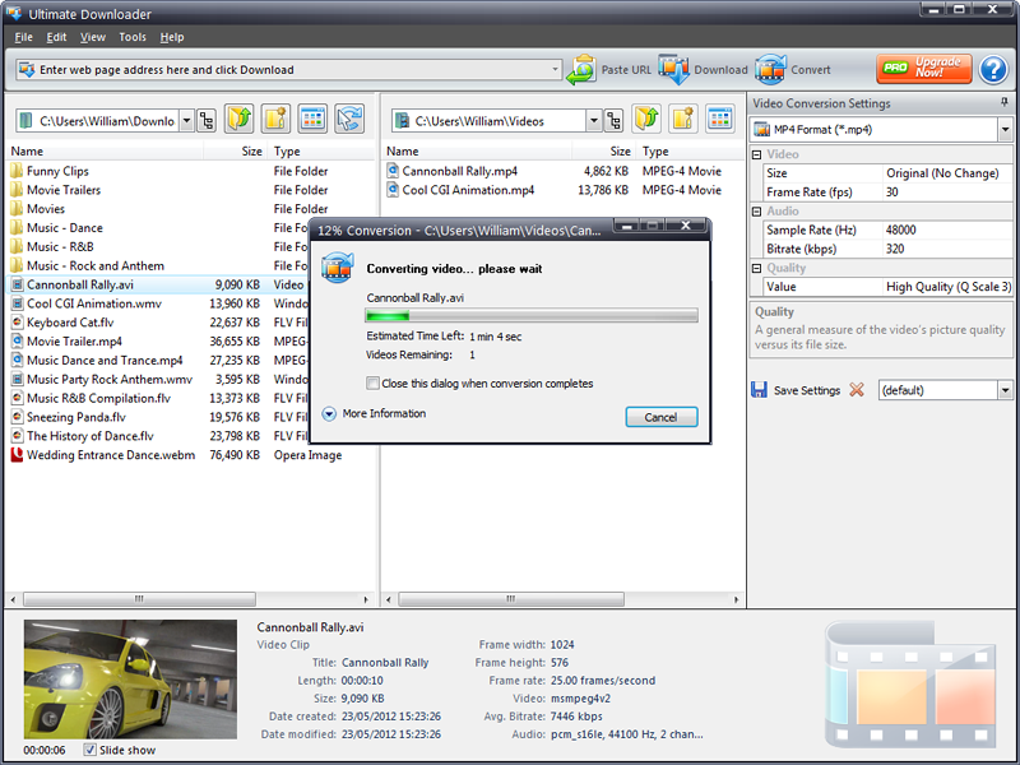
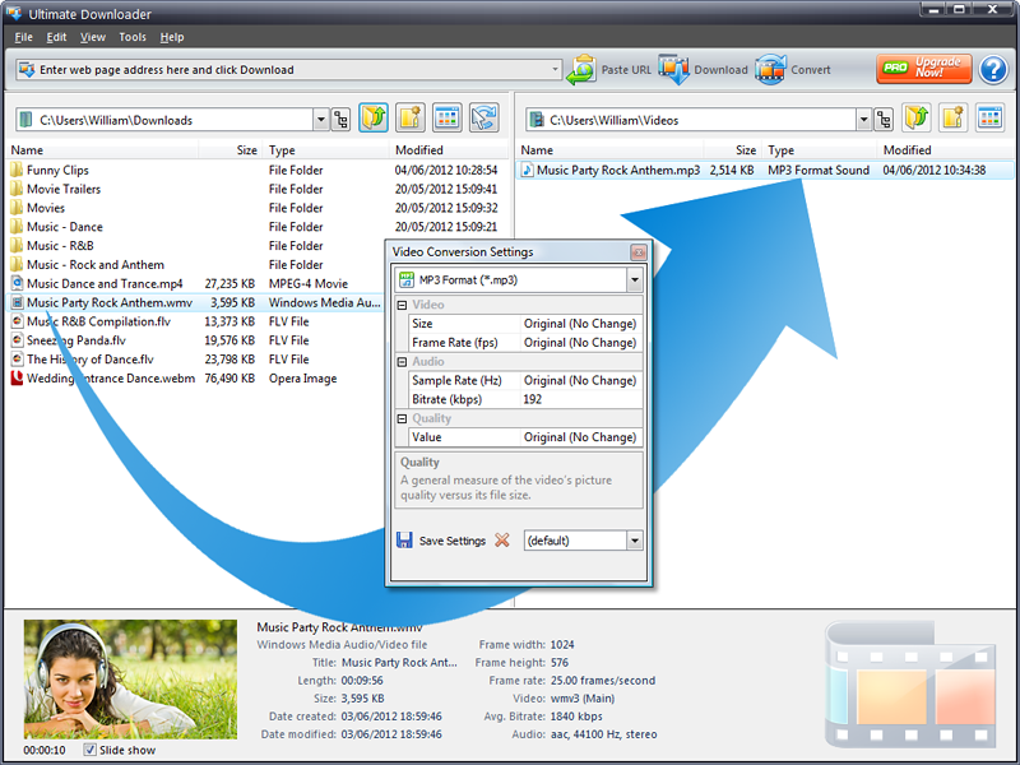
User-Friendly Interface: The software is designed with a user-friendly interface, drawing parallels to the familiar Windows Explorer layout. This intuitive design simplifies navigation and content management, making the application accessible to users of all technical skill levels. The drag-and-drop functionality for video conversion further streamlines the workflow, adding to the overall ease of use.
- Device Compatibility: The converted media can be tailored to numerous devices, including iPods, iPhones, iPads, Android devices, Sony PSPs, and MP3 players. This ensures that users can enjoy their downloaded content across their various devices without compatibility issues. This wide-ranging device support caters to a large segment of the digital media consumption market.
Performance and Efficiency
While the claimed 600% download speed increase might be considered ambitious, anecdotal evidence suggests that Ultimate Downloader does offer noticeable improvements over standard download methods. The multi-threaded downloading approach seems to be effective in speeding up the download process, particularly for larger files and videos with higher resolutions. However, the actual speed enhancement will vary depending on several factors, including internet connection speed, server load, and file size.
The software’s conversion speed is generally regarded as fast, typically completing conversions in under three seconds. This rapid conversion time is a significant advantage, facilitating efficient workflow and minimizing waiting times. The ad removal feature also proves useful, delivering a cleaner, more enjoyable viewing experience.
User Experience and Interface
Ultimate Downloader’s Windows Explorer-style interface receives positive feedback for its simplicity and ease of use. The intuitive design ensures that users of all technical backgrounds can comfortably navigate the software and utilize its functionalities. The drag-and-drop feature simplifies the conversion process, reducing the number of steps required and making it more efficient.
However, some users have reported occasional minor glitches or bugs, particularly with older versions of the software. The software’s age is a factor to consider, as newer downloaders may offer improved stability and features. Regular updates, if available, are recommended to address any such issues.
Comparison with Alternative Downloaders
The market offers several competing video downloaders, each with its strengths and weaknesses. Direct comparisons highlight specific areas where Ultimate Downloader excels and where it might fall short. Features like speed, compatibility, and interface design often influence user choices. Considering alternatives provides a balanced perspective on Ultimate Downloader’s position within the market. Some popular alternatives include:
-
Video Downloader Ultimate: Often compared due to similar naming conventions, Video Downloader Ultimate provides a competitive alternative. A direct comparison of features, ease of use, and performance would aid in determining the superior option based on individual needs.
-
Movie Downloader: A simpler, often free alternative, Movie Downloader may be preferable to users who prioritize a minimal, straightforward interface over advanced features and high-speed downloading. The trade-off between simplicity and functionality should be considered.
-
MP4 Downloader: Specialized for MP4 downloads, this program may be preferred by users primarily focused on this specific format. Its niche focus contrasts with Ultimate Downloader’s broader compatibility.
-
Free and Open-Source Alternatives: Several free and open-source downloaders offer similar functionality. Considering these alternatives allows a comparison of performance, features, and security considerations with the proprietary Ultimate Downloader. The trade-off between paid features and open-source community support should be evaluated.
Security Considerations
As with any software downloaded from the internet, security is a paramount concern. While the Phanmemfree review indicates a “Clean” status, it’s crucial to download the software from a reputable source and perform regular virus scans. Using an updated antivirus program and being mindful of potential phishing scams is crucial when downloading any software. Reading user reviews and ratings can offer further insight into the software’s overall security reputation.
While older software may present greater security risks due to a lack of updates and vulnerability patching, the absence of reported security breaches in user reviews suggests that Ultimate Downloader, at least in its most recent stable versions, may pose a relatively low risk. However, caution should always be exercised when downloading and using software from external sources.
Conclusion
Ultimate Downloader offers a powerful combination of features, including high-speed downloading, versatile conversion capabilities, and a user-friendly interface. Its broad compatibility with a large number of websites makes it a valuable tool for downloading various forms of online video and audio content. While the software’s age might be a factor to consider, its overall performance and functionality remain quite competitive, especially for users prioritizing a streamlined and intuitive downloading and conversion experience. However, users should always remain vigilant about security and download the software from trusted sources. Comparison with alternative downloaders should be undertaken to determine if Ultimate Downloader best suits individual needs and priorities. The claimed download speed increases may not always be achieved, depending on various factors outside the software’s control. Nonetheless, Ultimate Downloader presents a viable and user-friendly option for those seeking a convenient method to download and convert their favorite online media.
File Information
- License: “Free”
- Version: “1.2”
- Latest update: “October 16, 2012”
- Platform: “Windows”
- OS: “Windows XP”
- Language: “English”
- Downloads: “39.1K”
- Size: “17.41 MB”


