
UltraGet Video Downloader was a freeware application designed for downloading videos from online platforms, primarily YouTube and Google Video. While no longer actively maintained and updated, understanding its functionality and limitations offers valuable insight into the evolution of video downloaders. This review will explore its features, pros and cons, and compare it to alternative solutions available today. The information provided is based on available historical data and user reviews from the time the software was active.
Ease of Use and Functionality
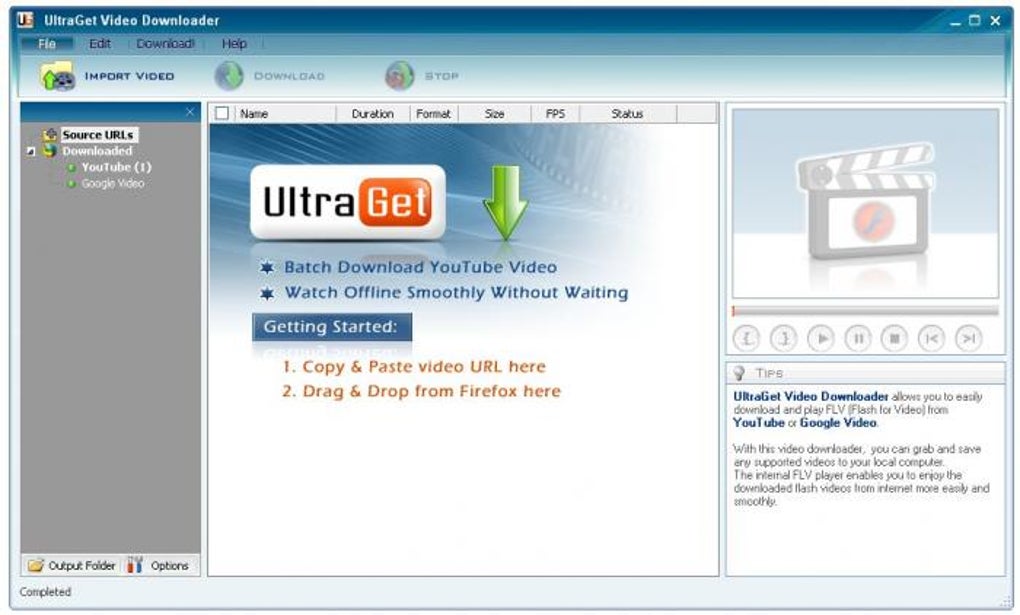
UltraGet Video Downloader presented a user-friendly interface, designed for simplicity and ease of access. Its core functionality revolved around downloading videos in FLV format (Flash Video). The process was straightforward: users could either drag and drop the video URL from their web browser (such as Firefox) onto the application’s window, or manually copy and paste the URL into the program. Once the URL was recognized, the download would begin almost immediately. This direct approach minimized the need for complex configuration or multiple steps, making it ideal for users with limited technical experience.
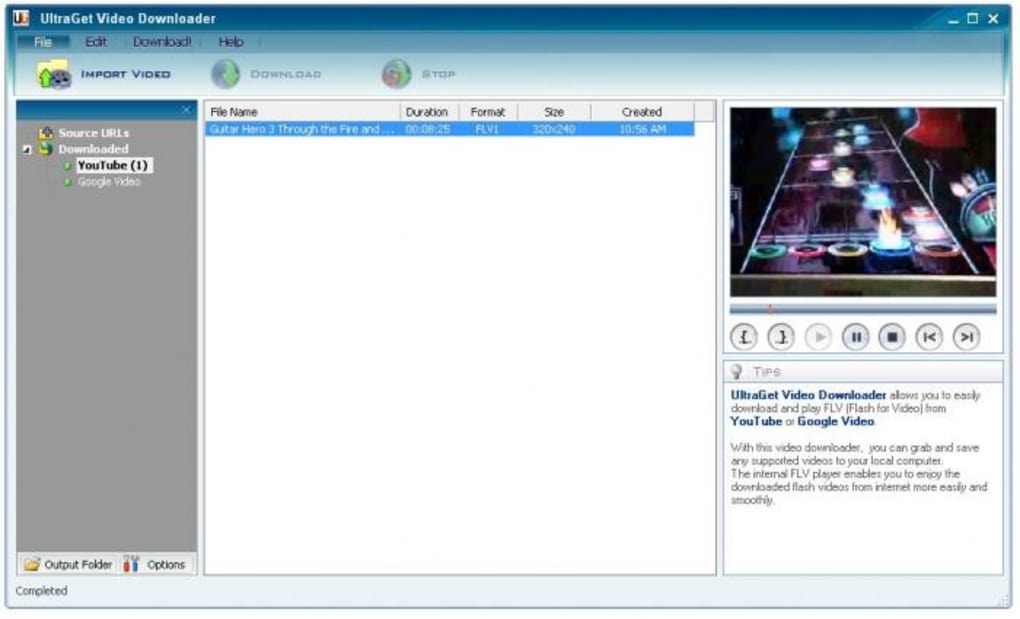
A notable feature was its integrated FLV player. This allowed users to watch their downloaded videos within the UltraGet application itself, eliminating the necessity for installing a separate media player. This all-in-one approach streamlined the user experience and was particularly advantageous for users who preferred a single application for both downloading and viewing their videos. This internal player removed the need for external software, simplifying the video consumption process.
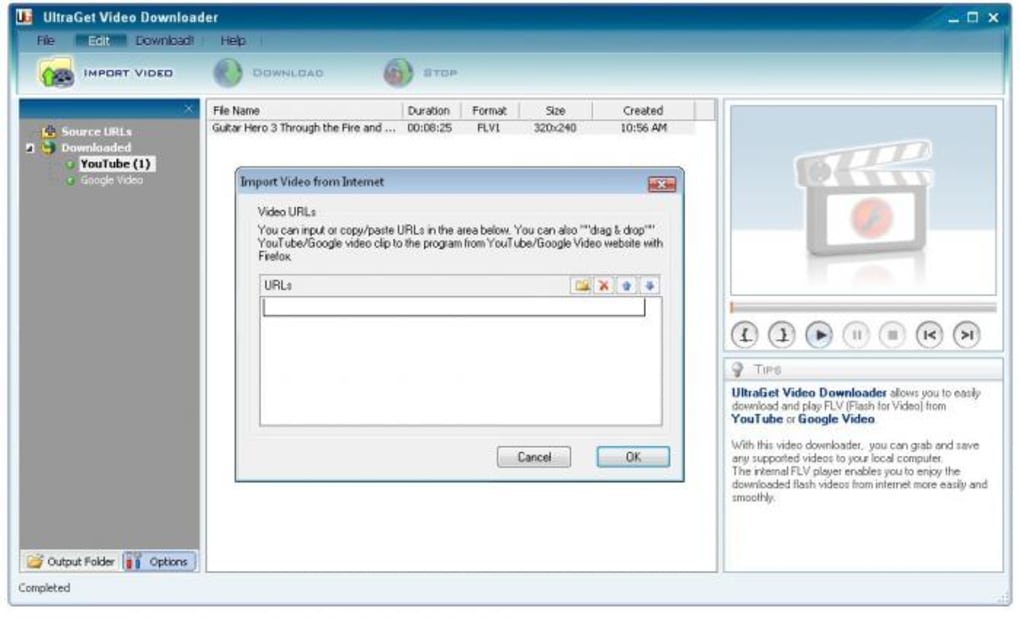
However, this simplicity came at a cost. The software’s reliance on FLV format was a significant drawback. FLV, while prevalent during the time of UltraGet’s release, eventually became less common due to technological advancements. The inability to download videos in more contemporary formats, such as MP4, presented a considerable limitation, especially as users increasingly relied on devices and software that weren’t fully compatible with FLV. This meant UltraGet lacked the flexibility and adaptability needed for long-term usability.
System Requirements and Performance
UltraGet Video Downloader was designed for Windows operating systems, particularly older versions such as Windows 2000. While the exact system requirements aren’t readily available today, it’s safe to assume that the software had modest resource demands, enabling compatibility with less powerful machines common during its active development period. Its small file size (around 6.34 MB) further suggests minimal system impact.
Performance was generally reported as satisfactory, with downloads completing relatively quickly. However, download speeds were likely dependent on the user’s internet connection speed and the size of the video being downloaded. There were no advanced features like download acceleration or scheduling, which are prevalent in modern video downloaders.
Limitations and Drawbacks
The most significant limitation of UltraGet Video Downloader was its exclusive support for FLV format and its dependency on a YouTube account. Many users found the requirement of a YouTube account to be inconvenient and unnecessary. The lack of format conversion options, which would have allowed users to download videos in other formats like MP4 or AVI, significantly restricted its usefulness.
The program’s reliance on FLV also created compatibility issues. As FLV gradually became less supported by modern devices and applications, users found it increasingly difficult to seamlessly integrate the downloaded videos into their workflows. This incompatibility significantly reduced the utility of the downloaded videos. Furthermore, the absence of features commonly found in contemporary downloaders, such as batch downloading, download scheduling, or automatic format conversion, further constrained its overall functionality.
Additionally, being a freeware application, UltraGet Video Downloader lacked the advanced support and regular updates associated with commercial software. This meant that bug fixes, performance improvements, and new feature additions were less likely, contributing to its eventual obsolescence.
Comparison with Modern Video Downloaders
Compared to modern video downloaders, UltraGet Video Downloader appears quite basic. Contemporary solutions often support a much wider range of video platforms and offer diverse features including:
- Multiple Format Support: Modern downloaders provide options to download videos in various formats (MP4, AVI, MKV, etc.), catering to a wider range of devices and software.
- Download Acceleration: Many modern downloaders employ techniques to accelerate download speeds, making the process quicker and more efficient.
- Download Scheduling: Users can schedule downloads to occur at specific times, optimizing network usage and avoiding potential conflicts with other online activities.
- Batch Downloading: The ability to download multiple videos simultaneously drastically reduces the overall download time for large video collections.
- Metadata Retrieval: Modern downloaders often automatically retrieve video metadata such as title, description, and thumbnails, enhancing organization and management.
- Conversion Features: Some advanced downloaders integrate video conversion functionality, allowing users to transform downloaded videos into different formats.
- Regular Updates and Support: Commercial downloaders typically provide regular updates, ensuring compatibility with newer websites and improvements to performance and stability.
These are just some of the features that distinguish modern video downloaders from UltraGet Video Downloader, highlighting the significant technological advancements and user experience improvements in the field. The limitations of UltraGet, such as its FLV-only support and lack of advanced features, illustrate the evolution of software design and the need for constant adaptation to changing technology and user expectations.
Conclusion
UltraGet Video Downloader served its purpose during its time, offering a simple solution for downloading videos from YouTube and Google Video in FLV format. Its straightforward interface and integrated player appealed to users who prioritized ease of use. However, its limitations, particularly its reliance on FLV, its lack of format conversion options and the need for a YouTube account proved to be significant drawbacks.
Compared to modern video downloaders, UltraGet appears limited and outdated. Today’s solutions offer a far wider range of features, support more platforms, and address the shortcomings inherent in UltraGet’s design. While UltraGet represents a historical snapshot of video downloader technology, it underscores the rapid pace of innovation in this field and highlights the importance of considering modern alternatives for a more comprehensive and versatile video downloading experience. Ultimately, while UltraGet might have been functional in its era, its limitations rendered it obsolete as technology advanced and users’ needs evolved.
File Information
- License: “Free”
- Version: “2.1.1”
- Latest update: “April 27, 2015”
- Platform: “Windows”
- OS: “Windows 2000”
- Language: “English”
- Downloads: “49K”
- Size: “6.34 MB”


