
Ultrasurf VPN is a free virtual private network (VPN) application available for Android and iOS devices. It aims to provide users with enhanced online security and privacy by masking their IP address and encrypting their internet traffic. This review delves into its features, performance, pros and cons, and compares it to other VPN options available in the market.
Protecting Your Digital Privacy in the Modern World
In today’s digitally interconnected world, our smartphones are more than just communication tools; they are repositories of sensitive personal information. From banking details and social media accounts to photos and emails, a compromised mobile device can lead to significant data breaches and identity theft. Ultrasurf VPN seeks to address this vulnerability by offering a simple, yet effective means of securing your mobile browsing experience. Maintaining privacy is paramount, and the sheer volume of personal data stored on mobile devices makes robust security measures essential. Ultrasurf VPN achieves this by employing VPN technology, a method of establishing a secure, encrypted connection between your device and a remote server. This masks your real IP address, hiding your location from potential trackers and malicious actors. Furthermore, by connecting through a VPN server, you can benefit from the enhanced security protocols of the server’s network, including firewalls and anti-malware protection. This effectively extends the security of your home or office network to your mobile device, ensuring a consistent level of protection wherever you are.

Enhanced Mobility and Productivity with Remote Access
The advantages of Ultrasurf VPN extend beyond simple security. For business users, it transforms their mobile devices into fully functional mobile offices. Connecting to a VPN server allows access to company resources, such as file servers, internal networks, and other applications, as if you were physically present at your desk. This enables seamless access to documents, reports, and collaborative tools, regardless of location. Whether you’re working from a coffee shop, traveling on business, or simply need to access company resources remotely, Ultrasurf VPN facilitates the connection. This connectivity is achievable via various networks, including 4G, 3G, and Wi-Fi, ensuring consistent access to critical information and applications. The ability to stay connected to all necessary resources significantly boosts productivity and allows for uninterrupted workflow, regardless of physical location. For mobile users, whether business professionals or individuals, this constant connectivity offers unparalleled flexibility and efficiency.
Simplicity and Security: A Balancing Act
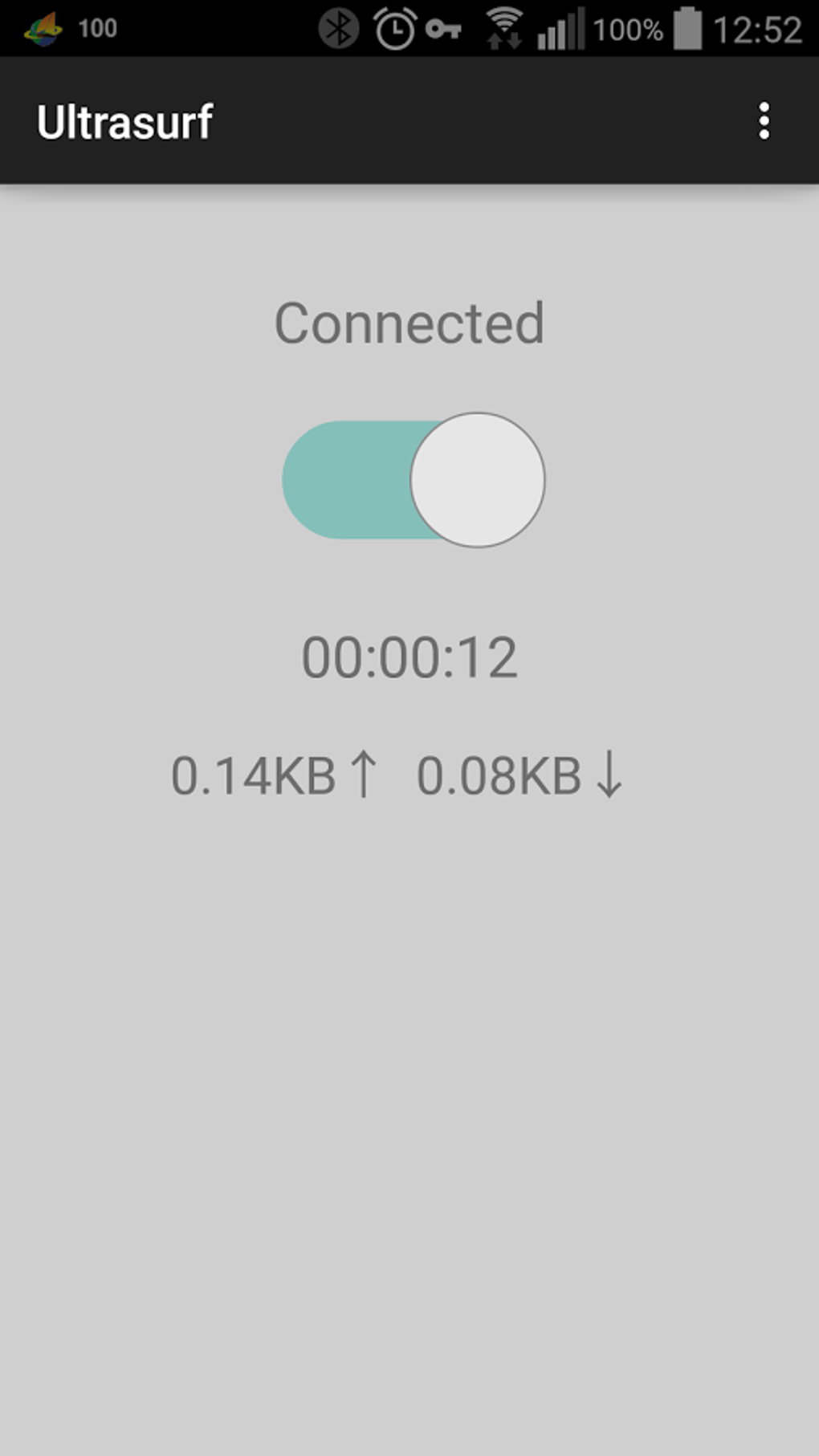
Ultrasurf VPN prides itself on its ease of use. The application’s interface is designed for simplicity, allowing even novice users to quickly connect to a secure VPN server with minimal setup required. A simple on/off switch facilitates quick connection and disconnection. However, this simplicity might also be seen as a drawback. While the ease of use is a significant advantage for casual users, it also means that some of the more advanced features found in other, more complex VPN clients might be absent. Advanced users seeking granular control over their VPN settings might find Ultrasurf VPN lacking in customization options. The current Android version is in beta, suggesting potential for future improvements and feature additions. Although initially designed for ease of use, this may evolve over time to include more refined features while retaining its user-friendly design.
Comparative Analysis: Ultrasurf VPN Against the Competition
Ultrasurf VPN sits alongside a plethora of VPN applications, both free and paid. The free nature of Ultrasurf VPN is a major draw, making it accessible to a wide range of users. However, it’s crucial to compare it with other options. Many competitive VPN services offer more advanced features, such as multi-server locations, kill switches (which automatically disconnect your internet if the VPN connection drops), and more robust encryption protocols. Paid VPN services often provide superior server infrastructure, resulting in faster connection speeds and better reliability. While Ultrasurf VPN provides a basic level of security and privacy, users with more demanding requirements or those needing high speeds and reliability might find that a paid VPN service better meets their needs.
Ultrasurf VPN: Strengths and Weaknesses
Pros:
- Free: Ultrasurf VPN’s most significant advantage is its free availability for both Android and iOS devices. This makes it an accessible choice for budget-conscious users.
- Ease of Use: The simple interface and straightforward setup make it exceptionally user-friendly, eliminating the technical hurdles often associated with VPN configuration. The simple on/off switch makes connecting to the VPN effortless.
- Lightweight: The application is designed to be lightweight, minimizing its impact on device performance. This is especially beneficial for users with devices having limited processing power or storage space.
- Wide Availability: Available on both major mobile operating systems (Android and iOS), Ultrasurf VPN caters to a broad user base.
Cons:
- Beta Status (Android): The Android version being in beta indicates ongoing development, and users might encounter occasional bugs or instability.
- Limited Features: The simplified interface means a lack of advanced features common in other VPN applications, such as server selection, split tunneling (routing only specific apps through the VPN), and detailed logs.
- Potential Speed Issues: Free VPN services often have limitations regarding server capacity and bandwidth, potentially leading to slower connection speeds compared to paid services.
- Transparency Concerns: The level of transparency regarding data logging practices might be a concern for some users who prioritize complete anonymity.
Conclusion: A Viable Option, But With Caveats
Ultrasurf VPN offers a simple and accessible way to enhance mobile security and privacy. Its free availability and user-friendly interface make it an attractive option for users who require basic VPN functionality without the complexity of advanced settings. However, potential users should be aware of its limitations. The beta status of the Android app, the limited features, and the potential for speed restrictions may not satisfy users requiring advanced features or high-speed connections. Those seeking more comprehensive VPN capabilities, including server selection, kill switches, and strict no-logs policies, might need to consider a paid VPN service. Ultimately, the suitability of Ultrasurf VPN depends on individual needs and priorities. It’s an excellent choice for basic privacy protection and simple remote access, but it falls short for users with more complex demands. Careful consideration of one’s specific requirements is essential before deciding whether Ultrasurf VPN meets those needs. Further research into alternative VPN providers should be conducted for users with more stringent security and privacy requirements.
File Information
- License: “Free”
- Latest update: “November 6, 2024”
- Platform: “Android”
- OS: “Android 13.0”
- Downloads: “274.8K”
- Download Options: “Google Play”


