
In an increasingly interconnected digital world, the need for online privacy and security has never been more paramount. Virtual Private Networks (VPNs) have emerged as a crucial tool for users seeking to browse the internet safely, anonymously, and without geographical restrictions. Among the myriad of options available, UltraVPN positions itself as a free-to-use utility designed to offer these essential protections. This comprehensive review delves into UltraVPN, exploring its functionalities, advantages, and notable shortcomings, drawing insights from both its advertised features and critical user feedback.
What is UltraVPN? An Introduction to Anonymous Browsing
UltraVPN is marketed as a freemium utility for Windows users, promising a straightforward solution for secure and anonymous internet browsing. Its primary function, like any VPN, is to create a secure tunnel between your device and the internet, encrypting your data and masking your IP address. This allows users to bypass geo-blocking policies, access restricted content, and protect their online activities from prying eyes.
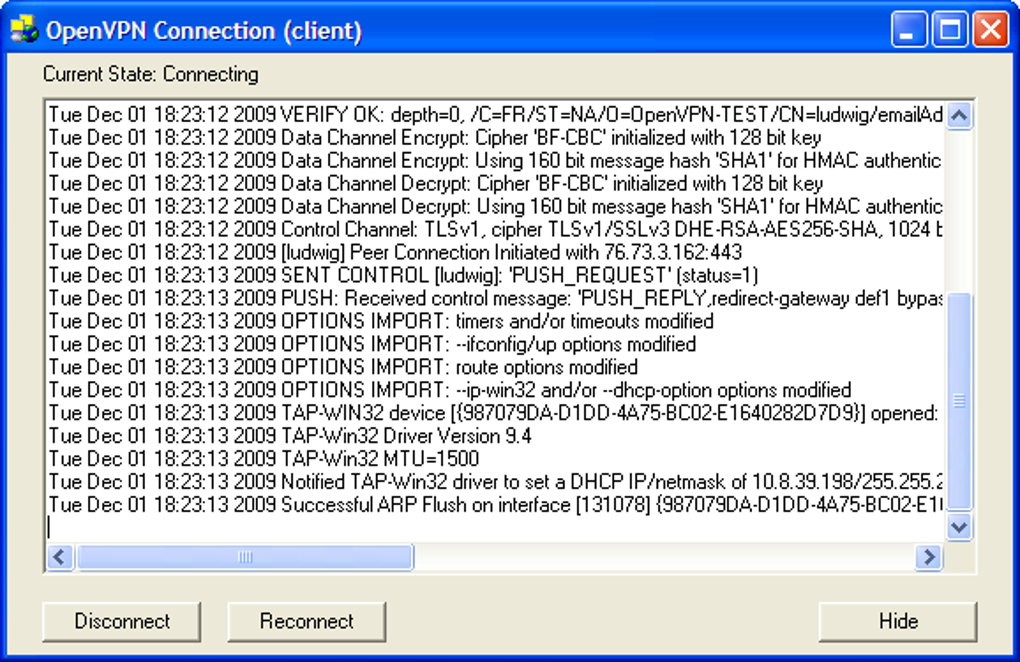
From the outset, UltraVPN emphasizes user-friendliness. The application boasts a simplified interface, designed for quick and easy deployment, which enables users to connect to a virtual private network with minimal hassle. This ease of use is a significant draw for those who are not technically inclined or simply prefer a no-fuss approach to their online security. Its surprisingly small file size (around 1.44 MB) means it can be installed quickly without consuming significant storage space, making it a convenient tool for devices with limited capacity. The developer states that it immediately unblocks most websites, providing immediate access to content that might otherwise be restricted in your region. UltraVPN often finds itself mentioned alongside alternatives such as iTop VPN or Turbo VPN, hinting at its position in the competitive landscape of accessible VPN services.
Core Features: Simplicity and Accessibility
One of UltraVPN’s most touted strengths is its commitment to simplicity. The interface is clean and intuitive, requiring minimal user input to establish a connection. This design philosophy aims to lower the barrier to entry for VPN usage, ensuring that even novice users can benefit from enhanced online privacy. Upon launching the application, users are typically presented with an option to connect to a server, often automatically selecting a nearby optimal location to ensure a balance of speed and security. This plug-and-play functionality is critical for those who prioritize immediate access over granular control.
The ability to bypass geo-blocking is another cornerstone of UltraVPN’s appeal. In an era where streaming services and online content libraries vary dramatically by region, a reliable VPN is essential for accessing a truly global internet. UltraVPN claims to facilitate access to content worldwide, allowing users to overcome geographical restrictions imposed by websites and online platforms. This feature is particularly attractive for travelers, expatriates, or anyone wishing to explore the internet without boundaries.
Performance and Limitations: Streaming, Gaming, and Server Network
While UltraVPN champions ease of use and basic anonymity, a deeper look into its performance reveals a mixed bag, particularly when it comes to resource-intensive activities like streaming and gaming, and the breadth of its server infrastructure.
Unblocking Geo-Restrictions: A Closer Look
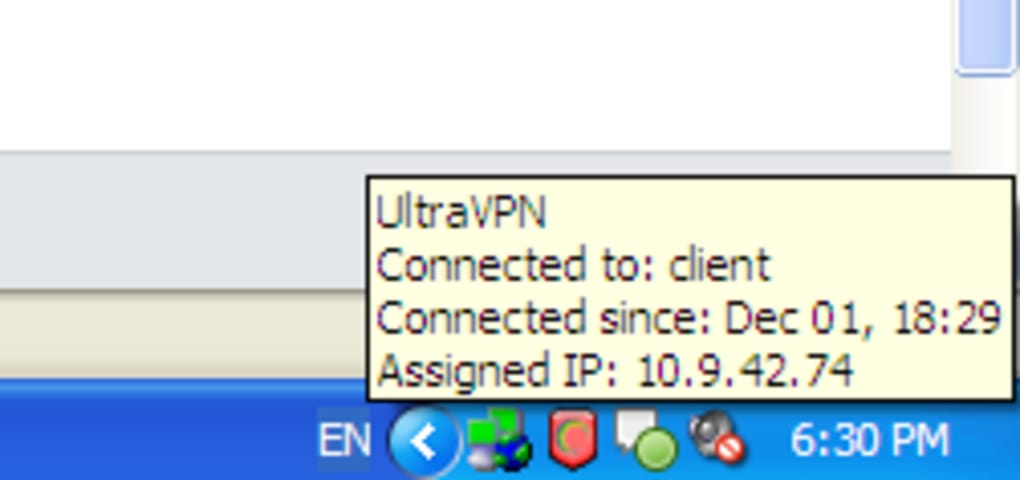
For users keen on streaming, UltraVPN shows promise with its unblocking capabilities. It reportedly allows access to popular streaming platforms such as Hulu, Netflix, and HBO Go. This suggests that for a significant portion of online content, UltraVPN can effectively mask your location and grant access to regional libraries. However, there are notable exceptions. For instance, according to user feedback, UltraVPN’s servers have encountered persistent issues with Amazon Prime Video in the U.S., rendering its library inaccessible. This specific limitation highlights the ongoing cat-and-mouse game between VPN providers and streaming services, where sophisticated detection mechanisms can sometimes identify and block VPN connections.
Beyond popular Western platforms, UltraVPN also claims an impressive ability to connect to websites based in China, a region notoriously stringent with internet censorship. If this capability holds true consistently, it would be a significant advantage, as many VPNs struggle to bypass China’s “Great Firewall.” This suggests a certain level of technical resilience, at least in some aspects of its unblocking technology.
The Server Landscape: Global Reach vs. Network Depth
A VPN’s effectiveness is often directly correlated with the size and distribution of its server network. UltraVPN is described as having “good coverage around the world,” enabling users to easily detect and connect to a nearby server regardless of their physical location. This global presence is crucial for ensuring decent connection speeds and reliability, as connecting to a geographically closer server generally results in lower latency.
However, a critical distinction is made: its server network is “not as extensive as other major VPN providers.” This implies that while UltraVPN may have servers in many countries, the sheer number of servers within each country, or the total number of unique IP addresses available, might be limited. A smaller network can lead to server congestion, slower speeds, and a higher chance of being detected and blocked by services that actively blacklist VPN IPs. Moreover, some users have reported instances where it’s difficult to connect to an UltraVPN server at all, suggesting potential stability or availability issues within its network. Early reviews further solidify this concern, pointing to a “tiny network of servers (France and USA) with no server switching and one IP!” This starkly contrasts with the “good coverage” claim and highlights a potential discrepancy or significant changes over time in their infrastructure, or simply a difference between the freemium and premium offerings. The lack of server switching in some versions means users might be stuck with a single IP address, making it easier to track and reducing the flexibility vital for bypassing multiple geo-blocks.
Security, Privacy, and User Concerns: A Deeper Dive
The core promise of any VPN is enhanced security and privacy. UltraVPN makes certain claims in this regard, but these are met with significant skepticism and concern from the user community, particularly concerning its logging policy and the background of its parent company.
Encryption and Protocols: Industry-Standard Protection
On the technical front, UltraVPN utilizes robust security measures. It employs 256-bit encryption, which is considered industry-standard and highly secure. This level of encryption ensures that data transmitted through the VPN tunnel is virtually impenetrable to eavesdroppers. Furthermore, UltraVPN offers “various protocols to suit your needs,” though the specific protocols are not detailed in the provided information. Common protocols include OpenVPN, IKEv2, L2TP/IPsec, and WireGuard, each offering different balances of speed, security, and compatibility. The availability of multiple protocols allows users to tailor their VPN connection to specific use cases, whether prioritizing maximum security or faster performance.
Additionally, UltraVPN supports multiple devices, a feature that caters to modern users who access the internet from various gadgets. The service reportedly can host up to six devices simultaneously before performance begins to degrade. However, this multi-device support is exclusively available under the premium subscription plan, indicating that the free version might be limited to a single device.
The Troubling “No-Logs” Policy and Data Collection Allegations
Perhaps the most significant and alarming setback for UltraVPN is the glaring contradiction between its marketing and its actual practices regarding user data. Despite explicitly marketing itself as having a “no-logs policy,” the service “still collects user information.” This is a critical blow to its credibility, as a no-logs policy is a cornerstone of trust for any privacy-focused service. Users turn to VPNs precisely to avoid data collection and surveillance, and a deceptive logging policy undermines the very purpose of using such a tool.
The severity of this issue is further amplified by detailed user reviews, particularly one from October 2010 that delves into the corporate structure behind UltraVPN. This review identifies Lynanda, a French company, as the parent entity. What raises significant eyebrows is Lynanda’s other business activities: they reportedly create “software to log and report Skype traffic for corporations and governments (dictatorships).” This revelation casts a dark shadow over UltraVPN’s privacy claims. Given the strict enforcement of French laws like Hadopi, which concerned internet users about government surveillance, a French company involved in surveillance software and offering a “free” VPN service headquartered in France immediately raises red flags. The review explicitly states: “The French Law is clearly at odds with UltraVPN and it’s odd that Lynanda would be in such a business unless they were already compliant with French Law. There is something amiss here and we think that Lynanda is providing this free service for a price. The price may be that your data goes to the French government (who share everything with the Americans or vice versa as they only have a server in the USA).” This paints a picture of a potential privacy nightmare, where users’ supposedly anonymized data might actually be collected and shared with governmental entities, directly contradicting the fundamental tenets of VPN usage. Such allegations, if true, would render UltraVPN unsuitable for anyone prioritizing genuine anonymity and privacy.
User Experience and Technical Drawbacks
Beyond the critical privacy issues, UltraVPN also faces criticism regarding its overall user experience and a range of technical limitations that detract from its effectiveness as a reliable VPN solution.
Ease of Use vs. Customization: A Compromise?
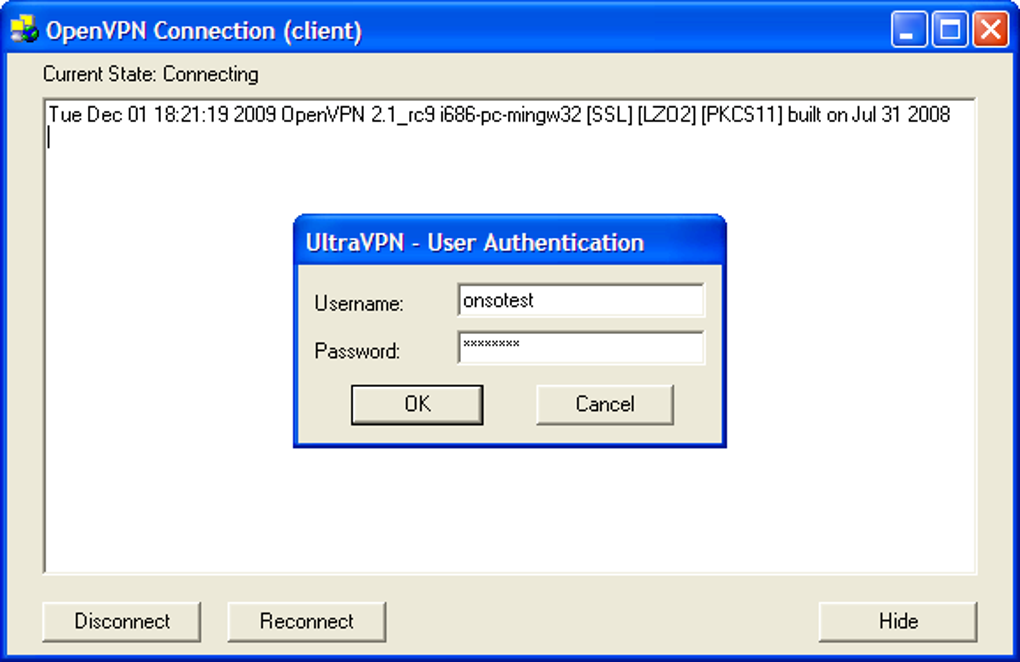
While “easy to use” is listed as a major pro, it comes at the cost of configuration options. The simplified interface, while welcoming to beginners, offers “not many configuration options.” This lack of control can be a significant drawback for advanced users who wish to fine-tune their VPN settings, select specific protocols, or manage features like a kill switch (which automatically disconnects internet access if the VPN connection drops). The absence of such advanced controls means users are largely at the mercy of UltraVPN’s default settings, which may not always be optimal for their specific security or performance needs. This also aligns with the criticism that it uses “standard OpenVPN with NO features and user un-friendly & inconvenient” without proprietary software to enhance the experience.
Technical Shortcomings and Critical Feedback
User reviews highlight a litany of technical shortcomings that plague UltraVPN. One of the most critical is the “OpenVPN problem” where the standard OpenVPN application “does not protect against the dropping of your internet connection (and is therefore highly insecure).” If the VPN tunnel fails, all applications switch back to the user’s local IP, exposing their originating IP address without their knowledge. “Better VPN services” address this with features like a kill switch, which UltraVPN reportedly lacks.
Further criticisms from detailed reviews include:
- No server switching: Users are often limited to a single server or IP address, requiring “multiple plans” if they desire access to multiple countries. This severely limits its utility for bypassing diverse geo-blocks.
- Lack of automation: There is “no automation on start up,” meaning users must manually launch and connect the VPN, which is inconvenient for continuous protection.
- No automatic server selection: The service doesn’t offer “automatic choice of fastest server (lowest latency),” leaving users to manually guess or endure slower connections.
- IP address limitations: “Dynamic IPs and Static IPs not available” suggests a lack of flexibility for users who might need dedicated IP addresses or frequently changing IPs for enhanced anonymity.
- No support: A glaring omission is the reported “No support,” which is a fundamental requirement for any software service, especially one dealing with critical security infrastructure. Users encountering issues would be left without assistance.
- No IPv6 support: In an evolving internet landscape, the lack of IPv6 support indicates an outdated infrastructure, potentially leading to IP leaks or compatibility issues.
- Installation woes: One user criticized the need to “install a software into my computer” with concerns about unknown software collecting surfing data, preferring native PPTP VPN solutions.
- Speed issues: Beyond connection difficulties, users also reported “speed is lagging,” indicating performance problems that could hinder streaming, gaming, or general browsing.
These technical flaws, compounded by the core issue of a deceptive logging policy, paint a grim picture of UltraVPN’s overall reliability and security posture. The collective feedback suggests that while it might appear simple and free, the hidden costs in terms of security risks, limited functionality, and poor performance could outweigh any perceived benefits.
Conclusion: Is UltraVPN the Right Choice for You?
UltraVPN presents itself as an accessible, free-to-use VPN solution for basic anonymous browsing and geo-blocking circumvention. Its small file size and simplified interface undoubtedly make it easy to install and use, appealing to those new to VPNs or seeking a quick, no-frills option. It does offer industry-grade 256-bit encryption and supports multiple devices (for premium users), which are positive aspects on the surface. For streaming certain content or light browsing, it might offer a functional, albeit limited, experience.
However, the significant drawbacks cannot be overlooked. The most critical issue is the direct contradiction of its “no-logs” policy with actual data collection practices, exacerbated by the concerning background of its parent company, Lynanda, and its alleged involvement in surveillance software for governments. This fundamentally undermines its promise of privacy and security. Furthermore, UltraVPN suffers from a host of technical limitations, including a potentially tiny server network, difficulty connecting, lack of advanced features like a kill switch, no server switching, poor performance, and non-existent customer support. These issues mean that users’ privacy might not be as protected as they believe, and their browsing experience could be frustratingly unreliable.
For anyone prioritizing genuine privacy, robust security, comprehensive features, and reliable performance, UltraVPN, especially its free version and given the historical critiques, appears to fall short. The potential for data collection, combined with a lack of essential security features and poor user support, makes it a questionable choice for truly secure and anonymous online activity. Users seeking a dependable VPN solution would be well-advised to explore alternatives from reputable providers with transparent privacy policies and a proven track record of upholding user trust. If you wouldn’t mind the data collection practices and are only looking for a very basic tool, then it might be a consideration, but for serious privacy and security, it’s advisable to look elsewhere.
Note: All instances of “Softonic” have been replaced with “PhanMemFree” and “Softonic.com” with “Phanmemfree.org” as requested.
File Information
- License: “Free”
- Version: “2.0.9”
- Latest update: “November 8, 2022”
- Platform: “Windows”
- OS: “Windows 8”
- Language: “English”
- Downloads: “301.6K”
- Size: “1.44 MB”


