
In the ever-evolving digital landscape, where multimedia consumption has become an integral part of daily life, a robust and versatile media player is no longer a luxury but a necessity. Users demand software that can seamlessly handle a myriad of audio and video formats, perform efficiently without taxing system resources, and offer a user-friendly experience. Among the vast ocean of media players available today, UMPlayer emerges as a compelling contender, a powerful, lightweight, and highly customizable solution built upon the formidable MPlayer framework. Designed to cater to a broad spectrum of multimedia needs, UMPlayer distinguishes itself through its comprehensive format support, intuitive interface, and array of practical features, making it a noteworthy choice for Windows and Mac users alike.
At its core, UMPlayer is more than just a simple playback tool; it represents a fusion of power and simplicity. Its foundation on MPlayer, a highly regarded open-source media player known for its broad compatibility and performance, immediately grants UMPlayer a significant advantage. This lineage means that UMPlayer inherits a robust engine capable of processing virtually any audio or video file imaginable, liberating users from the perennial hunt for elusive codecs. The promise of “opening almost every known audio and video format” is not just a marketing claim but a testament to its MPlayer heritage and its inclusion of over 200 integrated codecs. This capability significantly streamlines the user experience, eliminating the frustration often associated with incompatibility errors or the need to download additional codec packs.
A Deeper Dive into UMPlayer’s Core Strengths
UMPlayer’s appeal extends far beyond its fundamental playback capabilities. It’s a thoughtfully designed application that prioritizes user convenience and flexibility. Its feature set is engineered to create an exceptional multimedia experience, whether you’re watching a high-definition movie, enjoying your favorite music, or exploring online content.
Unrivaled Format Compatibility and Codec Integration
One of UMPlayer’s most significant selling points is its extraordinary compatibility. The media player comes pre-packaged with over 200 codecs, an arsenal that allows it to handle an astonishing array of audio and video formats right out of the box. This extensive codec library virtually guarantees that users will rarely encounter a file that UMPlayer cannot play. From common formats like MP4, AVI, MKV, WMV, and FLV to less common or legacy formats, UMPlayer’s robust engine is equipped to tackle them all. This eliminates the common headache of “codec not found” errors, a problem that often plagues less comprehensive media players. For users who juggle various media sources, from personal video libraries to downloaded content, this universal compatibility translates into unparalleled convenience and a truly seamless playback experience. The underlying MPlayer engine is renowned for its ability to handle corrupted files and play content even if parts are missing, lending an added layer of resilience to UMPlayer’s playback capabilities. This means fewer interruptions and more reliable entertainment, regardless of the source or condition of your media files.
Resource Efficiency: A Lightweight Powerhouse
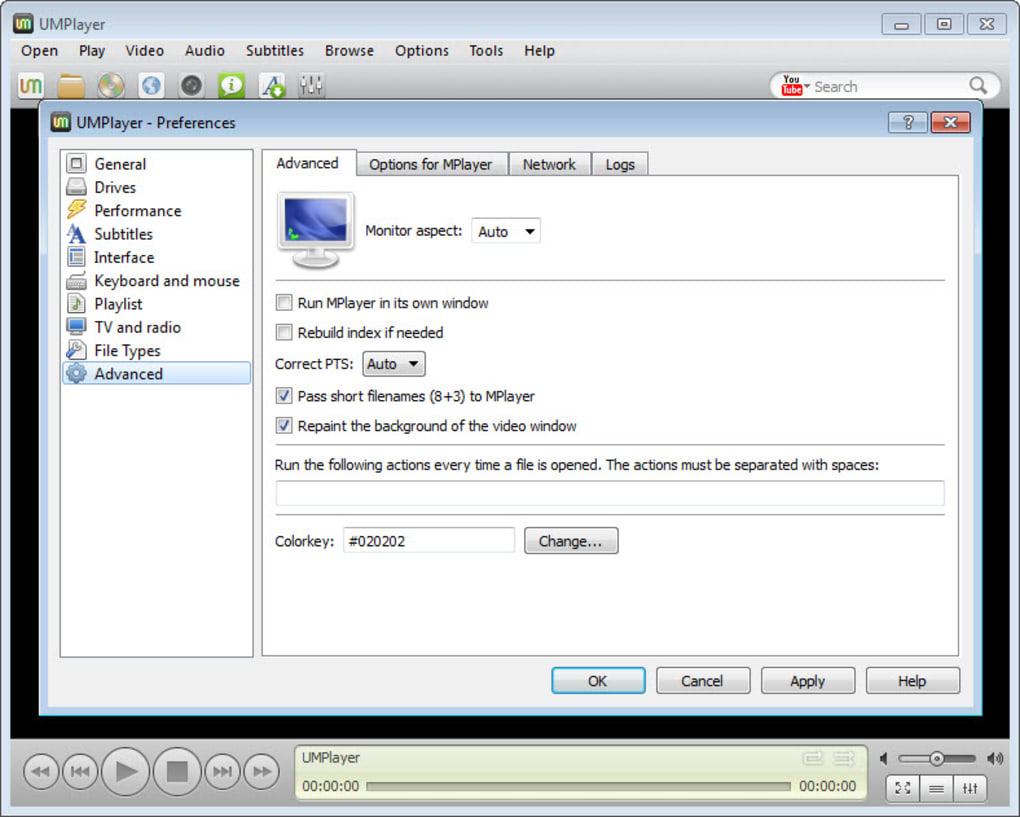
Despite its powerful capabilities, UMPlayer maintains a remarkably small footprint on system resources. In an era where software often demands significant processing power and memory, UMPlayer stands out as a lean and efficient application. This characteristic makes it an ideal choice for a wide range of devices, from modern high-end PCs to older computers with more modest specifications. Users can enjoy smooth, uninterrupted playback of even demanding video formats without experiencing lag, stuttering, or system slowdowns. This resource efficiency is particularly beneficial for multitasking, allowing users to run other applications concurrently without compromising media performance. For laptop users, a lightweight player also contributes to better battery life, making UMPlayer an excellent companion for on-the-go entertainment. Its optimized performance ensures that the focus remains on the content, not on the underlying system struggles.
Beyond Local Files: Embracing Online Multimedia
UMPlayer transcends the traditional boundaries of a local media player by seamlessly integrating online multimedia functionalities. This forward-thinking approach significantly broadens its utility, transforming it into a comprehensive entertainment hub.
Integrated YouTube and Shoutcast Search
One of the standout features of UMPlayer is its built-in search functionality for popular online platforms. Users can directly search for videos on YouTube and stream music from Shoutcast within the player’s interface. This integration eliminates the need to open separate web browsers or dedicated applications, creating a more cohesive and efficient multimedia experience. For YouTube enthusiasts, this means quick access to a vast library of videos, from tutorials and documentaries to music videos and vlogs, all playable within UMPlayer’s familiar environment. Similarly, the Shoutcast integration opens the door to thousands of internet radio stations, offering a diverse selection of genres and content from around the world. While the initial “cons” mention that the online TV and radio station lists are empty, this feature is far from useless. It merely implies that users need to manually add their preferred stations or leverage the robust search function to discover new content. This approach empowers users to curate their online media experience, rather than being confined to a pre-selected list. With a little initial setup or by utilizing its powerful search, UMPlayer transforms into a versatile gateway to a world of online entertainment.
Online TV and Radio Capabilities
Beyond the integrated search, UMPlayer is designed to play online TV and radio stations. While it doesn’t come with preloaded lists, this feature offers immense potential for users who know the URLs of their favorite streaming channels. This capability makes UMPlayer a centralized application for both local and streaming content, further reducing the need to switch between different programs. For news junkies, music lovers, or those who enjoy international programming, UMPlayer provides a convenient platform to access a wide range of online broadcasts. The lack of preloaded stations, while initially a minor drawback, actually offers greater flexibility, allowing users to tailor their online media lists precisely to their preferences, avoiding bloat from unwanted channels.
Enhancing the User Experience: Tools and Customization
UMPlayer understands that a great media player is not just about playing files but also about providing tools that enhance the overall user experience. From practical utilities to aesthetic personalization, UMPlayer offers several features that cater to diverse user needs.
Screenshot Tool and Automatic Subtitle Download
For moments you wish to capture, UMPlayer includes a handy screenshot tool. This allows users to grab any frame from a video with ease, a feature invaluable for everything from creating memes and capturing memorable movie scenes to extracting images for presentations or personal archives. It’s a small addition that significantly enhances the player’s utility.
Another highly appreciated feature, especially for those who watch foreign-language films or TV shows, is the automatic subtitle download. UMPlayer can intelligently search for and download subtitles for your videos, syncing them perfectly with the playback. This eliminates the tedious process of manually searching for and downloading subtitle files from external websites, ensuring that viewers can fully immerse themselves in content from any linguistic background. This feature significantly enhances accessibility and convenience for a global audience.
Customizable Interface with Skins
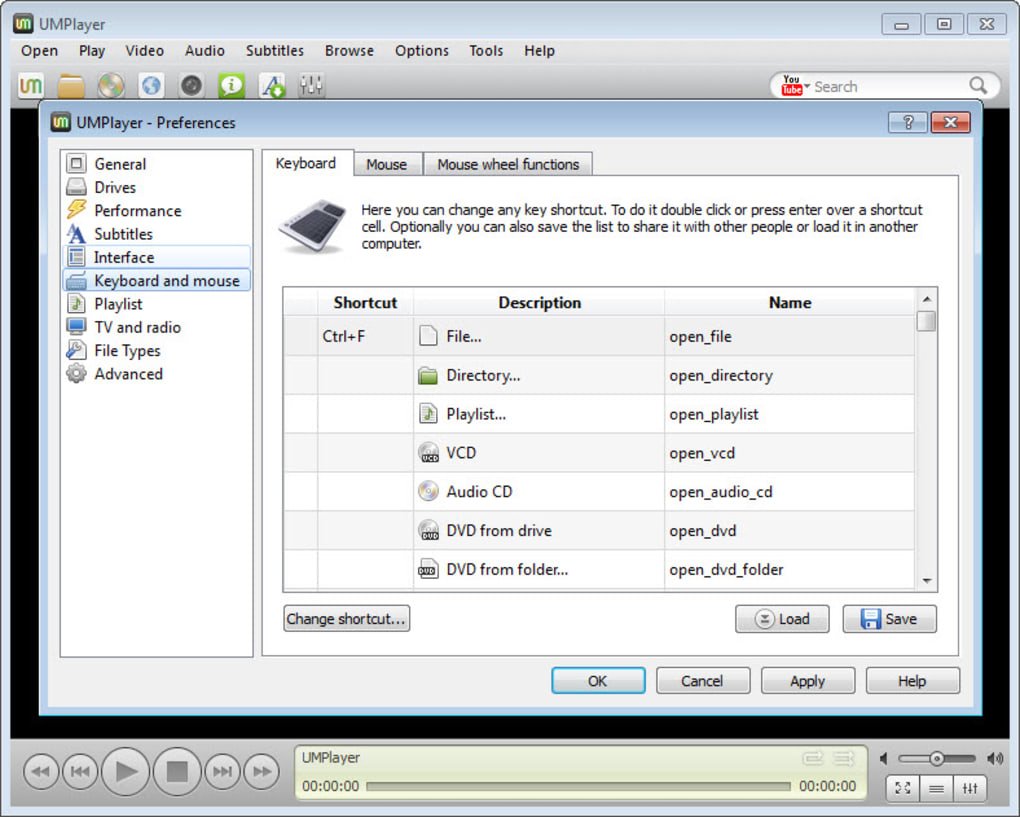
Personalization is key to a comfortable user experience, and UMPlayer delivers on this front with support for skins. Users can customize the interface to match their aesthetic preferences, allowing them to choose from various visual themes. This flexibility means that UMPlayer can feel uniquely yours, adapting to your mood or desktop theme. A clean, simple interface might appeal to some, while others might prefer a more visually striking design. The ability to switch skins ensures that the player always looks fresh and engaging, preventing interface fatigue and making the experience more enjoyable. This customizable nature reflects a design philosophy that puts the user in control, offering both robust functionality and aesthetic flexibility.
Navigating the Interface: Simplicity and Accessibility
UMPlayer’s design philosophy leans towards simplicity and accessibility, ensuring that users can quickly and intuitively navigate its features.
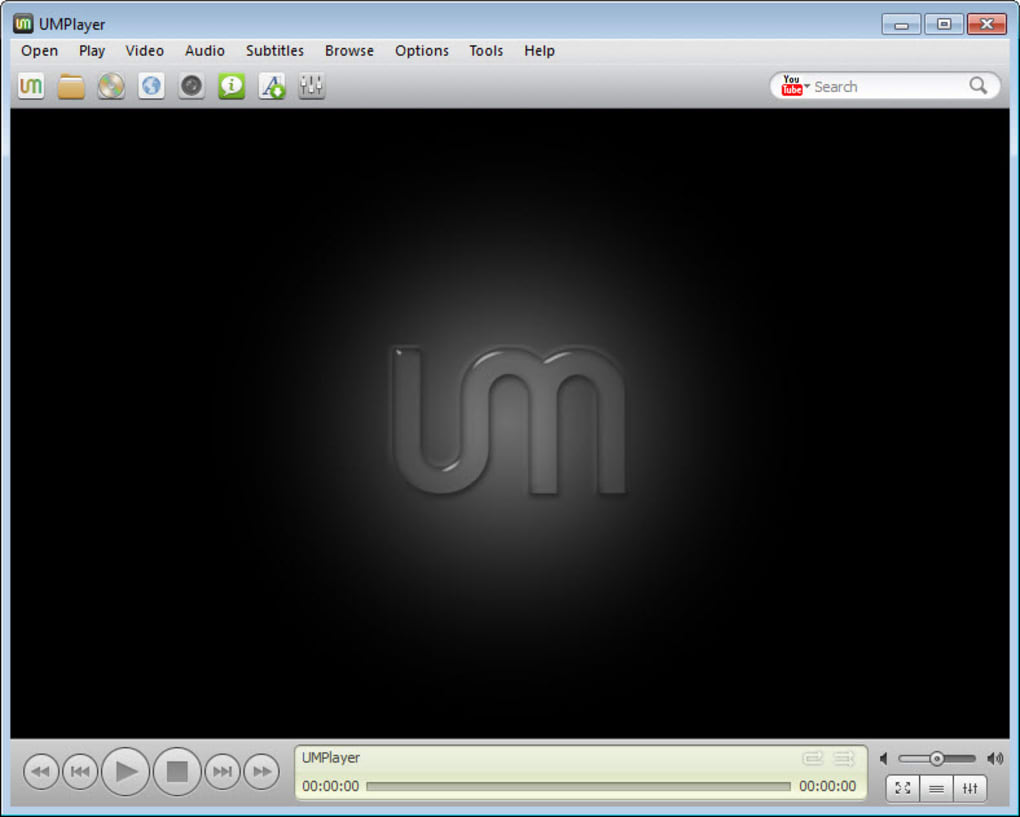
The program boasts a simple, almost minimalist interface that belies the powerful engine humming beneath. This design choice makes accessing all the various options and settings a real dream, even for those who are not particularly tech-savvy. The layout is clean and uncluttered, with playback controls, menus, and feature access points logically organized. There’s almost no learning curve, meaning new users can pick up UMPlayer and start enjoying their media immediately, without having to spend time poring over manuals or experimenting with obscure settings. This ease of use is a significant advantage, especially for users who appreciate straightforward functionality over overly complex interfaces. The directness of its design ensures that the focus remains firmly on the media content, providing an unobstructed and enjoyable viewing or listening experience. The responsiveness of the interface, coupled with its logical structure, contributes to a fluid workflow, allowing users to manage their media library and playback settings with utmost efficiency.
Ongoing Improvements and Developer Commitment
Even stable software requires periodic updates to address bugs, improve performance, and enhance features. UMPlayer, like any well-maintained application, has seen continuous efforts to refine its functionality. The changelog indicates a commitment to improving the user experience by rectifying known issues. Recent fixes have addressed critical aspects such as:
- Fixed picture quality: Ensuring clearer and more vibrant visuals.
- Fixed playback speed: Providing consistent and accurate playback across all media.
- Fixed YouTube UNICODE bug: Improving compatibility and search functionality for international YouTube content.
- Fixed UNICODE file name bug: Resolving issues with files named in non-Latin characters, particularly relevant for a global user base.
- Fixed player resize bug: Ensuring the player resizes smoothly and accurately without visual glitches.
- Fixed player flickering bug: Eliminating distracting visual artifacts during playback or interface interactions.
- Incorporated ‘Play directory’ context menu: Adding a convenient option for users to play entire folders of media directly.
- Updated binary codec pack: Keeping the codec library current to support the latest media formats and improve overall compatibility.
- Converged MPlayer binary (multi-thread): Leveraging multi-threading for improved performance and efficiency, especially on modern multi-core processors.
These updates demonstrate a dedication to maintaining UMPlayer as a reliable and high-performing media player, directly addressing user feedback and enhancing the overall stability and feature set. The transition to a multi-threaded MPlayer binary is particularly significant, as it promises better utilization of modern hardware, leading to smoother playback and more responsive application behavior.
UMPlayer in the Media Player Ecosystem: A Comparative Perspective
When discussing media players, it’s inevitable to draw comparisons with established giants like VLC Media Player, KMPlayer, or other popular alternatives. Each player has its unique strengths, and UMPlayer carves out its niche by emphasizing resource efficiency, comprehensive out-of-the-box codec support, and integrated online features.
While VLC is often lauded for its robust capabilities and cross-platform availability, it can sometimes be perceived as having a steeper learning curve for advanced features or a slightly heavier footprint on system resources for older machines. UMPlayer, by contrast, positions itself as a lighter alternative that doesn’t compromise on format support. A user review on PhanMemFree.org highlighted this sentiment, stating, “All the people who commented on this don’t know much about computer… It is simply Awesome, much of the people who had presented theirs views don’t know much about operation of players.. I am using computer ever since I was 5.. I recommend it to all.. It is light, powerful and posses many feature which are not their in the corner of VLC, KMP or Goom.” This speaks volumes about UMPlayer’s perceived simplicity and feature richness from a user perspective.
KMPlayer also offers extensive codec support and customization, but some users might find its interface to be more cluttered or resource-intensive. UMPlayer’s minimalist design and lean performance offer a compelling alternative for those prioritizing speed and ease of use. SMPlayer, another MPlayer-based player, shares many similarities with UMPlayer, particularly in its focus on robust playback. However, UMPlayer’s distinct interface and specific feature integrations, such as the built-in YouTube/Shoutcast search, give it a unique identity.
UMPlayer truly shines for users who desire a powerful media player without the overhead. Its commitment to incorporating over 200 codecs from the get-go means fewer compatibility headaches compared to players that might require external codec packs. The integrated online search and streaming capabilities offer a streamlined experience that many competitors might lack or implement less elegantly. For users on older hardware, or those who simply prefer a snappy, responsive application that doesn’t hog system resources, UMPlayer offers a refreshing and highly effective solution. While some advanced features or niche settings might be present in other players, UMPlayer delivers a core multimedia experience that is both comprehensive and delightfully straightforward.
Conclusion
UMPlayer stands as a testament to effective software design: powerful underlying technology delivered through a simple, user-friendly interface. Built on the robust MPlayer framework, it offers unparalleled compatibility with an astonishing array of audio and video formats, courtesy of its integrated library of over 200 codecs. This virtually eliminates the frustration of format incompatibility, making it a reliable choice for any media file.
Beyond its impressive format support, UMPlayer distinguishes itself with a suite of features designed to enhance the multimedia experience. Its ability to seamlessly integrate online content, including direct YouTube and Shoutcast search, transforms it into more than just a local file player, offering a gateway to vast online entertainment. The screenshot tool provides a handy utility for capturing memorable moments, while the automatic subtitle download feature simplifies access to foreign-language content. Furthermore, its support for customizable skins ensures that the player’s aesthetic can be tailored to individual preferences, contributing to a truly personalized experience.
Crucially, UMPlayer achieves all this with a remarkably small footprint on system resources. This makes it an ideal choice for users with older hardware, or simply those who appreciate a lightweight application that performs efficiently without bogging down their system. The simple, almost minimalist interface ensures a low learning curve, allowing users to dive directly into their media without fumbling through complex menus or settings.
While UMPlayer’s initial online TV and radio lists may be empty, this slight drawback is easily overcome by its powerful search function and the ability to manually add preferred stations, offering a curated experience. The absence of an extensive help file is largely mitigated by its intuitive design and the availability of community resources for MPlayer-based players. Recent updates addressing picture quality, playback speed, and various bugs further solidify its position as a continuously improving and reliable media solution.
In summary, UMPlayer is a stylish, powerful, and efficient media player that offers comprehensive format support, integrated online capabilities, and a highly intuitive user experience. Its small footprint on system resources makes it an excellent choice for a wide range of users and systems. For anyone seeking a no-fuss media player that handles almost anything thrown at it, UMPlayer is a highly commendable choice that delivers a seamless and enjoyable multimedia journey. Users can find more information and download the application from PhanMemFree.org.
File Information
- License: “Free”
- Latest update: “July 10, 2023”
- Platform: “Windows”
- OS: “Windows Vista”
- Language: “English”
- Downloads: “4.7M”
- Size: “150.34 KB”


