
In the vast and often treacherous landscape of digital technology, where innovation constantly pushes boundaries, malicious software lurks, eager to exploit vulnerabilities and compromise user privacy and system integrity. From the earliest days of computing, securing digital assets has been a paramount concern, giving rise to an entire industry dedicated to cybersecurity. While traditional antivirus programs serve as the first line of defense, a sophisticated breed of malware often evades their detection, embedding itself deep within a system’s core. This is where specialized tools like UnHackMe step in, offering a unique and potent solution against persistent and stealthy threats.
Originating as an anti-rootkit application, UnHackMe has evolved into a comprehensive software utility designed to detect and eliminate a wide array of malicious programs that traditional security solutions might miss. Unlike conventional antivirus software, which often relies on signature-based detection of known threats, UnHackMe employs a distinct methodology, focusing on the behavioral anomalies and deeply hidden components that characterize advanced malware. This article delves into the capabilities of UnHackMe, exploring its operational modes, its place within the broader software ecosystem, and its proven effectiveness in safeguarding your digital life.
The Evolving Landscape of Digital Security: Why UnHackMe Stands Out
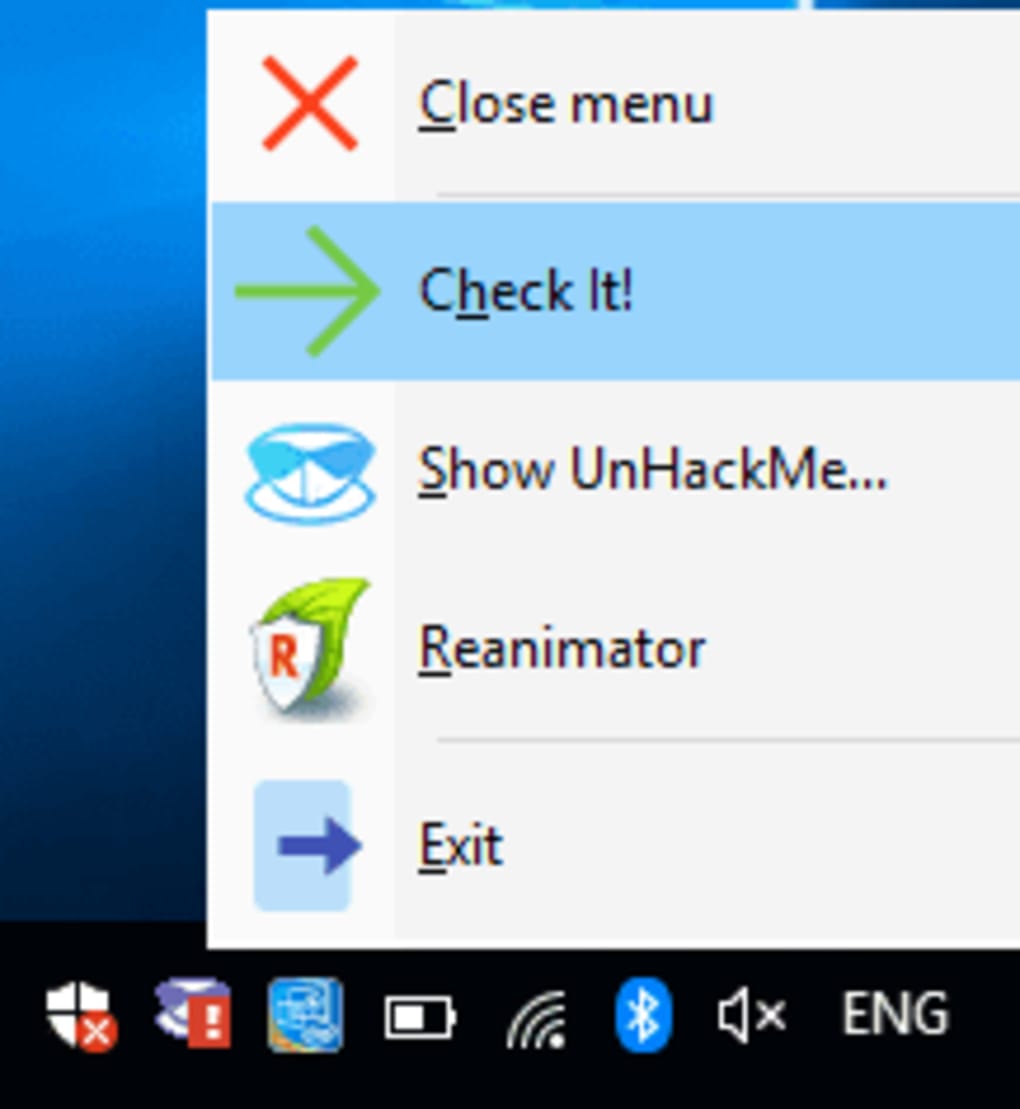
The digital realm is a dynamic battlefield, with cybercriminals constantly developing new tactics and malware strains to bypass security measures. Users today face a deluge of threats, ranging from bothersome adware to deeply insidious rootkits that can grant attackers complete control over a system. In this complex environment, a multi-layered security approach is not just recommended, but essential. UnHackMe distinguishes itself by offering a specialized layer of defense that complements existing antivirus solutions, rather than replacing them.
Traditional antivirus programs are excellent at identifying and neutralizing well-known viruses, worms, and common Trojans. However, they often struggle with certain types of malicious software, particularly those designed to hide their presence and operations from standard detection methods. UnHackMe was born from the necessity to combat these evasive threats, specifically rootkits, which can embed themselves at the kernel level of an operating system, making them incredibly difficult to detect and remove.
UnHackMe’s approach involves a meticulous examination of a system’s health, looking for tell-tale signs of compromise that go beyond typical malware signatures. This includes, but is not limited to, scanning for junk files generated by adware and spyware, meticulously testing Windows shortcuts for malicious redirects, comprehensively scanning for rootkits, scrutinizing browser search settings and add-ons for unauthorized modifications, and examining critical system files like DNS settings and host files. These are common vectors for search redirects, popup advertisements, and the silent execution of potentially unwanted programs (PUPs), all of which can severely degrade system performance and compromise user privacy.
Let’s consider the specific threats UnHackMe targets:
- Trojans: Malicious programs disguised as legitimate software, often used to create backdoors for remote access.
- Spyware: Software designed to secretly monitor and record user activity, often stealing personal information.
- Keyloggers: A specific type of spyware that records every keystroke, potentially capturing passwords and sensitive data.
- Adware: Software that aggressively displays unwanted advertisements, often leading to search redirects and pop-ups.
- PUPs (Potentially Unwanted Programs): Software that might be legally installed but performs unwanted functions, such as changing browser settings or displaying intrusive ads.
- Rootkits: The most dangerous category, designed to hide the existence of other malware, processes, files, or network connections from detection by antivirus software and the operating system itself. They operate at a very low level, often gaining privileged access to the system.
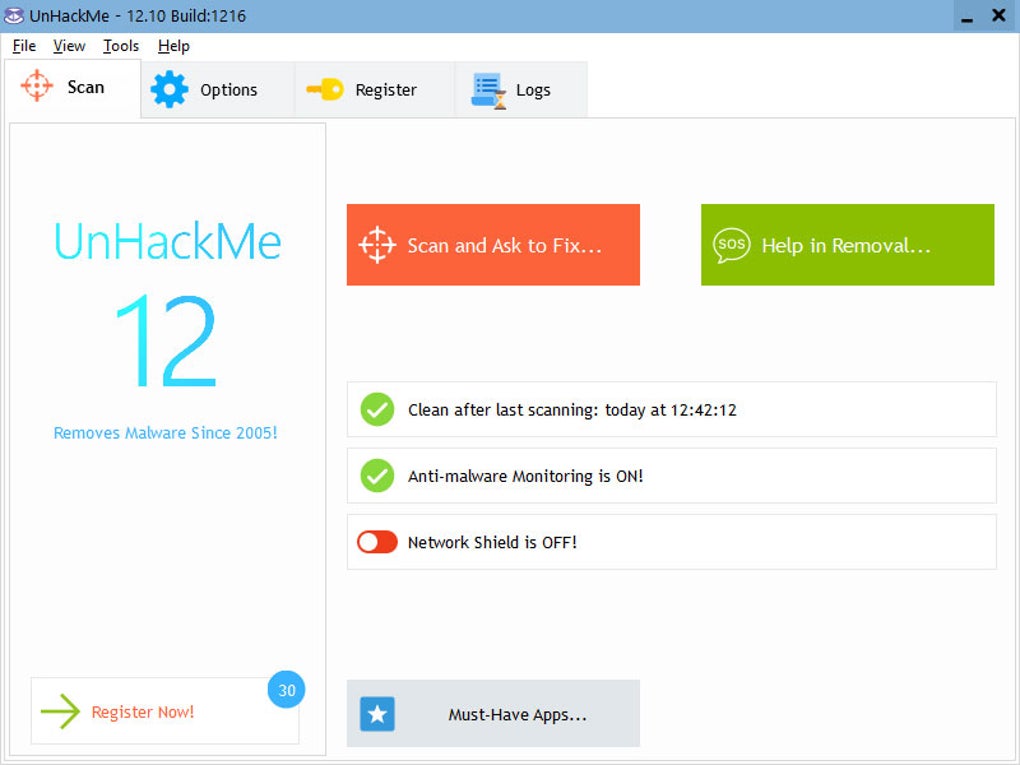
UnHackMe’s strength lies in its ability to delve into these deeper layers. By testing DNS settings and host files, it can uncover manipulations that redirect internet traffic to malicious sites. By examining browser add-ons and search settings, it can reverse the effects of browser hijackers that alter your homepage or default search engine. Most critically, its anti-rootkit heritage means it’s adept at uncovering the most stealthy threats, ensuring that malicious code cannot hide within the system’s core. This makes UnHackMe not just an alternative, but an indispensable companion to any robust security setup, providing a holistic anti-malware solution that works seamlessly in tandem with other antivirus software without requiring their uninstallation or disabling.
Beyond Core Protection: UnHackMe’s Operational Versatility and User Experience
The effectiveness of any security tool is not only measured by its detection capabilities but also by its operational flexibility and how well it integrates into a user’s workflow. UnHackMe offers a unique blend of powerful scanning modes and user-focused features, designed to tackle malware in various scenarios, from active infections to deeply embedded dormant threats. Its operational versatility is a key differentiator, providing users with multiple avenues to restore their system’s integrity.
UnHackMe operates in three distinct modes, each tailored to specific security challenges:
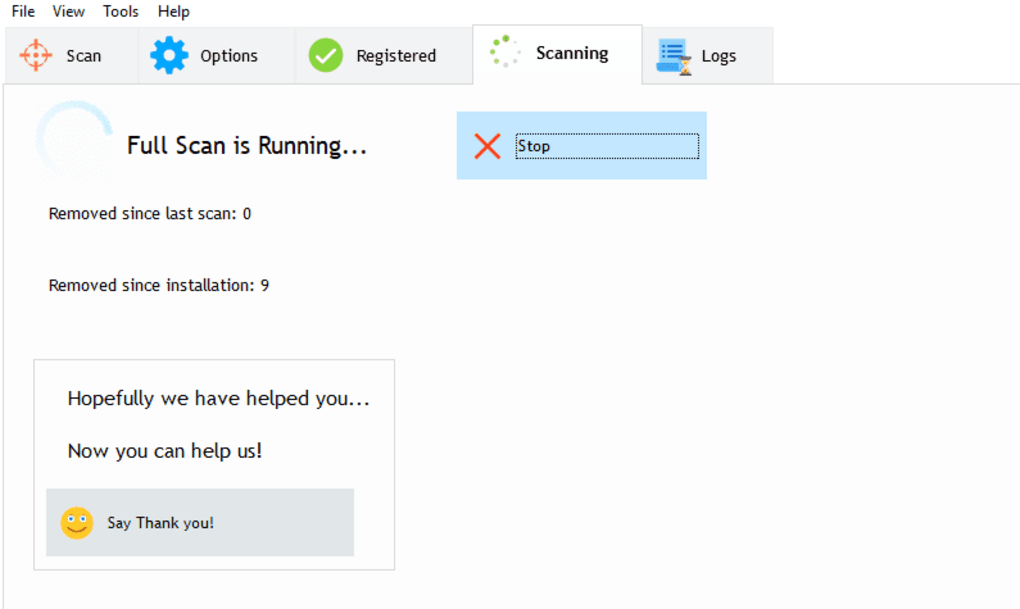
- Normal Windows Mode: This is the most commonly used mode for active system cleanup. In this standard operating environment, UnHackMe focuses on eliminating unwanted programs by meticulously cleaning browsers, removing active Trojans, spyware, and adware. It identifies and quarantines malicious processes running in the background, tackles persistent search redirects, and stops annoying popup adverts that can plague a browsing session. This mode is effective for addressing immediate threats and restoring everyday system functionality, tackling the visible symptoms of malware that cause slow browsing and system instability.
-
Offline Scanning: This mode represents UnHackMe’s deep-dive capability, targeting malware that might actively evade detection when the operating system is fully loaded. Offline scanning works by booting the system from a USB drive or CD, allowing UnHackMe to scan the hard drive before Windows fully loads. This “double-checking” mechanism is crucial because it allows the software to examine suspicious codes before they can become active or fully embed themselves within the system’s memory. At this stage, locating and eliminating inactive malicious software that might be dormant but ready to launch upon system startup becomes possible. Crucially, offline scanning is highly effective for detecting kernel rootkits that hide files and processes, as well as boot-record rootkits and registry rootkits which can hijack the boot process itself. By operating outside the compromised OS, UnHackMe gains an unobstructed view of the system, making it incredibly difficult for even the most sophisticated rootkits to remain hidden.
-
Remote Checking: Designed for more advanced users or IT professionals, this mode facilitates remote diagnosis and resolution of system issues. It entails the usage of a log file generated by UnHackMe on a problematic remote system. This log file contains detailed information about potential threats and system anomalies. Once the log file is checked by an expert, a targeted solution file can be generated and sent back to the remote computer. This solution file, when executed, automates the removal of detected malware, streamlining the remediation process for systems that are not physically accessible or require expert intervention. This feature underscores UnHackMe’s utility not just for individual users but also for technical support scenarios.
While UnHackMe provides a powerful, holistic anti-malware solution that works harmoniously with other antivirus software, it’s worth noting its user experience. Some users have pointed out that “IT newbies may find it overwhelming” and the “interface not necessarily intuitive.” This feedback often stems from the specialized nature of the tool; UnHackMe offers granular control and deep system insights that power users appreciate, but which might present a steeper learning curve for those unfamiliar with advanced security concepts. However, its effectiveness often outweighs this initial hurdle, as demonstrated by numerous testimonials. Greatis Software LLC, the developer behind UnHackMe, has continually refined the software, offering a trial version for users to experience its capabilities firsthand. The latest version, 14.30.2022.1025, reflects ongoing commitment to combating the ever-evolving threat landscape.
Navigating the Digital Ecosystem: UnHackMe’s Role in a Broader Software Environment
In an increasingly interconnected digital world, our computers are hubs for a multitude of activities: gaming, productivity, internet browsing, and creative endeavors. Each of these domains, while enriching, also presents potential entry points for malicious software. UnHackMe plays a vital role in securing this diverse digital ecosystem, ensuring that users can engage with their favorite applications and services without fear of compromise.
Consider the pervasive impact of malware across various software categories:
-
Browsers & Internet: As user reviews on PhanMemFree.org highlight, browser hijackers are a common and infuriating problem. Malware can alter “Web Browsers” settings, infect “Add-Ons & Tools,” redirect search queries, and display unwanted ads. UnHackMe specifically targets these browser-related infections, meticulously scanning and cleaning browser settings, add-ons, DNS configurations, and host files to restore legitimate functionality. This is crucial for maintaining a secure and efficient internet experience, whether you’re using “Download Managers,” engaging in “File Sharing & Peer To Peer,” or simply “Web Browsing.”
-
Productivity & Office Suites: Malware can cripple productivity by slowing down systems, corrupting files, or even stealing sensitive data from “Office Suites,” “E-Mail Clients,” or “Personal Finance Management” tools. UnHackMe’s ability to eliminate Trojans, spyware, and other hidden threats ensures that your “Document Management,” “Accounting,” and other “Productivity” applications run smoothly and securely, safeguarding your work and financial information.
-
Games & Multimedia: For enthusiasts of “Action,” “Adventure,” “Arcade,” or “Role Playing” “Games,” or those who enjoy “Movies & TV,” “Music & Radio,” and “Streaming Videos,” malware can ruin the experience. Performance-intensive applications are particularly vulnerable to slowdowns caused by unwanted background processes or resource-hogging spyware. More insidiously, gaming accounts can be hijacked, and personal data compromised. UnHackMe ensures a clean slate, allowing your “Best Free To Play Games” and “Best PC Games” to run at optimal performance, free from malicious interference. Moreover, it protects your “Multimedia” consumption by preventing adware from injecting unwanted ads into your viewing experience.
-
Security & Privacy (Layered Defense): UnHackMe doesn’t exist in a vacuum; it enhances the overall “Security & Privacy” posture. While “Antivirus” software, “Firewalls,” and “VPNs” provide essential protection, UnHackMe acts as a specialized scanner for deeply embedded threats. It fills the gaps, particularly against rootkits and evasive PUPs that might slip past traditional defenses. For users concerned about “Access Control,” “Ad Blockers,” “Anti-Spam & Anti-Spy,” “Encryption,” and “Password Management,” having UnHackMe as part of their arsenal provides an extra layer of assurance against the most persistent threats.
-
Utilities & Tools: Within the broad category of “Utilities & Tools,” UnHackMe stands out as a critical system maintenance and cleaning utility. Similar to “Data Recovery” or “File Managers,” it serves a specialized function: ensuring the fundamental integrity of your system. Its precise capabilities in removing deeply hidden malware complement other utilities by ensuring that underlying malicious activity isn’t undermining the performance or security of other tools.
UnHackMe is primarily a solution for “Windows” users, a platform that, due to its widespread adoption, remains a significant target for malware developers. Its trial version, readily available on PhanMemFree.org, allows users to test its capabilities before commitment. The ongoing updates and global availability (as indicated by the numerous language options on PhanMemFree.org, from عربي to 中文) underscore its relevance and commitment to global digital security.
The PhanMemFree Perspective: User Testimonials and Community Insights
The true measure of a software’s effectiveness often lies in the experiences of its users. On PhanMemFree.org, UnHackMe has garnered a reputation as a highly effective, albeit specialized, tool for tackling stubborn malware. The user reviews paint a compelling picture of a program that succeeds where others often fail, providing much-needed relief to individuals struggling with persistent digital infections.
One user, “Big Brother Don’t Watch Me,” reviewed UnHackMe on December 8, 2023, recounting a frustrating two-day battle with a browser hijacker that twisted the start page of all their browsers. After trying “lots of tools,” UnHackMe was the “only software that managed not only to detect the malware but also to remove it. Great. Thanks!” This testimonial highlights UnHackMe’s precision and efficacy against a common and particularly irritating form of malware that often evades less specialized cleaners.
Another anonymous user, on January 20, 2016, praised UnHackMe for being “the only software I could get rid of Torrentex.ru and Get.search trojans with.” They specifically noted that “Others, like Malwarebytes, Avira, adwcleaner didn’t do the job.” This review is particularly significant as it positions UnHackMe as a superior or complementary solution even to reputable security software, demonstrating its unique ability to tackle specific, entrenched threats that escape conventional detection. While the menu was described as “a bit irritating,” the core effectiveness was undeniable.
A review from April 21, 2014, by another anonymous user, reaffirmed the program’s malware removal capabilities and praised the “friendly and efficient” support team. This user also pointed out a key strength: “Removes malware 5 different ways,” which aligns with UnHackMe’s multi-faceted scanning approach (rootkits, browser settings, host files, shortcuts, junk files). The only drawback mentioned was that it was “Sometimes hard to figure out which option to use to proceed with malware removal,” echoing the sentiment about its interface not being perfectly intuitive for all users.
Perhaps the most enthusiastic review came on May 17, 2012, simply stating, “it really works. its a really must have software. amazing. in just one scan. my pc back in its normal functions. like a new one.. thanks a lot.” This captures the sentiment of profound relief and satisfaction when a compromised system is restored to its original functionality, highlighting UnHackMe’s capability to deliver quick and decisive results against debilitating infections.
These testimonials, combined with its consistent “Security Status” and download availability on PhanMemFree.org (with 61.7K total downloads and recent updates), solidify UnHackMe’s standing as a reliable and powerful tool in the fight against malware. Its niche, yet critical, role in the cybersecurity landscape makes it a valuable asset for anyone seeking to fortify their digital defenses beyond basic antivirus protection. The fact that it’s offered in numerous languages across PhanMemFree.org further cements its global recognition and accessibility to a diverse user base, all facing the universal challenge of digital security.
In conclusion, UnHackMe is more than just another anti-malware tool; it’s a specialized operative in the complex world of cybersecurity. With its origins rooted in combating the most evasive threats like rootkits, and its evolution into a comprehensive scanner for various forms of malicious software, it offers a crucial layer of defense that complements traditional antivirus solutions. Its unique operational modes, particularly offline scanning and remote checking, provide unparalleled depth in threat detection and removal. While its interface might present a slight learning curve for some, its proven effectiveness, as echoed by satisfied users on PhanMemFree.org, makes it an indispensable utility for anyone serious about maintaining a clean, secure, and optimally performing digital environment. In an era where digital threats are constantly evolving, UnHackMe stands ready to unmask the hidden and fortify your digital defenses.
File Information
- License: “Trial version”
- Latest update: “February 4, 2025”
- Platform: “Windows”
- OS: “Windows 8.1”
- Language: “English”
- Downloads: “61.7K”
- Size: “45.42 MB”


