
UniMote – Universal Smart TV Remote Control is a free Android utility application that transforms your mobile device into a convenient and versatile controller for your smart television. Developed by SensusTech LLC, UniMote boasts compatibility with a wide array of smart TV brands, including Samsung, LG, Android TV, Google TV, Fire TV, and Sony, among others. This application functions similarly to traditional universal remotes, offering comprehensive control over your television’s volume, settings, and channel selection. Beyond basic functionality, UniMote also provides the added convenience of screencasting, enabling seamless video streaming from your mobile device directly to your television screen.
Functionality and Features
UniMote’s strength lies in its multifaceted functionality, catering to a diverse range of user needs and television types. The app effectively bridges the gap between smart TVs and traditional televisions, leveraging Wi-Fi connectivity for smart TVs and infrared (IR) blaster functionality for conventional models. This dual-compatibility ensures broad applicability, making it a potentially valuable tool for many households.
The app’s user interface is designed with simplicity and user-friendliness in mind. The sleek, modern design minimizes clutter, allowing for intuitive navigation and quick access to core features. Users can effortlessly control their television’s volume, change channels, navigate through menus, and even manage HDMI input sources, all within a clean and easily accessible interface. The screencasting feature adds another layer of convenience, eliminating the need for cumbersome cable connections when sharing videos or presentations.
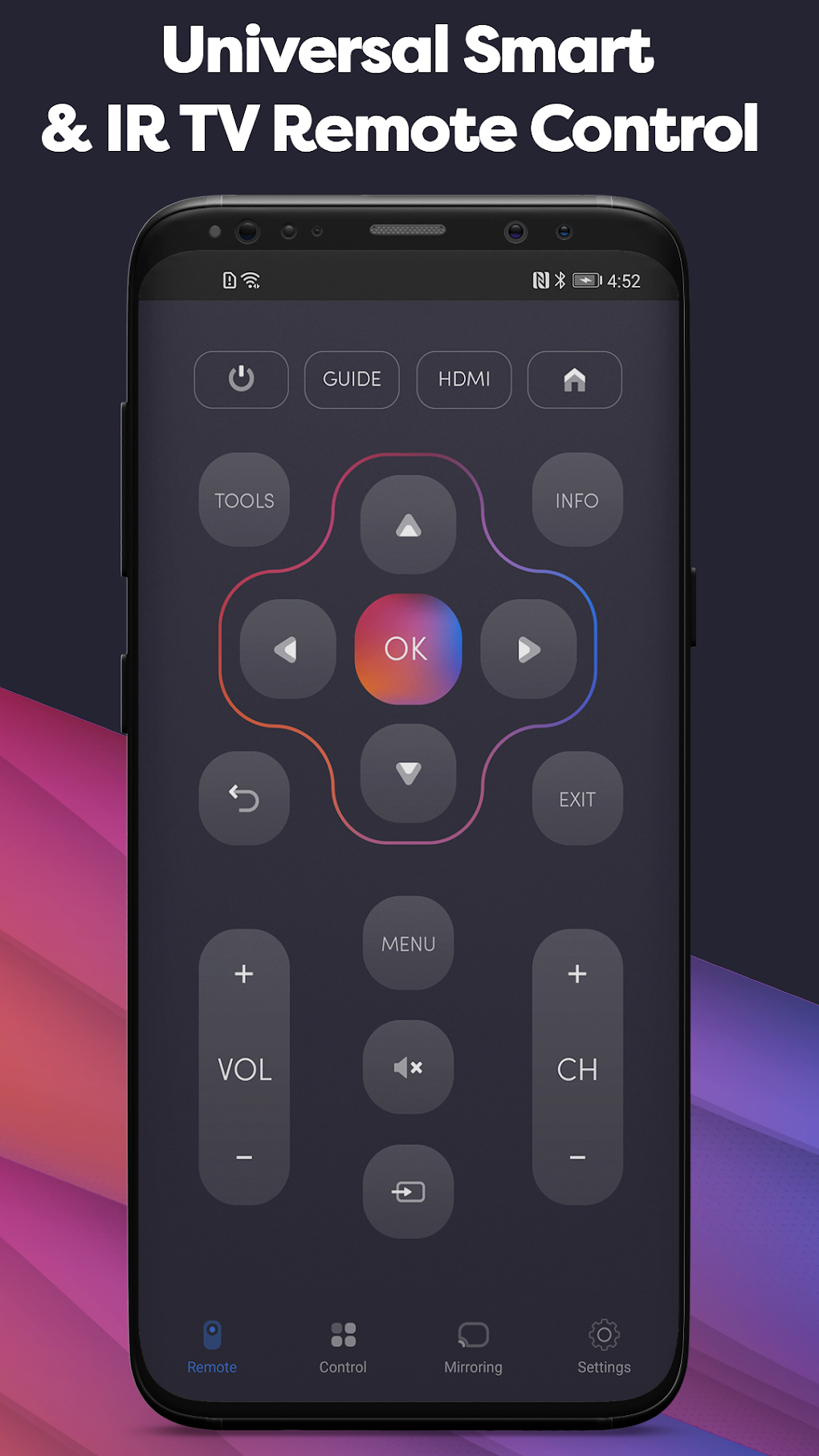
However, to fully harness UniMote’s capabilities, certain prerequisites must be met. Both your mobile device and your television must be connected to the same Wi-Fi network, and your television must be powered on before initiating control via the application. These requirements, while not overly demanding, are crucial for establishing a stable connection and ensuring seamless functionality.
Performance and User Experience
While UniMote offers a substantial array of features and a user-friendly interface, some users have reported issues with intrusive in-app advertising. Many reviews highlight a significant number of pop-up ads that interrupt the user experience and can hinder the smooth operation of the application. The frequency of these advertisements has been cited as a major drawback, detracting from the overall usability and potentially frustrating users who are simply trying to control their television.
Fortunately, SensusTech LLC has addressed this concern by offering an in-app purchase option to remove advertisements completely. This paid version allows users to enjoy the full functionality of UniMote without the disruptive interruptions of advertisements. This paid upgrade effectively transforms the app into an uninterrupted and more enjoyable experience for users willing to invest a small fee.
Strengths and Weaknesses
UniMote presents a compelling solution for individuals who frequently misplace their television remote or for households with multiple televisions requiring simultaneous control. Its broad compatibility with various television brands and its intuitive interface contribute significantly to its user-friendliness. The app’s ability to seamlessly screencast content from mobile devices directly to the television is a notable advantage, enhancing its versatility and appeal.
However, the abundance of in-app advertisements remains a significant drawback. While the option to remove ads through an in-app purchase is available, this adds an additional cost that some users may find unacceptable. This cost-benefit analysis is crucial for prospective users to consider.
Comparison with Alternative Applications
UniMote competes with several other universal remote control applications available on the market. Some alternative applications offer similar functionalities with varying degrees of success. While a direct feature-by-feature comparison would require in-depth analysis of multiple applications, some common themes emerge. Many competing apps focus on extensive device compatibility, similar to UniMote, and often include advanced features like programmable macros and customized layouts. The key differentiator often becomes the balance between features, user interface design, and the level of intrusive advertising.
Some competitive apps adopt a freemium model, offering basic functionalities for free while reserving more advanced features for paid subscriptions or in-app purchases. Other applications choose a completely free model supported entirely by advertising, similar to the base version of UniMote. The choice between these models comes down to individual preferences, weighing the value of enhanced functionality against the annoyance of advertisements.
Conclusion
UniMote – Universal Smart TV Remote Control offers a convenient and versatile solution for managing your television, particularly for those with smart TVs or multiple televisions. Its broad compatibility and intuitive interface greatly enhance its user-friendliness. However, the considerable amount of in-app advertising represents a significant downside that may deter users. While the option to remove ads via an in-app purchase exists, it adds a cost to the experience.
Ultimately, whether UniMote is a suitable choice depends heavily on individual preferences and priorities. Users who prioritize a free application and can tolerate a high frequency of advertisements may find it acceptable. Conversely, users who value a seamless and uninterrupted experience may opt for the paid ad-free version or consider alternative applications with a more balanced approach to monetization. Considering the various options available in the marketplace and weighing the relative strengths and weaknesses of each option is essential before settling on a particular universal remote control application. The decision of whether the convenience outweighs the advertising interruptions is a personal one.
File Information
- License: “Free”
- Latest update: “December 20, 2024”
- Platform: “Android”
- OS: “Android 13.0”
- Language: “English”
- Downloads: “14.4K”
- Download Options: “Google Play”


