
Universal Extractor is a lightweight, versatile application designed for extracting files from a wide range of compressed archives and installer packages. While not a replacement for full-fledged archiving programs like WinRAR or 7-Zip, its strength lies in its ability to handle diverse file formats and installation packages with ease, often bypassing the need for command-line interfaces. This comprehensive guide delves into the features, functionality, and practical applications of Universal Extractor, examining its strengths and limitations.
Understanding Universal Extractor’s Core Functionality
At its heart, Universal Extractor performs a single, crucial task: file extraction. It excels at extracting files from archives and installers that other, more general-purpose programs might struggle with. This makes it an invaluable tool for users who frequently encounter obscure or uncommon file formats, especially those embedded within installation packages. The application boasts a remarkably simple interface, making it accessible even to novice users. Its intuitive drag-and-drop functionality allows for quick and easy file addition, while the clear input and output directory selection ensures straightforward extraction processes.
Unlike comprehensive archiving utilities that offer a suite of compression and decompression options, Universal Extractor focuses solely on extraction. This focused approach contributes to its efficiency and ease of use. It’s not designed for creating new archives or managing complex compression algorithms; its primary function is to unpack existing compressed files, regardless of their origin or compression method. This specialization allows Universal Extractor to handle a surprisingly broad range of formats, a key feature differentiating it from more general-purpose tools.
The program’s strength lies in its capability to handle a wide variety of file types. This includes, but is not limited to, common formats like ZIP and RAR, and extends to less frequently encountered formats often found in software installers, such as those created with Inno Setup or the Windows Installer (.msi) format. This makes Universal Extractor an excellent tool for accessing the contents of software installers without resorting to more complex methods or command-line tools. The ability to seamlessly extract content from these installers is a considerable advantage, offering a user-friendly alternative to potentially more complicated processes.
A Closer Look at the Interface and User Experience
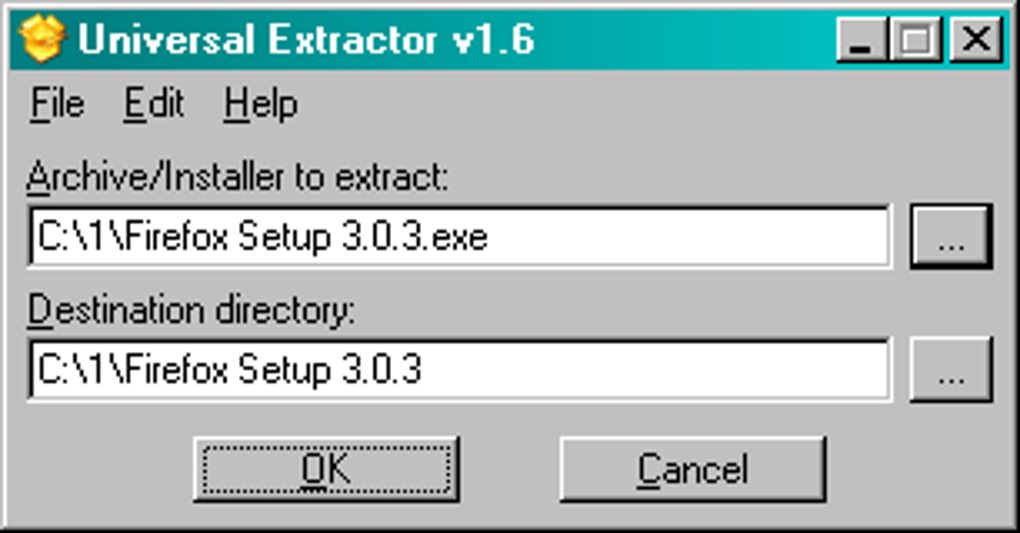
Universal Extractor prioritizes simplicity in its user interface. The main window is uncluttered, presenting only the essential elements: a field for specifying the source file (through manual input or drag-and-drop), a field for selecting the output directory, and the “OK” button to initiate the extraction process. This minimalist design is both a strength and a weakness. While it contributes to the program’s ease of use, it also limits the available options and customization settings.
The lack of advanced features is a deliberate design choice, focusing on efficiency and ease of use. For users primarily interested in quick and simple extraction, the minimalist design is highly beneficial. Experienced users accustomed to more feature-rich archiving tools might find the limited options somewhat restrictive. However, the simplicity of the interface makes it exceptionally easy to learn and use, irrespective of technical expertise. The program’s clear instructions and straightforward layout contribute to an intuitive and user-friendly experience.
One significant advantage of Universal Extractor’s design is its efficient use of system resources. Its small size and low memory footprint ensure minimal impact on system performance, even during extraction of large files. This makes it suitable for use on older or less powerful computers without compromising performance. The focused nature of the program, concentrating solely on extraction, prevents the overhead associated with additional features found in more comprehensive archiving tools.
Supported File Formats and Compatibility
Universal Extractor’s broad compatibility is a defining characteristic. While the exact list of supported formats is not explicitly detailed in all documentation, the application’s core strength lies in handling numerous file types that are often overlooked by other, more mainstream archiving programs. Its ability to handle unusual file formats and installers makes it a uniquely valuable tool.
The application frequently updates its internal database of supported formats. This ensures that even newer, less common file types are likely to be included within the program’s functionality. This ability to handle a continually expanding range of compressed and installer files is vital for maintaining relevance in a landscape characterized by the constant emergence of new technologies and compression techniques.
While the program strives for comprehensive support, it’s worth noting that some exceptionally obscure or highly specialized file formats might remain unsupported. However, the program’s adaptability and commitment to updates significantly reduces the likelihood of encountering such limitations. Users with exceptionally unusual file extraction needs might still require supplemental tools, though Universal Extractor handles a vast majority of common and uncommon formats encountered in everyday use.
Context Menu Integration and Advanced Features
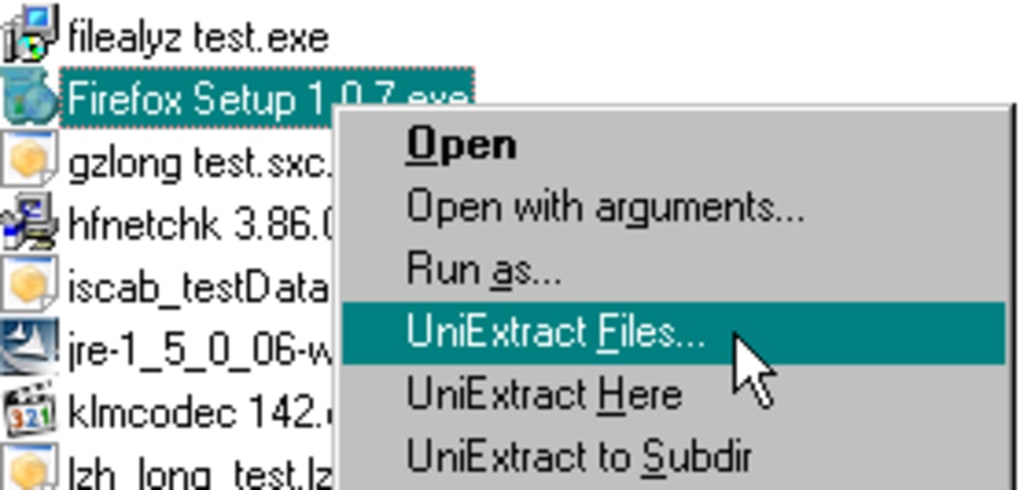
Beyond its core extraction functionality, Universal Extractor offers valuable contextual menu integration. This allows users to right-click a compressed file in Windows Explorer and select “Extract with Universal Extractor,” eliminating the need to open the program’s main window for each extraction task. This convenient feature significantly accelerates the extraction process for users who regularly handle compressed files. The contextual menu integration seamlessly integrates Universal Extractor into the existing Windows file management workflow.
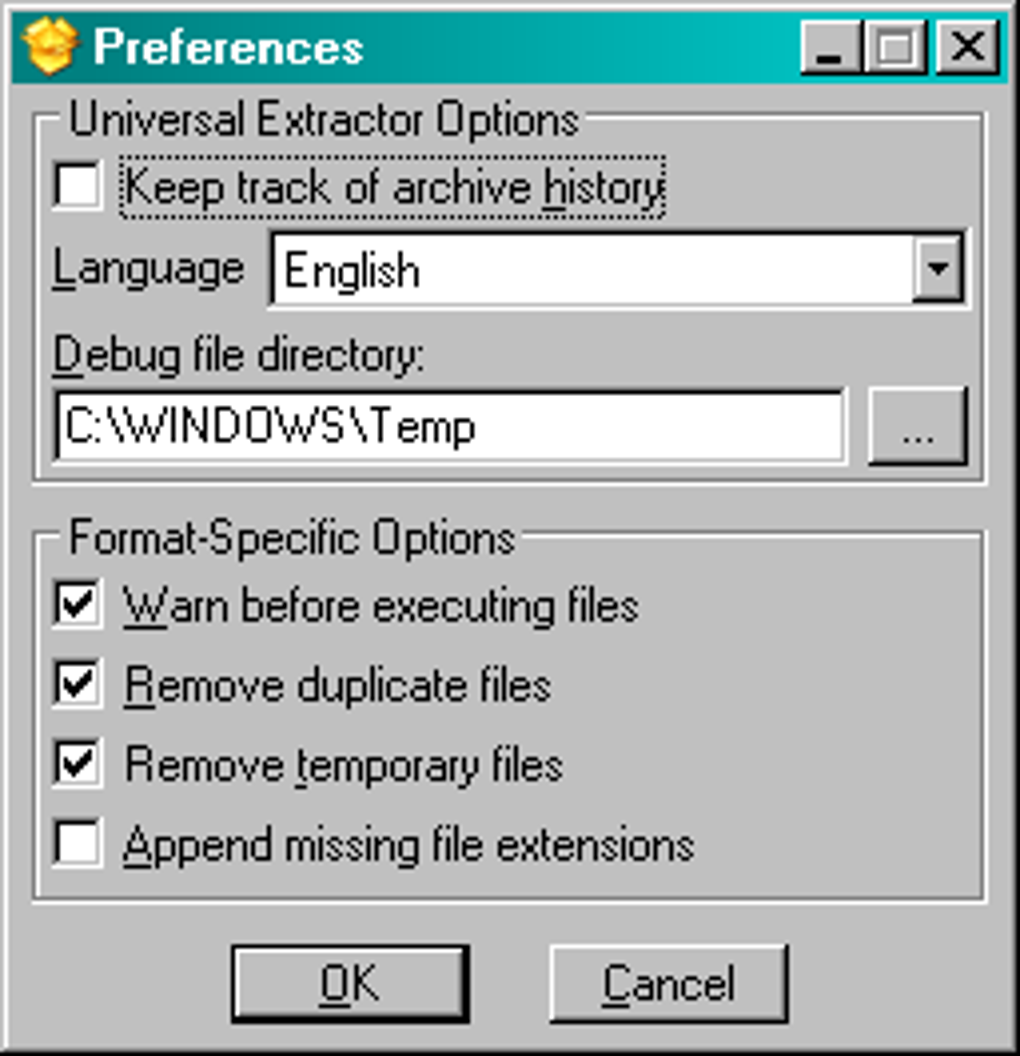
While relatively basic in its features, Universal Extractor’s multilingual support is a notable advantage. The availability of multiple languages caters to a wider user base and improves accessibility across different regions and cultures. The multilingual option is a significant feature for global users, enhancing its usability and accessibility. This attention to detail demonstrates a commitment to providing a user-friendly experience for a diverse audience.
Despite its focus on simplicity, the application includes several configuration options. These options allow users to customize aspects such as the default output directory and other settings to fine-tune the extraction process to suit individual preferences and workflow needs. While these settings remain limited compared to more advanced archiving utilities, they offer enough flexibility to accommodate various user preferences.
In conclusion, Universal Extractor, though simple in its design, fills a vital niche. Its focus on extraction, broad file format support, and convenient features such as context menu integration make it a valuable addition to any user’s toolkit. While it’s not a replacement for a full-featured archiving program, its specialized capabilities and user-friendly interface make it an ideal tool for quickly and efficiently extracting files from a wide variety of sources. Its continuous development and updates ensure its continued relevance in the ever-evolving landscape of file compression and extraction technologies.
File Information
- License: “Free”
- Version: “1.6.1”
- Latest update: “July 30, 2020”
- Platform: “Windows”
- OS: “Windows 2000”
- Language: “English”
- Downloads: “181.3K”
- Size: “5.56 MB”


