
Universal IPTV is a free streaming application available for Windows PCs. This review delves into its functionality, ease of use, features, and overall user experience, comparing it to similar applications and addressing potential concerns surrounding legal compliance. While offering a potentially convenient way to access a wide range of content, it’s crucial to understand the legal implications of using such software.
Ease of Use and Installation
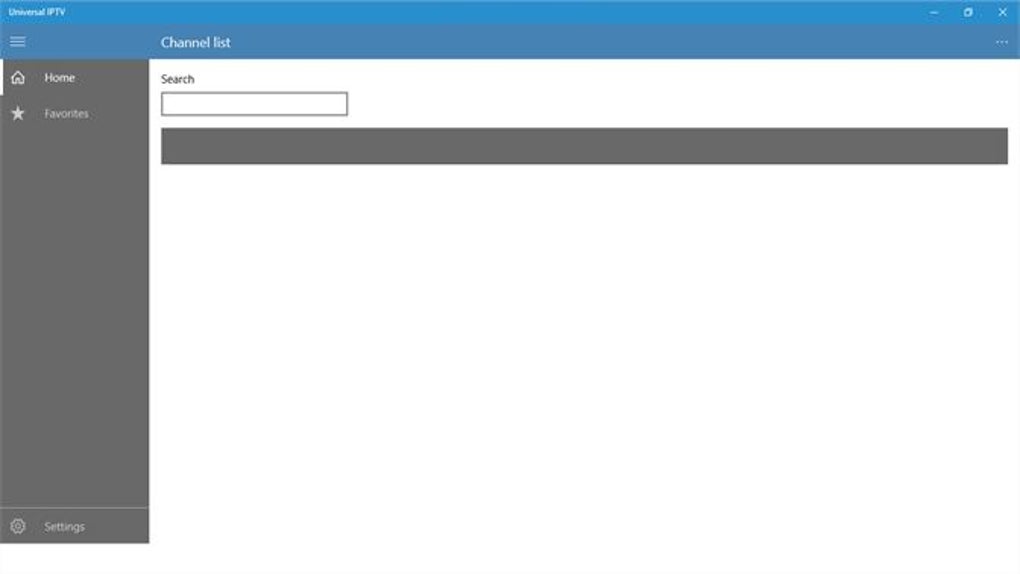
Universal IPTV boasts a user-friendly interface, making it accessible even for those unfamiliar with IPTV applications. Installation is straightforward, although it requires an Android emulator such as Bluestacks to function correctly on a Windows PC. This is a common requirement for many Android apps running on non-Android operating systems. Unlike some emulators, Bluestacks doesn’t necessitate downloading additional content from the Google Play Store, streamlining the installation process. Once the emulator is set up, launching Universal IPTV is simple, and the intuitive layout makes navigating through menus and selecting content a breeze. The application’s design prioritizes ease of use, a key factor contributing to its positive user reviews.
Key Features and Functionality
Universal IPTV offers a comprehensive suite of features designed to provide a rich entertainment experience. Its core functionality revolves around streaming live TV, on-demand video content, and catch-up TV services. This allows users to access a vast library of movies, TV shows, and live channels, all within a single application. Further enhancing the user experience are several notable features:
-
Live TV: Universal IPTV provides access to a selection of live television channels, potentially offering a wide variety of programming options. The specific channels available may vary depending on the user’s configuration and the IPTV service provider utilized. Interactive features could include things like electronic program guides (EPGs) allowing users to easily browse and find programming.
-
Time-Shifting: This functionality allows viewers to pause, rewind, and fast-forward live television broadcasts, giving them greater control over their viewing experience. This is particularly useful for catching moments missed during live viewing or for managing personal schedules.
-
Catch-Up TV: This feature enables users to watch programs that have already aired within a specific timeframe (hours or days). This caters to users who miss live broadcasts but still wish to watch the content.
-
Start-Over TV: For those who tune into a program mid-episode, this feature allows them to restart the current episode from the beginning, ensuring they don’t miss any crucial parts of the storyline.
-
Video on Demand (VOD): Universal IPTV offers a VOD library, allowing users to browse a catalog of movies and TV shows and select content for viewing at their leisure. This enhances the variety of content available beyond live programming.
-
Recording Capabilities: The ability to record programs is a significant advantage. Users can schedule recordings of their favorite shows or events, ensuring they don’t miss anything even if they are unavailable at the time of broadcast. This recorded content can then be viewed later at the user’s convenience.
The absence of advertisements and restrictions on viewing hours further enhances the user experience, providing uninterrupted entertainment. This contrasts sharply with some streaming services that interrupt viewing with commercials or impose usage limitations.
Comparison with Alternative Applications
Several alternative IPTV applications exist for Windows, each with its own strengths and weaknesses. Direct comparisons are difficult without detailed knowledge of each application’s content libraries and specific feature sets. However, based on available information, we can highlight some points of comparison:
-
IPTV Viewer: Similar to Universal IPTV, IPTV Viewer offers a wide range of content. However, its user interface and specific feature offerings may differ. The availability of a trial version allows users to assess its suitability before committing to a purchase.
-
Quzu IPTV: This free application represents another alternative for accessing IPTV streams. Like Universal IPTV, it prioritizes ease of use. Its specific features and content library may differ, warranting direct comparison to determine which best suits individual preferences.
-
UWP IPTV: This paid application suggests a focus on more advanced features or potentially a broader content library. The cost may reflect superior functionalities or a more extensive range of channels compared to free options.
-
IPTV Player+: Another paid option, this application may offer advantages in terms of features, stability, or support. The premium cost implies improved features or possibly greater reliability compared to free alternatives.
-
M3U STREAM PLAYER TV: This application focuses on compatibility with M3U playlists, a common format for IPTV channel lists. This highlights a different approach to content delivery compared to Universal IPTV, focusing on user-provided lists instead of possibly an integrated library.
The choice between Universal IPTV and alternative applications depends heavily on individual needs and preferences. Factors to consider include ease of use, cost, feature set, available content, and user reviews.
Legal and Ethical Considerations
It is crucial to emphasize the importance of legal compliance when using IPTV applications. The legality of accessing copyrighted content through IPTV services varies significantly depending on local laws and the specific provider and content. Streaming copyrighted material without proper authorization is a violation of intellectual property rights and carries potential legal consequences, including fines and legal action.
Universal IPTV, like many similar applications, does not provide content directly. Instead, it provides a platform for users to access streams from various sources. Therefore, the user is ultimately responsible for ensuring that all content accessed through the application is legally obtained. This underlines the necessity for users to adhere to copyright laws and to only access streams from legitimate and authorized providers.
The distribution or sharing of copyrighted content without permission is also illegal. Users should refrain from such activities and respect the rights of content creators. The potential for legal repercussions underscores the importance of responsible usage and awareness of local legal frameworks regarding the streaming of online content. Phanmemfree and its affiliates explicitly do not endorse or condone any illegal activity related to the unauthorized access or distribution of copyrighted material.
Security Concerns
While Universal IPTV has a good reputation, and has been tested for malware, it’s essential to remember that no application is entirely risk-free. Downloading software from unreliable sources can expose users to malware or other security threats. It’s always advisable to download software only from trusted sources, such as the official website or reputable app stores.
Furthermore, the use of IPTV services may expose users to security risks if those services utilize insecure protocols or lack adequate security measures. It’s crucial to choose IPTV providers and streaming services carefully, verifying their security measures and reputation to minimize potential vulnerabilities.
Conclusion
Universal IPTV presents a potentially convenient and user-friendly way to access a range of streaming content. Its ease of use, feature-rich functionality, and lack of intrusive advertisements are significant advantages. However, it’s essential to approach its use with awareness of the legal implications. Users bear the sole responsibility for ensuring that all content accessed is obtained legally and ethically. Furthermore, caution must be exercised in choosing the sources of streaming content to minimize security risks. While Universal IPTV offers a user-friendly interface and several desirable features, users should prioritize responsible use and legal compliance to avoid any legal or security issues.
File Information
- License: “Free”
- Version: “1.3.1”
- Latest update: “July 5, 2022”
- Platform: “Windows”
- OS: “Windows 11”
- Language: “English”
- Downloads: “3.9K”


