
Unlinked is a free Android utility and tools app designed as a secure download manager specifically for media libraries containing images and videos. Developed by Metrialone, it prioritizes security through AES-256 encryption and password protection, allowing users to share their personal media collections with confidence. This in-depth review explores its features, strengths, weaknesses, and overall usability.
Apps: A Focused Approach to Media Sharing
Unlinked distinguishes itself by its singular focus: secure media sharing. Unlike many multi-functional apps, Unlinked eschews extraneous features, concentrating solely on providing a safe and efficient method for managing and distributing personal media. This streamlined approach has both advantages and disadvantages. The benefit is a user experience that is intuitive and easy to navigate, even for less tech-savvy individuals. The downside is that users seeking a more comprehensive download manager or file-sharing platform may find its limited functionalities insufficient for their needs. The app’s core strength lies in its ability to deliver on its primary function—secure sharing—without unnecessary complexities.
Security Features: AES-256 Encryption and Password Protection
At the heart of Unlinked lies its robust security framework. The app utilizes AES-256 encryption, a widely recognized and highly secure encryption standard, to protect the contents of your media library. This ensures that even if unauthorized access is somehow gained, the data remains unreadable without the correct decryption key. Further bolstering security, Unlinked allows users to set a password for their library, providing an additional layer of protection against unauthorized access. This two-pronged approach—strong encryption combined with password protection—significantly reduces the risk of data breaches and ensures user privacy. The simplicity of the password system, however, should be balanced against a more complex password manager for those who store valuable personal media.
Functionality and User Experience: Ease of Use and Download Management
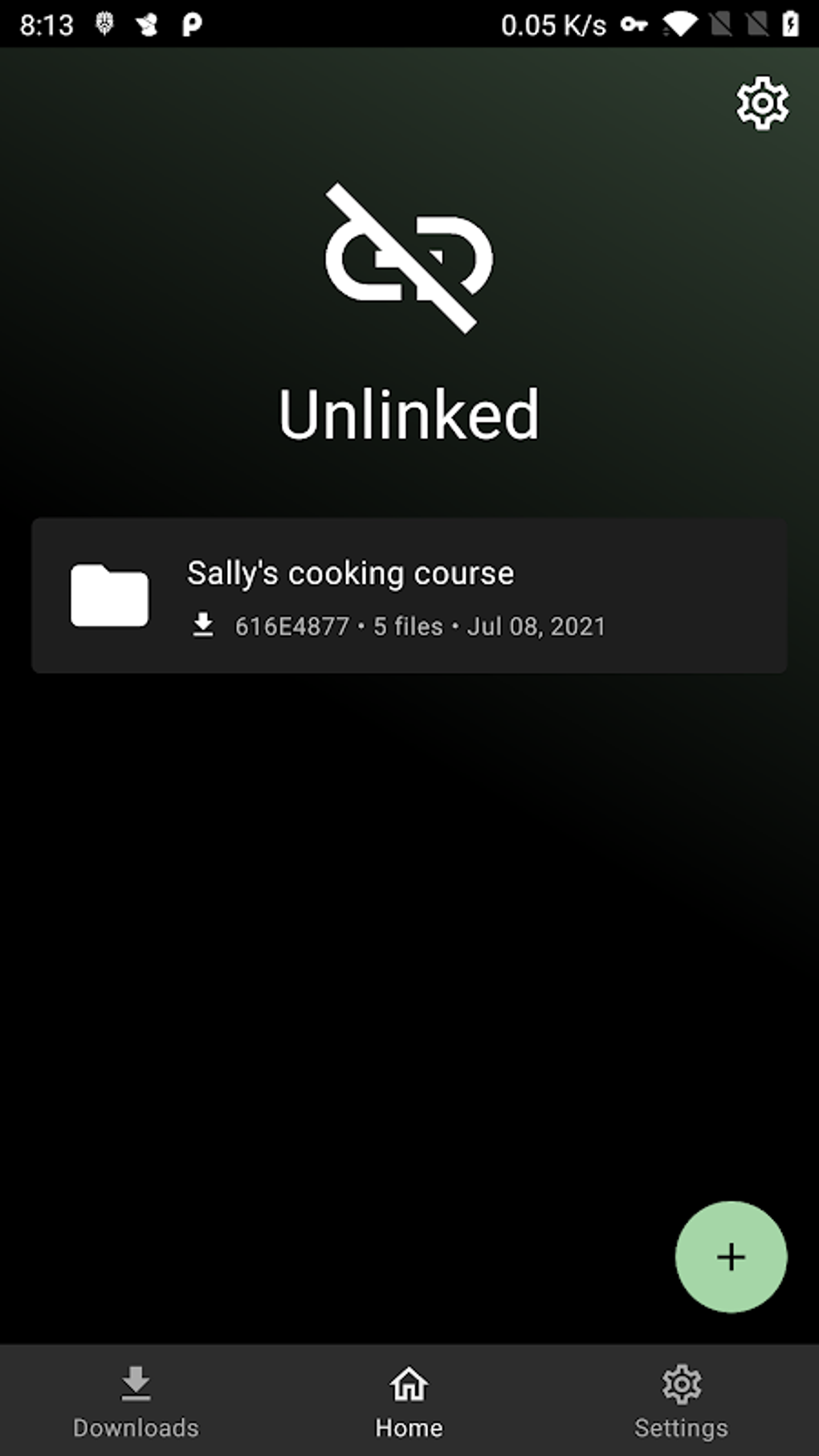
Unlinked offers a straightforward user interface, making it easy to navigate even for users unfamiliar with similar apps. The process of creating a media library, setting a password, and sharing it with others is intuitive and requires minimal technical expertise. The app supports simultaneous downloads, allowing users to save multiple files concurrently, optimizing download times for large collections. Users also have the ability to pause, resume, or delete downloads as needed, providing complete control over the download process. The lack of advanced features, however, might be a drawback for users accustomed to more sophisticated download managers offering features such as download scheduling, bandwidth control, or support for various file types beyond images and videos.
For Business: Potential Applications and Limitations
While primarily designed for personal use, Unlinked’s secure sharing capabilities could find applications in certain business contexts. Small businesses or freelance professionals might use it to securely share marketing materials, design assets, or project files with clients or collaborators. However, the app’s limited functionalities would likely prove insufficient for larger organizations with more complex data-sharing requirements. The lack of features such as version control, collaboration tools, and robust user management systems would make it unsuitable for enterprise-level use. The potential for Unlinked in a business setting is restricted by its focus on simplicity rather than scalability.
Android: Compatibility and Performance
Unlinked is specifically designed for the Android operating system, ensuring compatibility with a wide range of Android devices. The app’s small file size (3.94 MB) minimizes storage space requirements, making it accessible even on devices with limited storage capacity. Performance has been reported as generally smooth and efficient, with downloads completing promptly, even for multiple files. However, performance could be influenced by factors such as network speed and device specifications. User feedback suggests that the app functions adequately, with no major performance issues reported.
Utilities & Tools: A Niche but Valuable Tool
Unlinked fits neatly within the category of Android utilities and tools. While not revolutionary in its approach, it fills a specific niche by providing a user-friendly and secure solution for sharing media libraries. The combination of AES-256 encryption and password protection distinguishes it from other, less secure options. For users prioritizing security and ease of use in sharing personal media, Unlinked provides a valuable solution. Its simplicity, however, makes it less suitable for users requiring a more comprehensive or feature-rich file management and sharing application.
Unlinked APK for Android: Download and Installation
The Unlinked APK can be downloaded directly from the developer’s website or through various third-party app stores. The installation process is standard for Android apps, typically involving downloading the APK file, locating it in the device’s file manager, and tapping to initiate the installation. Users are advised to download the APK from reputable sources to avoid potentially malicious software. The developer, Metrialone, provides a download link to ensure users can access the application safely.
It is important to note that downloading apps from sources other than the Google Play Store carries inherent risks, including the potential for malware. Users are encouraged to exercise caution and only download apps from trusted sources.
User Reviews: Awaiting User Feedback
At the time of this writing, Unlinked lacks user reviews on major app stores and review platforms. This makes it difficult to gauge the app’s real-world performance and user experience based on independent feedback. As more users adopt the app, reviews will provide a more comprehensive understanding of its usability, reliability, and overall satisfaction. Potential users should remain aware that this lack of reviews should factor into their decision regarding app adoption.
Comparison to Alternative Apps: Identifying Strengths and Weaknesses
Unlinked’s functionality overlaps with several existing file sharing and download manager apps, but its focused approach to secure media sharing sets it apart. Compared to other apps, Unlinked boasts a simpler interface that prioritizes security over numerous features. While alternatives may offer broader functionalities, they may compromise security features. This trade-off between security and functionality should be carefully considered when selecting an app. A comprehensive comparison with alternative apps would require a more in-depth analysis, comparing features, security protocols, and user experience across multiple applications.
Conclusion: A Simple, Secure, and Focused Solution
Unlinked provides a valuable service for users seeking a simple, secure, and user-friendly method for sharing their media libraries. Its strength lies in its focus on security, using AES-256 encryption and password protection to safeguard user data. While limited in its overall functionality, this narrow focus allows Unlinked to excel at its primary function. Users needing a comprehensive download manager or file-sharing platform with extensive features may find Unlinked inadequate, but for those prioritizing secure media sharing, it offers a compelling and easy-to-use solution. The absence of user reviews presents a limitation, however, for fully evaluating long-term performance and reliability. Future updates and user feedback will be crucial in determining the app’s continued success and acceptance within the broader app market.
File Information
- License: “Free”
- Version: “2.0.4”
- Latest update: “March 24, 2025”
- Platform: “Android”
- OS: “Android 13.0”
- Language: “English”
- Downloads: “105.1K”
- Size: “3.94 MB”
- Download Options: “APK, Google Play”
- Filename: “link-unlinked-14-62198708-fa939b506b685f922103826ecbd81c82.apk”


