
UnRarX is a free, lightweight utility for macOS systems designed to extract files from RAR archives. While macOS natively supports ZIP files, it lacks built-in functionality for handling the popular RAR format. This is where UnRarX steps in, providing a simple yet effective solution for accessing the contents of RAR files on Mac computers and laptops. This guide explores UnRarX’s features, functionality, and how it compares to alternative solutions.
UnRarX for Mac: A Free and Simple Solution
UnRarX’s primary function is the extraction of files from RAR archives. Unlike some comprehensive compression tools that can both compress and decompress various file types, UnRarX focuses solely on extraction. This streamlined approach contributes to its small size and ease of use. Users encountering the common error message “This file is not identifiable” when attempting to open RAR files on a Mac will find UnRarX a quick and convenient solution. The program’s simplicity avoids the complexity found in some full-featured compression utilities, making it ideal for users who only need a basic RAR extractor. The application excels in its ease of use, achieved through a clean and intuitive interface that simplifies the process of extracting files. The software directly addresses the specific need of opening RAR files on a Mac OS, offering a focused and efficient approach that requires minimal user input.
Apps and Functionality: Unpacking RAR Archives with Ease
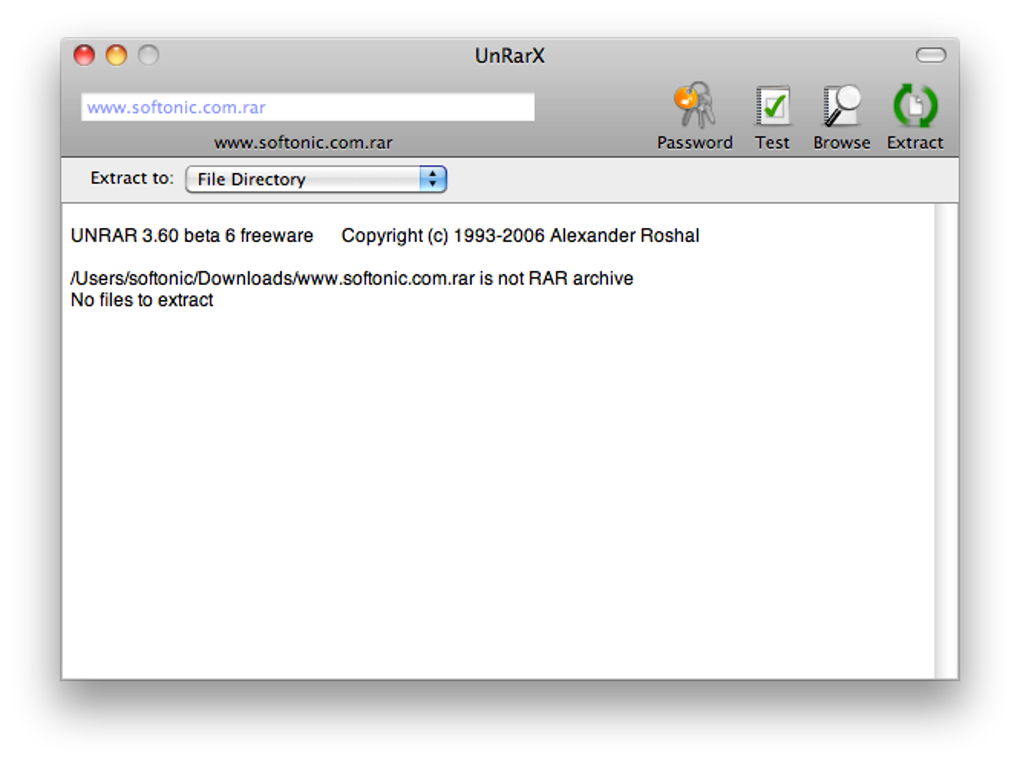
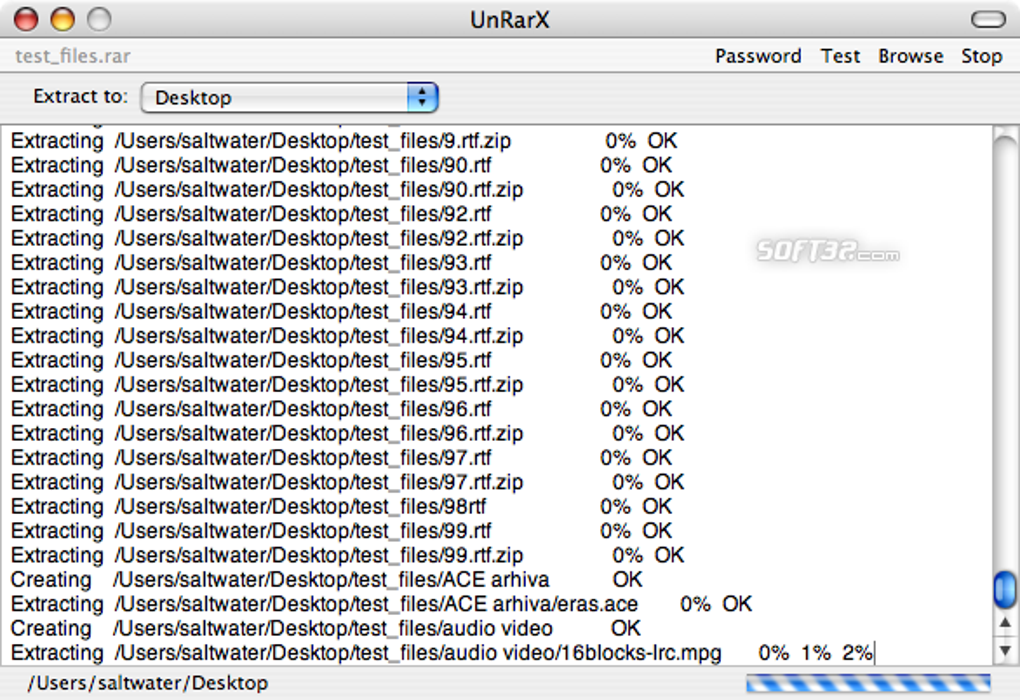
UnRarX’s interface is designed for simplicity and efficiency. Its core functionality revolves around the extraction of RAR files. The process is straightforward: users can either drag and drop the RAR archive onto the UnRarX window or use the “Browse” function to locate the file within their system’s file directory. Once the file is selected, users choose an extraction destination (Desktop, specific folder, etc.) and click “Extract.” The extraction process begins immediately, with a progress bar indicating the completion status. A concise “All OK” message confirms successful extraction. If the need arises to interrupt the extraction, a “Stop” button allows users to halt the process mid-operation. The program’s design focuses on speed and ease of use, with the extraction process being both swift and uncomplicated. The software’s core strength is its uncomplicated approach, allowing users to focus on extracting their files without the distraction of complex options or settings.
Handling Issues: Security, Errors, and Password Protection
UnRarX incorporates several features to address potential issues. Its built-in malware detection helps identify potentially corrupted or malicious files, providing an added layer of security. If a file is identified as potentially harmful, UnRarX will display an appropriate warning to prevent accidental execution. This function contributes to a safer user experience, especially when handling files from unknown sources. The software is designed to handle errors in RAR files effectively, making it less prone to crashing compared to other less robust alternatives. For RAR archives protected by a password, UnRarX includes a “Password” option, enabling users to enter the necessary password to unlock the contents. This functionality is essential for accessing password-protected RAR archives which maintain data security. The program’s error handling and password management features enhance its user experience, allowing users to access their data in a safe and efficient way.
Comparing UnRarX to Alternatives: BetterZip, Keka, The Unarchiver, and WinZip
While UnRarX serves as a reliable free option, several alternative applications provide similar or enhanced functionalities. Keka and The Unarchiver, like UnRarX, are free and open-source software which offer various compression and decompression features. BetterZip and WinZip, on the other hand, are commercial products offering free trials followed by paid subscriptions for continued access. These paid options often provide more comprehensive support, regular updates and advanced features not available in the free alternatives. BetterZip and WinZip frequently receive updates, incorporating bug fixes, performance enhancements, and new features. In contrast, UnRarX’s update frequency is inconsistent, a significant drawback for users who value consistent improvements. The choice between these applications depends on individual needs and priorities. Users requiring a basic, free RAR extractor will find UnRarX sufficient. However, users who need more features, frequent updates, and comprehensive support might find a paid alternative a more suitable option.
UnRarX: A Freeware File Extraction Tool for Mac
UnRarX provides a free and efficient method for extracting files from RAR archives on macOS. Its lightweight nature, user-friendly interface, and straightforward drag-and-drop functionality make it accessible to users of all technical skill levels. While its infrequent updates and limited functionality might not appeal to all users, it’s a robust and efficient option for those seeking a simple and free RAR extractor. UnRarX’s strength lies in its uncomplicated design and reliability. It excels at its primary function: extracting RAR files. The clean, intuitive design minimizes the learning curve, enabling users to quickly extract their files and move on with their tasks. This focus on simplicity makes it a valuable addition to any Mac user’s toolbox who regularly encounters RAR archives. The decision to use UnRarX depends on a user’s need for simple and efficient RAR extraction. Users who value comprehensive compression tools or frequent updates may opt for alternative solutions. However, for those needing a simple, free, and reliable solution for extracting files from RAR archives on Mac, UnRarX remains a worthwhile tool.
File Information
- License: “Free”
- Version: “2.2”
- Latest update: “July 20, 2021”
- Platform: “Mac”
- OS: “Mac OS X”
- Language: “English”
- Downloads: “2.3M”
- Size: “733.02 KB”


