
URL Snooper is a Windows application designed to identify and extract URLs of audio and video files embedded within web pages. Many websites utilize JavaScript or ActiveX scripts to obscure the actual URLs of streaming media, making it difficult for users to directly access or download these files. URL Snooper circumvents this obfuscation by monitoring network traffic and identifying potential multimedia URLs, providing a straightforward solution for accessing these otherwise hidden resources. This in-depth review examines its features, functionality, and overall effectiveness.
How URL Snooper Works: Network Sniffing and URL Extraction
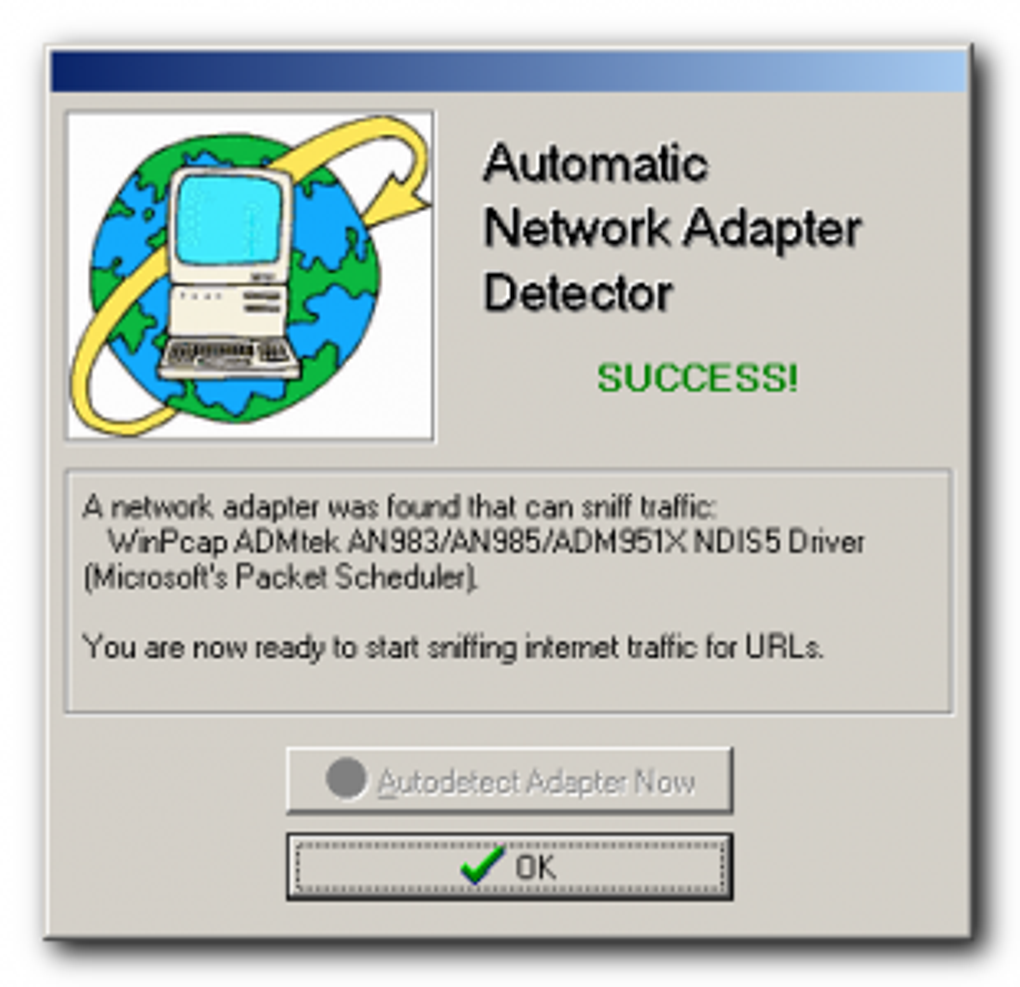
URL Snooper operates by employing network sniffing techniques. Once launched, the application passively monitors network traffic, analyzing data packets to detect potential URLs, particularly those associated with streaming audio and video. This process allows it to uncover URLs that would otherwise remain hidden behind scripting layers, providing users with direct access to the multimedia content.
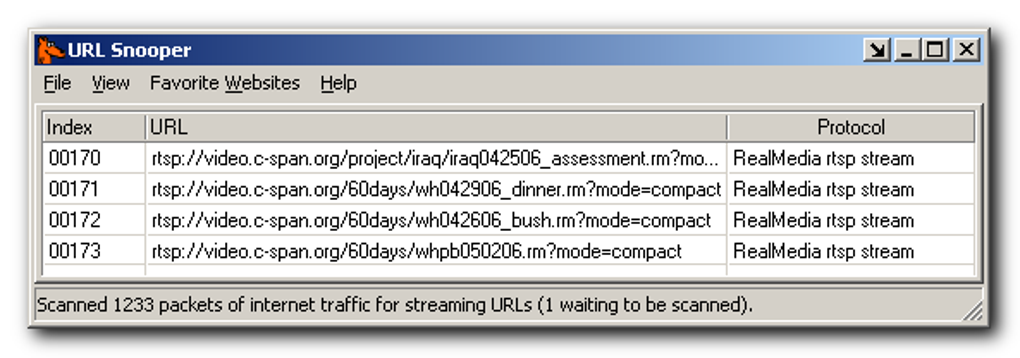
The application’s core functionality centers around its ability to identify specific protocols and data patterns indicative of media streams. This sophisticated analysis allows it to differentiate between legitimate multimedia URLs and other data packets, reducing the number of false positives. The program then presents the identified URLs in an organized manner, allowing users to easily browse and select the desired links.
.png)
One of URL Snooper’s strengths lies in its ability to handle fragmented or split URLs. Advanced packet spanning techniques rebuild fragmented data streams, ensuring complete and accurate URL recovery even when packets are transmitted across multiple network segments. This ensures that users retrieve fully functional URLs, avoiding common issues encountered with incomplete or partially recovered URLs.
Advanced Features and Customization Options
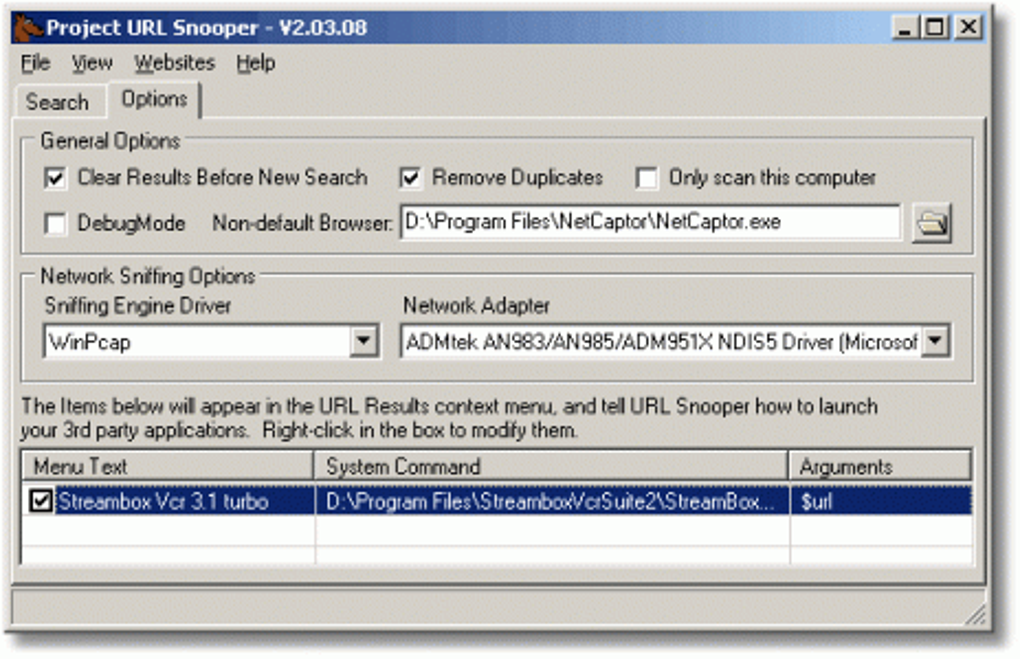
Beyond its core functionality, URL Snooper offers several advanced features to enhance its usability and adaptability to individual needs. These include customizable network sniffing options, allowing users to tailor the application’s monitoring to specific network interfaces or protocols. Users can select their preferred network adapter, ensuring that the application focuses its analysis on the relevant network traffic.
The ability to choose a preferred browser for viewing identified links is also a valuable feature. This seamless integration with existing browsing habits enhances the user experience, allowing users to quickly access the extracted URLs within their chosen browser.
URL Snooper also provides a robust keyword filtering system, allowing users to fine-tune their searches. By specifying keywords associated with the desired media, users can effectively filter out irrelevant URLs, reducing the amount of data they need to sift through. This feature proves particularly useful when searching for specific types of media within a large dataset.
Further enhancing its functionality is the inclusion of a context menu, supporting drag-and-drop file searching. This feature streamlines the process of analyzing files for hidden URLs, offering a more intuitive and efficient approach compared to traditional methods. The ability to add URLs directly to a customizable favorites menu also contributes to improved user experience and workflow optimization.
User Interface and Experience
While URL Snooper excels in its core function of identifying multimedia URLs, its user interface (UI) has been described as relatively unattractive. The developers have acknowledged this shortcoming and have implemented a revamped and cleaner UI in more recent versions, aiming to improve the overall user experience. However, previous iterations faced criticism for their lack of visual appeal. Despite this, many users find the functionality outweighs the aesthetic limitations.
.png)
The program’s simplicity is both a strength and a weakness. The straightforward design simplifies the overall user experience, making it accessible even to users with limited technical skills. However, some users may find the UI lacking in advanced features or visual customization options found in more sophisticated applications. Future iterations could benefit from incorporating more visual cues and intuitive navigation to enhance the overall user experience.
Installation and System Requirements
URL Snooper’s installation process is relatively straightforward. During installation, the application installs the WinPCap sniffing engine driver. However, users also have the option to install an alternative driver if desired. This flexibility allows for better compatibility with various system configurations. The application’s system requirements are generally modest, ensuring compatibility with a wide range of Windows systems. Specific system requirements should be checked on the application’s official website.
Comparison with Alternative Applications
Several alternative applications exist for uncovering hidden URLs, each with its own strengths and weaknesses. These alternatives may offer additional features or a more polished user interface, but URL Snooper’s focus on efficiently identifying multimedia URLs remains a key differentiator.
Some alternative applications may include more advanced features, such as integrated download management or support for additional protocols. However, these features often come at the cost of increased complexity and resource consumption. URL Snooper’s streamlined approach prioritizes efficient URL extraction without unnecessary overhead.
Security and Privacy Considerations
While URL Snooper’s network sniffing capabilities may raise some privacy concerns, it’s important to note that the application operates passively, monitoring existing network traffic rather than actively injecting data or modifying network connections. It’s crucial to use URL Snooper responsibly and only on networks where you have the appropriate permissions. Misuse could lead to unintentional access of unauthorized data or violation of privacy laws.
Users should always be aware of the potential security implications of any application that accesses network traffic, and should ensure they are using the application ethically and legally.
Conclusion: A Powerful Tool for Multimedia URL Extraction
Despite its somewhat dated user interface, URL Snooper provides a powerful and efficient solution for locating hidden multimedia URLs. Its ability to accurately identify and extract URLs embedded within JavaScript or ActiveX scripts makes it an invaluable tool for users needing to access streaming audio and video content. The advanced features, such as keyword filtering and customizable network sniffing options, further enhance its utility. While alternative applications exist, URL Snooper’s streamlined design and focused functionality make it a compelling choice for users prioritizing efficient URL extraction. The recent improvements to the user interface also represent a positive step towards an even more user-friendly experience. However, responsible and ethical use is paramount to avoid any potential security or privacy implications.
.png)
File Information
- License: “Free”
- Latest update: “July 11, 2023”
- Platform: “Windows”
- OS: “Windows 10”
- Language: “English”
- Downloads: “46.2K”
- Size: “3.02 MB”


