
In today’s interconnected world, the portability of USB drives offers unparalleled convenience for transferring files and data. However, this convenience comes with a significant risk: the vulnerability of sensitive information to unauthorized access. USB Secure emerges as a crucial tool to mitigate this risk, offering a robust and user-friendly solution for password-protecting your USB drives and securing their contents. This comprehensive review delves into the features, functionality, and overall effectiveness of USB Secure, exploring its strengths and weaknesses to help you determine if it’s the right choice for your data protection needs.
Understanding USB Secure’s Core Functionality
USB Secure is a software application designed to enhance the security of portable drives, primarily USB flash drives, by implementing password protection. This prevents unauthorized access to the files and folders stored on the drive, safeguarding sensitive information such as financial records, personal documents, and confidential business data. The software’s functionality extends beyond basic password protection, offering additional features to customize the security measures according to your specific requirements.
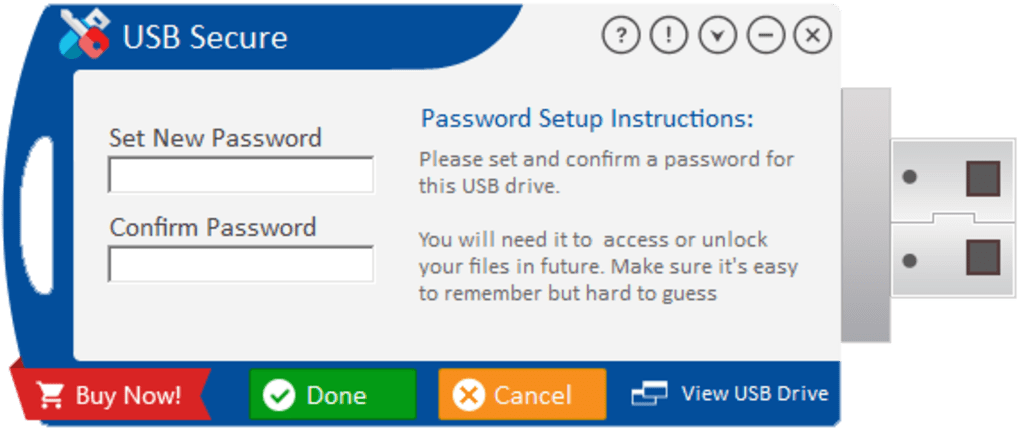
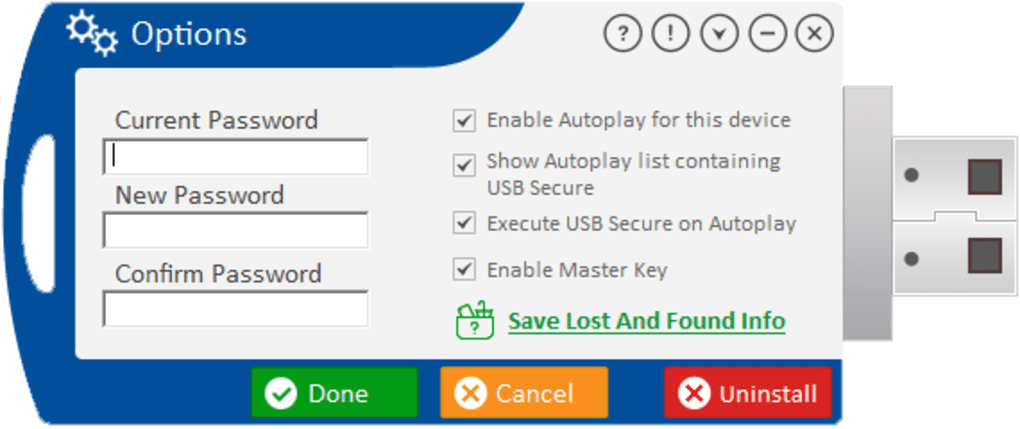
One key feature is the ability to control Autoplay compatibility. Autoplay, a Windows feature that automatically launches specific actions when a drive is connected, can be a security vulnerability. USB Secure allows you to disable or enable this feature, adding another layer of protection against malicious scripts or autorun infections that might be embedded within the drive’s contents.
The software’s straightforward interface simplifies the encryption process, making it accessible to users with varying levels of technical expertise. However, the simplicity also means that the program lacks extensive help files or detailed online support. While the basic functions are easy to grasp, users seeking in-depth assistance or troubleshooting guidance might find themselves limited by the available resources.
Advantages of Using USB Secure
USB Secure offers several compelling advantages that make it an attractive option for securing portable drives:
- Ease of Use: The software boasts an intuitive interface, minimizing the learning curve and making it easy for users of all technical skill levels to implement password protection. The straightforward design ensures that the encryption process is quick and simple, requiring minimal user interaction.
-
Comprehensive Functionality: Beyond the core password protection, USB Secure provides the ability to control Autoplay settings, further enhancing the overall security of the drive. This functionality allows users to tailor their security protocols to mitigate specific risks associated with autorun infections or malicious scripts.
-
Flexible Licensing Options: The availability of different licensing options caters to diverse user needs and budgets. This flexibility enables both individual users and organizations to adopt the software without facing unnecessary financial constraints.
-
Platform Compatibility: While primarily designed for Windows operating systems, the cross-platform availability increases accessibility for users with diverse computer environments. This means users can secure their data irrespective of their specific operating system, ensuring consistent data protection across platforms.
-
Robust Security: User reviews consistently highlight the effectiveness of USB Secure in preventing unauthorized access. The strong encryption algorithms employed make it extremely difficult for attackers to bypass the password protection, safeguarding sensitive data against unauthorized access.
Limitations and Potential Drawbacks
While USB Secure offers numerous advantages, it’s essential to acknowledge its limitations:
- Basic Interface: While simplicity is a benefit for many users, the basic interface might lack the advanced features and customization options found in more sophisticated encryption software. Users seeking granular control over security settings might find the program somewhat restrictive.
-
Limited Help and Support: The minimal help files and limited online support could pose challenges for users encountering issues or requiring assistance. The scarcity of detailed documentation and troubleshooting guides might hinder the user experience, especially for those unfamiliar with data encryption software.
-
Occasional Performance Issues: Some users have reported occasional slowdowns or performance issues, particularly when dealing with large files or drives. These performance fluctuations could be a source of frustration, especially for users who rely on quick and efficient data access.
-
Lack of Advanced Features: Compared to enterprise-grade encryption solutions, USB Secure might lack advanced features such as remote wipe capabilities or integration with cloud-based storage services. This limitation could be a disadvantage for users who need comprehensive security features beyond basic password protection.
Comparison with Alternative Encryption Solutions
The market offers various encryption solutions for securing portable drives. While USB Secure provides a user-friendly and effective approach, it’s important to consider alternative options and their unique strengths. Some alternatives might offer more advanced features, such as key management systems, remote wipe functionalities, or compatibility with a wider range of operating systems. However, these alternatives might come with a steeper learning curve or higher cost.
The choice of encryption software ultimately depends on individual needs and priorities. Users prioritizing ease of use and basic password protection will likely find USB Secure sufficient. However, those requiring advanced features or robust enterprise-level security might consider more comprehensive encryption solutions.
User Reviews and Feedback
User reviews provide valuable insight into the real-world experience of using USB Secure. Many users praise the software’s ease of use and effectiveness in protecting their data. Positive feedback consistently highlights the software’s simplicity and the strength of its encryption. However, some critical reviews mention the limited support and occasional performance issues.
These mixed reviews underscore the importance of considering both the advantages and limitations of USB Secure before making a purchase decision. Weighing the positive aspects against potential drawbacks will help users determine if the software aligns with their specific needs and expectations.
Conclusion: Is USB Secure Right for You?
USB Secure presents a straightforward and effective solution for protecting the data on your USB drives. Its ease of use, combined with its robust encryption capabilities, makes it an attractive option for individuals and small businesses seeking basic password protection. However, the limited support and occasional performance issues should be considered.
Ultimately, the suitability of USB Secure depends on your specific requirements. If you’re looking for a simple, easy-to-use tool to password-protect your portable drives and you don’t need advanced features, USB Secure could be a good choice. However, if you need more comprehensive security features, a broader range of functionalities, or extensive technical support, you might want to explore alternative encryption solutions. Careful consideration of your specific needs and a comparison with other options will ensure that you select the most appropriate data protection tool for your situation.
File Information
- License: “Trial version”
- Latest update: “July 11, 2023”
- Platform: “Windows”
- OS: “Windows 7”
- Language: “English”
- Downloads: “14.2K”
- Size: “1.47 MB”


