
Veeam Backup Free Edition is a powerful and versatile backup solution offered free of charge by Veeam Software, a leading provider in backup and recovery technology. While primarily designed for home users and small businesses, its robust feature set makes it a compelling option for anyone needing to protect their virtual machines (VMs). This review delves into the software’s capabilities, pros, cons, and overall suitability for different user needs.
Key Features and Functionality
Veeam Backup Free Edition stands out for its surprisingly comprehensive feature set, considering its free-of-charge status. Unlike many free backup utilities that offer limited functionality or cumbersome interfaces, Veeam Backup Free Edition provides a user-friendly experience coupled with powerful backup and recovery tools. The core functionality revolves around backing up and restoring virtual machines running on VMware vSphere ESXi or Microsoft Hyper-V hypervisors. This focus allows for efficient, image-based backups, encompassing the entire VM’s state, including the operating system, applications, and data.
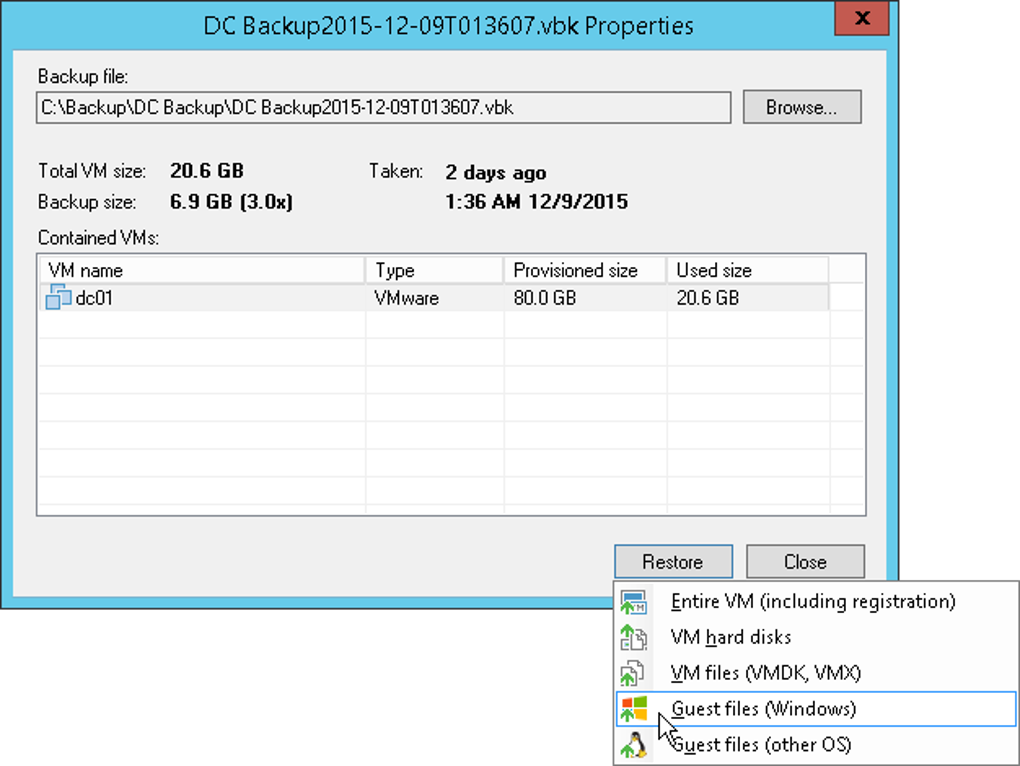
One of the most significant advantages is its ability to perform full VM backups. This means that in the event of a disaster, the entire virtual machine can be quickly restored to a new host, minimizing downtime. This differs from many file-level backup solutions which require a separate OS installation and then the restoration of individual files, a significantly more time-consuming process. This image-level backup and restore functionality provides a complete and functional recovery of the backed-up virtual machine. It’s essentially a clone of your VM, ready to be deployed on different hardware.
Furthermore, granular recovery options are also available. This means that if a specific file or folder is needed, users can mount the backup image and selectively recover specific data without restoring the entire VM. This is crucial for scenarios where a complete system restore is unnecessary, saving time and resources.
Veeam Backup Free Edition provides flexible backup scheduling options. Users can configure backups to run daily, weekly, or monthly, based on their specific needs and storage capacity. The software also allows for defining retention policies, determining how long backups are stored before being automatically deleted or archived. This is vital for balancing data protection with storage space management. Users can tailor their retention policies to maintain backups for a few days, weeks, or even months, depending on their recovery objectives and available storage.
The software also includes options for optimizing backup performance. These features can help to minimize the impact on production systems during the backup process, which is a crucial factor for organizations with limited resources or those running resource-intensive applications.
Ease of Use and User Interface
Veeam Backup Free Edition is praised for its relatively intuitive interface. While some technical familiarity with virtual machine management is beneficial, the software’s design and navigation are straightforward. The main dashboard provides a clear overview of the backup jobs, their status, and any alerts or warnings. The user-friendly nature of the software makes it accessible to a wide range of users, even those with limited experience in backup and recovery software. The clear layout and logical organization of options reduce the learning curve significantly. Compared to more technically-focused enterprise-grade backup solutions, Veeam Backup Free Edition boasts a significant advantage in terms of user-friendliness. However, the specific level of ease of use will still depend on the user’s prior experience and technical skills.
System Requirements and Compatibility
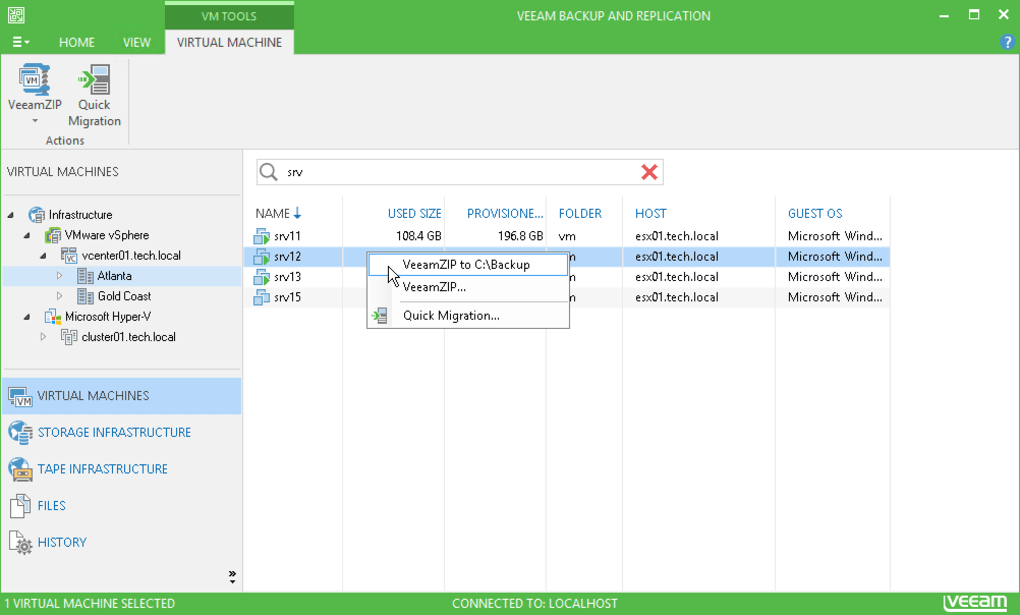
Veeam Backup Free Edition is compatible with a range of systems, but it’s essential to check the official Veeam documentation for the most up-to-date requirements. Generally, the software requires a Windows operating system to act as the backup server. The supported hypervisors are VMware vSphere ESXi and Microsoft Hyper-V, meaning the VMs being backed up must reside on these platforms. This is a key limitation of the free edition, as it excludes physical machine backups. The specific hardware requirements will also depend on the size and number of VMs being backed up, and available storage capacity should be considered carefully to accommodate the backups.
Pros and Cons
Pros:
- Free of charge: This is the most significant advantage, providing robust backup capabilities without any licensing costs.
- Full VM backups: The ability to back up entire virtual machines simplifies the recovery process significantly.
- Granular recovery: Users can recover individual files or folders, without restoring the entire VM.
- Flexible scheduling and retention policies: Users can customize backups to fit their specific needs and storage constraints.
- User-friendly interface: The software’s design is relatively straightforward, making it accessible to users with varying levels of technical expertise.
- Industry-leading technology: Veeam is a well-respected name in backup and recovery, and the free edition leverages the company’s expertise.
Cons:
- Limited to virtual machines: Veeam Backup Free Edition does not support backups of physical machines. This is a major limitation for users needing to protect physical servers or workstations.
- Lack of advanced features: Certain enterprise-level features, such as offsite replication and advanced reporting, are absent in the free edition. This might be a concern for organizations with higher security and recovery requirements.
- Resource consumption: While generally efficient, the backup process can consume resources depending on the size and number of VMs being backed up. Appropriate hardware specifications are needed to maintain performance.
- Storage limitations: The available storage space for backups is a critical factor. Depending on the frequency of backups and the sizes of virtual machines, users might need significant storage to accommodate long-term retention policies.
Alternatives
Several alternative backup solutions exist, both free and commercial. Choosing an alternative depends heavily on specific needs and preferences. Some free alternatives may offer fewer features, while commercial options offer more advanced features and support but come with a price tag. Consider the following factors when choosing an alternative: system requirements, supported platforms (physical and virtual machines), ease of use, features, pricing, and customer support. Thorough research into the available alternatives is recommended to identify the optimal solution.
Conclusion
Veeam Backup Free Edition provides a surprisingly robust and user-friendly backup solution for home users and small businesses primarily managing virtual machines. The ability to create full VM backups coupled with granular recovery options is a significant advantage. The free-of-charge nature makes it an attractive option for those with limited budgets. However, its limitations – primarily the lack of support for physical machines and advanced enterprise features – must be carefully considered. For users needing to protect physical servers or requiring advanced functionalities like offsite replication, a commercial backup solution might be necessary. Despite its limitations, Veeam Backup Free Edition remains a strong contender for anyone seeking a dependable and easy-to-use backup solution for their virtual machines. The user-friendly interface and powerful backup capabilities offered by this software make it a valuable tool for anyone wanting to protect their data.
File Information
- License: “Free”
- Version: “9”
- Latest update: “January 31, 2023”
- Platform: “Windows”
- OS: “Windows 8”
- Language: “English”
- Downloads: “5.1K”


