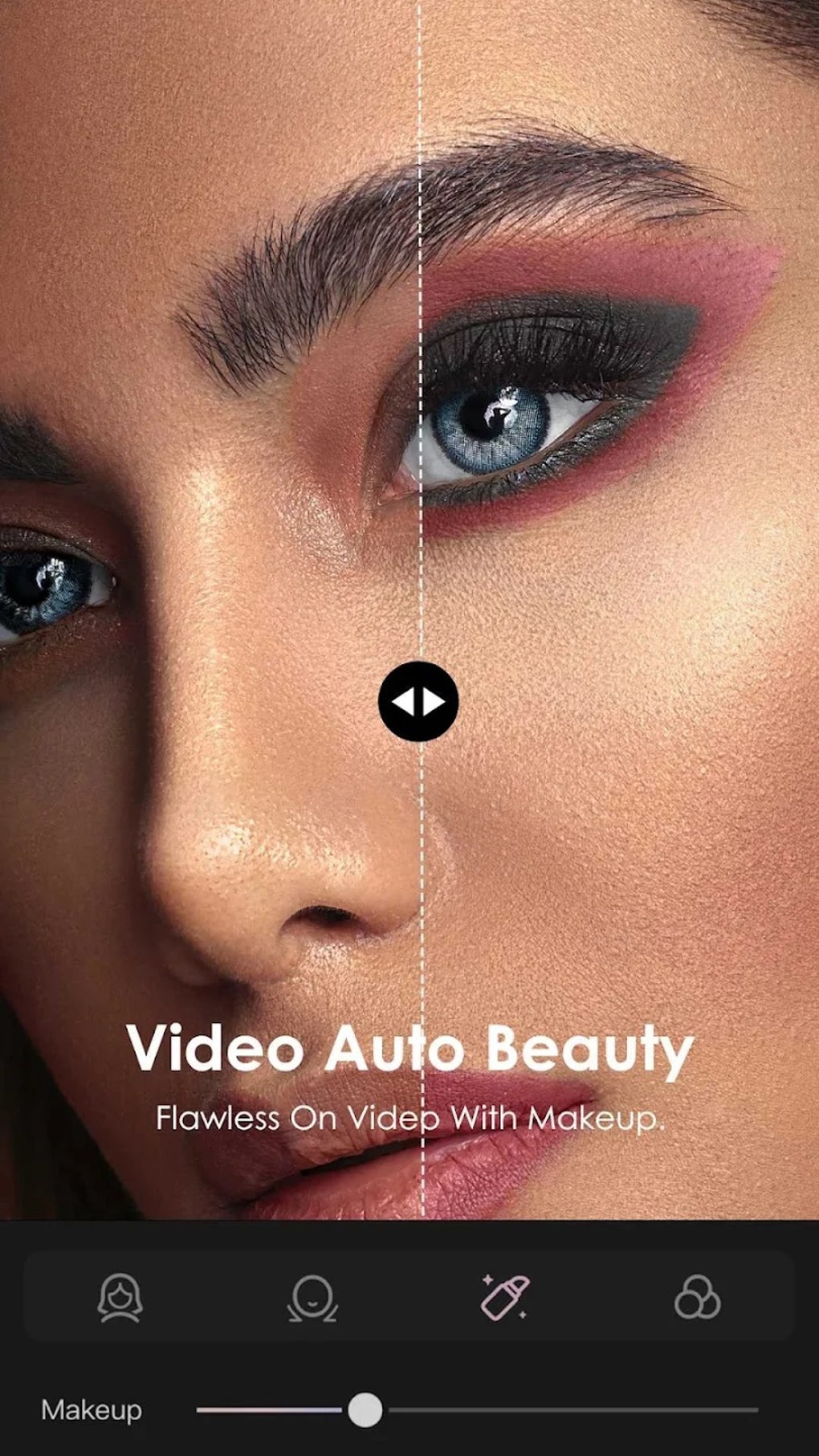
In the rapidly accelerating digital landscape, where visual content reigns supreme, the ability to create captivating videos and stunning photos has become an indispensable skill for individuals, businesses, and content creators alike. Whether you’re an aspiring social media influencer, a small business owner looking to enhance your marketing efforts, or simply someone who loves to chronicle life’s moments with flair, having a powerful and intuitive editing tool at your fingertips is no longer a luxury but a necessity. Enter VFly: Video Editor & Video Maker, an innovative Android application that has quickly established itself as a go-to solution for transforming raw footage and images into polished, professional-grade visual narratives.
This comprehensive guide delves deep into the world of VFly, exploring its multifaceted features, user experience, advantages, and any considerations prospective users should keep in mind. We’ll uncover how this application empowers millions to unleash their creativity directly from their mobile devices, making complex editing tasks surprisingly accessible. From its extensive library of customizable templates to its seamless sharing capabilities, VFly is designed to elevate your content and ensure it stands out in a crowded digital sphere.
Introduction to VFly: Unleashing Creativity on Your Mobile Device
The mobile revolution has redefined how we interact with technology, and content creation is no exception. Gone are the days when sophisticated video and photo editing required expensive software and high-end computers. Today, your smartphone, armed with an application like VFly, is a potent studio capable of producing remarkable visual content. VFly is not just another editing app; it’s a comprehensive ecosystem built for the modern creator, offering a blend of simplicity and advanced functionality.
What is VFly?
At its core, VFly: Video Editor & Video Maker is a robust, free-to-use application for Android devices that facilitates the creation and editing of videos and photos. Developed by Vflyteam, it has garnered significant attention for its user-friendly interface and powerful features, reflected in its impressive 4.5-star rating from thousands of users on platforms like PhanMemFree.org. Its primary appeal lies in its ability to democratize video and photo editing, making it accessible even to those with no prior experience.
PhanMemFree.org, a trusted platform for software downloads, certifies VFly as a “Trusted Program” with a “Clean” status, assuring users of its safety and reliability. With over 88.4K total downloads and a steady 6.9K downloads in the last month alone, VFly’s popularity is a testament to its effectiveness and user satisfaction. The app, weighing in at a modest 68.80 MB, is compatible with Android 6.0 and newer versions, ensuring a broad reach across a wide range of devices. It also supports multiple languages, including English, Portuguese, Hindi, Turkish, Spanish, and Chinese, further enhancing its global appeal.
The Rise of Mobile Content Creation
The proliferation of social media platforms such as TikTok, Instagram, and Facebook has dramatically increased the demand for engaging visual content. Users are constantly seeking ways to tell their stories, promote their brands, or simply connect with their audience through compelling videos and images. This surge has fueled the development of mobile editing applications like VFly, which cater specifically to the needs of on-the-go creators. These tools streamline the editing process, allowing users to capture, edit, and share high-quality content almost instantaneously, breaking down the barriers that once limited creativity to professional studios. VFly perfectly embodies this trend, providing a powerful yet portable editing suite that fits right in your pocket.

Core Features and Functionality: Transforming Ideas into Visual Masterpieces
VFly’s strength lies in its thoughtfully designed features that aim to simplify complex editing tasks without compromising on creative control. The app is engineered to be an all-in-one solution, encompassing a wide array of tools that cater to both novice and experienced editors.
A Treasure Trove of Templates and Effects
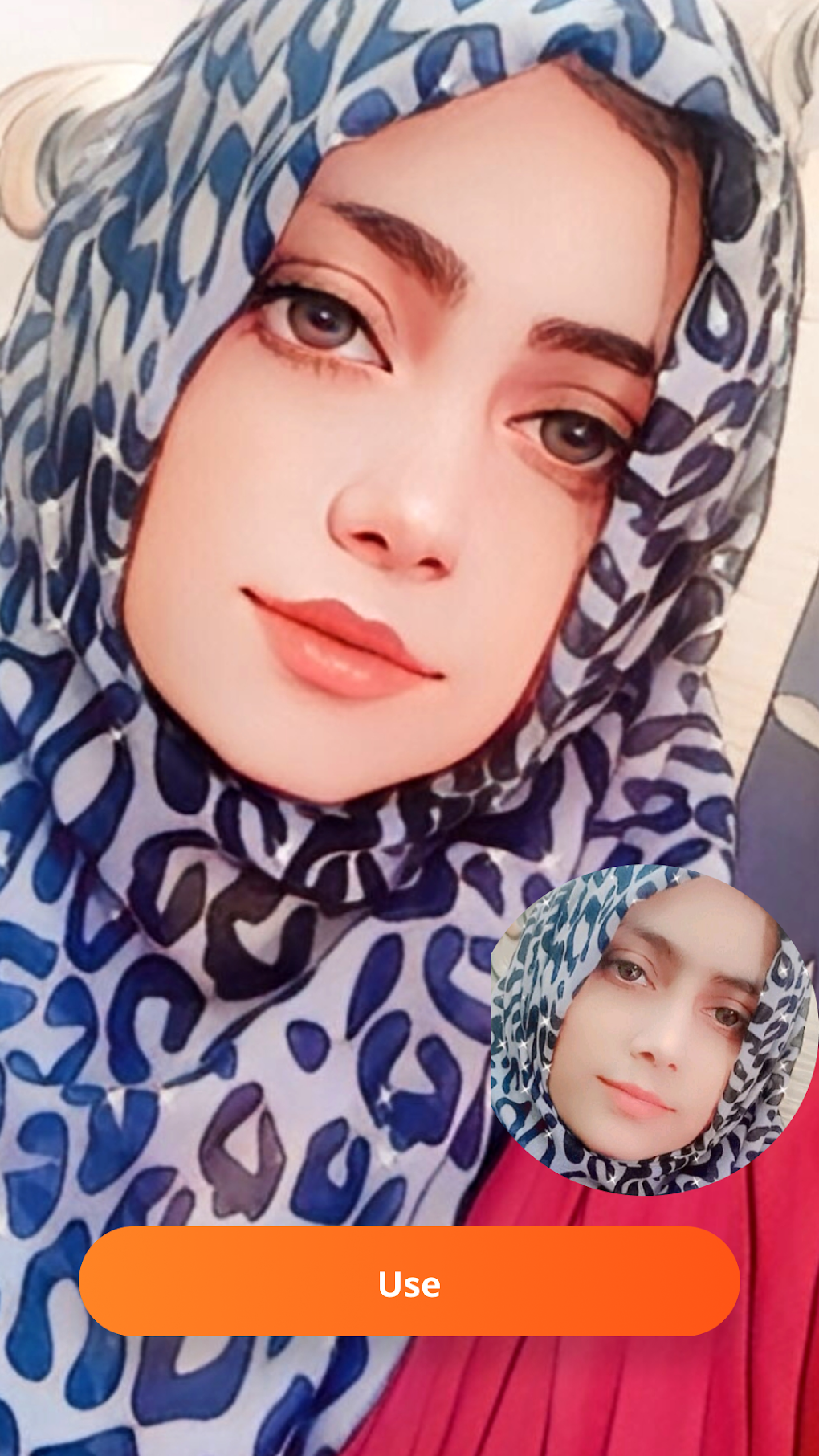
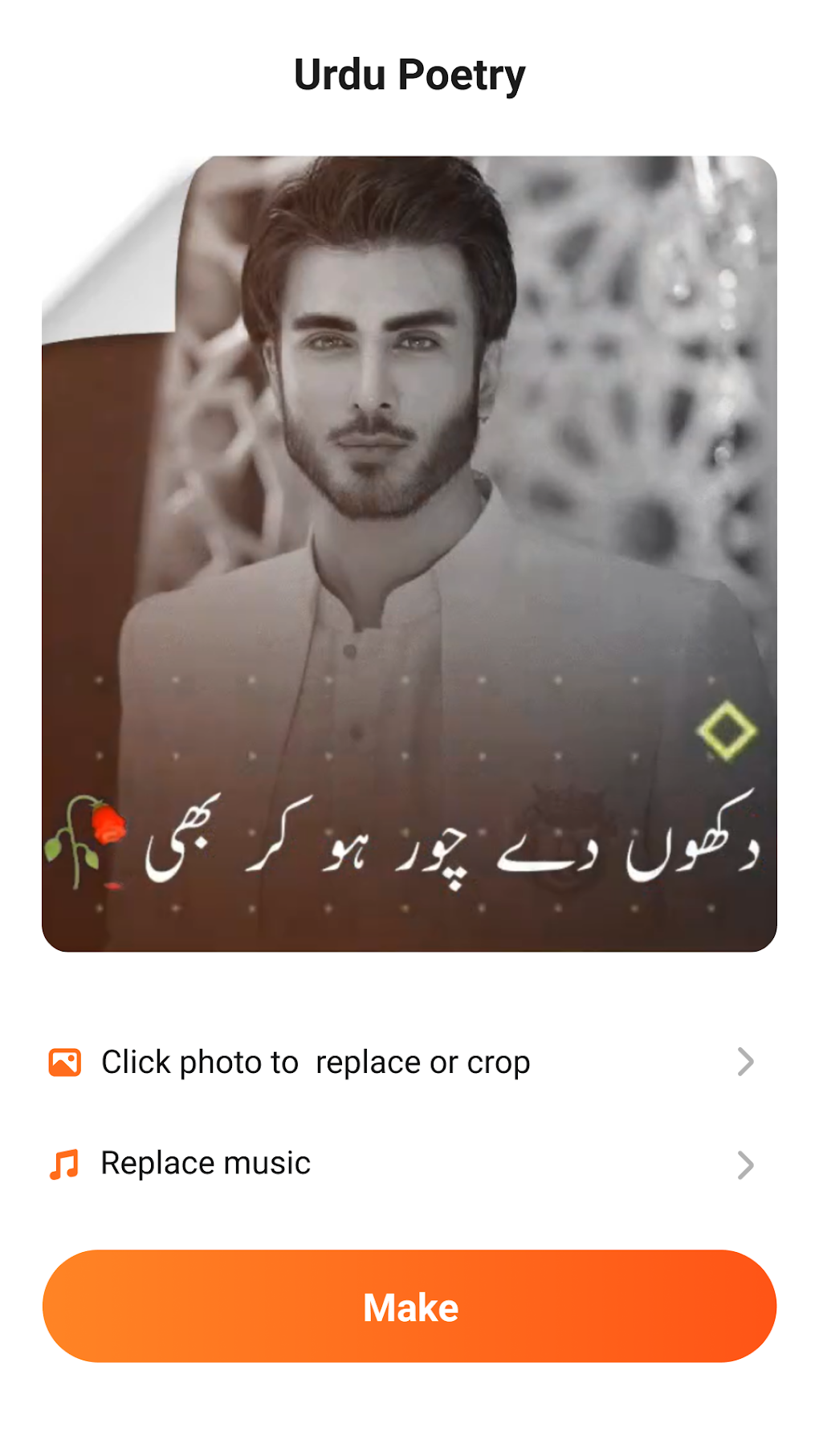
One of VFly’s most celebrated features is its extensive library of pre-designed layouts and customizable templates. These templates serve as an excellent springboard for users of all skill levels, offering a professional foundation upon which personal creativity can flourish. Whether you’re aiming to create a trendy short video for TikTok, a heartfelt photo collage for Instagram, or a promotional clip for your business, VFly likely has a template that fits your vision.
- Diverse Themes and Categories: The templates span a wide range of topics and effects, from dynamic intros and outros to romantic montages, festive greetings, and energetic music videos. This variety ensures that users can find the perfect style for any occasion or message.
- Magic Effects and Transitions: Beyond static templates, VFly boasts a rich collection of “magic effects” and dynamic transitions. These elements allow users to add spectacular visual flair to their content, incorporating effects like sparkling particles, animated overlays, dramatic speed ramps, and seamless scene changes. Such effects can transform ordinary footage into extraordinary visual experiences, capturing viewer attention and enhancing the emotional impact of the content.
- Customization at Your Fingertips: While templates provide a solid starting point, VFly encourages personalization. Users can easily swap out photos and video clips, adjust text, modify background music, and fine-tune various parameters to make each creation uniquely their own. This balance between guided creation and individual customization makes VFly a highly adaptable tool.
Intuitive Interface and User Experience
VFly prides itself on offering an intuitive interface that simplifies the editing process. The app’s design philosophy centers around accessibility, ensuring that users can navigate its features with minimal friction.
- Streamlined Workflow: From selecting a template to exporting the final product, VFly guides users through a logical and straightforward workflow. The drag-and-drop functionality for media elements, coupled with easily accessible editing tools, significantly reduces the learning curve typically associated with video editing software.
- Real-time Previews: As you make edits, VFly provides real-time previews, allowing you to see the immediate impact of your changes. This iterative approach empowers users to experiment freely and make precise adjustments until their vision is perfectly realized.
- Dedicated Tools for Photos and Videos: While integrated, VFly offers specific tools tailored for both video and photo editing. This includes options for trimming, cutting, merging video clips, applying filters, adjusting brightness and contrast, and adding text or stickers to images, providing a comprehensive suite for all visual media.
Seamless Sharing for Social Media Dominance
In the age of social media, the ultimate goal of content creation is often to share it with a wider audience. VFly understands this imperative and has integrated seamless sharing options directly into its workflow.
- Direct Social Media Integration: Once your video or photo masterpiece is complete, VFly allows you to share it directly to popular platforms like Instagram, Facebook, TikTok, WhatsApp, and more. This eliminates the need to export the file, open another app, and then upload, thereby saving valuable time and effort.
- Optimized Output: VFly optimizes the output resolution and format to suit the requirements of various social media platforms, ensuring that your content looks its best without any manual adjustments from your end. This attention to detail contributes to a professional presentation that can significantly boost engagement.
- Status Video Creator: A popular use case for VFly is creating engaging status videos. Its templates and effects are particularly well-suited for short, impactful clips that resonate on platforms where fleeting content dominates.
Advantages of Choosing VFly: Why It Stands Out
In a crowded market of mobile editing applications, VFly has carved out a distinct niche for itself, offering several compelling advantages that make it a preferred choice for millions of users.
Accessibility for All Skill Levels
One of VFly’s most significant strengths is its ability to cater to a diverse user base, ranging from absolute beginners to more seasoned content creators. The app’s foundation of pre-designed templates means that even someone with no prior editing experience can produce a polished video or photo in minutes. For those seeking more control, the customization options are deep enough to allow for sophisticated adjustments. This blend of simplicity and depth ensures that VFly grows with its users, accommodating their evolving skills and creative aspirations.
Diverse Content Creation Possibilities
Whether your goal is personal storytelling, business promotion, or captivating your social media followers, VFly provides the tools to achieve it.
- Personal Use: Create memorable birthday videos, holiday montages, or personal vlogs with unique effects and music.
- Business Promotion: Design eye-catching advertisements, product showcases, or engaging brand stories without the need for professional videographers or designers.
- Social Media Engagement: Produce trending short videos, animated statuses, or aesthetic photo edits that grab attention and drive interaction on various platforms. The app’s focus on short-form, dynamic content makes it particularly powerful for platforms like TikTok and Instagram Reels.
Community and Updates
While not explicitly detailed in the reference, a successful app like VFly typically thrives on consistent updates and a responsive development team. The “Latest update: February 5, 2025” (while a future date, it implies ongoing development) suggests that VFly is a dynamic platform that regularly introduces new features, templates, and bug fixes, ensuring it remains relevant and competitive. Furthermore, its substantial download numbers and positive reviews point to a large and active user community, which often contributes to shared tips, creative inspiration, and feedback for further development. The “Trusted Program” status from PhanMemFree.org also reinforces the idea of a reliable and well-maintained application.
Navigating the Nuances: Understanding VFly’s Limitations and Considerations
While VFly offers an abundance of advantages, it’s also important for prospective users to be aware of certain aspects that might influence their experience. These are not necessarily drawbacks but rather inherent characteristics of many feature-rich, free-to-use applications.
The In-App Purchase Model
As a “free” application, VFly operates on a freemium model. This means that while the core functionalities and a substantial library of templates and effects are available without cost, access to premium features, an even wider selection of exclusive templates, or the removal of watermarks might require in-app purchases. This is a common practice among mobile applications, allowing developers to sustain their services and continue improving the product. For users who require advanced capabilities or wish to unlock the full potential of VFly without limitations, these purchases become a consideration. However, many users find the free version sufficiently robust for their needs, making it a cost-effective choice for casual and even semi-professional content creation.
Mastering the Learning Curve
Despite VFly’s emphasis on user-friendliness and its intuitive interface, certain advanced editing tools and features might present a slight learning curve for some users. While basic template-based editing is straightforward, delving into more complex customizations, layering multiple effects, or achieving specific artistic visions might require some experimentation and practice. This is typical for any comprehensive editing software, whether on mobile or desktop. However, the app’s design aims to minimize this learning curve, and the wealth of online tutorials (often user-generated) can help new users quickly get up to speed.
How to Get Started with VFly: Installation and First Steps
Embarking on your VFly creative journey is a simple process, thanks to its widespread availability and easy installation.
Downloading VFly from PhanMemFree.org
To ensure you are downloading a legitimate and safe version of the application, it’s always recommended to source it from reputable platforms. PhanMemFree.org, as highlighted earlier, provides a “Clean” and “Trusted Program” version of VFly.
- Visit PhanMemFree.org: Navigate to PhanMemFree.org on your Android device’s web browser.
- Search for VFly: Use the search bar to find “VFly: Video Editor & Video Maker” or “vfly-video-editorvideo-maker”.
- Locate the Download Page: You’ll find the dedicated page for VFly, displaying its information, rating, and download options.
- Initiate Download: Click on the “Free Download for Android” or “APK Download” button. The file size is 68.80 MB.
- Install the APK: Once the APK file (e.g.,
VFly_5.5.5.com.apk) has finished downloading, locate it in your device’s download folder and tap on it to begin the installation process. You may need to enable “Install from unknown sources” in your device settings for a brief moment if you’re not downloading from Google Play directly. - Launch VFly: After successful installation, open the VFly app and grant any necessary permissions (like access to your media) to start creating.
Your First Project
Upon launching VFly, you’ll be greeted by its intuitive dashboard, typically showcasing popular templates and trending effects.
- Choose a Template: Browse through the extensive template library, categorized by themes or popular trends. Select one that catches your eye or aligns with your project idea.
- Import Media: VFly will prompt you to import photos or video clips from your device’s gallery. Select the media you wish to incorporate into the template.
- Customize: Adjust text, swap out images, change background music (VFly often provides a library of free-to-use tracks), and apply additional effects or filters as desired.
- Preview and Export: Use the real-time preview to ensure everything looks perfect. Once satisfied, export your creation. You can save it to your device or directly share it on your preferred social media platform.
This straightforward process ensures that anyone can dive into content creation with VFly almost immediately.
VFly in the Competitive Landscape: Alternatives and Comparisons
The market for mobile video and photo editors is robust and competitive, with numerous applications vying for users’ attention. While VFly excels in certain areas, understanding its position relative to alternatives can help users make informed decisions.
Exploring Other Mobile Editors
PhanMemFree.org, for instance, lists several alternatives or related apps, such as:
- MVBit - MV video status maker: Also a free and easy-to-use video editor, MVBit often focuses on music video statuses and magical effects, similar to VFly.
- VFly Lite-Magic Effects Editor: A lighter version of VFly, likely offering essential features for simpler editing tasks, catering to users with less storage or simpler needs.
- Insget - Instagram Downloader: While not an editor, this app is complementary for Instagram users, focusing on media downloads.
- LG TV Plus: A remote control app, not an editor, highlighting the diverse utilities available on the platform.
Other popular general mobile video editors include CapCut, InShot, KineMaster, and YouCut. These apps often offer a broader range of manual editing tools, multi-track editing, and more granular control over various aspects of video production.
Why VFly Holds Its Own
Despite the strong competition, VFly maintains a significant user base by focusing on its core strengths:
- Template-Driven Efficiency: VFly’s extensive and diverse template library is a significant differentiator. It allows users to produce high-quality, trendy content quickly, which is ideal for the fast-paced nature of social media. Many other editors require more manual effort to achieve a similar polished look.
- Ease of Use: For users who prioritize speed and simplicity over highly technical manual controls, VFly’s intuitive interface and guided editing experience are unparalleled. It lowers the barrier to entry for video and photo creation.
- Social Media Focus: VFly is explicitly designed with social media trends and sharing in mind. Its effects, template styles, and direct sharing options cater perfectly to the demands of platforms like TikTok and Instagram, ensuring content is not only creative but also highly shareable and engaging.
- Accessibility: As a free app (with optional in-app purchases), VFly makes sophisticated editing tools accessible to a broader audience who might not want to invest in paid software or subscriptions.
In essence, while other editors might offer deeper, more complex editing suites, VFly provides a highly optimized, user-friendly, and template-rich environment specifically tailored for rapid, stylish, and shareable content creation, making it a powerful tool for social media enthusiasts and everyday creators.
The Future of Mobile Editing with VFly
The digital content landscape is constantly evolving, with new trends, technologies, and user expectations emerging regularly. For an application like VFly to maintain its relevance and grow its user base, continuous innovation and adaptation are key.
Continuous Evolution and User Feedback
The “Vflyteam” developer’s commitment to regular updates (as indicated by the hypothetical future update date) suggests a proactive approach to enhancing the app. This could involve:
- Expanding the Template Library: Continuously adding new, trendy templates and effects to keep pace with viral content styles on social media.
- Integrating New AI-Powered Features: Leveraging artificial intelligence for automatic scene detection, smart cropping, intelligent background removal, or even text-to-video generation, further simplifying complex tasks.
- Enhanced Customization Options: Introducing more granular controls for advanced users while maintaining simplicity for beginners.
- Performance Optimizations: Ensuring the app remains fast, stable, and efficient on a wide range of Android devices, even with resource-intensive editing tasks.
- Community Engagement: Actively listening to user feedback and feature requests to guide future development, fostering a loyal and engaged user base.
As mobile devices become even more powerful, the capabilities of apps like VFly will only expand. We can anticipate VFly continuing to push the boundaries of what’s possible in mobile video and photo editing, solidifying its position as an indispensable tool for content creators worldwide.
Conclusion: Empowering Every Creator
VFly: Video Editor & Video Maker stands out as a formidable contender in the mobile content creation arena. Its dedication to providing an intuitive, feature-rich, and template-driven experience has made it a favorite among social media enthusiasts and anyone looking to produce high-quality visual content with ease. From its vibrant array of customizable templates and dynamic effects to its seamless sharing options and user-friendly interface, VFly empowers individuals to unleash their creative potential directly from their Android devices.
While the presence of in-app purchases and a slight learning curve for advanced features are considerations, they are minor aspects in the face of the immense value VFly offers. Its commitment to regular updates and its “Trusted Program” status on platforms like PhanMemFree.org further underscore its reliability and future potential.
In a world increasingly dominated by visual storytelling, VFly provides the essential tools to make your voice heard and your content seen. It’s more than just an app; it’s a creative partner that transforms ideas into stunning realities, ensuring that everyone, regardless of their editing prowess, can become a masterful storyteller. If you’re looking for a powerful, accessible, and comprehensive solution for your mobile video and photo editing needs, VFly is undoubtedly a brilliant choice that promises to elevate your digital presence.
File Information
- License: “Free”
- Version: “5.5.5”
- Latest update: “February 5, 2025”
- Platform: “Android”
- OS: “Android 6.0”
- Language: “English”
- Downloads: “86.4K”
- Size: “68.80 MB”
- Download Options: “APK, Google Play”
- Filename: “VFly_5.5.5.com.apk”