
Video Compressor is a software application designed to reduce the file size of video files, making them easier to store, share, and upload. Developed by WinSoftMagic, Inc., it offers a range of features for compressing, converting, and even slightly editing videos, all within a user-friendly interface. However, as a trial version, it presents some limitations that need to be considered. This review will delve into the software’s strengths and weaknesses, examining its functionality, ease of use, and overall value.
Functionality: Compression, Conversion, and Basic Editing
At its core, Video Compressor fulfills its primary function of video compression effectively. The software allows users to significantly decrease the size of their video files, a crucial feature for managing storage space or preparing videos for online platforms with size restrictions. The compression process allows for adjustments to parameters such as file type, encoding, and quality, offering users a degree of control over the trade-off between file size and visual fidelity. It’s important to acknowledge that aggressive compression will inevitably lead to some quality loss; users should find a balance between size reduction and acceptable visual quality.
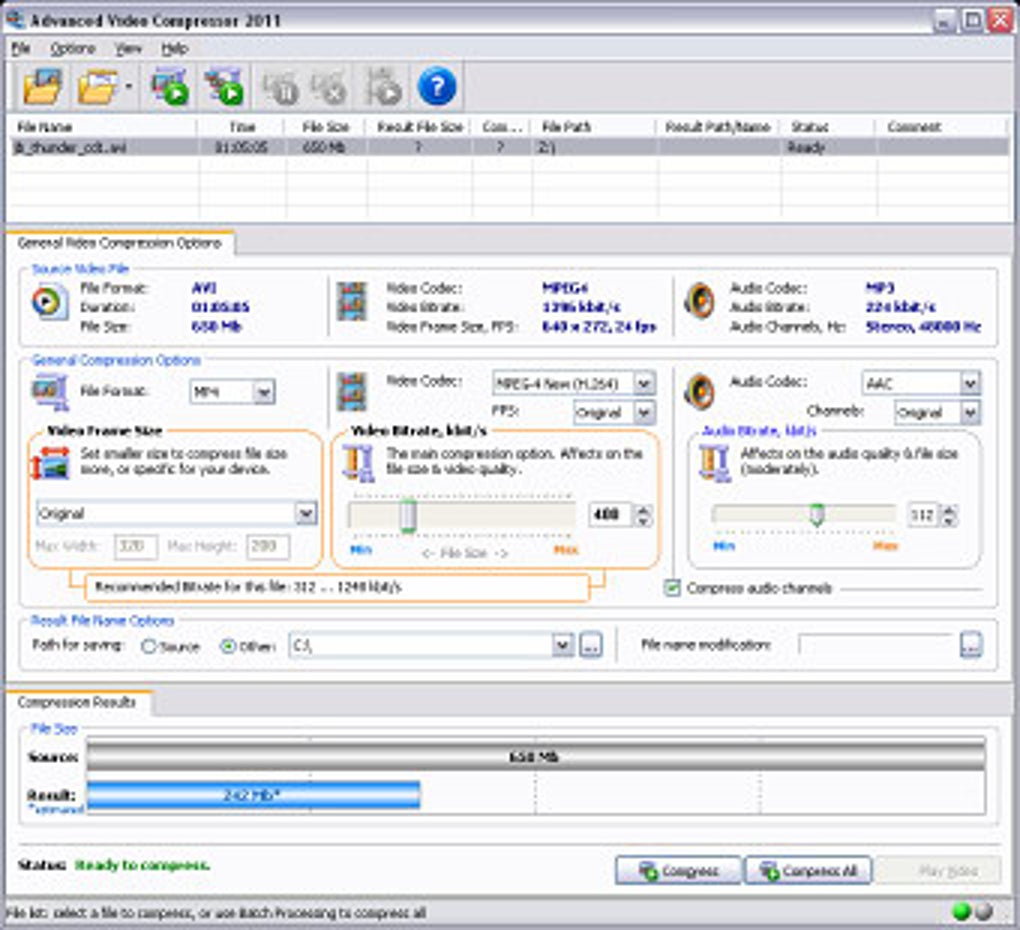
Beyond simple compression, Video Compressor functions as a video converter, supporting a variety of common formats including AVI, MPEG4 (MP4), FLV, and 3GP. This versatility allows users to convert videos to formats compatible with different devices and media players. The software’s ability to handle multiple formats enhances its practicality and caters to a broader range of user needs.
Interestingly, Video Compressor goes beyond mere compression and conversion by incorporating basic video editing capabilities. Users can adjust brightness, contrast, hue, and saturation, allowing for minor visual enhancements or adjustments to the video’s aesthetic. The inclusion of cropping and aspect ratio adjustments offers further control over the final output. These added functionalities elevate Video Compressor beyond a simple compression tool, adding value for users who require basic editing features.
User Interface and Ease of Use
One of Video Compressor’s strong points is its user-friendly interface. The layout is streamlined and intuitive, making the software accessible even to those with limited technical expertise. The main features are clearly presented through large icons on the taskbar, while more specialized options are organized in separate, easily navigable pop-up windows. This design prioritizes a simple and uncluttered workflow, contributing significantly to the software’s ease of use. The quick installation process, requiring minimal user input, further enhances the user experience. The small installer size (around 5MB) is an added bonus, particularly for users with limited bandwidth or storage space.
Limitations of the Trial Version
While Video Compressor offers a compelling set of features, it’s crucial to acknowledge the limitations imposed by its trial version status. The most significant drawback is the restricted access to the full range of functionalities. Many advanced features and file format support are locked behind a paywall, requiring users to purchase the full version to unlock their full potential. This limitation can be frustrating for users who need those extra features.
Specifically, the trial version restricts the number of file types that can be converted. Although it supports common formats, less frequently used formats are unavailable. This limitation can be problematic for users working with niche or specialized video files. The trial version also includes a watermark on the processed videos, a common strategy used by developers of trialware. While not a significant issue for some, it is a visible reminder that this is not a fully unlocked version of the software. Furthermore, there are reports of limited or unresponsive customer support for issues arising from the trial version.
Performance and System Requirements
Video Compressor boasts a powerful compression engine that delivers high-quality compression at relatively high speeds. This efficient engine minimizes processing time, making it a practical option for users needing to compress numerous videos. The software’s low system requirements contribute to its accessibility across a wider range of computers. However, the actual performance might vary depending on the video’s size, encoding, and the system’s specifications.
Comparison with Alternatives
The market offers a variety of video compression and conversion tools. Some popular alternatives include HandBrake (a completely free and open-source option), Free Resize Video, and Video Cutter & Compressor. These alternatives provide varying degrees of functionality and user experience. While some may offer more advanced features or a wider range of codecs, they might also have more complex interfaces or higher system requirements. Video Compressor, in its trial version, attempts to strike a balance between functionality and ease of use, although the limitations of the trial version should be carefully considered when making a decision.
User Reviews and Feedback
User reviews on Video Compressor are mixed. While some users praise its ease of use and effective compression capabilities, others express dissatisfaction with the limitations of the trial version and the lack of customer support. Several negative reviews highlight the issues encountered with certain video formats and the presence of a watermark. Positive reviews often focus on its streamlined interface and quick processing speeds. This disparity underscores the importance of carefully considering the trial version’s restrictions before committing to a purchase.
Conclusion
Video Compressor presents a compelling proposition as a straightforward and easy-to-use video compression and conversion tool. Its user-friendly interface, efficient compression engine, and inclusion of basic editing features make it attractive to a wide range of users, especially those needing to reduce file sizes for storage or sharing purposes. However, the limitations of the trial version, especially the restricted access to features and file formats, must be considered. Users should weigh the benefits of the software’s ease of use and speed against the necessity of purchasing the full version to access its complete potential. Alternative, free options might be suitable for users with less demanding needs, while users requiring more advanced functionality or support should consider investing in a more comprehensive, paid software solution. The absence of readily available and responsive customer support for the trial version is also a significant concern. Ultimately, the suitability of Video Compressor depends on individual needs and tolerance for the restrictions of the trial version.
File Information
- License: “Trial version”
- Latest update: “July 11, 2023”
- Platform: “Windows”
- OS: “Windows XP”
- Language: “English”
- Downloads: “692.6K”
- Size: “10.74 MB”


