
Video Download Capture is a versatile software application designed to simplify the process of downloading, converting, and editing video files. This comprehensive guide will explore its features, benefits, drawbacks, and compare it to alternative solutions. While offering a convenient all-in-one approach, users should be aware of its limitations and the legal implications surrounding video downloads.
Core Functionality: Downloading, Converting, and Editing
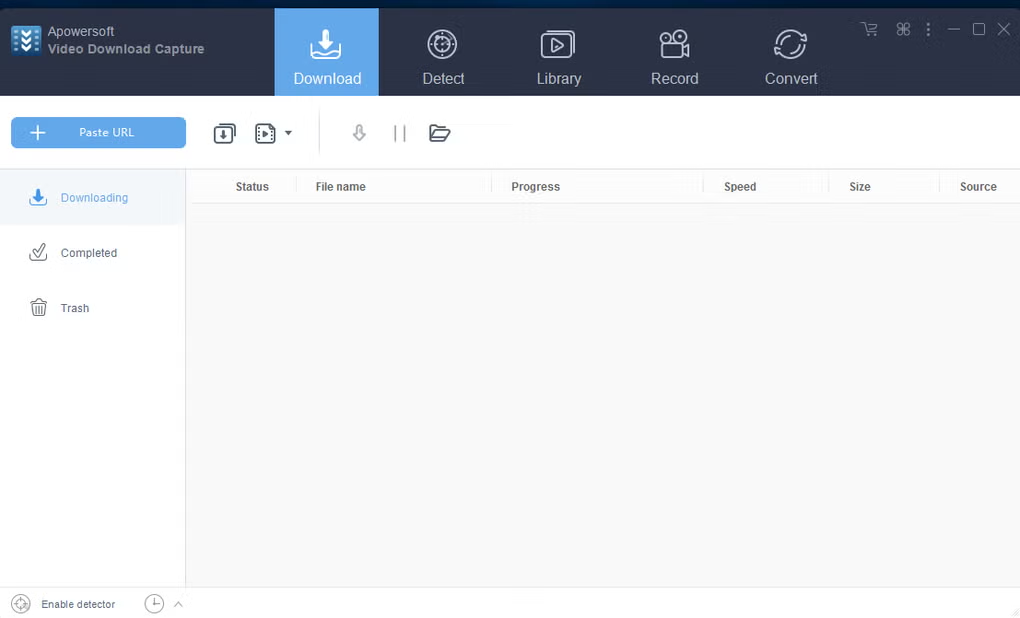
At its heart, Video Download Capture functions as a multi-tool for video management. Its primary capabilities include:
-
Video Downloading: The software allows users to download videos from a wide range of online sources, aiming to support popular video-sharing platforms such as YouTube, Vimeo, Dailymotion, Facebook, and others. However, it’s crucial to note that its compatibility isn’t universal, and some major platforms like Hulu may not be supported, a limitation frequently cited in user reviews. The ability to download live streams and videos utilizing the RTMP protocol (often used by streaming services) is touted as a key advantage, although success with specific sites remains variable.
-
Video Conversion: Downloaded videos can be converted into various formats, enhancing compatibility with different devices. Users can transform videos to be suitable for playback on mobile phones, MP4 players, Apple devices (iPhone, iPad, iPod), Android devices, and PSPs. Common output formats include MP4, AVI, 3GP, MOV, MKV, AAC, and OGG, providing flexibility in terms of video and audio quality. The software claims high-definition capabilities, although the actual quality may vary depending on the source video and chosen settings.
-
Video Editing: Video Download Capture includes basic video editing tools. Users can trim and crop videos, apply effects, and potentially make other minor adjustments. However, it’s not a full-fledged professional video editing suite, and its editing capabilities are likely to be simpler than those found in dedicated video editors such as Adobe Premiere Pro or DaVinci Resolve.
-
Screen Recording: Beyond video downloads, the software also features a screen recording function, allowing users to capture their desktop activity. This could be useful for creating tutorials, demonstrations, or recording gameplay. The capability to record embedded Flash videos within a full-screen capture is also highlighted, a feature relevant for older web content that relies on this technology.
-
Built-in Media Player: The software includes a built-in media player for playback of downloaded and converted videos, eliminating the need for a separate player for compatibility. This adds to its convenience as a self-contained video management solution.
-
Social Media Sharing: Video Download Capture also facilitates sharing of videos directly to social media platforms, streamlining the upload process. The exact platforms supported might vary, and the method could range from direct integration to the need for manual upload using the OS’s built-in sharing features.
Advantages and Disadvantages of Video Download Capture
As with any software, Video Download Capture presents both advantages and disadvantages that potential users should carefully consider:
Advantages:
-
All-in-One Functionality: Its combination of downloading, converting, editing, and screen recording capabilities offers convenience for users who need a single tool to handle multiple video-related tasks. The built-in media player further enhances this all-in-one approach.
-
Ease of Use: The software is designed for simplicity, aiming for a user-friendly experience even for those without extensive technical expertise. The drag-and-drop functionality minimizes the steps required for transferring files.
-
Speed and Efficiency: The software emphasizes fast download and conversion speeds, although actual performance will depend on factors such as internet connection, video size, and computer processing power. Claims of accelerated processing should be critically assessed and compared with personal experiences reported by other users.
-
Wide Range of Supported Formats: Its ability to handle a large array of video and audio formats, both for downloading and converting, provides considerable flexibility.
Disadvantages:
-
Limited Platform Support: The most frequently cited drawback is the incompatibility with major video streaming platforms like Hulu and potentially others. This significantly limits its utility for users focused on specific sites.
-
Lack of a Free Version: The software operates on a trial basis, typically offering a 7-day free trial before requiring a paid license. The absence of a permanent free version might deter users who only need occasional video download or conversion capabilities.
-
Potential Legal Issues: Downloading copyrighted videos without permission is illegal in many jurisdictions. Users are solely responsible for ensuring their downloads comply with copyright laws. The software itself does not condone illegal activity but its existence raises the potential for misuse.
-
Quality Control Concerns: While the software claims high-definition output, the quality of the converted videos might vary depending on the source material and the conversion settings. User reviews should be examined to gauge consistency in delivered video quality.
Alternative Video Download and Management Tools
Numerous alternative applications cater to video downloading, conversion, and editing. The best choice depends on individual needs and priorities. Some prominent alternatives include:
-
Dedicated Download Managers: Applications like JDownloader offer robust functionality specifically for downloading files from various websites, including video platforms. These often focus on speed and advanced download management features but may lack editing and conversion capabilities.
-
Online Converters: Several websites provide free video conversion services, eliminating the need for software installation. These are typically simpler but might have limitations on file sizes and supported formats. Security concerns should be carefully addressed when using online services.
-
Professional Video Editing Software: For advanced editing needs, users should consider professional-grade software like Adobe Premiere Pro, Final Cut Pro, or DaVinci Resolve. These provide extensive tools but require a steeper learning curve and are usually paid applications.
-
Browser Extensions: Many browser extensions offer video download functionalities directly within the browser interface. These are convenient but can be less versatile than dedicated applications, and some may pose security risks.
Legal Considerations and Ethical Practices
Downloading and converting copyrighted video content without the owner’s permission is illegal in most countries. Users must adhere to copyright laws and respect the intellectual property rights of content creators. Using Video Download Capture or any other software to infringe upon copyright can lead to legal consequences. Only download and convert videos for which you possess the necessary rights or use legally available, royalty-free content.
Conclusion
Video Download Capture provides a relatively convenient all-in-one solution for downloading, converting, and editing videos. Its ease of use and multiple functionalities can be appealing. However, its limitations, especially regarding unsupported platforms and the absence of a free version, should be considered. Moreover, the legal implications associated with downloading copyrighted content cannot be overstated. Before using the software, thoroughly evaluate its features, alternatives, and the legal aspects related to copyright infringement to make an informed decision that aligns with ethical and legal standards.
File Information
- License: “Trial version”
- Latest update: “February 5, 2025”
- Platform: “Windows”
- OS: “Windows 10”
- Language: “English”
- Downloads: “469.4K”
- Size: “1.93 MB”


