
Downloading videos from various online platforms has become a common practice for both personal and professional use. Whether you’re saving a tutorial for later viewing, archiving important client presentations, or simply downloading your favorite music videos, having a reliable video downloader is essential. This comprehensive guide explores the world of video downloaders, focusing on their capabilities, platform compatibility, and the importance of choosing a safe and efficient solution.
Choosing the Right Video Downloader: Features and Considerations
The market offers a vast array of video downloaders, each with its unique features and capabilities. When selecting a video downloader, several key factors should be considered to ensure compatibility, security, and user-friendliness. These factors include:
-
Platform Compatibility: The ideal video downloader should seamlessly integrate with your operating system, whether it’s Windows, macOS, Linux, Android, or iOS. Cross-platform compatibility ensures you can access and utilize your downloaded videos across various devices. Some downloaders offer dedicated desktop applications, while others function as browser extensions or web-based applications, providing flexibility based on user preference.
-
Supported Websites and Formats: Different video platforms use various encoding formats and proprietary technologies. A robust video downloader should support a broad range of websites, including popular platforms like YouTube, Vimeo, Facebook, and Dailymotion. Moreover, it should be capable of handling diverse video formats, such as MP4, AVI, MOV, MKV, and others, ensuring compatibility with various devices and media players.
-
Download Speed and Quality: Download speed significantly impacts user experience. A fast and efficient downloader minimizes waiting time, allowing users to quickly access their downloaded content. Additionally, the ability to select different video resolutions and quality settings ensures users can optimize downloads based on their internet connection speed and storage capacity. High-definition downloads offer superior visual quality, while lower resolutions conserve storage space and bandwidth.
-
Batch Downloading and Conversion: For users downloading multiple videos, batch downloading functionality significantly improves efficiency. This feature allows simultaneous downloads of multiple videos, saving time and effort. Furthermore, some advanced downloaders offer video conversion capabilities, allowing users to transform downloaded videos into different formats to ensure compatibility with their devices or preferred media players.
-
Security and Privacy: Security is paramount when choosing a video downloader. Ensure the software is from a reputable source, with positive user reviews and a proven track record of secure operation. Avoid downloaders from untrusted sources or those displaying intrusive or suspicious advertisements, as these could potentially contain malware or spyware. It’s crucial to check user reviews and security ratings before installing any video downloader.
- User Interface and Ease of Use: A user-friendly interface simplifies the download process. Intuitive controls, clear instructions, and a well-organized layout make it easy for users of all technical skill levels to download videos effortlessly. Avoid overly complex or confusing interfaces that could hinder the user experience.
Video Downloader for All Platforms: A Detailed Analysis
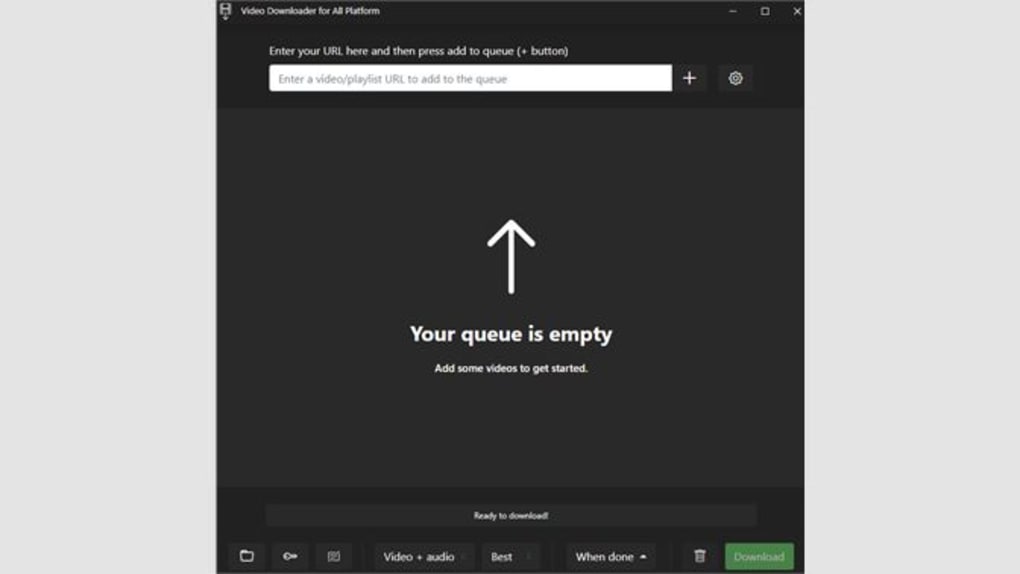
Several video downloaders claim cross-platform compatibility. However, their actual performance and features vary significantly. One example, the “Video Downloader for All Platform” software, claims broad compatibility but lacks detailed specifications and reviews. To evaluate such claims, we must consider the features discussed above. A thorough investigation into its functionality, security aspects, and user reviews would be necessary to determine its efficacy and trustworthiness. However, based solely on its name, it can be surmised that it aims to provide a generalized downloading experience across multiple platforms. This broad claim should be approached with careful scrutiny.
Furthermore, considering the widespread availability of video downloaders, it is important to note that many open-source and commercial alternatives exist. These alternatives offer features beyond basic downloading, including enhanced video quality selection, conversion capabilities, and playlist downloading. The optimal choice depends on individual needs and preferences.
Alternative Video Downloaders and Their Features
Considering the limited information available on “Video Downloader for All Platform,” it’s essential to explore reliable alternative solutions. Many free and paid video downloaders offer comprehensive functionalities and robust security measures. Some notable examples include:
-
JDownloader: A versatile open-source downloader supporting multiple platforms, it boasts a user-friendly interface and batch downloading capabilities. JDownloader efficiently handles downloads from various websites and offers robust link management features.
-
4K Video Downloader: This popular choice is known for its speed and reliability, supporting numerous platforms and allowing for high-quality downloads. 4K Video Downloader also offers options to download subtitles and entire playlists.
- YT-Dlp: A command-line downloader known for its versatility and powerful features, YT-Dlp offers unparalleled control over download settings, making it an excellent choice for advanced users.
These alternatives often offer features beyond those mentioned earlier, including:
-
Metadata Extraction: Some advanced downloaders can extract video metadata, including titles, descriptions, and tags, making organization and management more efficient.
-
Playlist Downloading: The ability to download entire playlists in a single operation saves significant time and effort.
-
Download Scheduling: For users with limited bandwidth, scheduling downloads during off-peak hours ensures smoother operation and avoids network congestion.
-
Resume Functionality: The ability to resume interrupted downloads prevents data loss and saves time by avoiding complete re-downloads.
These added features dramatically enhance the user experience, making the selection process even more crucial for the user’s workflow.
Security and Legal Considerations
While video downloaders offer convenient access to online content, it’s crucial to respect copyright laws. Downloading copyrighted material without permission is illegal and can result in legal consequences. It’s essential to ensure you only download videos you have the legal right to access.
Moreover, security is a vital consideration. Only download video downloaders from reputable sources. Be wary of suspicious websites or download links, as they may contain malware or spyware. Always read user reviews and check security ratings before installing any video downloading software.
Regularly update your antivirus software to protect your system from potential threats. Using a trustworthy and regularly updated video downloader reduces the risk of malware infection.
Conclusion: Choosing the Right Tool for the Job
Choosing the right video downloader depends on individual needs and preferences. While “Video Downloader for All Platform” promises cross-platform support, more information and user reviews are necessary to verify its capabilities. Reliable alternatives such as JDownloader, 4K Video Downloader, and YT-Dlp offer robust features, user-friendly interfaces, and robust security measures. Consider the supported websites, formats, download speed, user interface, and security when making your choice. Remember to always respect copyright laws and prioritize the security of your devices and personal information. Thorough research and careful selection are crucial for a safe and efficient video downloading experience.
File Information
- License: “Full”
- Version: “1.0”
- Latest update: “January 31, 2023”
- Platform: “Windows”
- OS: “Windows 10”
- Language: “English”
- Downloads: “4.9K”


