Video Lite is a free multimedia application for Android devices developed by Video Lite Group. This app functions as a media management tool, assisting users in organizing and sorting their photos, videos, and other media files stored on their mobile devices. Its clean, modern user interface makes it accessible and user-friendly, even for those with limited technical expertise. This review delves into the app’s functionalities, strengths, and weaknesses, providing a comprehensive overview to aid potential users in making an informed decision.
All-in-One Media Management Capabilities
Despite its name suggesting a focus solely on videos, Video Lite offers much more than just video management. It acts as a versatile media manager capable of handling a wide range of file types. The app’s core functionality revolves around three main tabs:
-
All your media: This is the default view, displaying all media files stored on the device. Users can easily navigate and browse through their entire collection.
-
Sort & Filter: Video Lite provides robust sorting and filtering capabilities. Users can organize their media based on various criteria, including file name, size, date added, and more. This granular level of control allows for efficient management of even extensive media libraries. The ability to create custom playlists further enhances the organization potential, enabling users to curate collections for specific occasions or moods.
-
History: This tab keeps track of recently viewed or added media files, offering a convenient way to quickly access recently accessed content. This feature is particularly helpful for users who frequently work with a large volume of multimedia data.
The app also includes a built-in media player, offering a straightforward and intuitive playback experience. Users can easily control playback speed, navigate between tracks or chapters (if applicable), and adjust volume levels directly within the app.
User Interface and Usability
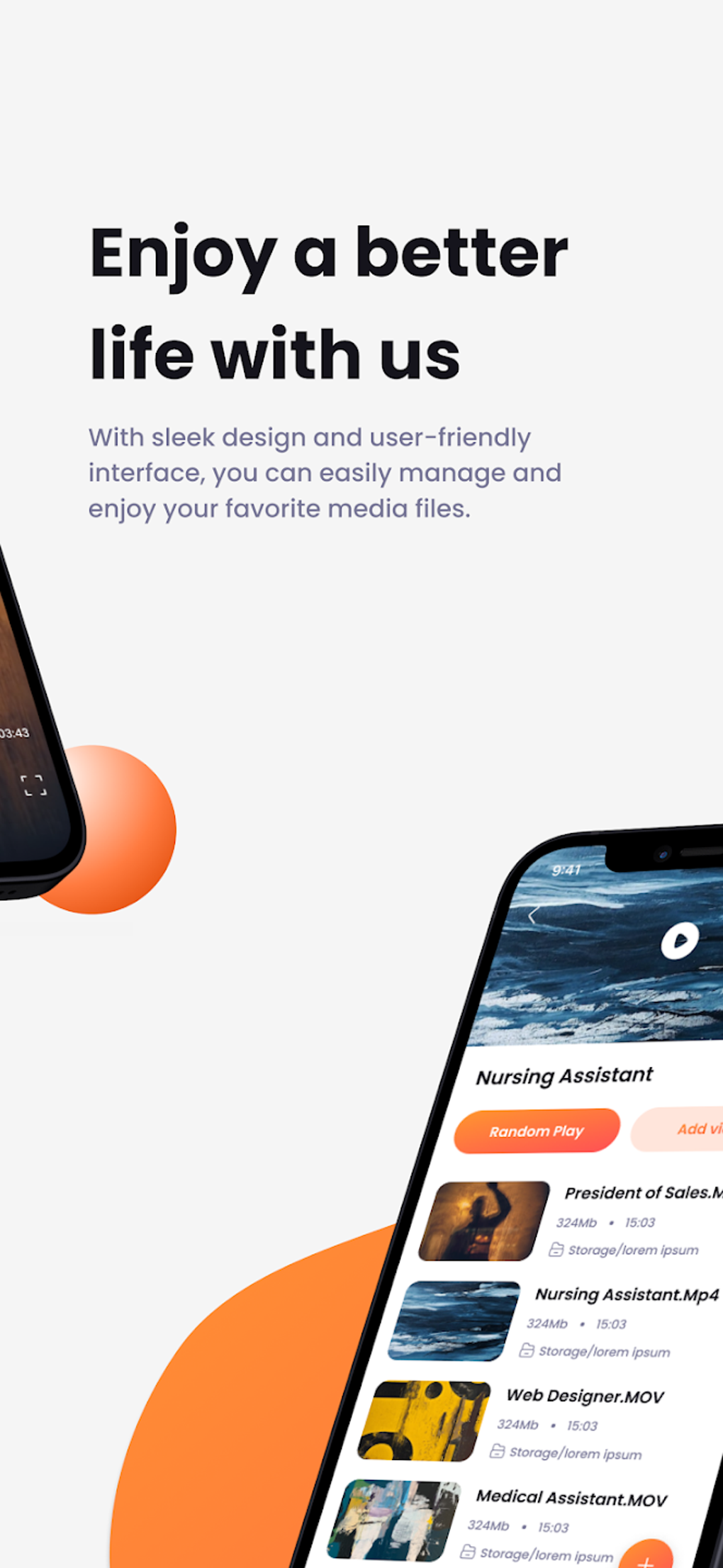
Video Lite boasts a clean and user-friendly interface. Navigation is intuitive, and the app’s overall design promotes ease of use. The app effectively utilizes the available screen real estate, providing a clear and uncluttered presentation of the user’s media library. Even beginners should find it relatively straightforward to navigate and utilize the app’s full range of features. The intuitive design minimizes the learning curve, allowing users to quickly begin managing their multimedia files. The consistent visual language and logical layout ensure a smooth and efficient user experience.
Performance and Features
Video Lite’s performance is generally smooth and responsive, even when handling a large number of media files. However, it is worth noting that the app’s performance can be affected by factors such as device specifications (RAM, processor), the size of the media library, and the overall system load. While generally efficient, users with very large media libraries might experience occasional lag or slowdowns.
Beyond the core media management features, Video Lite offers several additional functionalities:
-
File Type Support: The app supports a wide array of multimedia file formats, ensuring compatibility with most commonly used video, audio, and image files. This broad compatibility enhances the app’s versatility, allowing users to manage a diverse range of media types from a single interface.
-
Offline Playback: The built-in media player allows for offline playback of media files, eliminating the need for an active internet connection. This is a significant advantage for users who frequently consume media while traveling or in areas with limited or no internet access.
- Playlist Creation: The ability to create custom playlists enables users to tailor their media experiences to specific needs or preferences. Playlists allow for the grouping of media files for various purposes, making access and playback more organized and efficient.
Advertisement Experience
While Video Lite is a free application, it incorporates advertisements to support its development and maintenance. Unfortunately, the frequency and intrusiveness of these ads have been reported as a significant drawback by users. The ads can be disruptive to the user experience, interrupting media playback and navigation. This aspect needs improvement as excessive or obtrusive advertising can significantly detract from the overall usability of a free application. The developers might consider implementing less intrusive ad formats or offering a paid, ad-free version for users who prioritize an uninterrupted experience.
Comparison with Alternative Apps
Video Lite competes with numerous other multimedia management applications available on the Google Play Store. Many of these alternatives offer similar functionalities, but often with varying degrees of user interface design, feature sets, and advertisement strategies. Some competing apps may provide more advanced editing tools or offer cloud integration, while others focus on specific niches, such as video downloads or music streaming. The best choice will depend on individual user preferences and needs. A thorough comparison of competing apps based on their specific strengths and weaknesses is recommended before settling on a single multimedia management solution.
Conclusion: A Solid Choice with Room for Improvement
Video Lite provides a solid foundation for multimedia management on Android devices. Its user-friendly interface, comprehensive organization tools, and built-in media player make it an attractive option for users seeking a straightforward and effective way to manage their media libraries. The app’s extensive file format support and offline playback capabilities further enhance its overall utility. However, the frequency and intrusiveness of its advertisements represent a notable drawback, potentially impacting user satisfaction. If the developers can address the advertising issues, Video Lite could solidify its position as a leading multimedia management solution on Android. The current version, while functional, could benefit from refinements to improve the user experience and minimize ad interruptions. Potential users should weigh the advantages of the app against the inconvenience of the ads to determine whether it is the right choice for their needs.
App Specs and Download Information
- License: Free
- Version: 5.2 (as of the writing of this review. Check the app store for the latest version)
- Platform: Android
- OS: Android 13.0 and above (check compatibility before downloading)
- Language: English (and possibly other languages, check app store listing)
- Developer: Video Lite Group
The app can be downloaded from the Google Play Store. Please note that download numbers and other statistics mentioned in the original content may change over time. Always check the app store for the most up-to-date information.
Disclaimer
The views and opinions expressed in this review are solely those of the author and do not necessarily represent the views of PhanMemFree.org. The information provided in this review is based on the author’s experience using the app and information readily available at the time of writing. PhanMemFree.org does not endorse or guarantee the functionality or performance of the app. Always exercise caution when downloading and using any third-party application. Laws concerning the use of software vary from country to country. We do not encourage or condone the use of this program if it is in violation of these laws. PhanMemFree.org may receive a referral fee if you click or buy any of the products featured here.
File Information
- License: “Free”
- Latest update: “January 13, 2025”
- Platform: “Android”
- OS: “Android 13.0”
- Language: “English”
- Downloads: “18.2K”
- Download Options: “Google Play”