
Video MP3 Download Tubemate is a free Windows application designed for straightforward video and audio downloading from YouTube and other compatible platforms. Its primary function is to simplify the process of saving online videos and converting them to MP3 format, offering users a convenient offline media experience. This review will delve into its features, usability, advantages, disadvantages, and compare it to alternative solutions available in the market.
Key Features and Functionality
Tubemate’s core strength lies in its simplicity. The application boasts a user-friendly interface, minimizing the learning curve for even novice users. The process of downloading videos is streamlined; the software often automatically detects playable videos, requiring minimal user interaction beyond selecting the desired file and initiating the download. This ease of use is further enhanced by its ability to handle multiple simultaneous downloads without significantly impacting download speeds. The progress bar provides clear visual feedback on the download status, allowing users to track the progress of their downloads efficiently.

Beyond its ease of use, Tubemate also supports a range of video and audio formats, ensuring compatibility with various devices and players. This broad compatibility enhances its versatility, allowing users to download content that suits their specific needs and preferences. Moreover, the app offers the option to preview videos before downloading them, preventing users from inadvertently downloading unwanted content. This preview feature is a significant advantage, especially when dealing with large files or videos of questionable quality.
The ability to download high-quality videos is another important feature. Users are not limited to low-resolution downloads and can choose higher quality options, depending on the availability and their internet connection speed. This allows them to enjoy their downloaded content in the best possible quality, maximizing the visual experience.
Finally, Tubemate’s non-intrusive design allows users to continue using their computer while downloads are in progress. The application runs in the background without interfering with other applications or system processes, ensuring a smooth and efficient multitasking experience.
User Experience and Interface
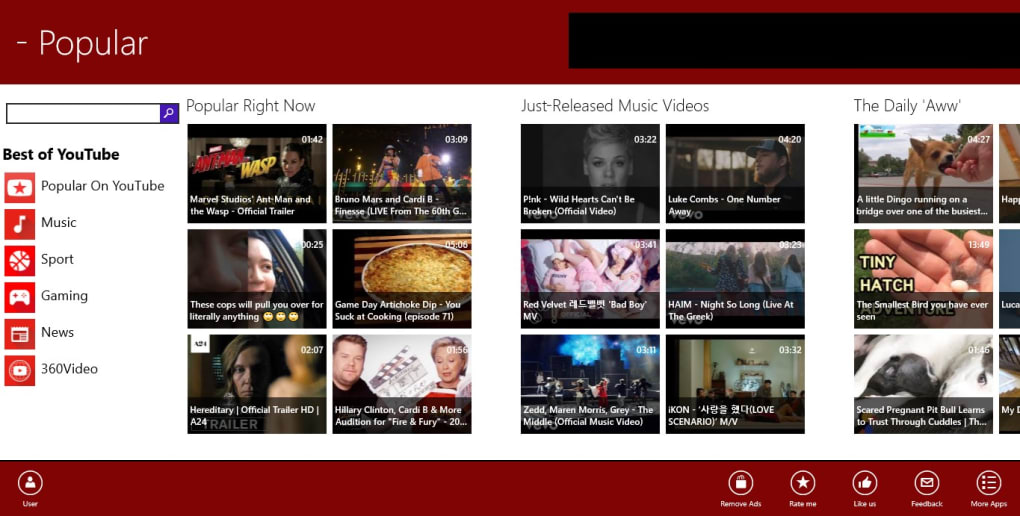
The application’s design prioritizes simplicity and efficiency. The interface is clean, uncluttered, and intuitive, making it easy for users to navigate and locate the desired functions. The lack of complex settings or advanced options contributes to its straightforward usability. This minimalist approach is beneficial for users who prefer a straightforward, unburdened experience, allowing them to focus on downloading their chosen content without unnecessary distractions. While the lack of advanced options might be a drawback for some power users, it significantly simplifies the overall user experience for the average user.
The automatic video detection further enhances the usability. This eliminates the need for users to manually copy and paste URLs or perform other complex actions. This automation streamlines the download process, minimizing the number of steps required and making it exceptionally easy to use, even for users unfamiliar with downloading videos.
Advantages and Disadvantages
Advantages:
- Simplicity and Ease of Use: The intuitive interface and streamlined process make it exceptionally user-friendly, even for beginners. The automatic video detection feature further simplifies the download process.
- Multiple Downloads: Tubemate supports simultaneous downloads, allowing users to download multiple videos or audio files concurrently, saving considerable time and effort.
- Wide Format Compatibility: Its compatibility with various video and audio formats ensures flexibility and broader usage across multiple devices.
- High-Quality Downloads: Users can download high-resolution videos, enhancing the quality of the downloaded content.
- Preview Feature: The ability to preview videos before downloading is a significant advantage, minimizing the risk of downloading unwanted content.
- Non-Intrusive Background Operation: The application runs discreetly in the background without hindering other applications.
Disadvantages:
- YouTube Dependency: The application’s primary function revolves around YouTube downloads. While it may support other platforms, its functionality is heavily reliant on YouTube.
- Lack of Advanced Features: The lack of advanced features may disappoint power users who require more sophisticated options or customization possibilities. There’s no built-in editing or conversion capabilities beyond basic downloads.
- Potential Legal Concerns: Downloading copyrighted material without permission is illegal in many jurisdictions. Users should be aware of copyright laws and download only content they have the right to access.
- Security Considerations: As with any third-party download software, it’s crucial to download Tubemate from reputable sources to minimize the risk of malware or viruses.
Alternatives to Video MP3 Download Tubemate
Several alternative applications offer similar video and audio downloading capabilities. Some popular options include:
- JDownloader: This open-source download manager supports multiple platforms and offers features like download scheduling and link grabbing. It offers more advanced features than Tubemate, but it also has a steeper learning curve.
- 4K Video Downloader: This application specializes in downloading videos from YouTube and other platforms. It boasts advanced features such as subtitles download and playlist support. While it’s not free, the paid version offers additional functionalities.
- Freemake Video Downloader: This free tool offers a wide range of download and conversion options, supporting various video formats. It’s known for its user-friendly interface and robust features.
The choice of the best alternative depends heavily on individual needs and preferences. Users prioritizing simplicity and ease of use might find Tubemate perfectly adequate, while those requiring more advanced features might prefer JDownloader or 4K Video Downloader.
Conclusion
Video MP3 Download Tubemate offers a straightforward and user-friendly solution for downloading videos and audio from YouTube and other supported platforms. Its simplicity and ease of use make it an attractive option for users who prioritize convenience and a straightforward experience. However, its limited functionality and reliance on YouTube might be drawbacks for users seeking more advanced features or broader platform support. The lack of advanced editing features differentiates it from more comprehensive download managers. Before using the software, users should ensure they understand and adhere to copyright laws and download only content they have permission to access. Ultimately, the decision of whether or not to use Video MP3 Download Tubemate depends on the individual user’s specific needs and priorities. Weighing the advantages and disadvantages carefully against available alternatives will help users make an informed decision.


