
Video conversion is a common need in today’s digital landscape. Whether you’re adjusting video formats for different devices, optimizing files for online sharing, or simply archiving your precious memories, a reliable video converter is an invaluable tool. This comprehensive review explores the features, performance, and overall user experience of a portable video-to-video converter, focusing on its capabilities, ease of use, and system resource impact.
Powerful Conversion Capabilities: A Wide Range of Formats and Presets
The Video-to-Video Converter stands out with its extensive support for a vast array of input and output formats. This versatility eliminates the frustration of encountering unsupported file types. The converter boasts compatibility with over 200 formats, including popular choices like AVI, MPEG, MP4, MKV, 3GP, and FLV. This broad spectrum ensures that virtually any video file can be processed, regardless of its origin or initial encoding.
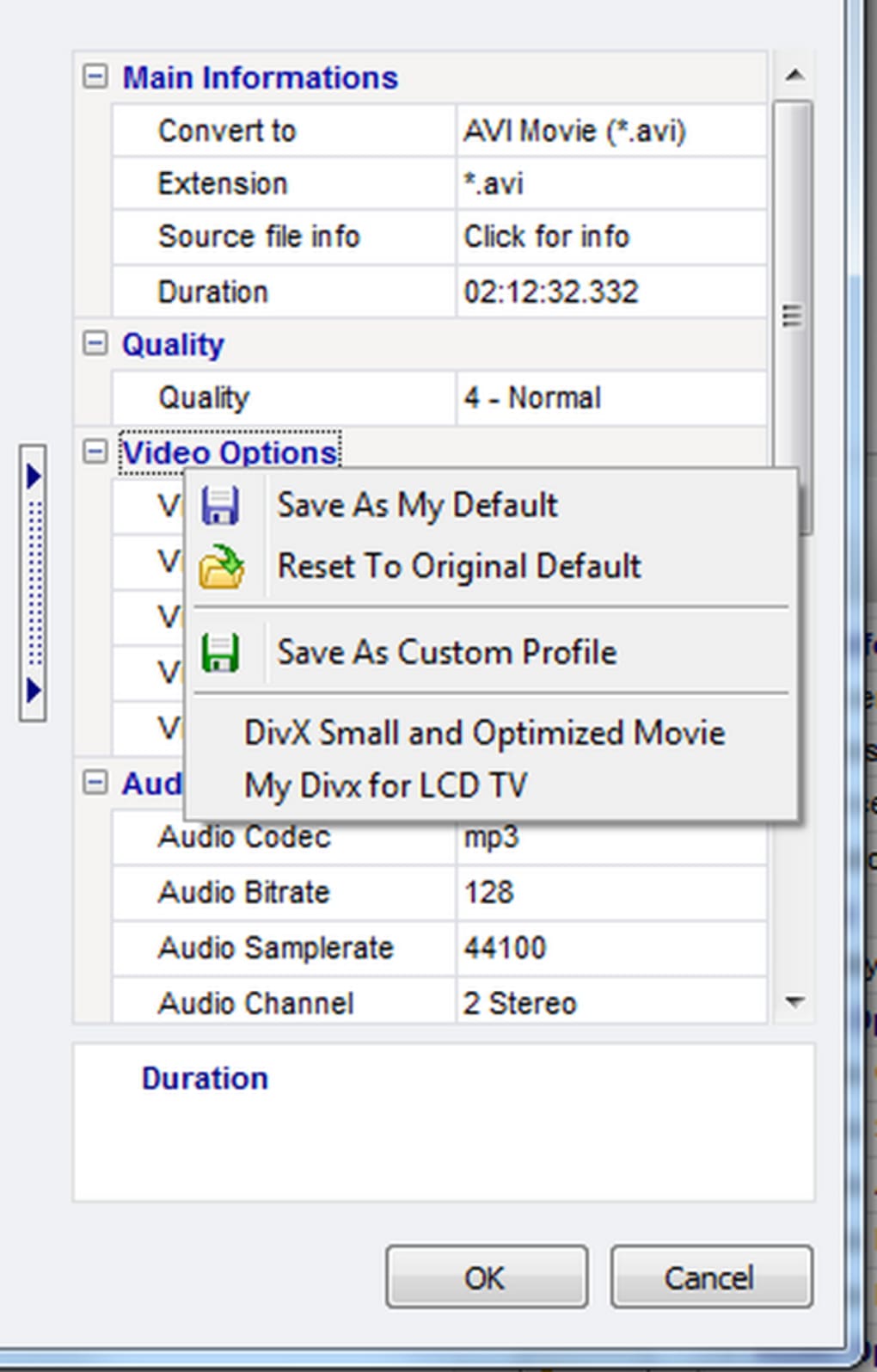
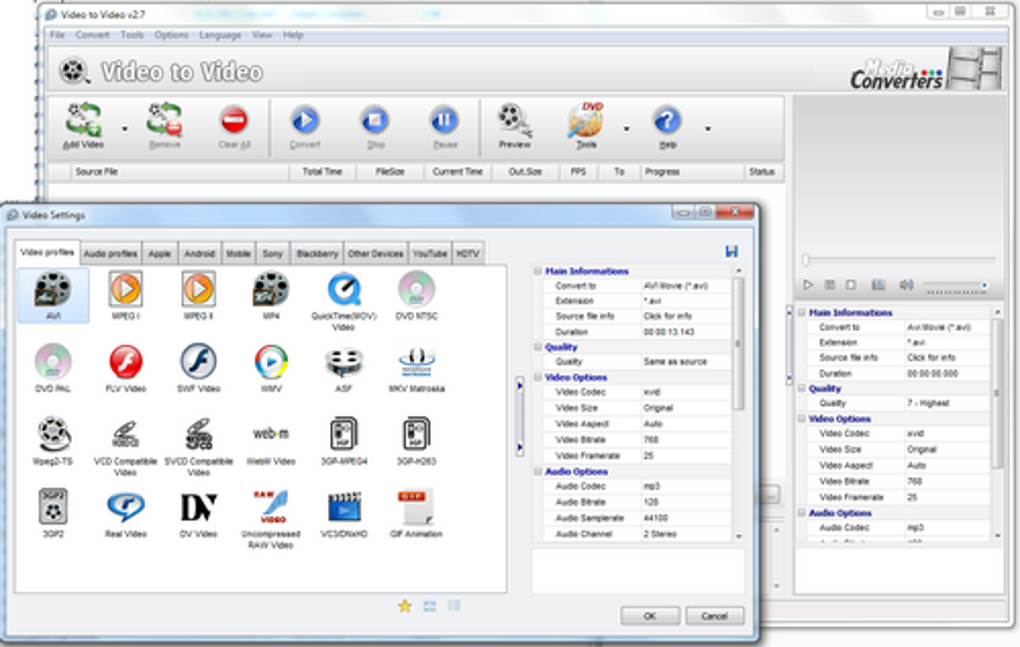
Beyond simple format conversion, this software offers a treasure trove of pre-configured presets tailored for a wide range of devices and platforms. This eliminates the need for users to manually adjust settings, simplifying the conversion process significantly. The extensive list includes presets for Apple devices (iPhone, iPod, iPad, Apple TV), Android smartphones and tablets, BlackBerry devices, various game consoles, and many more. These presets optimize the output video for optimal playback on the target device, ensuring compatibility and visual quality.
Furthermore, the software empowers users with granular control over the conversion process. While the pre-configured presets provide a convenient starting point, advanced users can fine-tune the settings to achieve precise results. This includes adjusting video resolution and quality, selecting different codecs for encoding, and modifying the bitrate to balance file size and visual fidelity. The ability to customize settings allows for highly targeted optimization, catering to specific needs and preferences.
Beyond Basic Conversion: A Suite of Integrated Tools
The Video-to-Video Converter is more than just a simple format converter; it’s a comprehensive multimedia toolkit offering a range of supplementary features that expand its functionality. These added capabilities provide a streamlined workflow, consolidating various video manipulation tasks into a single application.
Video Editing and Manipulation: The software incorporates tools for joining and splitting video files. The video joining feature allows users to seamlessly combine multiple video clips into a single, continuous file, a valuable tool for creating longer videos or compiling sequences from multiple sources. Conversely, the splitting function enables precise extraction of specific segments from a larger video, facilitating the creation of shorter clips or removing unwanted portions.
Image Conversion: The converter seamlessly handles the conversion of videos into image sequences. This feature is beneficial for creating animated GIFs, extracting still frames from videos for use in presentations or other projects, or simply capturing memorable moments from a video as individual images. Conversely, the program also allows creating videos from a series of images, allowing users to turn photo slideshows into dynamic videos.
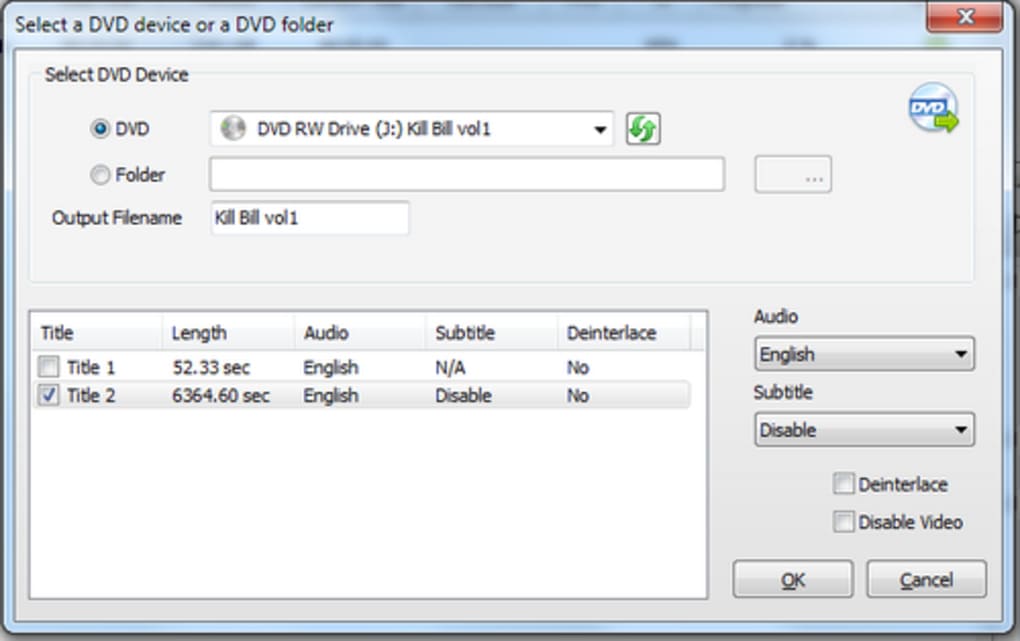
DVD Management: The software’s DVD remastering capabilities provide a means to improve the quality of existing DVD videos. This can involve re-encoding the video in a more efficient format, enhancing resolution, or adjusting other parameters to achieve better visual fidelity. This function is valuable for enhancing older DVD recordings or converting them to more modern formats for playback on newer devices. Additionally, a DVD ripper function extracts video content from DVDs, allowing users to convert them into different formats for easier sharing or storage. A DVD authoring feature allows the creation of DVD-compliant video files, completing the cycle from DVD source to DVD output. Finally, a DVD burning function ensures the seamless transfer of created or converted videos directly to a physical DVD.
Watermarking and Enhancement: For those concerned with protecting their intellectual property, the inclusion of a watermarking function is a valuable asset. Adding a watermark to videos adds a layer of protection against unauthorized copying or distribution.
User Experience and Interface Design: Intuitive and Accessible
The software’s user interface is designed with simplicity and ease of use in mind. The clean and organized layout ensures that all functions are readily accessible. The intuitive design makes the application suitable for users of all technical skill levels, from beginners to experienced video editors. All of the app’s functions are easily reached through clearly labeled buttons and menus.
Performance and Resource Consumption: Balancing Efficiency and Power
While the Video-to-Video Converter offers impressive functionality, its resource consumption is a point that deserves attention. During the conversion process, particularly when handling large or complex video files, the program can place a significant demand on system resources, potentially leading to noticeable CPU and RAM usage. This can result in temporary performance slowdowns on less powerful machines. While the conversion speeds are generally reasonable, this heavy resource usage is a trade-off users should consider, particularly those with less powerful hardware configurations. However, ongoing updates have focused on optimization and performance improvements.
Portable Convenience: Flexibility and Freedom from Installation
The portable nature of the Video-to-Video Converter is a significant advantage. Unlike traditional applications that require installation, this software runs directly from a USB drive or other portable storage device. This eliminates the need for administrative privileges and allows users to utilize the converter on any computer without leaving any traces behind after use. This portability is ideal for users who frequently work on multiple machines or prefer to keep their primary system clean from unnecessary software installations. This eliminates the complexities of installation and uninstallation processes, adding to the convenience and flexibility of the software.
Updates and Support: Ongoing Improvements and Bug Fixes
The developers demonstrate commitment to improvement by providing regular updates that address bug fixes, add new features, and enhance existing functionalities. Recent updates have included improvements to the FFmpeg libraries, addressing various issues. Fixes have been implemented for previously reported bugs, including a rotation bug and profile issues affecting the portable version. These ongoing updates demonstrate a commitment to user satisfaction and enhancing the software’s performance and stability.
Comparison to Alternatives: A Competitive Choice
Compared to other video converters, the Video-to-Video Converter holds its own. While many alternative converters offer similar basic functionalities, this software’s comprehensive feature set, including its expansive format support, integrated editing tools, and portable design, distinguishes it from many competitors. Some alternative converters may specialize in specific tasks or offer advanced features that may be absent from this application, however, the combined power and convenience make this program a compelling option.
User Reviews and Community Feedback: Real-World Experiences
User reviews highlight both the strengths and weaknesses of the Video-to-Video Converter. Positive feedback often praises the software’s extensive format support, ease of use, and wealth of presets. On the other hand, some negative reviews point out the high resource consumption during conversion and the lack of detailed instructions for novice users. This mixed feedback reflects the trade-off between powerful functionality and resource demand. However, the prevalence of positive reviews demonstrates the overall effectiveness and usefulness of the software for a majority of users.
Conclusion: A Versatile and Powerful Tool with Minor Caveats
The Video-to-Video Converter presents a powerful and versatile solution for all video conversion needs. Its extensive format support, array of integrated tools, user-friendly interface, and portable convenience are significant advantages. The high resource consumption during conversion remains a point of consideration, potentially impacting performance on less powerful systems. However, for users who prioritize convenience, versatility, and a comprehensive feature set, this converter offers a strong and effective solution. The software’s ongoing updates and developer commitment suggest that future enhancements will likely further address resource management, further solidifying its position as a valuable tool in the multimedia landscape.
File Information
- License: “Free”
- Latest update: “April 29, 2024”
- Platform: “Windows”
- OS: “Windows 2000”
- Language: “English”
- Downloads: “1.2M”
- Size: “31.36 MB”


