Videoleap has emerged as a powerful contender in the world of mobile video editing, offering a robust suite of tools and features typically found only in professional desktop software. This in-depth review explores Videoleap’s capabilities, examining its strengths and weaknesses to determine its suitability for both amateur and professional video creators. We’ll delve into its user interface, available tools, performance, and overall value proposition, helping you decide if Videoleap is the right video editor for your needs.
User Interface and Workflow
Videoleap’s interface is designed for intuitive navigation, even for users with limited video editing experience. The layout is clean and uncluttered, prioritizing ease of use. The primary workspace presents a clear timeline for arranging clips, along with readily accessible toolbars for adding effects, transitions, and adjusting settings. This drag-and-drop functionality makes assembling and manipulating video clips incredibly straightforward. New users will quickly grasp the basics, while experienced editors will appreciate the efficient workflow it provides. The app avoids overwhelming users with unnecessary complexities, focusing instead on providing a streamlined and efficient editing process. However, some users may find the limited customization options for the interface itself to be a minor drawback. While the default layout is functional, the lack of extensive customization might hinder users seeking a highly personalized editing environment.
Powerful Editing Tools and Features
Videoleap is not simply a basic video trimmer; it boasts an impressive array of professional-grade tools. The capabilities extend far beyond simple cuts and joins. Users can seamlessly incorporate advanced features like:
-
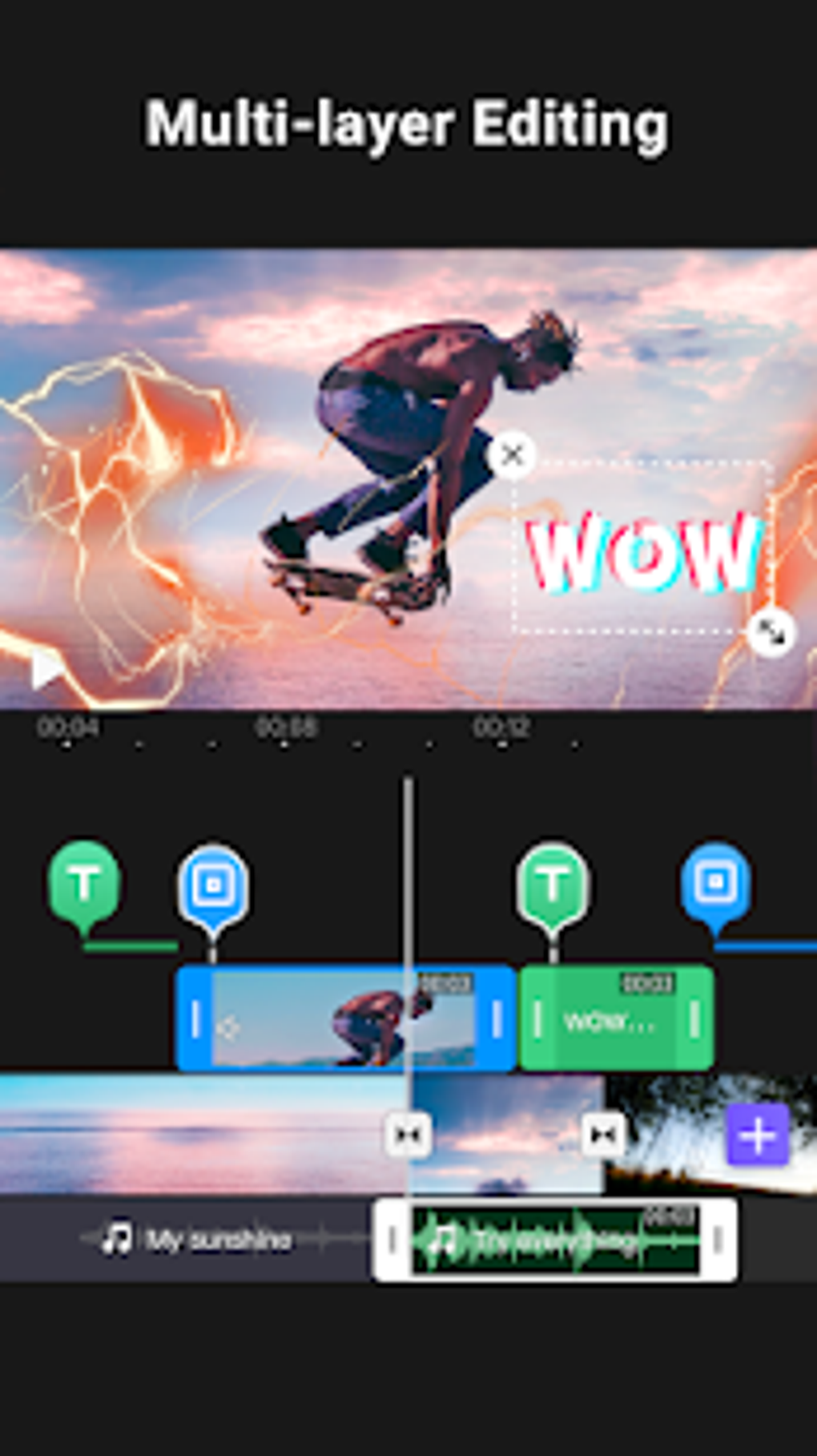
Multi-Track Editing: Manage multiple audio and video layers concurrently, allowing for complex projects with intricate layering and sound design. This feature enables precise control over the audio and visual elements, leading to more polished and professional-looking videos.
-
Precise Trimming and Cutting: Videoleap offers tools for accurate trimming and cutting of video clips, ensuring clean edits without sacrificing visual quality. Fine-grained control over the editing process empowers users to achieve precise transitions and seamless integration of various elements.
-
Speed Adjustment: Control the speed of individual clips, creating slow-motion effects for dramatic impact or speeding up footage for comedic timing. The precise speed controls enhance creative flexibility, allowing users to adjust the pacing of their videos for optimal impact.
-
Reverse Playback: Add a unique visual flair by reversing individual clips or segments of your video. This can add dynamism to otherwise static footage, enhancing visual interest and creating creative effects.
-
Transitions: A wide range of professional transitions are available, enhancing the flow between clips and creating a polished, visually appealing narrative. The variety of transitions extends beyond simple cuts, providing users with creative tools to enhance visual storytelling.
-
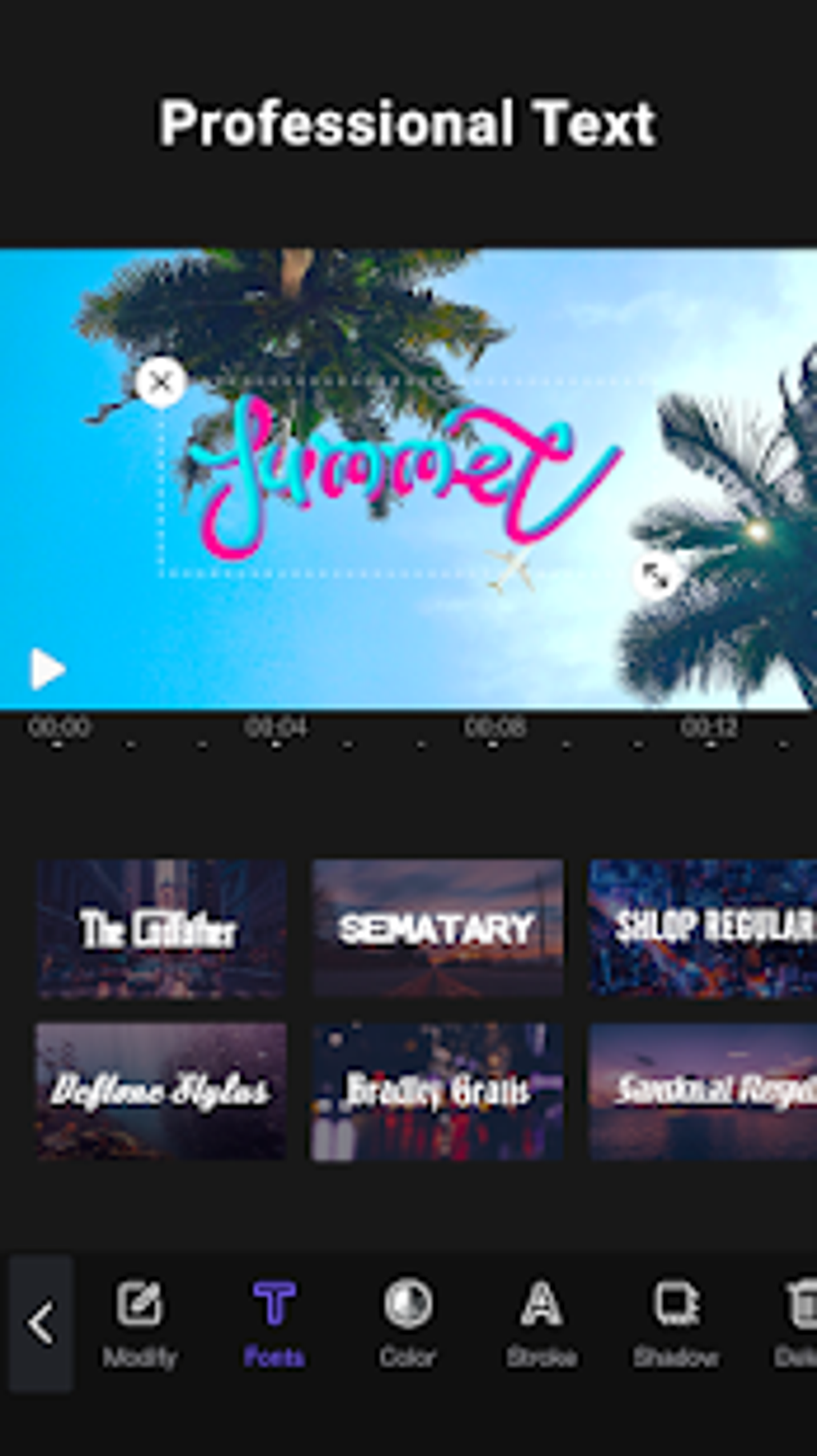
Text and Titles: Add text overlays, titles, and subtitles to your videos, improving accessibility and adding visual information. Customizable fonts and styles offer creative control over text presentation, ensuring a cohesive visual style.
-
Filters and Effects: A diverse library of filters and effects allows for color grading, stylistic enhancements, and special effects. Users can transform the mood and aesthetic of their videos with ease, applying cinematic looks and enhancing visual appeal.
-
Audio Mixing and Adjustment: Control audio levels, add music, and apply sound effects. This provides precise control over the audio landscape, ensuring a balanced and professional soundscape.
-
Picture-in-Picture (PiP): Overlay multiple video clips, enhancing visual interest and allowing the presentation of multiple perspectives simultaneously. This feature is particularly useful for creating visually engaging content, combining elements for a more impactful viewing experience.
-
Blending Modes: Experiment with various blending modes to create unique visual effects by combining video layers creatively. This adds depth and complexity to video projects, resulting in visually striking and original outputs.
Performance and Stability
While Videoleap offers a substantial feature set, its performance has been a point of discussion among users. While generally reliable, occasional instances of lagging, freezing, and crashing have been reported. These issues appear to be more prevalent with longer and more complex projects involving many layers and effects. The frequency of these problems appears to vary depending on the device and its processing power. Higher-end devices with ample RAM and processing capacity tend to experience fewer performance issues. However, users with less powerful devices may encounter more frequent glitches. Regular updates often address performance concerns, so keeping the app up-to-date is recommended. The developers are actively working on improvements, and future updates promise further stability enhancements. The occasional instability remains a notable drawback, however, and should be considered when evaluating Videoleap.
Export Options and Sharing
Videoleap offers a range of export options, allowing users to save their projects in various resolutions and formats suitable for various platforms. This flexibility enables seamless sharing across social media platforms like YouTube, Instagram, TikTok, and Facebook. The app simplifies the process of exporting and sharing your finished videos, making the process quick and painless. Users have control over the resolution and quality of the exported video, ensuring compatibility with different platforms and devices. This feature enhances the usability of Videoleap for creators aiming to distribute their work widely.
Comparison to Other Mobile Video Editors
Videoleap stands out from other mobile video editors thanks to its powerful blend of professional features and user-friendly interface. While apps like CapCut offer similar intuitive designs, Videoleap surpasses many competitors with its advanced editing capabilities, particularly its multi-track editing and blending mode options. Compared to more streamlined editors that prioritize simplicity over advanced functions, Videoleap provides a balance between ease of use and professional capabilities. The range of features, including its extensive collection of transitions, effects, and the ability to work with multiple layers, places it among the more comprehensive mobile video editing solutions available.
Conclusion: Is Videoleap Right for You?
Videoleap provides a compelling mobile video editing experience, especially for creators seeking a powerful yet accessible tool. The abundance of advanced features, coupled with an intuitive interface, allows for the creation of high-quality videos without requiring extensive prior experience. However, potential users should be aware of the occasional performance hiccups. If you can tolerate occasional instability, particularly on less powerful devices, Videoleap provides exceptional value. Its impressive feature set, especially the multi-track editing and sophisticated effects, makes it a powerful option for both amateur and professional video creators aiming to create high-quality content on the go. The balance between power and accessibility makes Videoleap a strong contender in the ever-expanding mobile video editing landscape. The ongoing development and updates suggest a continuous commitment to improving performance and stability, suggesting a bright future for this impressive video editing application.
File Information
- License: “Free”
- Latest update: “August 10, 2025”
- Platform: “Android”
- OS: “Android 15.0”
- Language: “English”
- Downloads: “61.4K”
- Download Options: “Google Play”