
VideoProc Converter, a video processing program developed by Digiarty Software, Inc., presents itself as a powerful tool for handling video conversion and editing tasks. Promising high speeds and efficient compression, it leverages hardware acceleration to achieve impressive results, particularly for users with powerful graphics cards. However, a closer examination reveals a nuanced picture, with significant limitations attached to its free version that may affect its overall usability for many users. This in-depth review explores VideoProc Converter’s capabilities, its strengths and weaknesses, and compares it to alternative solutions available in the market.
Powerful GPU Acceleration: The Core Feature (But With a Catch)
Video editing and conversion are computationally intensive processes, traditionally relying heavily on the central processing unit (CPU) for processing power. More cores and higher clock speeds typically equate to faster rendering times. However, the advent of powerful graphics processing units (GPUs) has opened new avenues for accelerating these tasks. VideoProc Converter aims to capitalize on this advancement with its advertised “Level 3 Hardware Acceleration” technology. This feature promises significantly faster conversion speeds compared to CPU-only processing, theoretically offering up to 47x faster performance depending on the GPU used. Compatibility is claimed across Nvidia, AMD, and Intel graphics solutions.
The “Intelligent High Quality Engine” further complements the hardware acceleration by striving to compress file sizes without substantial quality loss. This combination of speed and efficiency is a compelling proposition for users who regularly deal with large video files or require quick turnaround times for their projects. However, this crucial feature, the advanced GPU acceleration, is locked behind a paid license. The free version of VideoProc Converter significantly limits its capabilities, making it difficult to truly assess the advertised performance improvements. This represents a significant drawback, as prospective users cannot fully experience the software’s most prominent and touted advantage before committing to a purchase.
Beyond GPU Acceleration: A Look at Other Features
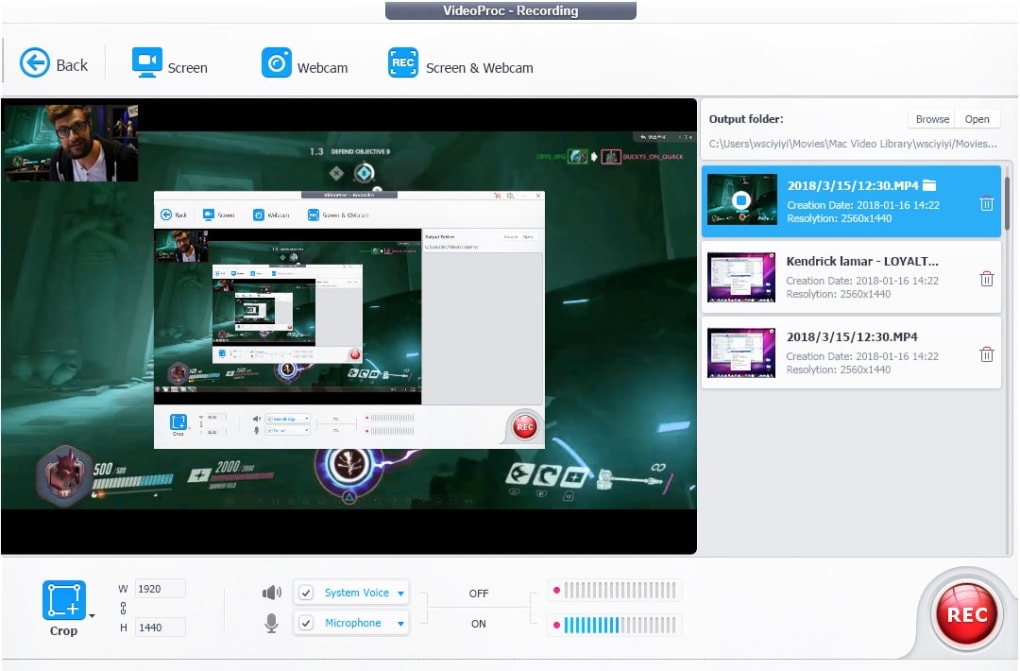
While the GPU acceleration is the headline feature, VideoProc Converter does offer several other functionalities. These include:
- Batch Processing: This feature allows users to process multiple video files simultaneously, saving considerable time and effort. This is a standard feature in many video converters, but it’s still a valuable inclusion in VideoProc Converter’s toolkit.
-
Online Video Downloading: The software integrates the ability to download videos from various supported websites. While the specifics of supported sites aren’t explicitly detailed, this functionality broadens its appeal for users who need to acquire videos from online sources and convert them to different formats.
-
4K Resolution Support: VideoProc Converter claims support for processing video files with resolutions up to 4K. This is essential for users working with high-resolution content, which is increasingly common in today’s digital landscape.
However, even these features are hampered by restrictions in the free version, making them less useful than they could be.
The Limitations of the Free Version: A Significant Hurdle
The free version of VideoProc Converter comes with substantial limitations that significantly hinder its functionality. These restrictions include:
-
Five-Minute Processing Limit: A significant limitation is the five-minute cap on video processing. This drastically reduces the practicality of the software for anyone dealing with longer videos, effectively rendering it useless for many common video editing or conversion tasks.
-
Watermarking: Processed videos in the free version are watermarked, making them unsuitable for professional or serious use. This watermark is a persistent reminder of the limitations imposed by the free version, impacting the final output quality and overall user experience.
- Other Undisclosed Limitations: Beyond the explicitly mentioned restrictions, there are likely other undisclosed limitations within the free version that could further hamper its usefulness. The lack of transparency regarding the extent of these restrictions makes it difficult for potential users to properly evaluate the software’s capabilities.
The restrictive nature of the free version creates a situation where the core selling point of the software – its GPU-accelerated processing – is largely inaccessible without purchasing a license. This fundamentally undermines the software’s value proposition for those exploring its use, thereby creating a significant barrier to entry.
Comparing VideoProc Converter to the Competition
VideoProc Converter exists within a crowded marketplace of video conversion and editing software. Many alternatives offer similar functionalities, often without the same restrictive free-version limitations. Some key competitors include:
-
HandBrake: A completely free, open-source video converter known for its extensive codec support and powerful encoding options. HandBrake provides a feature-rich experience without the limitations found in VideoProc Converter’s free version.
-
FFmpeg: A command-line based video processing tool, FFmpeg offers unparalleled versatility and control. It’s ideal for advanced users who are comfortable working within a command-line environment. However, its steep learning curve makes it unsuitable for beginners.
-
Any Video Converter: A well-established video converter with a user-friendly interface. Similar to VideoProc, it offers a free and a paid version, though the specifics of limitations in the free version need individual assessment.
-
Total Video Converter: Another popular choice, Total Video Converter, provides a range of features including conversion, editing, and DVD ripping capabilities. Its free and paid versions must be carefully evaluated to compare restrictions.
These alternatives, depending on the user’s needs and technical expertise, might offer comparable or superior functionality without the restrictive aspects of VideoProc Converter’s free version.
Conclusion: A Powerful Tool, but Not Without Caveats
VideoProc Converter offers potentially impressive video conversion speeds due to its GPU acceleration technology and boasts a user-friendly interface. However, the severe limitations imposed on the free version severely restrict its practical usability for most users. The core selling point, the highly touted GPU acceleration, is inaccessible without a paid license, making it difficult to justify the software’s free version. Users should carefully weigh the limitations against the potential benefits before deciding whether the paid version justifies the cost, especially given the abundance of free and feature-rich alternative video processing software available. The decision to purchase should be based on a thorough consideration of individual needs and a comparison with alternative, potentially less restrictive solutions in the market. Ultimately, while the technology behind VideoProc Converter is promising, its business model may alienate many potential users.
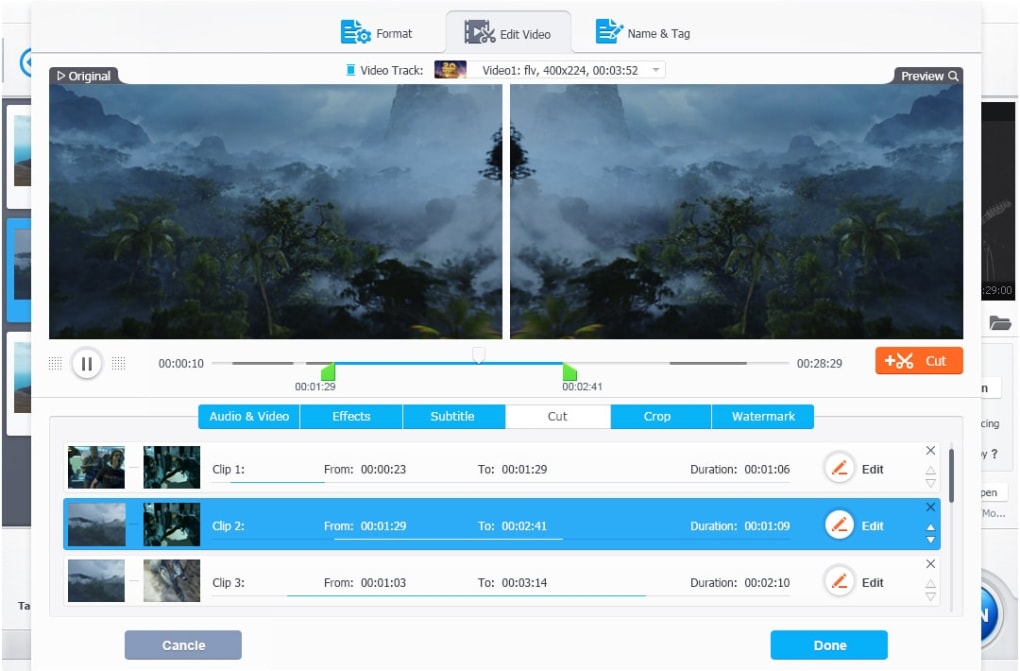
File Information
- License: “Trial version”
- Version: “5.1.0.0”
- Latest update: “November 3, 2022”
- Platform: “Windows”
- OS: “Windows 10”
- Language: “English”
- Downloads: “3K”
- Size: “51.63 MB”


