
Vidmore Player is a multimedia playback application designed for Windows and macOS operating systems. It positions itself as an all-in-one solution for playing a wide variety of video formats, supporting not only common digital files but also physical media like DVDs and Blu-ray discs. This review will delve into its features, performance, user interface, and overall capabilities, comparing it to other media players available on the market.
Feature Set: Beyond Basic Playback
Vidmore Player’s core functionality centers around playing media files, but its feature set extends significantly beyond simple playback. Its ability to handle a wide array of file formats is a key selling point. The player boasts compatibility with numerous video codecs and container formats, allowing users to play almost any video file they might encounter. This broad support minimizes the need to convert videos before playback, a considerable advantage over some more limited media players.
Beyond common digital video formats, Vidmore Player distinguishes itself with its support for physical media. Unlike many modern media players which focus primarily on digital files, Vidmore Player can play DVDs, Blu-ray discs (including BD-5, BD-9, and BD-50 variations), and ISO image files. This extended compatibility caters to users who still have large collections of physical media and want a convenient way to access them on their computers. This feature is a significant differentiator, setting it apart from many competitors that solely concentrate on digital video playback.
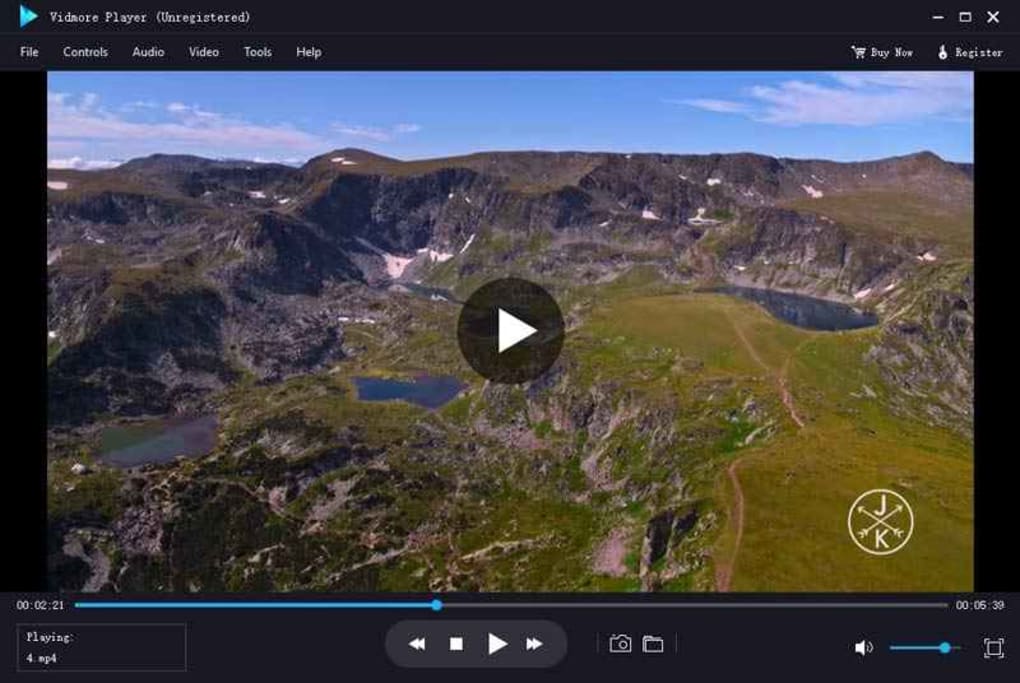
The player further enhances the viewing experience with its advanced decoding technologies. Support for codecs like Dolby, DTS, AAC, and TrueHD ensures high-quality audio output, providing users with immersive sound for their movies and videos. This commitment to audio fidelity is a crucial element for those seeking a cinematic experience at home. Furthermore, Vidmore Player incorporates options to fine-tune video effects, including brightness, contrast, and saturation. This allows users to customize their visual experience to their preferences, adapting the picture to their display and ambient lighting conditions.
User Interface and User Experience: A Focus on Simplicity
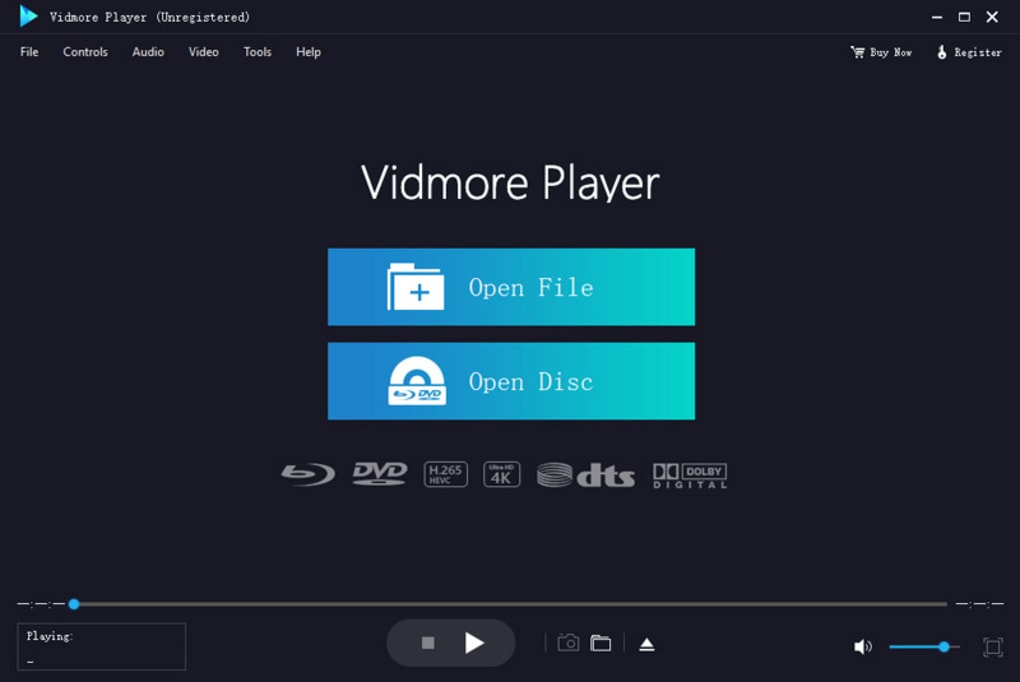
The developers of Vidmore Player have prioritized a clean and intuitive user interface. The application adopts a sleek black theme, minimizing eye strain during extended viewing sessions. This dark mode is becoming increasingly common in modern software, recognizing its ergonomic advantages. The main window presents a well-structured layout, arranging all essential elements neatly to avoid a cluttered appearance.
Navigation is straightforward, even for first-time users. The menus are logically organized, allowing users to quickly access playback controls, settings, and other features. Essential options like volume control, playback speed adjustment, and subtitle selection are readily available. The developers have clearly focused on providing a user-friendly experience, avoiding unnecessary complexities that can sometimes overwhelm users in other media players.
Performance and System Requirements: A Balance of Power and Accessibility
While Vidmore Player is designed to be user-friendly, its performance depends largely on the capabilities of the user’s computer. While it can generally run smoothly on mid-range devices, a higher-specification system is recommended for optimal performance, particularly when handling high-resolution videos or playing back Blu-ray discs. High-resolution content and Blu-ray playback require significant processing power; therefore, users with older or less powerful hardware might experience some lag or stuttering.
The software’s resource consumption should also be considered. Users should monitor CPU and RAM usage, especially during demanding playback tasks. The resource usage can vary based on the video’s complexity and the user’s system configuration. Having a sufficient amount of RAM and a robust processor will generally lead to a smoother playback experience. Users should check the system requirements on the official Vidmore website before installation to ensure compatibility with their hardware.
Comparison with Competitors: A Niche for Physical Media Support
In the crowded marketplace of media players, Vidmore Player occupies a niche by focusing on broad format support and seamless physical media playback. While many competitors offer extensive digital format support, few match Vidmore Player’s capability to handle DVDs, Blu-ray discs, and ISO files. This makes it an ideal choice for users who still rely on physical media or need a single application for both digital and physical media playback.
Direct competitors like VLC Media Player offer vast format compatibility and are open-source, but they might lack the polished user interface and tailored feature set of Vidmore Player. Other commercial media players may focus on specific niche features, such as advanced video editing capabilities or cloud integration, which may not be relevant to all users. Vidmore Player’s strength lies in its balanced approach, combining a broad range of features with a user-friendly interface, making it suitable for both casual and more demanding users.
Conclusion: A Strong Contender in the Media Player Arena
Vidmore Player presents a compelling alternative to other media players, offering a compelling blend of extensive format support, a user-friendly interface, and high-quality audio and video playback. While performance can be influenced by system specifications, its strengths in handling diverse media types, including physical discs and ISO files, make it a noteworthy contender in a market dominated by software focused primarily on digital files. The ability to fine-tune video settings, along with the overall clean design, makes it a valuable tool for users seeking a versatile and straightforward media player experience. For users with substantial physical media collections or those who simply want a single solution for handling various video formats, Vidmore Player offers a robust and user-friendly option. The balance of functionality and simplicity makes it a strong choice for many users, solidifying its position in the competitive media player landscape.
File Information
- License: “Full”
- Latest update: “August 19, 2023”
- Platform: “Windows”
- OS: “Windows 7”
- Language: “English”
- Downloads: “4.9K”
- Size: “2.00 MB”


