
Viper is a free anti-plagiarism software designed primarily for educators and students to detect instances of plagiarism in written text. While its functionality is straightforward, its limitations concerning compatibility and language support should be considered before implementation. This review delves into its features, pros, cons, and alternatives.
Viper’s Core Functionality: Detecting Plagiarism
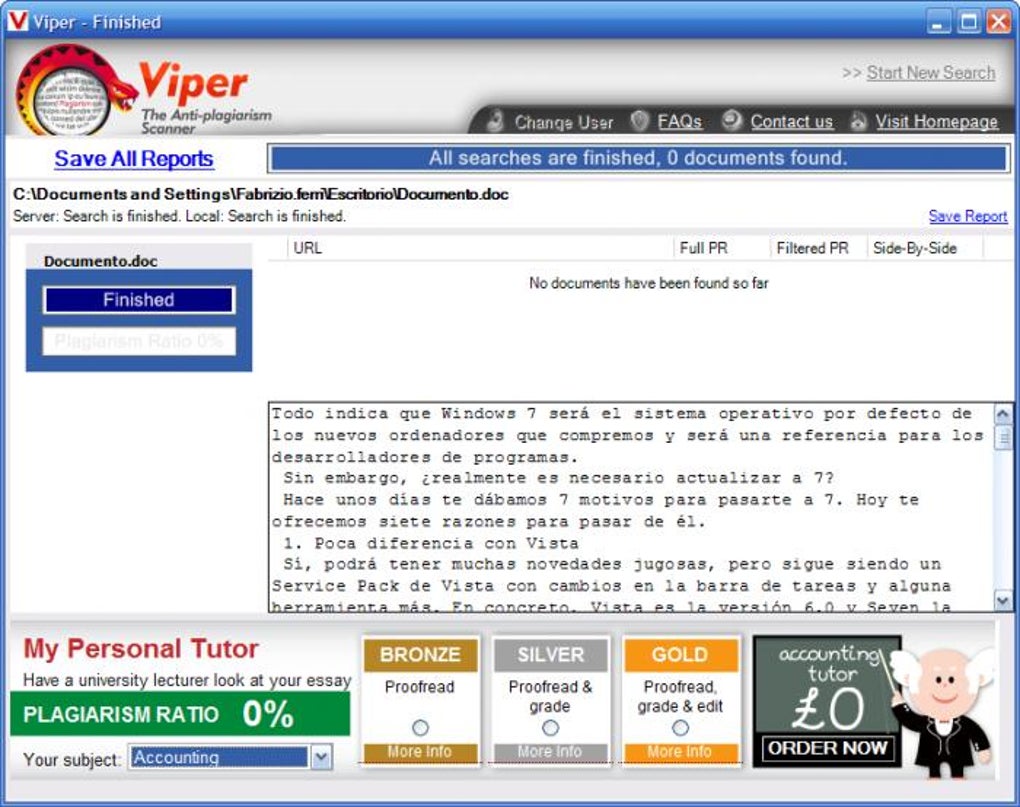
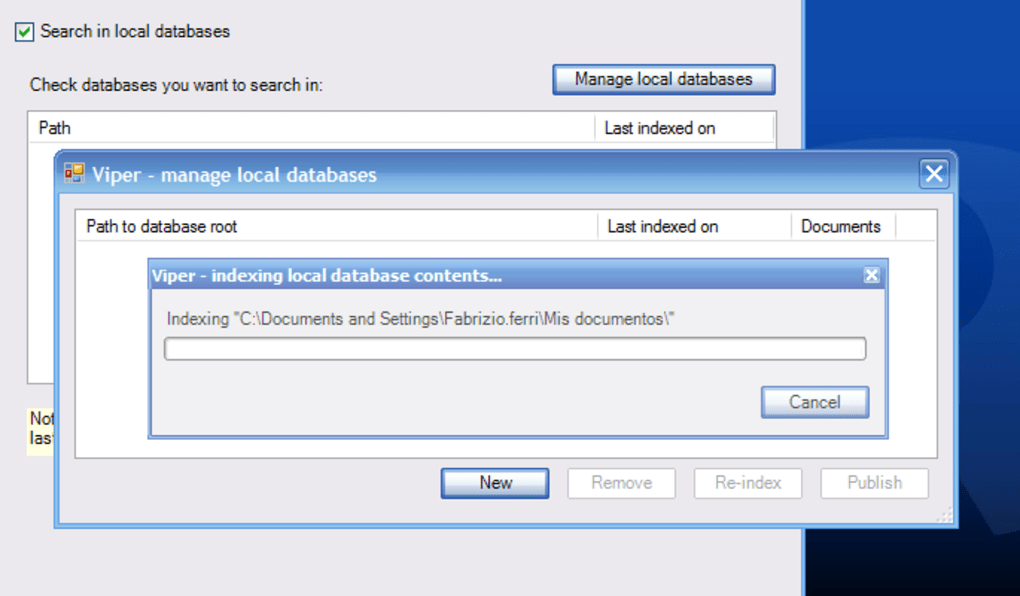
At its core, Viper functions as a plagiarism detection tool. Users upload documents, typically essays, research papers, or other written assignments, into the system. The software then compares the uploaded text against a vast database of online sources and potentially local databases if configured. This comparison process identifies sections of text – sentences, paragraphs, or even entire documents – that match existing material, thus highlighting potential instances of plagiarism. The results, including the highlighted sections and their corresponding online sources, are emailed to the user for review. This allows educators and students to quickly assess the originality of submitted work. The speed and efficiency of the plagiarism check are noted as key advantages. The software’s relatively small size (around 1 megabyte) also contributes to its ease of use.
Ease of Use and User Interface
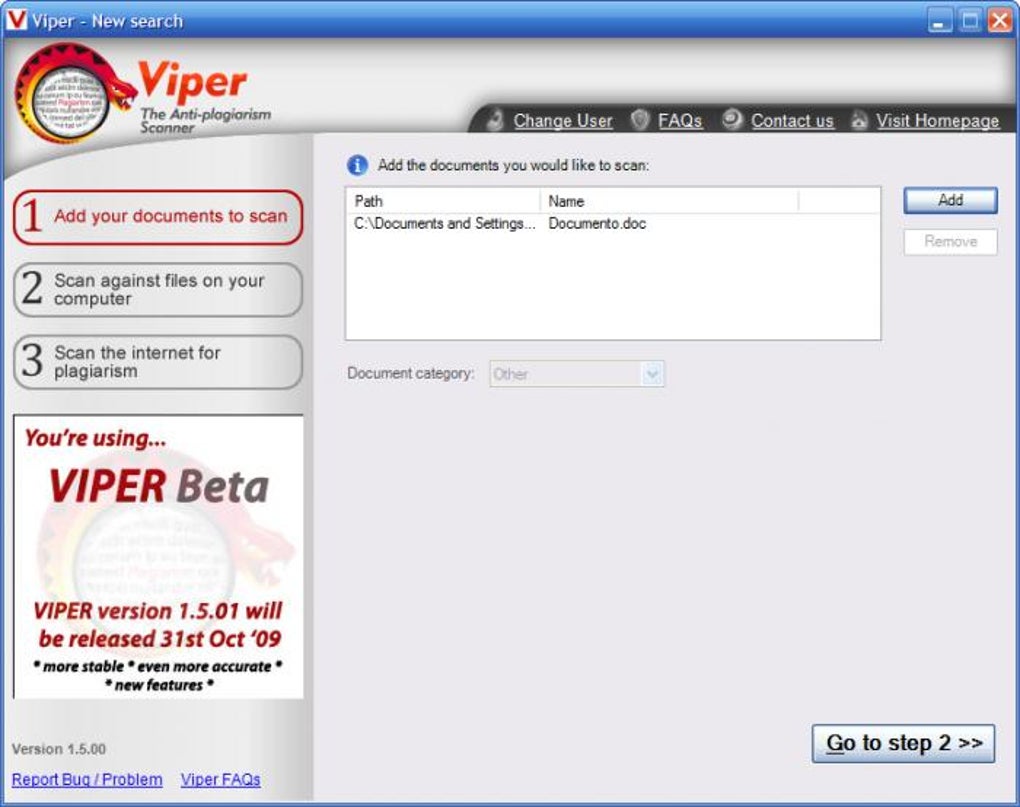
One of Viper’s significant strengths lies in its user-friendliness. The software boasts a simple, intuitive interface that makes it accessible even to users with minimal technical experience. The process of uploading documents and initiating a plagiarism check is straightforward and requires minimal user interaction. The results are presented in a clear and concise manner, making it easy to identify the potentially plagiarized sections of the text. The email delivery of results adds to the convenience, allowing users to review the findings at their convenience without needing to remain logged into the software. This straightforward approach contributes to its popularity among educators who need a quick and efficient way to check student work. However, user feedback suggests that the lack of advanced features and the absence of detailed analysis might be limitations for users needing more in-depth information about plagiarism occurrences.
Limitations and Compatibility Issues
Despite its ease of use, Viper has several significant limitations. The most notable constraint is its compatibility. As explicitly stated in the software information, Viper is only compatible with older versions of Windows, primarily Windows XP and earlier. This significantly restricts its usability for many current users, as most modern computers run more recent operating systems. This compatibility issue is a major drawback and renders the software inaccessible to a substantial portion of the potential user base. Furthermore, the software’s availability only in English limits its use in international settings. For users requiring support for other languages or using newer Windows versions, alternative plagiarism detection tools are necessary.
Alternatives to Viper: A Comparison
Given Viper’s limitations, exploring alternative plagiarism detection software is advisable. Several options offer similar functionality, often with broader compatibility and added features. These alternatives frequently incorporate advanced features like sophisticated algorithms for identifying paraphrasing and near-duplicate content, providing users with a more comprehensive plagiarism analysis than Viper offers. Many offer support for multiple languages, enhancing their global accessibility. While some alternatives might be subscription-based, others, similar to Viper, offer free versions with limitations, or freemium models combining free and paid tiers. Comparing these alternatives based on their features, pricing, and compatibility with the user’s operating system and specific needs is crucial in choosing a suitable replacement. The availability of various alternatives, including both free and paid options, highlights the competitive nature of the plagiarism detection software market.
User Reviews and Feedback: A Mixed Bag
User reviews of Viper reveal a mixed reception. While some users praise its simplicity and speed, others express frustration over its compatibility issues and the lack of support for newer Windows versions. These reviews highlight the importance of carefully considering the software’s limitations before adopting it. The feedback underscores the crucial role of user experience in evaluating software effectiveness. Users needing robust cross-platform compatibility and advanced features will likely find more comprehensive solutions among the alternatives.
Security and Privacy Concerns
While the original information does not delve deeply into security and privacy aspects, it is crucial to acknowledge these considerations when using any plagiarism detection software. The uploaded documents contain sensitive information, and users should always prioritize security when selecting and using such software. Checking for reputable providers with robust data encryption and privacy policies is crucial.
Viper’s Place in the Plagiarism Detection Landscape
Viper, despite its simplicity and speed, occupies a niche position in the plagiarism detection software market. Its limited compatibility and language support significantly restrict its potential user base. While it may suffice for users with older Windows systems needing basic plagiarism detection in English, its limitations make it less suitable for broader use. The availability of alternative solutions with greater compatibility, multilingual support, and advanced features makes a comprehensive comparison necessary for users selecting a plagiarism detection tool. The software’s continued existence within a highly competitive market highlights the persistence of demand for simpler plagiarism tools, despite the emergence of more sophisticated and feature-rich alternatives.
Conclusion: Weighing the Pros and Cons
Viper provides a simple and quick solution for plagiarism detection, particularly useful for users needing a straightforward tool on older Windows systems. However, its severe compatibility restrictions and limited language support significantly hinder its usability. The lack of advanced features and the absence of extensive plagiarism analysis might also pose limitations for users with more complex needs. Before choosing Viper, carefully assess its limitations against your specific requirements. Exploring alternative options offering broader compatibility, multilingual support, and advanced features is highly recommended for most users. The choice of plagiarism detection software should prioritize functionality, compatibility, and security based on individual needs and priorities. The decision to utilize Viper ultimately depends on a careful consideration of its pros and cons, particularly concerning the trade-off between simplicity and functionality.
File Information
- License: “Free”
- Version: “1.5.00”
- Latest update: “March 24, 2017”
- Platform: “Windows”
- OS: “Windows 7”
- Language: “English”
- Downloads: “416K”
- Size: “896.84 KB”


